Front earned its reputation by making a shared email inbox feel calm. Teams assign conversations, comment on threads, and reply without stepping on each other, all in a clean workspace. For an ops or support team that mostly lives in email, that experience still holds up. The reason people keep searching for a Front alternative in 2026 has more to do with the bill and the ceiling than the inbox itself.
Two pressures push teams to look. The first is cost. Front runs from $25 per seat on Starter up to $105 per seat on Enterprise, with a two-seat minimum, no free plan, and AI features like Copilot, Smart QA, and CSAT sold as paid add-ons on the lower tiers. A growing team can watch the effective price double once AI and analytics are switched on. The second is depth. Front organizes conversations well, yet it was built as a shared inbox first, so the deeper ticketing, automation limits, and roughly 100 integrations start to bite once support volume grows.
I have spent years inside support and ops teams choosing tools like this, so I ran trials, connected real inboxes, tested the AI, and read recent reviews on G2 and Capterra to separate the demo from daily use. This guide is organized the way buyers shop, by use case, so you can jump straight to the tool that fits your bottleneck.
The wider market moved too. 75% of CX leaders expect 80% of customer interactions to be resolved without a human agent within the next few years, according to Zendesk CX Trends. A shared inbox that organizes email is useful, however the bar now is resolution, not just tidy assignment.
Stop sorting, start resolving tickets
How I tested these Front alternatives
I did not grade off marketing pages. I connected inboxes, built rules, tested the AI, and read recent G2 and Capterra reviews to see how each tool behaves in daily use. Every tool below is scored on the same six factors.
- Shared inbox and collaboration. How cleanly a team works one queue without stepping on each other.
- Support and resolution depth. Whether it closes a ticket end to end or only organizes and assigns it.
- AI quality and cost. Real resolution and drafting, and whether the AI is included or billed as an extra.
- Channels and integrations. Email, chat, SMS, social, voice, and how well it connects to your stack.
- Pricing transparency. Whether the headline seat price survives contact with add-ons and real volume.
- Setup effort. Days to value versus weeks of rule and workspace configuration.
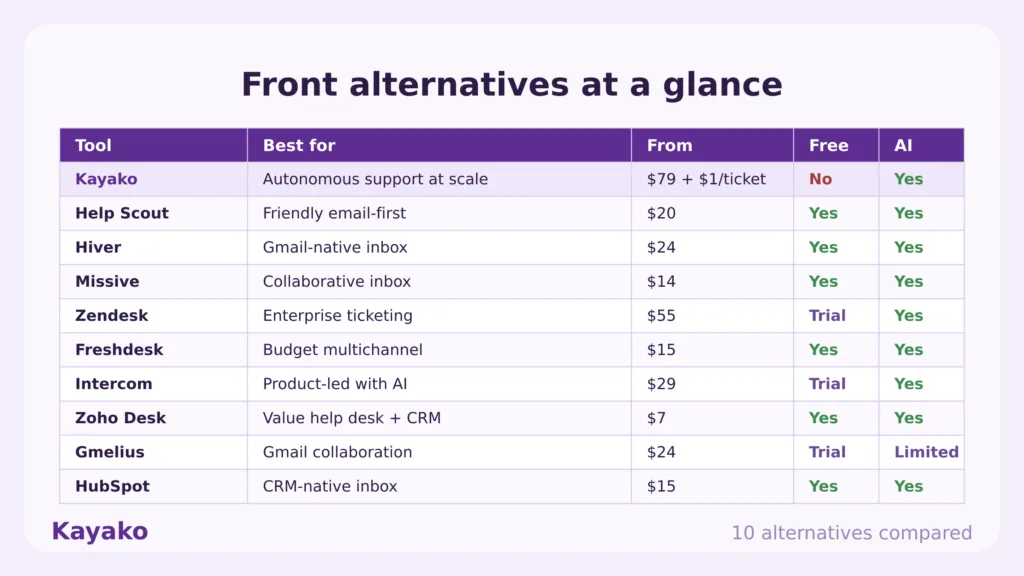
Front alternatives at a glance
Here is the shortlist before the in-depth reviews. Kayako leads because it solves the problem most teams hit after Front, which is resolving support volume rather than only organizing it.
|
Tool |
Rating |
Best for |
Starting price |
Free plan |
AI |
|
Kayako |
4.7 |
Autonomous customer support at scale |
$79/seat + $1 per resolved ticket |
No |
Yes |
|
Help Scout |
4.4 |
Friendly email-first support |
Free; from $20/user/mo |
Yes |
Yes |
|
Hiver |
4.6 |
Gmail-native shared inbox |
Free; from $24/user/mo |
Yes |
Yes |
|
Missive |
4.8 |
Collaborative team inbox |
Free; from $14/user/mo |
Yes |
Yes |
|
Zendesk |
4.3 |
Enterprise ticketing and omnichannel |
From $55/agent/mo |
Trial |
Yes |
|
Freshdesk |
4.4 |
Budget multichannel help desk |
Free; from $15/agent/mo |
Yes |
Yes |
|
Intercom |
4.5 |
Product-led support with AI |
From $29/seat/mo + $0.99/resolution |
Trial |
Yes |
|
Zoho Desk |
4.4 |
Value help desk with CRM |
Free; from $7/agent/mo |
Yes |
Yes |
|
Gmelius |
4.3 |
Gmail collaboration and automation |
From $24/user/mo |
Trial |
Limited |
|
HubSpot |
4.4 |
CRM-native shared inbox |
Free; from $15/seat/mo |
Yes |
Yes |
Ratings reflect public G2 and Capterra scores at the time of writing. Verify live pricing on each vendor page before publishing.
Why look for a Front alternative in 2026
Front still runs a tidy inbox. The pressure to move comes from three places, and they compound as a team grows.
- Per-seat cost climbs fast. Front prices from $25 per seat on Starter to $105 per seat on Enterprise, with a two-seat minimum and no free plan, and Capterra reviewers regularly call it expensive for small teams once integrations, analytics, and roles enter the picture.
- AI is a paid add-on, not a default. On the lower tiers, Copilot, Smart QA, and Smart CSAT are add-ons that can double the effective price, and automation is capped by plan, with Starter limited to 10 rules.
- Depth stops at the inbox. Front lists around 90 to 100 integrations and was built as a shared inbox first, so G2 reviewers note advanced integrations require higher tiers and wish it connected to more apps out of the box. Teams that need real ticketing eventually want more than organization.
Customer expectations push the same way. 73% of consumers are turned off by slow replies and more than half have abandoned a purchase over lagging responses, so speed and resolution, not inbox tidiness, decide satisfaction.
What real users say about Front
Three themes repeat across recent Front reviews on G2 and Capterra.
- Loved by email teams, pricey at scale. Reviewers praise the clean interface and the ability to tag colleagues and discuss an email in one place. On Capterra, the recurring caveat is cost, with users calling it expensive for small teams once they need integrations, analytics, or higher tiers.
- Usability frays on advanced workflows. The shared inbox is easy to adopt, however G2 reviews note rough edges once teams push toward complex automation, custom roles, or deeper integrations that only the upper tiers include.
- No free plan, AI billed separately. Front has no free tier and a two-seat minimum, and review-based pricing analyses flag that AI features are mostly paid add-ons, so total cost can rise well above the headline seat price.
The 10 best Front alternatives in 2026
Each tool below is rated for a specific job. Match the platform to your bottleneck, not to the longest feature list.
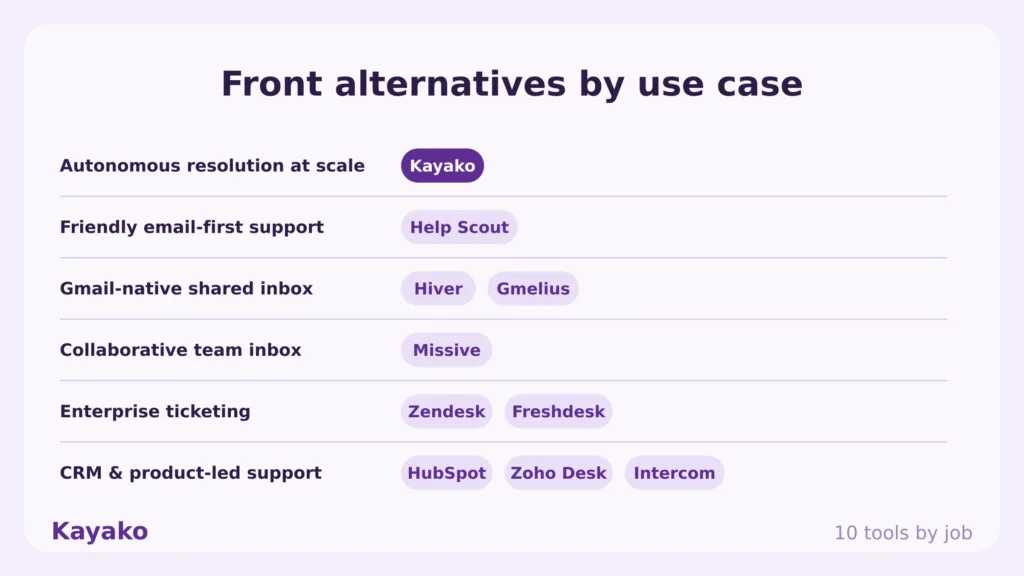
1. Kayako: Best for autonomous customer support at scale
Kayako is the number one pick for teams that outgrew Front because support volume, not inbox organization, became the real bottleneck. It pairs an AI shared inbox with Agent Kay, which resolves tickets across every channel instead of only routing them to the next free agent.
Key features
- Autonomous resolution. Agent Kay targets 80% and above resolution across email, live chat, voice, and social.
- Every conversation carries a unified customer timeline, deeper than the contact view a shared inbox offers.
- AI Triage. Auto-classifies, prioritizes, and routes tickets through automation workflows, with no per-tier rule caps.
- Built-in knowledge. A knowledge base and integrations feed consistent answers and resolution.
Pros
- Built for autonomous resolution, so it closes routine tickets rather than just assigning them. A team leaving Front for more than a tidy inbox feels that on day one.
- Kayako is deployed for you, not handed over as a setup project, which matters because Front teams often spend weeks tuning rules, workspaces, and tiers.
- Per-resolution pricing ties cost to outcomes, and a Backlog Breakthrough Guarantee returns your fee if there are no measurable results, lowering the risk of switching.
Cons
- Kayako is built for support operations, so a team that only wants a collaborative inbox for general email correspondence will use a fraction of the platform.
- The autonomous engine earns its return at real ticket volume, so a very small team with light volume will not see the full payback.
Pricing: A 90-day pilot from $15K including platform and services, then $79 per seat plus $1 per AI-resolved ticket. See Kayako pricing.
Rating: 4.7/5 from 100+ G2 reviews.
Versus Front: Front organizes and assigns conversations. Kayako resolves them and learns from each one. If your pain is rising support volume, slow replies, and a per-seat bill that keeps climbing, Kayako is the direct upgrade, and you can see the head-to-head on the Compare Kayako page.
Scale support without new headcount, with Kayako
2. Help Scout: Best for friendly, email-first support
Help Scout is a customer-first help desk that keeps support feeling human. Replies look like normal email rather than ticket numbers, which suits teams that left Front wanting warmth without technical overhead.
Key features
- Shared inbox. Collaborative inbox with assignments, private notes, and saved replies.
- Docs knowledge base. A self-service site that cuts repeat questions and email volume.
- In-app help and proactive messaging on your site or product.
- AI drafting and Answers. AI-drafted replies, summaries, and customer-facing resolution.
Pros
- The interface stays clean and personal, so customers get email-style replies instead of ticket jargon, which is exactly what teams leaving Front for a softer feel want.
- A genuine free plan for up to five users lets a small team start without spend, and Docs reduces repeat questions out of the box.
Cons
- Advanced reporting and workflow depth sit behind higher tiers, so growing teams hit upgrade walls as their needs mature.
- AI Answers bills on usage at roughly $0.75 per resolution, so heavy automation raises the bill in a way the headline seat price hides.
Pricing: Free for up to 5 users; paid from $20 to $65 per user per month, plus usage-based AI Answers. See Help Scout pricing.
Rating: 4.4/5 across 420+ G2 reviews.
Versus Front: Help Scout is simpler and friendlier than Front for email support, and it offers a free tier Front does not. It is lighter on multi-channel breadth, so weigh that if you need SMS and social in one place.
3. Hiver: Best for Gmail-native shared inboxes
Hiver turns Gmail into a shared support desk without forcing anyone into a new interface. For Google Workspace teams, that removes the change-management cost that pushes people away from Front in the first place.
Key features
- Gmail-native inbox. Shared inboxes, assignments, and status tracking inside Gmail.
- SLAs and automation. Rules, round-robin assignment, and SLA tracking on shared addresses.
- Included AI. AI drafting and summaries bundled into the plan tier, not billed separately.
- Multi-channel. Email, chat, WhatsApp, and voice channels with analytics.
Pros
- It lives inside Gmail, so a Google Workspace team adopts it in a day with no new app to learn, which is the friction that makes Front migrations slow.
- AI is included in the plan tier rather than billed as a separate add-on, so the price stays predictable as you automate.
Cons
- The Gmail-native model is both its strength and its ceiling, since teams that outgrow email-first support eventually want a fuller help desk.
- Cost rises with higher tiers and larger seat counts, and some advanced analytics only appear on upper plans.
Pricing: Free plan; paid from about $24/user/mo (Growth) up to roughly $59/user/mo (Elite). See Hiver pricing.
Rating: 4.6/5 across 1,200+ G2 reviews.
Versus Front: Hiver beats Front on price and setup for Gmail teams, and it bundles AI rather than charging extra. Front offers a more polished standalone workspace if you are not committed to Gmail.
4. Missive: Best for collaborative team inboxes
Missive is the closest like-for-like answer to Front’s collaborative inbox, with one trick Front lacks: two people can draft the same reply together in real time. It folds email, SMS, WhatsApp, and social into one workspace with internal chat inside the threads.
Key features
- Collaborative drafting. Real-time co-editing of replies, like a shared document for email.
- Unified channels. Email, SMS, WhatsApp, and social in one inbox.
- Internal chat in threads. Discuss a message without leaving it or switching apps.
- Rules and AI Compose. Automation plus AI-drafted replies and summaries.
Pros
- Real-time collaborative drafting lets two people write one reply together, which is the headline reason teams pick it over Front for shared work.
- Reviewers consistently call it more cost-effective than Front, and the free tier covers small teams that want the most capable option without spend.
Cons
- It is collaboration-first, so the deeper ticketing, SLA, and reporting that support operations need are thinner than a dedicated help desk.
- Some reviewers note that older message history can drop off and wish the entry tier offered more value.
Pricing: Free; paid from about $14 to $45 per user per month. See Missive pricing.
Rating: 4.8/5 on G2.
Versus Front: Missive matches Front’s collaborative inbox at a lower price and adds real-time co-drafting. Front carries more enterprise polish and broader native integrations.
5. Zendesk: Best for enterprise ticketing and omnichannel
Zendesk is the mature help desk choice, built from day one around ticketing, routing, and large-scale support automation, now with outcome-based AI resolution.
Key features
- Deep ticketing. Custom views, macros, triggers, SLAs, and multi-brand support.
- AI agents. Automated Resolutions confirm a fix after 72 hours of inactivity before billing.
- Omnichannel inbox. Email, chat, phone, and social in one agent workspace.
- Large marketplace. Over 1,500 integrations, against Front’s roughly 100.
Pros
- Support depth is the standout. Granular SLA management, side conversations, and reliable routing hold up at large volume, which is where lighter inbox tools fall over.
- The bot-to-agent handoff keeps context intact, so escalations do not force the customer to repeat themselves.
Cons
- AI cost is layered and adds up fast. The real automation lives in an Advanced AI add-on at $50 per agent per month, then automated resolutions bill $1.50 to $2.00 each.
- Setup and administration are heavier than an inbox tool, so a small team often pays for configuration depth it will not use, with larger rollouts taking months.
Pricing: Suite Team from $55/agent/mo up to Enterprise $169/agent/mo, plus the Advanced AI add-on at $50/agent/mo and automated resolutions at $1.50 to $2.00 each. See Zendesk pricing.
Rating: 4.3/5 on G2.
Versus Front: Zendesk gives you far deeper ticketing, routing, and reporting than Front’s inbox, with many more integrations. Budget for the AI add-ons separately, and expect a heavier setup.
6. Freshdesk: Best for a budget multichannel help desk
Freshdesk is one of the cheapest ways to move off Front into a proper ticketing system. It pairs multichannel support with mature routing automation and a forever-free starting tier.
Key features
- Multichannel ticketing. Email, chat, phone, and social in one ticket view.
- Workflow automation. Rule-based routing, SLAs, and assignment at scale.
- Freddy AI. Agent copilot and customer-facing AI agent, billed on usage.
- Knowledge base. Self-service portal to deflect repeat questions.
Pros
- A forever-free plan and a $15 entry tier make it one of the cheapest routes from Front into real ticketing, which is why budget-conscious teams shortlist it.
- The routing automation is mature, so high-volume queues sort themselves once the rules are configured.
Cons
- It is workflow-driven, so the initial setup and ongoing rule maintenance take real time as categories and teams change.
- Freddy AI agent sessions and copilot bill on top of seats, so automation-heavy teams should track session costs.
Pricing: Forever-free tier; paid from $15 to $79 per agent per month, plus Freddy AI usage. See Freshdesk pricing.
Rating: 4.4/5 on G2.
Versus Front: Freshdesk trades Front’s inbox feel for proper ticketing depth at a lower entry price. Expect more configuration up front in exchange for stronger automation.
7. Intercom: Best for product-led support with AI
Intercom blends a support inbox, in-app messaging, and its Fin AI agent into one platform. It fits product-led teams that guide users through onboarding and want AI to close repetitive tickets.
Key features
- Fin AI agent. Resolves conversations autonomously and connects to existing help desks.
- Unified inbox. Email, chat, and in-app messages with strong segmentation.
- Workflow automation. Multi-step procedures and routing for common paths.
- Outbound messaging. Product tours and proactive messages tied to behavior.
Pros
- Fin genuinely resolves tickets, with public case studies citing 50% to 67% automation, so the AI does real work rather than deflecting to an article.
- The Messenger experience is polished and customers engage with it, which lifts the share of issues the AI ever gets to solve.
Cons
- Cost compounds in a way that surprises teams. Seats run $29 to $132 each, then every Fin resolution adds $0.99 on top, so a busy month raises your usage bill, and reviewers repeatedly flag unpredictable spend at volume.
- Useful analytics sit behind a higher Pro add-on, and annual contracts can lock you in for twelve months, which stings if the model does not fit.
Pricing: Essential from $29/seat/mo, Advanced $85/seat/mo, Expert $132/seat/mo, plus $0.99 per Fin resolution with a 50-resolution monthly minimum. See Intercom pricing.
Rating: 4.5/5 on G2.
Versus Front: Intercom adds AI resolution and product messaging that Front’s inbox does not attempt. The trade is a usage bill that climbs with every Fin resolution, so model your volume first.
8. Zoho Desk: Best for a value help desk with CRM
Zoho Desk is one of the cheapest full help desks available, and it pulls ahead if you already run Zoho CRM. Agents see customer and invoice context inside the ticket instead of switching tools.
Key features
- Omnichannel ticketing. Email, chat, social, and phone from one interface.
- Zia AI. AI assistant for reply suggestions and ticket deflection on higher tiers.
- Blueprint automation. Process automation for assignment, SLAs, and escalation.
- Zoho CRM integration. Native link to customer and sales data across the Zoho suite.
Pros
- It is one of the lowest-cost full help desks on the market, and inside the Zoho ecosystem agents get customer context without leaving the ticket.
- The five-tier ladder starts near free and adds capability gradually, which suits teams testing the water after Front.
Cons
- The useful pieces, Zia AI, advanced analytics, and deep customization, sit on higher tiers, so the headline price understates a fully featured setup.
- Phone support needs a separate Zoho Voice subscription, and WhatsApp or SMS bill on usage, so channel costs stack on top of the base seat.
Pricing: Free for up to 3 agents; paid from about $7 to $50 per agent per month. See Zoho Desk pricing.
Rating: 4.4/5 on G2.
Versus Front: Zoho Desk delivers more ticketing depth than Front at a far lower price, especially inside the Zoho stack. The interface is busier, and channels like phone cost extra.
9. Gmelius: Best for Gmail collaboration and automation
Gmelius turns Gmail into a shared workspace with kanban boards and automation, so a Google Workspace team gets Front-style collaboration without leaving their inbox. It leans toward blended sales-and-support teams.
Key features
- Gmail shared inbox. Shared labels, assignments, and status inside Gmail.
- Kanban boards. Trello-style boards built on top of email for workflow visibility.
- Email automation. Rules, sequences, and auto-assignment.
- Team collaboration. Notes, shared drafts, and templates across the team.
Pros
- It brings boards and automation into Gmail, so a small Google Workspace team gets collaborative, Front-style workflows without a new interface.
- Sales sequences sit alongside the shared inbox, which suits blended sales-and-support teams that want both in one place.
Cons
- It is built around Gmail, so non-Google teams are out, and it is lighter on formal ticketing and reporting than a dedicated help desk.
- The two-tier structure offers less granularity, so you can end up paying for more than you need at the entry point.
Pricing: Plans from about $24 to $36 per user per month. See Gmelius pricing.
Rating: 4.3/5 on G2.
Versus Front: Gmelius is a cheaper, Gmail-native take on Front’s collaborative inbox, with kanban boards on top. It does not match Front’s multi-channel breadth or enterprise tiers.
10. HubSpot: Best for a CRM-native shared inbox
HubSpot’s shared inbox shines when you already use its CRM, because every conversation becomes part of the customer record across marketing, sales, and support.
Key features
- CRM-native inbox. Conversations attach to the full HubSpot contact and deal record.
- Free chatflows. A rule-based chatbot and live chat on the free tier.
- Breeze customer agent. AI resolution on higher Service Hub tiers, billed on resolution.
- Cross-team reporting. Track a customer from marketing touch to support ticket in one system.
Pros
- Every conversation lands on the full CRM record, so support, sales, and marketing share one customer view, which Front’s standalone inbox cannot do.
- Free tools and a low Starter tier let a small team begin cheaply before committing to the platform.
Cons
- The inbox is tickets-first rather than inbox-first, so teams coming from Front’s conversation view often find it less fluid.
- Value concentrates inside HubSpot, and Professional jumps to $90 per seat plus a $1,500 onboarding fee, so the price climbs fast outside the free tier.
Pricing: Free chatflows and tools; Service Hub Starter ~$15/seat/mo, Professional $90/seat/mo plus a $1,500 onboarding fee, Enterprise $150/seat/mo with a 10-seat minimum. See HubSpot pricing.
Rating: 4.4/5 on G2.
Versus Front: HubSpot ties the shared inbox to a full CRM, which Front does not. It is the better fit for HubSpot shops and a heavier, pricier choice for everyone else.
Kayako vs Front: a feature-by-feature comparison
Since Kayako is the top pick for teams that outgrew Front on support, here is the head-to-head.
|
Feature |
Front |
Kayako |
|
Primary use case |
Shared inbox for team email and collaboration |
Autonomous customer support resolution |
|
Core model |
Organize and assign conversations |
Resolve conversations with AI, escalate the rest |
|
AI |
Copilot, Smart QA, CSAT as paid add-ons on lower tiers |
Agent Kay resolution included in the model |
|
Channels |
Email, chat, SMS, and social shared inbox |
Email, live chat, voice, social, and your help desk |
|
Customer context |
Contact timeline inside the inbox |
SingleView unified customer timeline |
|
Knowledge base |
Available on higher tiers |
Built in, feeds AI resolution |
|
Pricing model |
$25 to $105+ per seat, 2-seat minimum, AI extra |
$79 per seat plus $1 per AI-resolved ticket |
|
Free plan |
No |
No |
|
Best fit |
Teams that want a collaborative email inbox |
Mid-market teams scaling support without headcount |
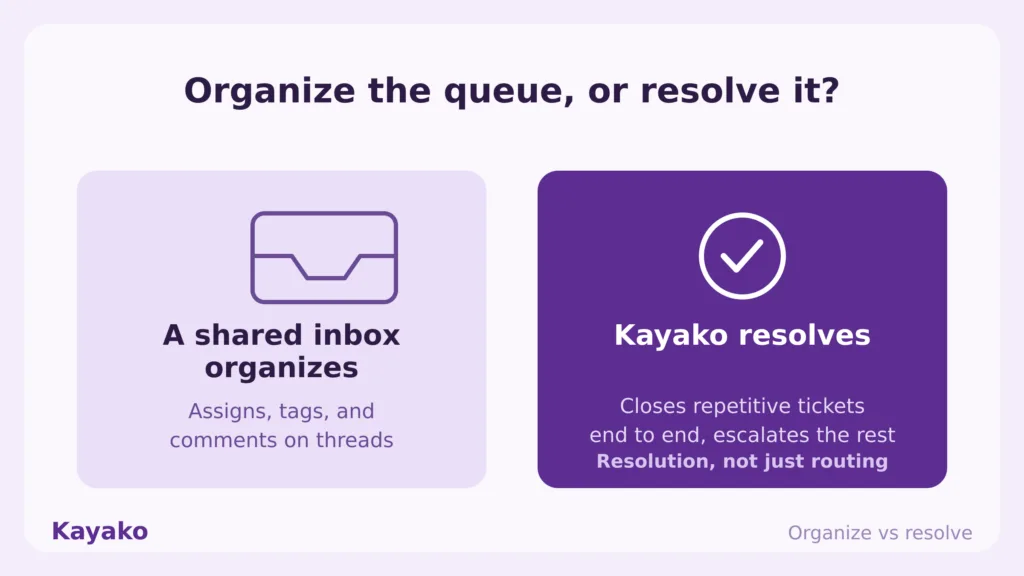
The takeaway is simple. Front gives your team a calm place to sort and reply to email. Kayako resolves the conversations for you and improves with each one.
Cut your per-seat support cost Book Session >
Reviews: what real users say
Where reviewers praise these tools
Across G2 and Capterra, reviewers praise Help Scout and Missive for clean, collaborative inboxes, Hiver for Gmail-native simplicity, Zendesk and Freshdesk for ticketing depth, and Zoho Desk for value. Kayako reviewers single out the done-for-you deployment and the measurable drop in backlog and cost per ticket.
Where reviewers raise concerns
The complaints rhyme across the category. Per-seat pricing climbs once AI and analytics are added, usage-based AI charges surprise teams as volume grows, and inbox-first tools run thin on deep ticketing. These themes track the broader data, since 73% of consumers are turned off by slow replies, and 62% would rather use a chatbot than wait for a human agent. Speed and resolution, not inbox tidiness, decide satisfaction.
How to switch from Front without losing momentum
Migrating off Front is straightforward when you sequence it. Use this checklist.
- Map your active inboxes and rules. List every shared address, automation, and workflow that drives real outcomes, then retire the rest.
- Export contacts and conversation history. Keep your customer context and threads intact for the new platform.
- Pick by job, not by hype. Use the at-a-glance table to match the tool to your bottleneck, collaboration or resolution.
- Reconnect your channels. Link email, chat, and any SMS or social channels, plus your CRM.
- Rebuild only what earns its place. Recreate high-value rules first, then expand once the team is settled.
- Run both in parallel briefly. Validate results, then sunset Front to avoid double-handling messages.
How to choose the right Front alternative
The best tool removes your biggest bottleneck. Be honest about which job you are replacing.
- Primary goal. Resolving support volume points to Kayako, Zendesk, or Freshdesk. A collaborative team inbox points to Missive, Hiver, or Help Scout.
- Existing stack. Google Workspace teams lean Hiver or Gmelius. HubSpot and Zoho shops get the smoothest path from their own ecosystem tools.
- Complexity and budget. Missive, Help Scout, and Zoho Desk win on simplicity and price. Zendesk and Intercom suit larger teams with deeper requirements.
- True cost at scale. Watch usage-based AI and per-seat add-ons. Kayako’s per-resolution model and Zoho’s low tiers stay the most predictable as volume grows.
Which Front alternative should you pick
Start with the job, not the feature list. The right answer depends on what is actually driving you off Front.
- Customer support at scale. Choose Zendesk or Freshdesk if you need heavy ticketing on a tighter budget.
- Friendly email support. Help Scout for a personal, low-overhead inbox with a free tier.
- Gmail-native teams. Hiver for a shared inbox in Gmail, Gmelius if you want kanban boards too.
- Collaborative inbox. Missive for real-time co-drafting at a lower price than Front.
- CRM-connected support. HubSpot inside HubSpot, Zoho Desk inside the Zoho stack.
The bottom line
Front built a calm, collaborative shared inbox, and for email-heavy teams it still feels good to use. In 2026, the reasons people leave are the per-seat price that climbs once AI and analytics switch on, the lack of a free plan, and the depth that stops at the inbox. The job most teams leaving Front actually need filled is resolving rising support volume, not just sorting it.
For a collaborative inbox at a lower price, Missive and Hiver are the cleanest moves. For real support depth, Zendesk and Freshdesk go deep on ticketing. For teams that want conversations resolved rather than only organized, Kayako is the strongest answer, because it closes tickets end to end and aligns cost with outcomes. Pick the tool that removes your bottleneck, then move.
Start a 90-day Kayako pilot Book Session >
Frequently asked questions
What is the best Front alternative in 2026?
It depends on the job. For autonomous customer support at scale, Kayako is the strongest alternative. For a collaborative team inbox at a lower price, Missive and Hiver lead.
Does Front have a free plan?
No. Front starts at $25 per seat per month on the Starter plan, billed annually, with a two-seat minimum and no free tier. If a free plan matters, Help Scout, Hiver, Missive, Freshdesk, and Zoho Desk all offer one.
Why is Front considered expensive?
Front prices per seat from $25 to $105, and its AI features like Copilot, Smart QA, and CSAT are paid add-ons on the lower tiers, so the effective cost can climb well above the headline price once you switch them on.
What is the best free Front alternative?
Help Scout offers a free plan for up to five users, Hiver and Missive both have free tiers, and Zoho Desk is free for up to three agents. Freshdesk also runs a forever-free plan.
Does Kayako replace Front?
For customer support, yes. Kayako pairs an AI shared inbox with autonomous resolution across email, live chat, voice, and social, so it resolves conversations rather than only organizing them. For a pure general-purpose collaborative email inbox, Missive or Hiver may be the closer match.
Ready to transform your customer support with AI?
Join hundreds of support teams using Kayako to resolve tickets faster, raise CSAT, and scale without scaling headcount.
Move off Front cleanly with Kayako