Reset your support cost curve Book Session ›
How I tested these Help Scout alternatives
I went past the pricing pages. I signed up for trials, imported real tickets, connected integrations, and measured how each tool handled the jobs people hire Help Scout for.
I scored every platform on six things:
- Ease of use. Can a non-technical team get value in the first week.
- Automation and AI resolution. Does it close tickets end to end, or only route them.
- Channel coverage. Email, chat, voice, and social in one place, or only some of those.
- Does it connect to the stack you already run.
- Resolution rate, CSAT, and cost per ticket, not vanity metrics.
- Total cost at scale. Counting add-ons and forced upgrades, beyond the headline price.
Help Scout alternatives at a glance
Here is the full shortlist before the in-depth reviews. Kayako leads because it solves the problem most teams hit when they outgrow Help Scout, which is resolving support volume without hiring.
|
Tool |
Rating |
Best for |
Starting price |
Free plan |
AI |
|
Kayako |
4.7 |
Autonomous customer support at scale |
$79/seat + $1 per resolved ticket |
No |
Yes |
|
Zendesk |
4.3 |
Enterprise help desk depth |
$19/agent/mo |
No |
Yes |
|
Freshdesk |
4.4 |
Budget AI ticket automation |
Free; from $15/agent/mo |
Yes |
Yes |
|
Intercom |
4.5 |
Product-led, in-app messaging |
$39/seat/mo |
Trial |
Yes |
|
Front |
4.5 |
Collaborative shared inbox |
$19/seat/mo |
Trial |
Yes |
|
Gorgias |
4.6 |
E-commerce and Shopify support |
$10/mo |
Trial |
Yes |
|
Zoho Desk |
4.4 |
Configurable desk in a suite |
Free; from $12/agent/mo |
Yes |
Yes |
|
Hiver |
4.6 |
Gmail-native support teams |
$19/user/mo |
Trial |
Yes |
|
HubSpot Service Hub |
4.4 |
CRM-connected support |
Free; from $20/mo |
Yes |
Limited |
|
Groove |
4.6 |
Small teams wanting simplicity |
$12/agent/mo |
Trial |
Limited |
|
LiveAgent |
4.5 |
All-in-one multichannel on a budget |
$9/agent/mo |
Trial |
Yes |
Prices reflect annual billing and were verified in June 2026. Spot-check live tiers before publishing.
Why teams look for a Help Scout alternative
Help Scout is a capable email-first tool. However, it has clear limits that push growing teams to look elsewhere.
- Support-only scope. Help Scout handles support ticketing well. If your team also runs sales, general email, or internal collaboration, you need a second tool.
- Thin native channels. Email and chat are strong, but voice, social, and WhatsApp coverage trail dedicated omnichannel platforms. WhatsApp is inbound support only.
- Smaller integration library. The marketplace is leaner than Zendesk or Freshdesk, and some API endpoints, like knowledge base article control, are missing.
Costs that climb with add-ons. Standard is $25 per user per month, Plus is $45, and Pro is $75 with a 10-seat minimum. On top of that, extra inboxes run $10, Docs sites $20, and AI Answers costs $0.75 per resolution.
Forced upgrades at scale. Crossing the 26th agent pushes a Standard team to Plus and raises the bill by 87%, and onboarding fees can range from $1,500 to $5,000.
Customer expectations are moving the other way. 80% of consumers who have used generative AI expect it to change their service experience,and 73% are turned off by slow replies. A shared inbox alone leaves that demand on the table.
What real users say about Help Scout (Reddit sentiment)
- “Great until you scale.” The most common theme is love for the interface paired with frustration once volume grows. Users describe outgrowing the automation and reporting, then weighing a migration.
- “The add-ons add up.” Threads point to Docs charges, per-inbox fees, and AI Answers usage costs stacking on top of the per-seat price, so the real bill lands higher than the sticker.
- “We needed more channels.” Teams handling chat, voice, and social in parallel report bolting on extra tools, which is the exact gap a true omnichannel platform closes.
The 11 best Help Scout alternatives in 2026
Each tool below is rated for a specific job. Match the tool to your bottleneck, not to the longest feature list.
1. Kayako: best for autonomous customer support at scale
Kayako is the number one alternative for any team that outgrew Help Scout because support volume, not interface preference, became the bottleneck. It is an autonomous resolution platform that deploys into your existing help desk and resolves tickets across every channel.
Key features
- Agent Kay resolves tickets autonomously across email, live chat, voice, and social
- SingleView gives every conversation a unified customer timeline, rather than bare contact fields
- AI Triage auto-classifies, prioritizes, and routes tickets through automation workflows
- Omnichannel support that includes social media and e-commerce
- A knowledge base and integrations that keep answers consistent and connected
Pros: Built for autonomous resolution, targeting 80% and above. Deployed for you, not left for you to configure. Per-resolution pricing aligns cost with value.
Cons: Built for support operations, not solo email inboxes. Best suited to mid-market teams with real ticket volume.
Pricing: 90-day pilot from $15K including platform and services, then $79 per seat plus $1 per AI-resolved ticket. See pricing. A Backlog Breakthrough Guarantee returns your fee if there are no measurable results.
Rating: 4.7/5 from 100+ G2 reviews
Versus Help Scout: Help Scout organizes email well. Kayako resolves issues end to end. One enterprise team, Trilogy, cut average ticket age from 18 hours to under 5 and auto-resolved 68% of tickets after deploying Kayako. Compare it directly on the Compare Kayako page.
Scale support without adding headcount Talk to Expert ›
2. Zendesk: best for enterprise help desk depth
Zendesk is the heavyweight of the support category. If you have outgrown Help Scout and need deeper ticketing, reporting, and workflow control, Zendesk is the more powerful option.
Key features
- Omnichannel coverage across email, chat, voice, social, and SMS
- AI agents and copilots built on an AI-first resolution platform
- Large integration marketplace with over 1,000 apps
- Advanced analytics, custom views, and SLA management
- Multi-brand support under a single account
Pros: Deep feature set. Mature AI. Scales to large, complex operations.
Cons: Complex to set up. Suite Team at $55 per agent is the honest comparison number once you add channels.
Pricing: Zendesk starts at $19 per agent per month for email-only ticketing, with Suite Team from $55.
Rating: 4.3/5 on G2
Versus Help Scout: Zendesk wins on depth and AI maturity. Help Scout wins on simplicity for small email teams.
3. Freshdesk: best for budget AI ticket automation
Freshdesk pairs a clean ticketing system with Freddy AI, which makes it a strong fit for small and mid-sized teams that want automation without enterprise pricing.
Key features
- Freddy AI for automated routing and suggested replies
- Scenario automation for repetitive queries
- Integrated knowledge base and community forums
- Multi-channel support with SLA management
- Reporting and analytics across tiers
Pros: Generous free tier. Lower entry price than most rivals. Quick to deploy.
Cons: Advanced reporting and AI features sit on higher tiers. The interface can feel busy at scale.
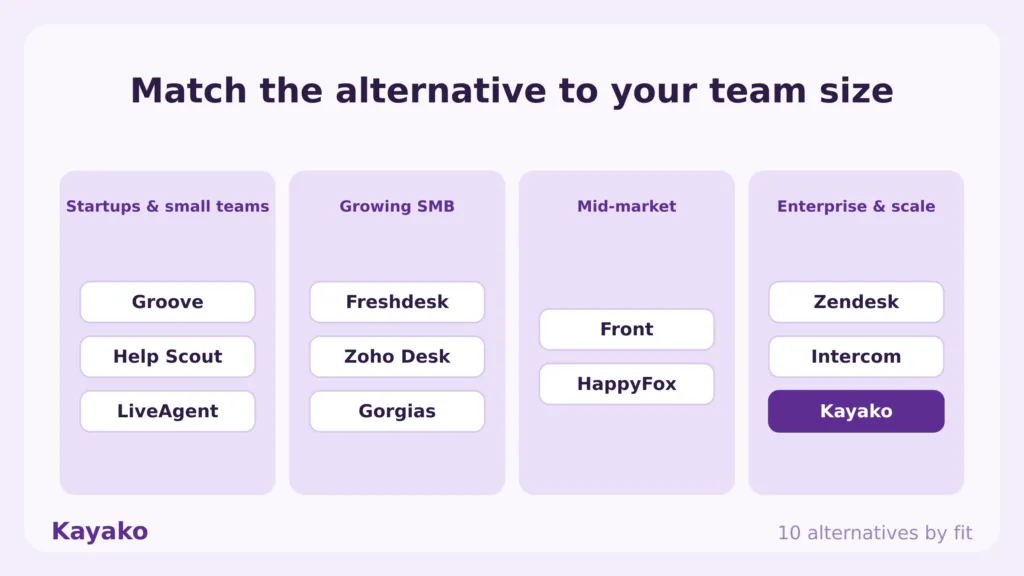
Pricing: Freshdesk is free for up to 10 agents, with paid plans from $15 per agent per month.
Rating: 4.4/5 on G2
Versus Help Scout: Freshdesk brings more automation and channels for the money. Help Scout stays simpler for pure email support. See our Freshdesk alternatives guide for a closer look.
4. Intercom: best for product-led, in-app messaging
Intercom blends support, in-app messaging, and its Fin AI agent into one platform. It suits product-led businesses that guide users through onboarding and adoption inside the product.
Key features
- Fin AI agent for automated resolutions
- In-app messaging for product adoption
- Multi-channel support inbox
- Advanced segmentation and targeting
- Workflows tied to product events
Pros: Polished product experience. Strong AI resolution. Deep customization.
Cons: Costs climb quickly with seats and Fin usage. Steeper learning curve.
Pricing: Intercom starts at $39 per seat per month, with usage-based Fin pricing.
Rating: 4.5/5 on G2
Versus Help Scout: Intercom delivers richer in-app messaging and AI. Help Scout is lighter and cheaper for email-led teams. For a wider view, read our Intercom alternatives guide.
5. Front: best for a collaborative shared inbox
Front centralizes email and messages in a shared inbox built for teams that reply together. It is a natural step up for groups that want real-time collaboration on top of Help Scout-style workflows.
Key features
- Collaborative inboxes with comments and assignments
- Live drafting and shared replies
- Integrations with Slack, Google Workspace, and CRMs
- Automation rules for sorting and routing
- Analytics on team performance and response time
Pros: Strong collaboration. Clean multi-channel inbox. Familiar email feel.
Cons: Automation is mostly rule-based. Pricing rises fast across tiers.
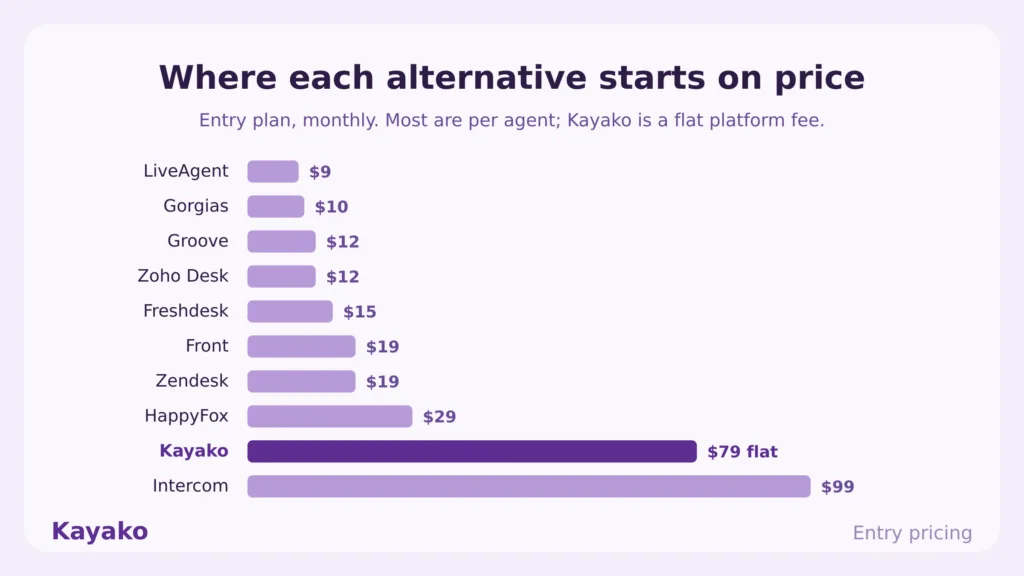
Pricing: Front starts at $19 per seat per month, billed annually.
Rating: 4.5/5 on G2
Versus Help Scout: Front wins on team collaboration and live drafting. Help Scout keeps a simpler model for small teams.
6. Gorgias: best for e-commerce and Shopify support
Gorgias is purpose-built for online retailers. It plugs into Shopify and automates support around order data, which makes it the go-to for e-commerce teams.
Key features
- Deep Shopify, Magento, and BigCommerce integration
- Automated replies based on order and customer history
- Rule-based routing and macros
- Unified view of orders, returns, and conversations
- E-commerce-tailored analytics
Pros: Built for retail. Strong order-aware automation. Fast ROI for stores.
Cons: Narrow outside e-commerce. Pricing scales with ticket volume.
Pricing: Gorgias starts at $10 per month on the entry tier, scaling with resolved tickets.
Rating: 4.6/5 on G2
Versus Help Scout: Gorgias wins for Shopify-driven stores that need order-aware automation. Help Scout is more general purpose but lacks native commerce depth.
7. Zoho Desk: best for a configurable desk in a suite
Zoho Desk is a context-aware help desk that fits neatly into the wider Zoho stack. It offers a full feature set with deep customization at a competitive price.
Key features
- Context-aware ticketing with customer data on hand
- Multi-channel support across email, chat, social, and phone
- Integrated knowledge base and community
- Workflow automation and SLA management
- Native ties to the rest of Zoho
Pros: More features per dollar than many rivals. Strong if you already run Zoho.
Cons: Configuration takes time. Best value is locked inside the Zoho ecosystem.
Pricing: Zoho Desk is free for up to 3 agents, with paid plans from $12 per agent per month.
Rating: 4.4/5 on G2
Versus Help Scout: Zoho Desk offers more channels and automation, especially inside Zoho. Help Scout stays easier to adopt for standalone email support.
8. Hiver: best for Gmail-native support teams
Hiver turns Gmail into a shared support desk. For teams that live in Google Workspace and do not want to learn a separate tool, it is the lightest possible upgrade from a personal inbox.
Key features
- Shared inboxes inside Gmail, no new interface to learn
- Email assignment, status, and collision detection
- SLA tracking and analytics
- AI summaries and suggested replies
- Knowledge base and live chat add-ons
Pros: Almost zero learning curve for Gmail teams. Quick setup. Affordable entry.
Cons: Tied to Google Workspace. Less depth than a full help desk at scale.
Pricing: Hiver starts at $19 per user per month, billed annually.
Rating: 4.6/5 on G2
Versus Help Scout: Hiver wins for teams that want support workflows without leaving Gmail. Help Scout offers a more complete standalone desk.
9. HubSpot Service Hub: best for CRM-connected support
HubSpot Service Hub shines when you already run HubSpot. It ties support tickets to the full CRM, so every interaction carries real customer context from sales and marketing.
Key features
- Ticketing with automated routing
- Live chat and chatbot builder
- Customer portal with self-service knowledge base
- Native CRM integration across the HubSpot suite
- Reporting tied to broader customer data
Pros: Seamless inside HubSpot. Strong reporting. Free tier to start.
Cons: Best value only within HubSpot. Higher tiers get expensive.
Pricing: HubSpot Service Hub is free to start, with paid plans from $20 per month.
Rating: 4.4/5 on G2
Versus Help Scout: HubSpot connects support to your entire CRM. Help Scout runs leaner and cheaper if you do not need the CRM backbone.
10. Groove: best for small teams wanting simplicity
Groove is built for startups and small businesses that want a shared inbox up and running fast. It keeps the feature set tight on purpose.
Key features
- Simple, intuitive interface for quick onboarding
- Knowledge base to deflect repeat questions
- Canned replies and basic automation
- Slack and Zapier integrations
- Real-time reporting on core metrics
Pros: Fast to set up. Affordable. Friendly for non-technical teams.
Cons: Light on advanced automation and AI. Limited for complex operations.
Pricing: Groove starts at $12 per agent per month, billed annually.
Rating: 4.6/5 on G2
Versus Help Scout: Groove and Help Scout compete closely on simplicity. Help Scout has a broader knowledge base and a larger ecosystem.
11. LiveAgent: best for all-in-one multichannel on a budget
LiveAgent packs ticketing, live chat, and a built-in call center into one affordable hub. It suits teams that want broad channel coverage without premium pricing.
Key features
- All-in-one hub for email, chat, voice, and social
- Built-in call center with IVR and routing
- AI chatbots for common questions
- Knowledge base and self-service portal
- Real-time analytics and gamification
Pros: Wide channel coverage for the price. Strong live chat. Built-in voice.
Cons: Interface feels dated. Deeper automation needs higher tiers.
Pricing: LiveAgent starts at $9 per agent per month, billed annually.
Rating: 4.5/5 on G2
Versus Help Scout: LiveAgent offers more channels at a lower price. Help Scout feels more refined but covers fewer channels natively.
Smarter support starts here
Kayako vs Help Scout: a feature-by-feature comparison
Since Kayako is the top pick for teams that outgrow Help Scout on volume, here is the head-to-head.
|
Feature |
Help Scout |
Kayako |
|
Primary use case |
Email-first shared inbox |
Autonomous support resolution |
|
Resolution model |
Human agents reply, AI Answers deflects |
Agent Kay resolves or escalates with full context |
|
Channels |
Email, chat, limited social and voice |
Email, live chat, voice, social, and your help desk |
|
Customer context |
Contact and conversation fields |
SingleView unified customer timeline |
|
Triage and routing |
Rules and basic automation |
AI Triage auto-classifies and routes |
|
Reporting |
Standard support metrics |
Resolution rate, CSAT, and cost per ticket |
|
Pricing model |
Per seat plus add-ons and usage |
$1 per AI-resolved ticket |
|
Implementation |
Self-serve setup |
Done-for-you deployment into your help desk |
|
Best fit |
Small teams handling email support |
Mid-market teams scaling without headcount |
The takeaway is simple. Help Scout helps your team reply faster. Kayako resolves the conversations for you and learns from each one. The category data backs the move, since agentic AI is now delivering 80% containment in production.
Reset your support cost curve Get Started ›
How to switch from Help Scout without losing momentum
Migrating off Help Scout is straightforward when you sequence it. Use this checklist.
- Export your data. Pull tickets, contacts, and knowledge base articles so you keep your history and context.
- Map your active workflows. List the automations that drive real outcomes, and retire the rest.
- Pick by job, not by hype. Use the glance table to match the tool to your bottleneck.
- Reconnect your channels. Link email, chat, social, and any voice lines to the new platform.
- Rebuild only what earns its place. Recreate high-value workflows first, then expand.
- Run both in parallel briefly. Validate results, then sunset Help Scout to avoid duplicate replies.
Which Help Scout alternative should you pick?
Start with your use case, not a feature list. The right tool depends on what you are actually trying to do.
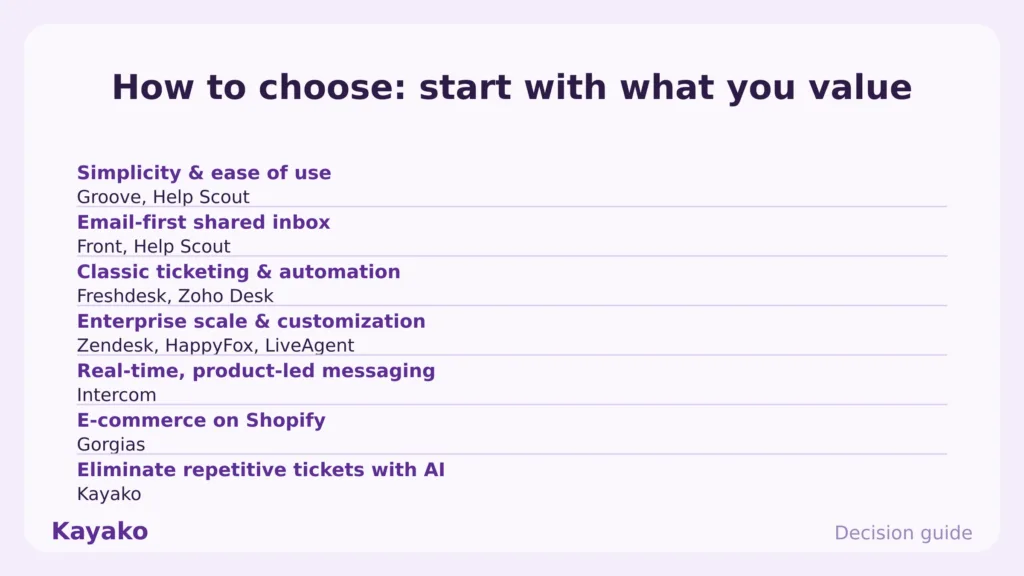
- Resolve support volume at scale. Choose Kayako.
- Enterprise depth and AI maturity. Choose Zendesk.
- Budget automation for a mid-sized team. Choose Freshdesk.
- Product-led, in-app messaging. Choose Intercom.
- Team collaboration on a shared inbox. Choose Front, or Hiver if you live in Gmail.
- E-commerce and Shopify support. Choose Gorgias.
- Already running HubSpot or Zoho. Choose their native desk.
The bottom line
Help Scout is good at what it was built for, which is simple email support for small teams. It was never built to resolve high ticket volume across every channel. As your operation grows, that gap turns into cost, backlog, and missed expectations.
For the problem most growing teams actually face, which is rising volume and rising cost, Kayako is the clear number one. Pick the tool that removes your bottleneck, then move.
Start with a 90-day pilot Book Session ›
Frequently asked questions
What is the best Help Scout alternative in 2026?
It depends on the job. For autonomous customer support at scale, Kayako is the strongest alternative. For enterprise depth, Zendesk leads, and for budget automation, Freshdesk is a strong pick.
What is the best free Help Scout alternative?
Freshdesk offers a free tier for up to 10 agents, Zoho Desk is free for up to 3, and HubSpot Service Hub has a free starting plan. Each is a reasonable place to begin before you scale.
How much does Help Scout cost?
Help Scout runs $25 per user per month on Standard, $45 on Plus, and $75 on Pro with a 10-seat minimum, all billed annually. Add-ons for extra inboxes, Docs sites, and AI Answers can push the real total higher.
What are Help Scout’s main limitations?
Help Scout focuses on email-first support, so it offers thinner native voice and social coverage, a smaller integration library, and add-on costs that climb as you add seats, inboxes, and AI resolutions.
Does Kayako replace Help Scout?
For customer support, yes. Kayako resolves tickets across email, live chat, voice, and social, and deploys into your existing help desk. For a single-person email inbox, a lighter tool may be enough.
Can I migrate my Help Scout data to a new tool?
Yes. You can export tickets, contacts, and knowledge base articles, then import them into the new platform so you keep your history and context during the switch.
Ready to transform your customer support with AI?
Join hundreds of support teams using Kayako to resolve tickets faster, raise CSAT, and scale without scaling headcount.
More tools and comparisons
Switch from Help Scout to Kayako and watch your team actually enjoy support work.
Get Started