The useful question is not which tool wins in the abstract. It is which one fits the team you have now and the team you expect to have eighteen months from today? Most comparisons on this topic are written by companies that sell a rival help desk, and they tend to steer you toward their own product somewhere around the halfway mark. This piece does not do that. I will name the winner of each round as I have watched it play out on real support floors, and I will flag where each platform quietly costs more than its sticker price suggests.
Help Scout vs Zendesk at a glance
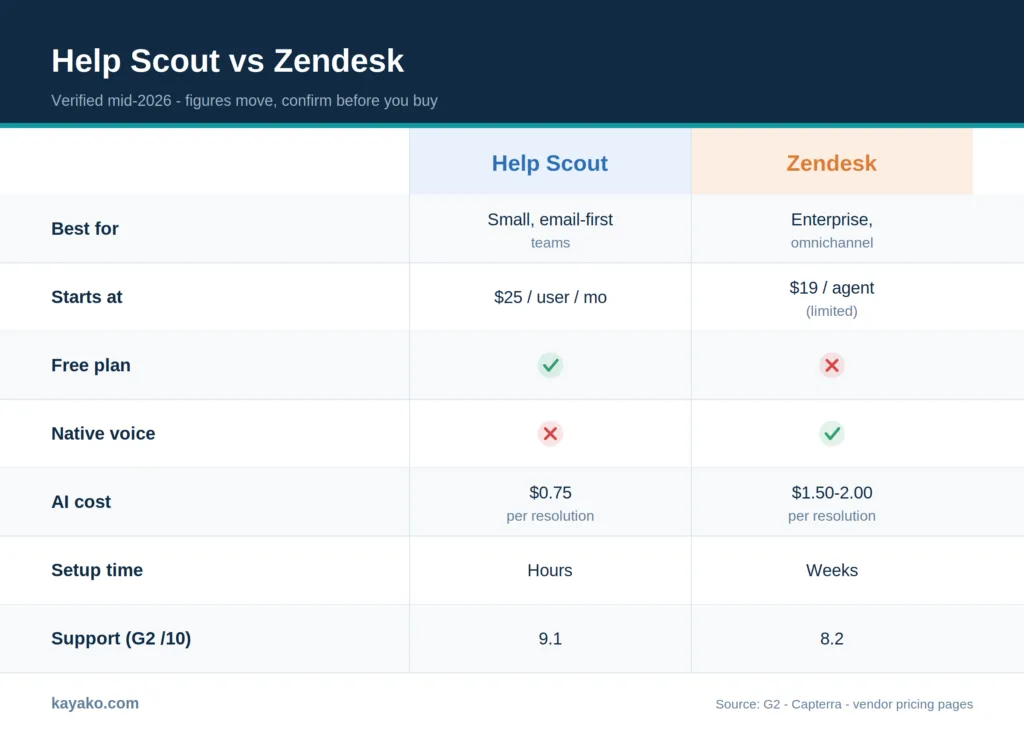
Here is the short version before the details. Figures are per agent or per user, per month, on annual billing, and were current in mid 2026. Confirm both pricing pages before you commit, because they change often.
|
Dimension |
Help Scout |
Zendesk |
|---|---|---|
|
Best for |
Small to mid-teams, email and chat first |
Enterprise, omnichannel, multi-brand at scale |
|
Starting paid price |
$25 / user/mo (Standard) |
$19 / agent/mo (limited); $55 for omnichannel |
|
Free plan |
Yes, up to 5 users |
No, 14-day trial only |
|
Native voice and SMS |
No, added via Aircall and similar |
Yes, built in |
|
AI cost |
Included on paid plans; AI Answers $0.75 / resolution |
Advanced AI add-on $50 / agent/mo; $1.50 / resolution |
|
Time to live |
Hours to a few days |
Weeks to months |
|
Integrations |
Around 100 |
Around 2,000 |
|
G2 rating |
About 4.4 / 5 (400+ reviews) |
About 4.3 / 5 (6,000+ reviews) |
|
Capterra rating |
About 4.6 / 5 |
About 4.4 / 5 |
|
Trustpilot |
Markedly higher |
About 1.6 / 5 |
|
G2 quality of support |
9.1 / 10 |
8.2 / 10 |
A table flattens the nuance, though. The rest of this piece unpacks where those numbers come from and how they feel in daily use. The quickest way in is the one-line recommendation, so start there.
The 30-second answer
Some readers want the verdict before they spend twenty minutes on the detail, so here it is up front.
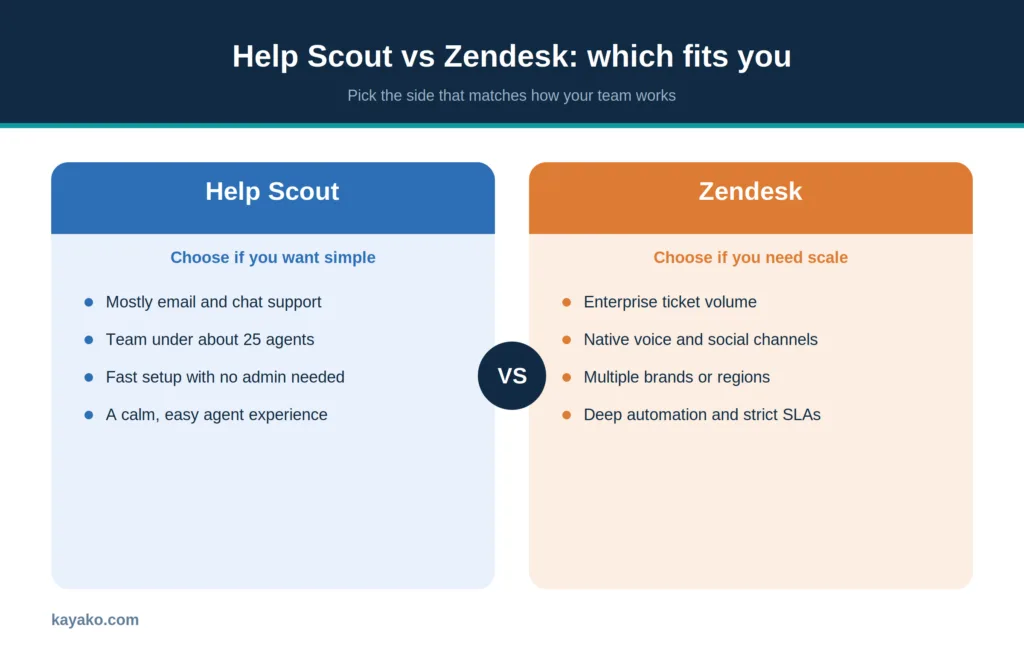
Choose Help Scout if you run a small or mid-sized team, your customers mostly reach you through email and chat, and you want agents to be productive in an afternoon rather than a fiscal quarter. Choose Zendesk if you support at enterprise volume across voice and social, run several brands or regions, and need deep automation, enforceable SLAs, and reporting that your leadership can slice in any direction. That settles it for most readers. Everything below is for the close calls.
When the decision is genuinely close, money usually breaks the tie. That makes pricing the right place to dig in first.
Pricing, with the numbers and the traps
Both vendors lead with friendly headline figures and hope you stop reading there. The real cost lives in the tiers and add-ons underneath, so it pays to walk through each model slowly.
Zendesk sells in tiers. The entry Support Team plan runs about $19 per agent each month, but it only handles email, Facebook, and X, with no live chat, voice, AI, or SLA tracking. Teams outgrow it fast. Real omnichannel starts at the Suite Team plan, which costs around $55 per agent. SLAs, skill-based routing, community forums, and the deeper analytics live on Suite Professional at roughly $115 per agent. On top of that, the Advanced AI add-on costs about $50 per agent each month, and autonomous AI resolutions bill at around $1.50 each after a small monthly allowance. A 50-agent enterprise running Suite with Advanced AI and the workforce and quality add-ons can land near $161,400 a year.
Help Scout is simpler on the surface. There is a free plan for up to 5 users with one inbox and one Docs site. Paid plans run about $25 per user for Standard, $50 for Plus, and $65 for Pro. The AI chatbot, called AI Answers, is billed separately at $0.75 per resolution, with a three-month unlimited trial and an optional monthly spending cap. Extra inboxes cost about $10 each per month, and extra Docs sites cost about $20.
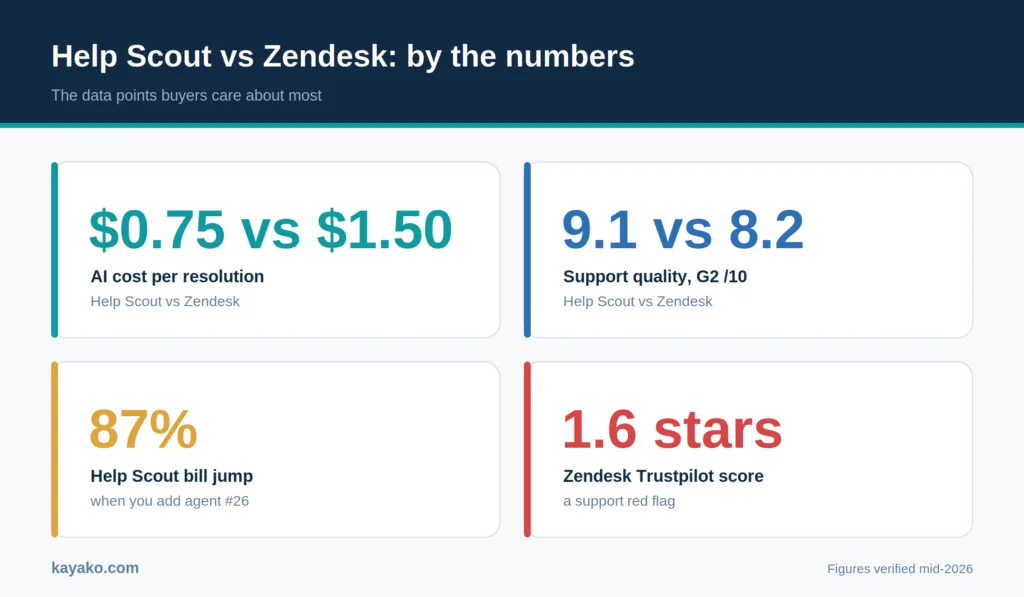
Two traps deserve a callout. On Help Scout, adding your 26th agent can force a jump from Standard to Plus that raises your bill by close to 87 percent, so the move from 25 to 26 people is not a rounding error. On Zendesk, the headline $19 plan tempts small teams who then discover that live chat alone requires the $55 Suite tier. Plan with the number you will actually pay at your real headcount and channel mix, not the figure on the pricing hero.
Sources to cite: Help Scout pricing, Hiver’s pricing breakdown, CheckThat.ai Help Scout pricing.
Sticker price is only half of Help Scout’s story, though. A recent change to how it bills has shaped how some teams feel about the brand, and that detail is worth a short detour before we move on.
The Help Scout pricing story most reviews skip
There is recent history here worth knowing, because it shapes how some teams feel about the brand. For years, Help Scout charged a flat fee per agent, which made budgeting painless. The company then shifted to a model based on customer interactions rather than seats, and the reaction in support communities was loud. Users on Reddit described the new approach as unpredictable, since a busy month could spike the bill in ways headcount never did. Help Scout has since moved new accounts back to per-user pricing, while some existing customers remain on the legacy interaction model. If you are evaluating now, you will likely see per-user pricing, but ask the sales rep directly which model your contract will use.
Sources to cite: eesel AI on Help Scout’s pricing change, plus the original threads in r/SaaS and r/CustomerSuccess.
Once the commercial picture is clear, attention turns to what the money actually buys. Automation and AI are where these two platforms pull furthest apart.
AI and automation: assist versus autonomy
This is where the two products diverge most, and it is easy to get wrong if you only read the marketing.
Help Scout treats AI as an assistant for the agent. AI Drafts pre-writes a reply from your past conversations and help articles, AI Assist edits tone and length or translates, and AI Summarize condenses long threads. These come included on paid plans. AI Answers, the customer-facing chatbot, is the part that bills per resolution. The effect is that your agents move faster, but a human still touches almost every ticket.
Zendesk aims for autonomy. Its AI Agents can resolve repetitive requests end-to-end, pull live data from your systems through APIs, and operate across many languages, which means the ticket never reaches a person at all. That power is real, and so is the price. The Advanced AI add-on and the per-resolution charge of roughly $1.50 sit on top of your base plan. For a team drowning in password resets and order-status checks, autonomous deflection can pay for itself. For a team that values a human voice on every reply, it can be a feature you bought and switched off.
A simple test: if most of your volume is repetitive and self-contained, Zendesk’s autonomy has more to offer. If your value is in the quality of human replies, Help Scout’s assist model fits the way you already work.
Sources to cite: Featurebase AI comparison, Hiver AI section.
Specs and pricing describe what a tool can do. Reviews describe what it is like to live with, which is the gap the next section fills.
What real users say (G2, Capterra, Trustpilot, Reddit)
Feature lists only get you so far. Here is what shows up consistently once you read enough reviews and community threads, with the scores to back it.
Help Scout. Ratings sit around 4.4 on G2 across 400-plus reviews and near 4.6 on Capterra. The praise is remarkably consistent: the interface feels familiar, new agents learn it quickly, and the company’s own support is described by reviewers as above-and-beyond helpful. On G2’s quality-of-support measure, it scores about 9.1 out of 10, and Software Advice puts its support near 4.7 out of 5. The recurring criticism is the flip side of its simplicity. Teams that need granular reporting, complex routing, or heavy customization report bumping into walls as they grow.
Zendesk. Product ratings are healthy, around 4.3 on G2 across thousands of reviews and near 4.4 on Capterra, and users genuinely value how much it can do. The outlier is the support reputation. Zendesk’s Trustpilot score sits near 1.6 out of 5, and in one analyst sample, roughly 70 percent of reviewers who mentioned contacting support described a poor experience. The other steady theme is cost creep. One Reddit user described their bill climbing toward $5,000 a month as the team grew to a couple of dozen agents, before add-ons. None of this means Zendesk is a bad platform. It means you should budget for premium support and read the renewal terms closely.
Net read from the trenches: teams switch to Help Scout for ease and a calmer support experience, and they switch to Zendesk when they outgrow simple tooling and need scale that they cannot get elsewhere. Both directions of churn are real, and both are rational for the team making the move.
Sources to cite: G2 Help Scout reviews, G2 Zendesk reviews, SelectHub head-to-head, Hiver review roundup.
Reviews capture life after onboarding. The quieter worry for most buyers is the onboarding itself, and in particular, how hard it is to move off whatever they run today.
Migration reality
Switching help desks has been compared to performing surgery on a moving roller coaster, and that is about right. The good news for one direction: Help Scout offers free automated migration from Zendesk using Import2, which brings over tickets, tags, and customer profiles, with a separate tool for help-center articles. Going the other way is heavier and usually involves a paid migration service or manual work.
Watch the data-retention limits while you plan. Zendesk introduced a 37-month retention cap in mid 2025. Help Scout’s Standard plan keeps about two years of history, the free plan forgets after 30 days, and Plus and Pro retain it for the life of the account. If historical reporting matters to you, factor that in before you move, not after.
Cost, automation, sentiment, and migration sketch the broad shape of the decision. Seeing how each platform handles the day-to-day jobs your team repeats brings that shape into focus.
Round by round
Eight rounds, one verdict each, based on how these play out in practice rather than on paper.
1. Setup and onboarding
Help Scout gets a team live in hours, with sensible defaults and a near-zero learning curve. Zendesk can do almost anything once configured, but that breadth means planning, training, and admin time. Verdict: Help Scout.
2. Omnichannel and voice
Zendesk natively unifies email, chat, voice, and social in one agent workspace and keeps context across channels. Help Scout centers on email and chat, adds WhatsApp and social on higher tiers, and leans on integrations for phone. Verdict: Zendesk.
3. Automation and SLAs
Zendesk’s trigger and macro engine, skill-based routing, and per-segment SLA policies are built for complexity. Help Scout’s workflows cover everyday triage cleanly but stop short of enterprise orchestration, and it has no native SLA enforcement. Verdict: Zendesk.
4. Analytics and reporting
Zendesk Explore offers deep, multi-dimensional reporting that executives can slice by team, channel, or cohort, though it carries a learning curve. Help Scout’s reports are clearer and faster to read, but shallower. This one splits by need: Zendesk for depth, Help Scout for clarity.
5. Collaboration
Help Scout’s shared inbox bakes in private notes, tagging, collision detection, and clean handoffs without app-switching. Zendesk collaborates well, too, but often leans on added apps and configuration. Verdict: Help Scout for everyday teamwork.
6. Integrations
Zendesk’s marketplace spans roughly 2,000 apps against Help Scout’s 100 or so. If you need niche connectors across CRM, telephony, BI, and QA, the breadth matters. Verdict: Zendesk.
7. Multi-brand and governance
Zendesk maintains distinct help centers, SLAs, and workflows per brand with fine-grained roles and permissions. Help Scout supports multiple mailboxes and Docs sites, but relies on workarounds for deep separation. Verdict: Zendesk.
8. Support quality and value
When the company selling you a support tool answers its own tickets fast and kindly, that is the product demo. Help Scout wins this on the review data, and its plans run materially cheaper per seat than Zendesk’s Suite tiers. Verdict: Help Scout.
Add those verdicts up, and neither tool runs the table. That is the whole point of the exercise. The right pick hangs on which of these rounds carries the most weight for the work you do.
How to choose, by scenario
To turn those round-by-round calls into an actual decision, match your situation against the cases below.
- Team size and complexity. Large or multi-team operations with complex SLAs and multiple channels lean on Zendesk. Small to mid-sized teams that value simplicity and fast onboarding lean on Help Scout.
- Channels. Need native voice and social at volume, choose Zendesk. Mostly email and chat, choose Help Scout.
- AI needs. Want autonomous deflection of repetitive tickets, Zendesk. Want AI that speeds up human replies without per-seat add-ons, opt fot Help Scout.
- Budget predictability. Help Scout’s per-seat model is easier to forecast, as long as you watch the tier thresholds and AI resolution volume. Zendesk delivers more power, but with add-ons that stack.
- Multi-brand and governance. Distinct brands, regions, and strict role controls point to Zendesk. A single brand with lighter controls is fine on Help Scout.
Most evaluations also surface the same handful of pointed questions. Straight answers to them follow.
Help Scout and Zendesk sit at opposite ends of the same shelf. Help Scout keeps support simple, human, and quick to stand up, which is why smaller teams love it and why some outgrow it. Zendesk is built for scale, automation, and governance, which is why large operations rely on it and why smaller ones can find it heavy and expensive. Match the tool to the team you actually run, weigh the true cost at your real headcount, and you will choose well either way.
If neither end of that shelf fits, it is worth looking at platforms that aim for enterprise capability without enterprise overhead before you sign.
Want a calmer third option? Talk to Kayako.
A comparison like this can only take you to the doorstep. The two platforms read very differently once your own team and your real ticket volume are inside them, and that is the test that actually counts. Treat the verdicts here as a strong starting hypothesis, then confirm or break it with a short trial on your live workflow before you commit to anything.
Three habits will keep you out of trouble whichever way you lean. Price the tool at the headcount and channel mix you expect next year, not the one you have today. Weigh each platform’s own support quality, because that is the experience you inherit the moment something breaks. And hand the product your hardest, messiest queue for a week, since the edge cases are where the real differences surface. Do that, and you will walk in with your eyes open.
Frequently asked questions
Which is cheaper, Help Scout or Zendesk?
For most small and mid-sized teams, Help Scout. Its paid plans run materially less per seat than Zendesk’s Suite tiers, and its AI resolutions cost about half as much. Zendesk can still win on total value at enterprise scale if you use its depth fully.
Can Help Scout scale to a large team?
Up to a point. It serves growing teams well, but organizations that need complex routing, strict SLAs, native voice at volume, or deep custom reporting often migrate to a heavier platform as they expand.
Does Zendesk have a free plan?
No. Zendesk offers a free trial rather than a free tier. Help Scout has a genuine free plan for up to 5 users.
Which has better AI?
They aim at different goals. Zendesk’s AI can resolve tickets autonomously and take actions through APIs, which is stronger for high-volume deflection. Help Scout’s AI assists agents and is included on paid plans, which is friendlier for teams that keep a human in the loop.
How hard is it to migrate from Zendesk to Help Scout?
Easier than most switches. Help Scout provides free automated migration through Import2 for tickets, tags, and contacts, plus a separate tool for help-center articles.
Which is better for a small support team?
Help Scout, in most cases. Faster setup, a gentler learning curve, a free tier, lower per-seat cost, and a strong support reputation make it a comfortable fit for lean teams.
With the common questions settled, the decision reduces to a fairly simple framing.