Zendesk vs Salesforce Service Cloud: An Honest 2026 Comparison
The bottom line
|
Choosing between Zendesk and Salesforce Service Cloud is really a choice between two philosophies. Zendesk built a service platform for speed and simplicity, so a team can be productive in weeks. Salesforce built Service Cloud as part of a full CRM, so service runs on the same record as sales and marketing, with deep customization for teams that need it. Both are proven and widely adopted, and they are optimized for genuinely different realities.
This comparison is non-partisan. It draws on public pricing, aggregated G2 and Capterra scores, and real user reviews to show where each platform wins, so you can match your needs to the right tool. We cover the quick verdict, key differences, a feature-by-feature table, real pricing and the true cost of ownership, honest pros and cons, what users say, and a use-case matrix.
Zendesk vs Salesforce Service Cloud: the quick verdict
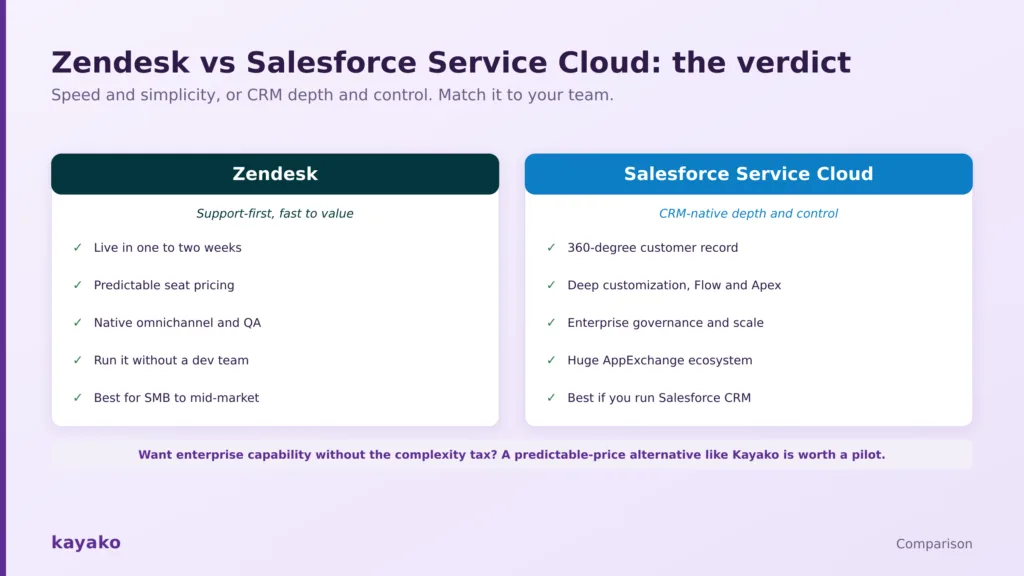
Speed and simplicity, or CRM depth and control. Match it to your team.
Choose Zendesk if you want to be live in weeks, budget predictably, run support without a dedicated admin team, and keep the platform focused on service.
Choose Salesforce Service Cloud if you already run Salesforce CRM, need a unified sales-and-service view of every customer, require deep custom processes, and have the admins or developers to build and maintain them. Most SMB and mid-market teams get more from Zendesk, while large or Salesforce-centric enterprises get more from Service Cloud.
Zendesk vs Salesforce Service Cloud at a glance
Prices are per agent or per user, per month, on annual billing, and were current in mid-2026. Confirm both vendor pricing pages before committing.
| Dimension | Zendesk | Salesforce Service Cloud |
|---|---|---|
| Best for | Support-first SMB to mid-market and fast rollouts | CRM-native enterprises already on Salesforce |
| Starting paid price | $19 per agent (email); $55 for omnichannel | Starter Suite $25 per user |
| Time to value | One to two weeks | Months, sometimes longer |
| Admin burden | Low, no dev team required | High, needs admins and often developers |
| Customer view | Strong, full 360 needs integration | Native 360-degree record across sales and service |
| AI | Works day one, billed per resolution | Agentforce, powerful, needs data setup |
| Integrations | About 1,800 curated apps | AppExchange, 7,000+ apps |
| G2 rating | About 4.3 out of 5 (7,100+ reviews) | About 4.4 out of 5 |
| Capterra | 4.5 out of 5 | About 4.4 out of 5 |
| True cost | Predictable seat pricing | Often 2 to 3x list once fully deployed |
Read it this way: Zendesk wins the speed and simplicity decision, while Salesforce wins the depth and unification decision. The gap that decides most budgets is total cost of ownership, covered in detail below.
How we evaluated this
We pulled list pricing from each vendor and confirmed it in mid-2026, read aggregated scores on the major review platforms, sampled recent individual reviews for repeated themes, and read practitioner threads where teams describe what actually happened during rollout. Where real cost depends on implementation and add-ons rather than list price, we flag it rather than presenting one number as fixed.
- Ratings: Zendesk and Salesforce Service Cloud on G2 and Capterra.
- Independent analysis: third-party teardowns of pricing and total cost such as getMACHA’s comparison and Enjo’s 2026 breakdown.
Vendor claims are attributed in text rather than linked, so the sourced links here point only to independent platforms.
The key differences between Zendesk and Salesforce Service Cloud
Strip away the marketing, and the two diverge on five things that decide the fit.
- Purpose vs platform. Zendesk is built only for service, so most of what a support team needs works out of the box. Service Cloud is one module of a broad CRM, so it is more powerful but needs configuration to focus on service.
- Speed vs depth. Zendesk deploys in weeks with sensible defaults. Salesforce deploys over months but can model almost any process through Flow, Apex, and custom objects.
- The customer record. Salesforce gives a native, unified 360-degree view across sales and service. Zendesk reaches a full customer view through integrations rather than a single native record.
- Who runs it. Zendesk is managed by service leaders without a dev team. Service Cloud usually needs dedicated admins and often developers, even for smaller changes.
- Cost shape. Zendesk is predictable at the seat level. Service Cloud’s list price is only the beginning once implementation, admins, consultants, and add-ons are counted.
Those differences show up concretely in a feature-by-feature view.
Zendesk vs Salesforce Service Cloud: feature comparison
The table scores the capabilities that decide most deals. Edge means which platform tends to win that row for most teams, not an absolute rule.
| Capability | Zendesk | Salesforce Service Cloud | Edge |
|---|---|---|---|
| Time to value | Live in weeks, sensible defaults | Months, discovery and build | Zendesk |
| Agent experience | Clean, focused workspace | Powerful but denser console | Zendesk |
| Customization ceiling | Strong configuration | Near-limitless via Flow and Apex | Salesforce |
| Unified customer record | Via integration | Native 360-degree record | Salesforce |
| Omnichannel | Native and unified out of box | Across clouds plus add-ons | Zendesk |
| Reporting and analytics | Strong out of box (Explore) | Deeper cross-object business intelligence | Depends |
| AI | Works day one, per-resolution | Agentforce, powerful, needs data setup | Depends |
| QA and workforce management | Native | Add-ons or third-party | Zendesk |
| Integrations | About 1,800 curated | AppExchange, 7,000+ | Salesforce |
| Admin and maintenance | Low, no dev team | High, needs admins and developers | Zendesk |
| Total cost of ownership | Predictable | Often 2 to 3x list | Zendesk |
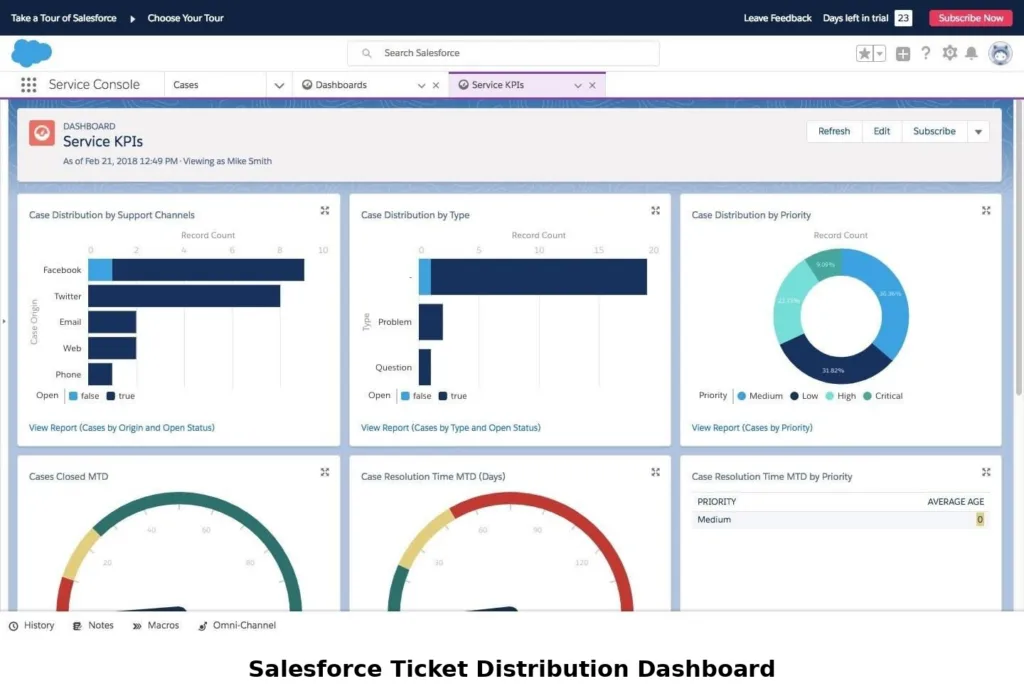
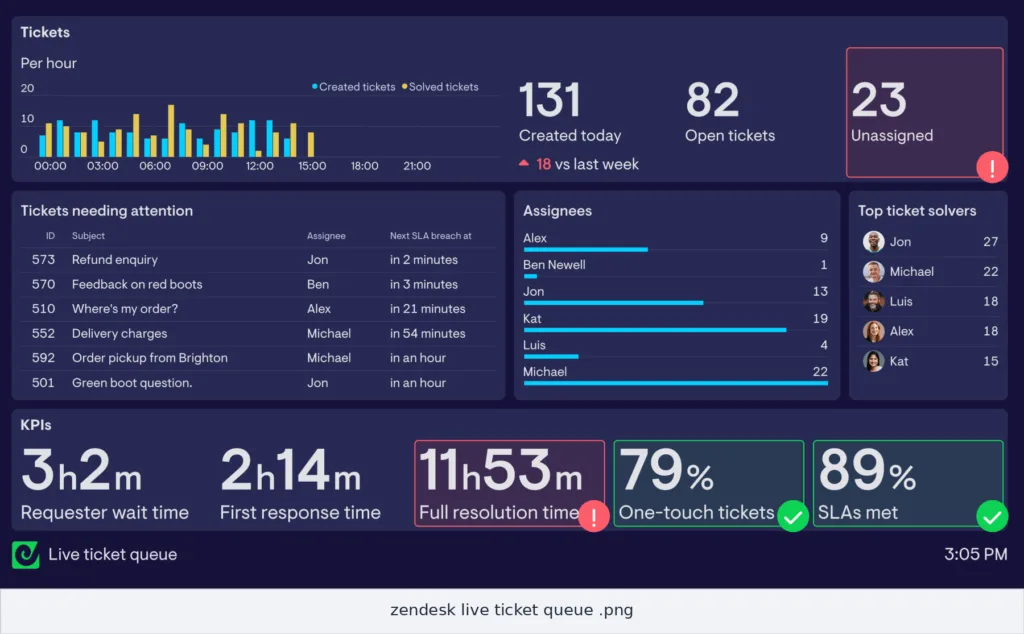
The pattern is consistent. Zendesk takes the speed, simplicity, and cost rows, Salesforce takes the customization, CRM, and ecosystem rows, and the right pick depends on which you weigh most. Pricing is where that trade-off becomes concrete.
Zendesk vs Salesforce Service Cloud pricing
List prices look close at the entry tiers. The gap opens once you account for what each platform needs to actually run.
| Plan level | Zendesk | Salesforce Service Cloud |
|---|---|---|
| Entry | Support Team $19 (email); Suite Team $55 | Starter Suite $25 per user |
| Mid-tier | Suite Professional $115 | Pro $100 per user |
| Upper tier | Suite Enterprise about $169 | Enterprise $175 per user |
| Top tier | Enterprise, sales-quoted | Unlimited $350; Agentforce 1 Service $550 |
| Agent-assist AI | Copilot +$50 per agent | Bundled into Agentforce tiers |
| Customer-facing AI | About $1 to $2 per resolution | Agentforce: $2 per conversation, or credits per action |
| Key channels | Omnichannel included | Digital Engagement (chat, WhatsApp) +$75 per user |
Salesforce list pricing looks competitive until you add the true cost of ownership, and that deserves its own section.
The true cost of ownership
The most expensive part of Salesforce Service Cloud is rarely the license. It is the people and services required to run it: implementation, ongoing admin headcount, occasional developers, consultants for customization, and add-ons such as Digital Engagement for chat and messaging. Independent analyses commonly estimate a realistic deployment landing at two to three times the list price once those are counted.
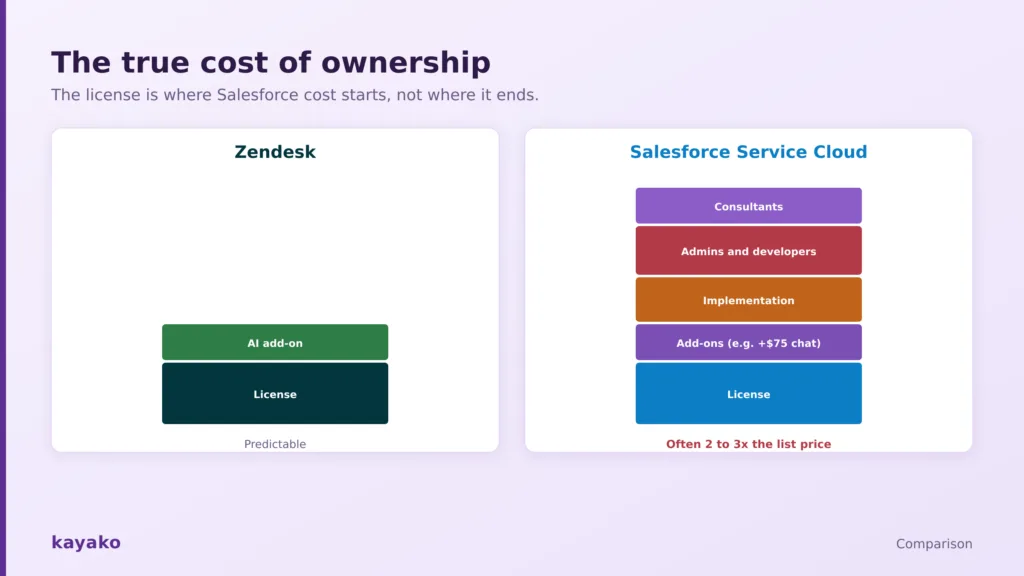
The license is where Salesforce cost starts, not where it ends.
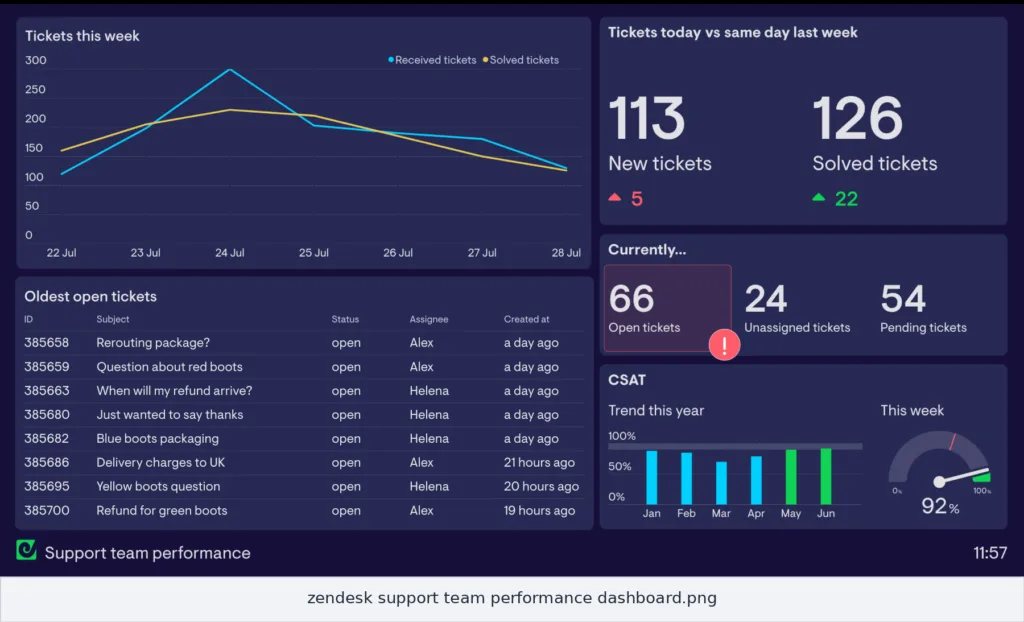
Zendesk is not free of variable cost, since its AI is billed per resolution on top of seats and the total climbs at scale. But because service leaders can run it without consultants or a dev team, the overhead layer is thinner, and the bill is easier to forecast.
The honest framing is that Salesforce’s cost buys depth and unification that some enterprises genuinely need, while Zendesk’s cost buys speed and predictability that most support-first teams value more.
|
Zendesk vs Salesforce Service Cloud: pros and cons
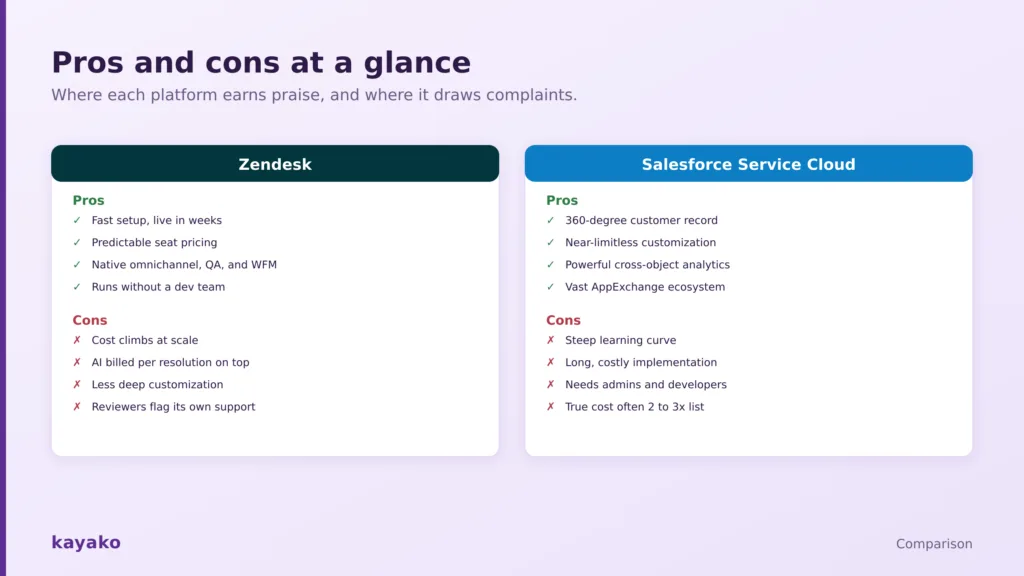
Aggregated from thousands of reviews, here is where each platform earns praise and where it draws complaints.
Where each platform earns praise and where it draws complaints.
Zendesk pros and cons
Pros: fast setup and quick time to value, predictable seat pricing, native omnichannel with QA and workforce management, and a platform service leaders can run without developers.
Cons: cost that climbs at scale, AI billed per resolution on top of seats, less deep customization than Salesforce, and a recurring reviewer complaint about Zendesk’s own support quality.
Salesforce Service Cloud pros and cons
Pros: a native 360-degree customer record, near-limitless customization through Flow and Apex, powerful cross-object analytics, and the vast AppExchange ecosystem.
Cons: a steep learning curve, long and costly implementation, dependence on admins and developers, and a true cost of ownership that often reaches two to three times the list price.
AI head-to-head: Zendesk AI vs Agentforce
Both platforms lead with AI in 2026, but they take different routes. Zendesk’s AI is trained on billions of service interactions and is designed to work on day one for triage, routing, agent assist, and autonomous resolution, billed per resolution. It suits teams that want AI producing results quickly without a large setup project.
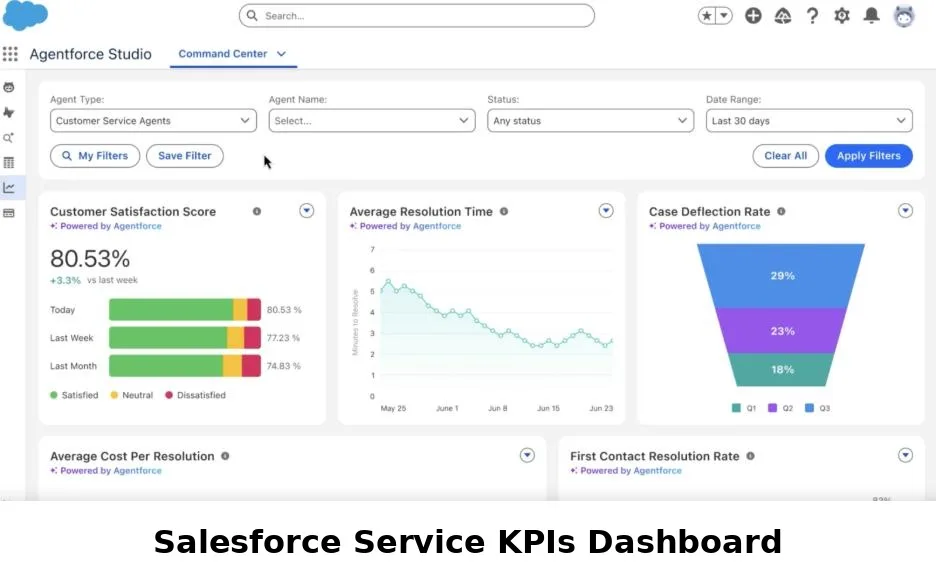
Salesforce Agentforce is more powerful and more configurable, able to run complex, multi-step actions across the full CRM, but reaching day-one value usually depends on the broader Salesforce data foundation and configuration.
Its billing runs on a per-conversation rate or on consumption credits per action, which rewards careful design and can climb with complexity. The honest read is that Zendesk AI is faster to value, while Agentforce has a higher ceiling for teams with the data and admin resources to reach it.
What real users say on G2 and Capterra
Both platforms rank among the top-rated on the G2 Enterprise Grid, and the review themes are consistent once you read enough of them.
Zendesk
On G2, Zendesk holds about 4.3 across roughly 7,100 reviews, with 4.5 on Capterra. Reviewers praise the feature breadth and everyday agent usability, describing strong value for money given the range of features. The two recurring knocks are pricing and add-on creep as you scale, and, notably, complaints about Zendesk’s own customer support quality.
Salesforce Service Cloud
On G2, Service Cloud sits around 4.4, similar on Capterra. Reviewers praise the unified customer record, saying full customer history alongside active cases makes conversations feel informed. The dominant criticisms are complexity and cost: one reviewer called the customization powerful but overwhelming for anyone not already fluent in Salesforce, with pricing described as high and the learning curve steep.
Which is better for your team? Use cases
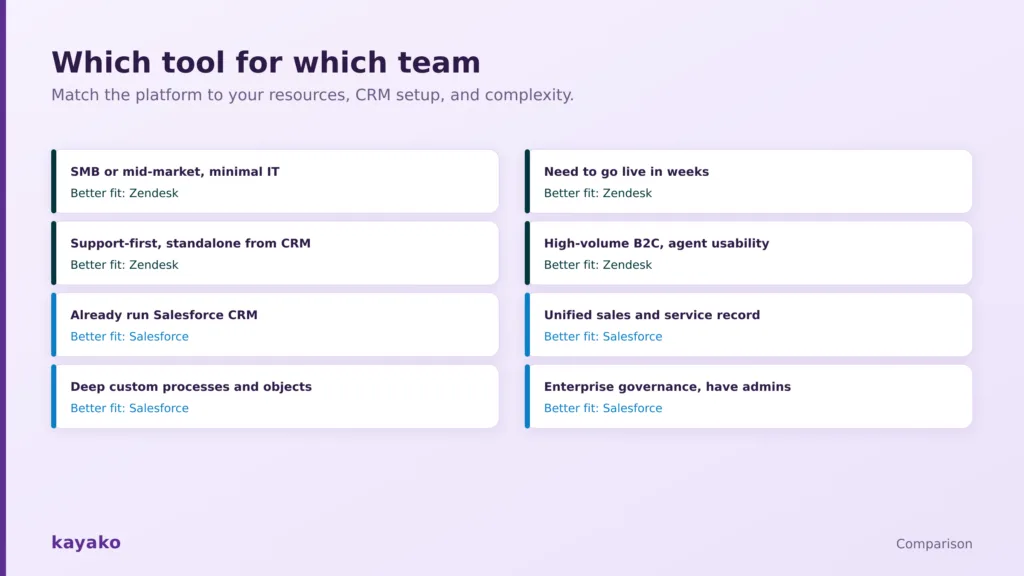
The right answer depends on your resources, your CRM setup, and how complex your processes are. Match your case against the scorecard below.
Match the platform to your resources, CRM setup, and complexity.
| Your situation | Better fit | Key reason and watch-out |
|---|---|---|
| SMB or mid-market with minimal IT | Zendesk | Fast setup and low admin burden. Cost climbs as you scale, so model it. |
| Need to go live in weeks | Zendesk | Sensible defaults and quick rollout. Budget the AI per-resolution layer. |
| Support-first, run apart from CRM | Zendesk | Purpose-built for service. A full 360 view needs integration work. |
| High-volume B2C, agent usability | Zendesk | Click-light workspace cuts handle time. Watch add-on pricing. |
| Already run Salesforce CRM | Salesforce | One record across sales and service. Plan for a long implementation. |
| Need deep custom processes | Salesforce | Flow, Apex, and custom objects model almost anything. Needs developers. |
| Enterprise governance, have admins | Salesforce | Depth, security, and control at scale. True cost runs well above list. |
Migration and total-cost reality
Switching to or from either platform is a project, not an afternoon, so price the exit before you price the entry. Salesforce migrations in particular tend to carry hidden costs in accumulated technical debt, since years of custom builds by different admins rarely transfer cleanly. Whichever way you move, confirm what each platform lets you export, keep your knowledge base and ticket data in portable formats, and budget the admin and consultant time the transition will actually take rather than the quote on the proposal.
If you want capability without the complexity tax
Some teams find Salesforce Service Cloud is more platform than they can staff, while they still want more depth and reliability than a lightweight tool offers. If that is you, it is worth testing a focused alternative against your hardest workflows before committing budget.
Kayako, for example, combines a unified workspace, an AI agent, and a knowledge base with predictable pricing and without the administrative overhead of a full CRM. You can read our take on AI customer support, or compare the wider field in our best Zendesk alternatives guide. Whichever way you lean, run a two-week pilot on your live queue and look hard at the fully loaded cost, including implementation and admin time, before you sign.
|
|
Frequently asked questions
Is Zendesk or Salesforce Service Cloud better?
Neither is better in the abstract. Zendesk is better for support-first teams that value speed, simplicity, and predictable cost, especially SMB and mid-market. Salesforce Service Cloud is better for enterprises already on Salesforce that need a unified customer record, deep customization, and have the admins to run it. The right choice depends on your scale, resources, and CRM setup.
What is the difference between Zendesk and Salesforce Service Cloud?
Zendesk is a standalone platform built only for customer service, so it deploys fast and runs without developers. Salesforce Service Cloud is the service module of a full CRM, so it offers a native 360-degree customer record and near-limitless customization but needs longer implementation, admins, and often developers. In short, Zendesk optimizes for speed and simplicity, Salesforce for depth and unification.
Which is cheaper, Zendesk or Salesforce Service Cloud?
Zendesk is usually cheaper in total, and far more predictable. Entry list prices are close, but Salesforce’s real cost climbs with implementation, admin headcount, consultants, and add-ons such as Digital Engagement, often reaching two to three times the list price. Zendesk’s cost is driven mainly by seats plus per-resolution AI, which is easier to forecast.
Do I need Salesforce CRM to use Service Cloud?
You do not strictly need other Salesforce products, but Service Cloud delivers most of its value when it sits on the Salesforce platform alongside sales and marketing data. If you are not already invested in Salesforce, much of the 360-degree advantage is harder to realize, and a purpose-built service platform like Zendesk is often a faster, cheaper fit.
How long does implementation take for each?
Zendesk teams commonly go live in one to two weeks, and most reach value within eight weeks. Salesforce Service Cloud implementations typically run for months and sometimes longer, because customization, data mapping, and integration take time and usually require admins or consultants. Time to value is one of the clearest differences between the two.
Which has better AI, Zendesk or Salesforce?
Zendesk AI is faster to value, working on day one for triage, agent assist, and autonomous resolution, billed per resolution. Salesforce Agentforce is more powerful and configurable across the full CRM, but reaching value depends on the broader Salesforce data foundation. Zendesk suits teams that want quick results; Agentforce suits teams with the data and admin resources to build for a higher ceiling.