The 8 Call Center Monitoring Tools That Actually Matter (And How to Pick Without Spiraling)
Choosing call center monitoring software isn’t a “nice-to-have” decision.
It’s an operational commitment that shapes agent performance, your compliance posture, and the quality of customer experiences at scale.
Pick the right platform and you get agents who improve through meaningful feedback, compliance that protects your business, and analytics that drive real operational decisions instead of vanity metrics.
Pick wrong and you’re stuck with expensive software that sits unused, agents who find workarounds, and reports that don’t answer the questions you actually need answered.
I’ve tested these platforms in real-world scenarios—from QA workflows to live agent assist—to see what actually works beyond the sales demo. What follows is a hands-on assessment of eight platforms, with clear capabilities, specific trade-offs, realistic pricing, and practical advice to help you make a confident decision.
Let’s dive in.
Research Methodology: How I Evaluated These Tools
I approached this as a practitioner, not a buyer checking boxes on an RFP.
I tested each platform in real-world scenarios, combined sandbox trials with production-side reviews, talked to actual customers (not just the ones the vendor hand-picked), and dug through public documentation and peer feedback.
Here’s what I analyzed:
- Monitoring and QA depth: % of interactions auto-scored, rubric flexibility, calibration workflows, coaching loop closure
- Interaction analytics: Transcription accuracy (accents/noise), topic/intent detection, sentiment, real-time vs post-call, search and discovery
- Workforce engagement: WFM forecasting/scheduling/adherence, QM, coaching, e-learning, gamification, agent self-service
- AI and automation: Real-time agent guidance, summarization, next-best action, bot building, explainability, no-code training
- Omnichannel coverage: Voice, chat, email, social, and the consistency of routing, QA, and analytics across channels
- Integrations and extensibility: CCaaS/UCaaS, CRM (Salesforce/Dynamics/Zendesk), knowledge bases, BI/data lakes, APIs/webhooks, marketplaces
- Reporting and BI: Real-time dashboards, historical depth, custom metrics, export/warehouse connectors, governance
- Security and compliance: SOC 2/ISO 27001, GDPR/CCPA, HIPAA/PCI, data residency, encryption, redaction, audit logging, SSO/SCIM
- Reliability and scale: Uptime SLAs, microservices architecture, global PoPs, failover, performance during peak loads
- Admin and agent UX: Time-to-value, no-code configuration, policy/rule management, desktop ergonomics, mobile capabilities
- Support and success: Responsiveness, documentation, training, communities, implementation partners, TAM availability
- Total cost of ownership: Licensing tiers, add-ons (AI/WEM/analytics), usage fees (minutes/storage), professional services, time-to-value
Kayako
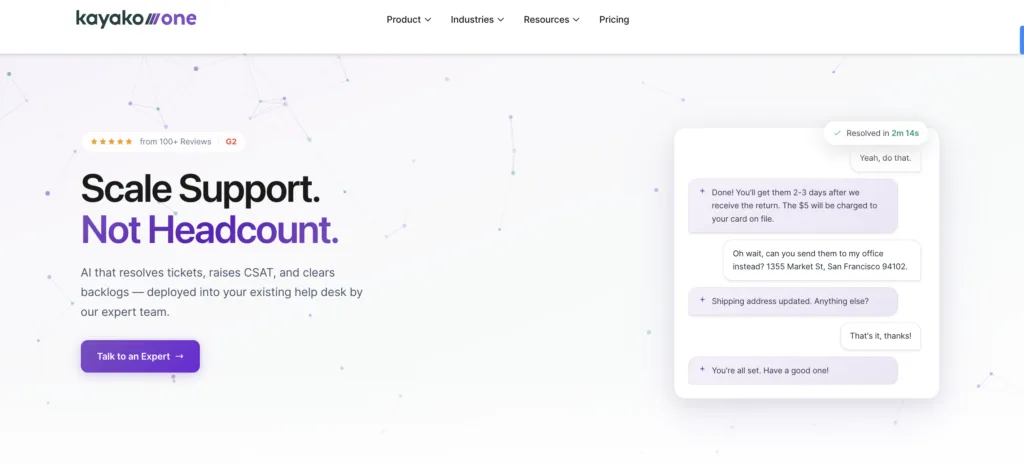
Kayako is a customer service platform that brings call center monitoring capabilities into a unified help desk environment.
It’s designed for businesses that want to integrate voice support monitoring with their existing email, chat, and social media customer service channels. The platform focuses on creating a complete view of customer interactions across all touchpoints, making it easier to evaluate agent performance holistically.
The standout feature? Unified customer timeline that shows every interaction—including call recordings and quality scores—in one chronological view, giving supervisors complete context for coaching and evaluation.
Best suited for: Small to medium-sized businesses that need call center monitoring integrated with broader customer service operations, particularly those already using or considering a unified help desk approach.
Kayako’s USPs
Here’s what makes Kayako different in the call center monitoring space:
- Integrated omnichannel monitoring: Evaluate agent performance across voice, email, live chat, and social media from a single interface
- Conversation timeline view: See the full customer journey including call recordings, chat transcripts, and email exchanges in chronological order
- Customizable quality scorecards: Build evaluation forms tailored to your specific quality standards and compliance requirements
- Agent self-service portal: Agents can review their own call recordings and quality scores for self-improvement
- Real-time supervisor monitoring: Listen to live calls with whisper and barge-in capabilities for immediate coaching
- Call recording with easy playback: Cloud-based storage with simple search and retrieval for quality reviews and compliance
- Multi-brand support: Monitor and evaluate agents across multiple brands or departments from one dashboard
- Affordable entry point: Lower cost of entry compared to enterprise-focused call center platforms
- Quick deployment: Cloud-based setup gets you monitoring calls within days rather than months
Kayako’s Pros
- True omnichannel evaluation: Monitor and score agent performance consistently across all communication channels
- Intuitive interface: Clean, user-friendly design reduces training time for supervisors and quality analysts
- Flexible quality frameworks: Easy to customize evaluation criteria without technical expertise
- Strong call recording features: Reliable recording with good search functionality for quality reviews
- Reasonable pricing: More affordable than enterprise platforms while still delivering core monitoring capabilities
Kayako’s Cons
- Limited advanced analytics: Basic reporting compared to specialized workforce management platforms
- No real-time speech analytics: Lacks AI-powered features like automated sentiment analysis or compliance detection
- Smaller integration ecosystem: Fewer pre-built connectors compared to larger enterprise platforms
- Basic workforce management: Limited forecasting and scheduling capabilities compared to dedicated WFM tools
- Less suitable for large operations: Better suited for teams under 100 agents; may lack scalability for enterprise contact centers
Kayako’s Pricing
Tiered pricing based on agents and features:
- Inbox: $15/agent/month (basic monitoring and recording for email and chat)
- Growth: $30/agent/month (adds call monitoring, quality scorecards, and basic reporting)
- Scale: $60/agent/month (includes advanced call features, custom fields, and SLA tracking)
- Enterprise: Custom pricing (dedicated support, advanced integrations, custom reporting)
Annual billing provides additional discounts. No hidden fees for basic call monitoring features.
How to get pricing: Visit Kayako’s website or contact their sales team for a detailed quote based on your specific needs.
|
NICE CXone
NICE CXone is a comprehensive cloud-based contact center platform that provides extensive monitoring and analytics capabilities.

It’s built for organizations that need deep insight into every customer interaction across voice, digital, and social channels. The platform combines workforce optimization, quality management, and interaction analytics in one integrated system, making it a popular choice for contact centers with complex operational requirements.
The standout feature? AI-powered analytics and automation that analyzes interactions, predicts customer needs, and provides real-time guidance to optimize agent performance.
Best suited for: Medium to large enterprises that need comprehensive monitoring and analytics capabilities and have the resources to implement and manage a feature-rich platform.
NICE CXone’s USPs
Here’s what makes NICE CXone different:
- Integrated omnichannel routing: Blends voice and digital channels with intelligent routing based on customer intent and agent skills
- AI-driven interaction analytics: Machine learning analyzes 100% of interactions for sentiment, intent, and compliance with actionable insights
- Workforce Engagement Management (WEM): Combines workforce management, quality monitoring, and gamification in a single suite
- Personalized customer journey mapping: Tools to design and visualize customer journeys for tailored interactions
- Robust automation with CXone Bot Builder: Create sophisticated chatbots with natural language processing for self-service
- Real-time decisioning engine: Gives agents next-best-action recommendations during interactions based on customer data
- Global cloud infrastructure: High availability and compliance with regional data sovereignty laws
- Advanced compliance tools: Built-in call recording encryption and adherence to GDPR, HIPAA, and PCI DSS
NICE CXone’s Pros
- Comprehensive omnichannel consolidation: One interface for all channels reduces agent context-switching and improves efficiency
- Enterprise-grade analytics: In-depth dashboards provide real-time insights into agent performance and customer interactions
- Strong third-party integrations: Connects well with Salesforce and other CRMs, streamlining workflows
- Effective AI features: Sentiment analysis and automated responses help agents handle routine queries more efficiently
- Proven scalability: Handles growth from 50 to 500+ agents while maintaining performance
NICE CXone’s Cons
- Significant learning curve: Extensive features require comprehensive training for new users and administrators
- Premium pricing: Enterprise-focused pricing may be challenging for smaller organizations to justify
- Occasional system issues: Some users report intermittent bugs or outages during peak usage periods
- Support inconsistencies: Customer support quality varies, with some users experiencing delayed responses
- Complex customization: Tailoring the platform to specific needs often requires technical expertise or professional services
NICE CXone’s Pricing
Custom pricing based on modules, users, and business needs.
- Small to medium businesses: Typically $100–$150/user/month for basic packages
- Advanced features (AI, analytics, WEM): $200+/user/month
- Volume discounts and annual contracts available
How to get pricing: Request a quote from NICE’s sales team for customized pricing based on your specific module requirements and user count.
Genesys Cloud CX
Genesys Cloud CX is a comprehensive cloud contact center solution with strong emphasis on user experience and ease of deployment.
It’s an all-in-one platform offering omnichannel engagement, workforce management, and AI-driven insights designed for rapid implementation. The platform is known for its intuitive interface and flexible architecture, making it accessible for businesses of various sizes looking to modernize their contact center operations.
The top feature? Native AI and automation capabilities including predictive routing and virtual assistants that improve operational efficiency without requiring extensive technical expertise.
Best suited for: Businesses of all sizes seeking a user-friendly platform with strong integration capabilities and a focus on digital transformation.
Genesys Cloud CX’s USPs
- Unified Communications as a Service (UCaaS): Combines contact center and business communication tools (voice, video, chat) in one platform
- Predictive engagement: AI anticipates customer needs and proactively engages through personalized offers or support
- Open API ecosystem: Extensive APIs and pre-built integrations with Salesforce and Microsoft Dynamics
- Journey analytics: Detailed customer journey insights with cross-channel tracking to identify pain points
- Native voicebots and chatbots: Leverages Google Cloud Dialogflow for natural, context-aware self-service
- Built-in collaboration tools: Team messaging and video conferencing directly within the platform
- Scalable microservices architecture: Rapid feature updates and customizations without downtime
- Real-time dashboards with Power BI integration: Customizable, data-rich reporting for operational transparency
Genesys Cloud CX’s Pros
- Unified agent desktop: Centralized dashboard consolidates all customer interactions, reducing inefficiencies
- Cloud-native flexibility: Remote access and easy updates without on-premise hardware requirements
- Effective AI tools: Predictive engagement and routing help anticipate customer needs proactively
- Strong collaboration features: Internal chat, video, and co-browsing enable faster issue resolution
- AppFoundry marketplace: Pre-built integrations allow customization without extensive coding
Genesys Cloud CX’s Cons
- Complex pricing structure: Costs can escalate based on feature add-ons with limited transparency
- Integration challenges with legacy systems: Syncing with older platforms may require custom development
- Mobile app limitations: Some features and performance issues compared to desktop version
- Reporting depth limitations: May lack granularity for certain metrics or historical data needs
- Performance during peak usage: Some users experience delays in call routing during high-volume periods
Genesys Cloud CX’s Pricing
Tiered pricing based on features and users:
- Genesys Cloud CX 1 (Voice): Around $75/user/month
- CX 2 (Digital + Voice): Around $95–$115/user/month
- CX 3 (Digital + WEM + Voice): Around $135–$155/user/month
Additional costs for AI features (Predictive Engagement) or custom integrations. Free trials available.
How to get pricing: Contact Genesys sales for detailed quotes and current promotional offers.
Five9
Five9 is a cloud-based contact center platform with particular strength in outbound calling operations.

It’s designed to deliver intelligent virtual contact center solutions with strong emphasis on automation and analytics. The platform excels at supporting sales teams, telemarketing operations, and blended inbound-outbound environments where dialing efficiency directly impacts business outcomes.
The standout feature? Intelligent Virtual Agent (IVA) that uses AI and natural language understanding to handle customer inquiries, reducing agent workload while maintaining service quality.
Best suited for: Medium to large businesses that prioritize outbound campaigns, sales operations, and telemarketing, as well as organizations looking to leverage AI for operational efficiency.
Five9’s USPs
- Blended inbound and outbound capabilities: Seamless switching between inbound and outbound calls optimizes agent productivity
- AI-powered IVA with Nuance integration: Advanced voice recognition and natural language processing for automated interactions
- Practical AI for agent assistance: Real-time call transcriptions, sentiment analysis, and suggested responses during live interactions
- Multi-tenant cloud architecture: 99.99% uptime and global reach
- Progressive dialer technology: Sophisticated dialing modes (predictive, progressive, preview) with TCPA compliance
- Deep CRM integrations: Customizable integrations with Salesforce for tailored data syncing and reporting
- Speech analytics for outbound campaigns: Analyzes call content to improve script effectiveness and compliance
- Agent Desktop Designer: Drag-and-drop tools to create custom agent interfaces for specific workflows
Five9’s Pros
- Reliable cloud telephony: Robust VoIP system maintains clear call quality during high traffic with strong uptime
- Powerful predictive dialing: Optimizes agent productivity by minimizing idle time and maximizing connection rates
- Deep CRM integrations: Seamless integration with Salesforce and Zendesk provides agents with customer context
- Effective supervisor monitoring: Real-time call monitoring with whisper and barge-in capabilities for coaching
- Flexible IVR configuration: Highly customizable interactive voice response reduces agent workload through automation
Five9’s Cons
- Premium pricing for advanced features: AI tools and detailed analytics require higher-tier plans
- Interface could be modernized: User interface feels less intuitive compared to newer platforms
- Variable customer support: Response times and issue resolution can be inconsistent
- Omnichannel depth varies: Non-voice channels lack some of the sophistication of telephony features
- Call quality dependencies: Performance can be affected by internet connectivity in certain regions
Five9’s Pricing
Per user/month subscription with tiered plans:
- Core package: Starts at $149/user/month (includes voice and basic features)
- Premium plans (analytics, WFM, AI): $200–$250+/user/month
Pricing varies based on call volume and add-ons like IVR or predictive dialing. Annual commitments typically required.
How to get pricing: Contact Five9 sales for a customized quote based on your specific requirements and usage patterns.
Talkdesk
Talkdesk is a cloud-based contact center platform designed with user experience and rapid deployment as core priorities.
It focuses on enhancing customer experience through accessible AI and automation tools that don’t require technical expertise to implement. The platform is known for its clean interface and quick time-to-value, making it particularly attractive for organizations that need to get operations running quickly.
The top feature? Talkdesk AI Trainer that allows businesses to customize AI models without coding expertise, enabling teams to build and refine virtual agents with context-specific responses.
Best suited for: Small to medium businesses and enterprises looking for an intuitive, customer-centric solution with quick setup, easy management, and scalability.
Talkdesk’s USPs
- No-code AI customization: AI Trainer enables non-technical users to build and refine virtual agents with context-specific responses
- Talkdesk AppConnect: Marketplace of pre-built integrations with over 60 tools (Slack, Zoom) for plug-and-play functionality
- Industry-specific solutions: Tailored workflows and templates for retail, healthcare, and financial services
- Customer Experience Analytics: Deep insights into customer sentiment and journey metrics with actionable dashboards
- Voice Engagement with Opus: High-quality audio with noise cancellation and bandwidth optimization
- Proactive outbound engagement: AI-driven outbound dialers with smart scheduling to maximize connect rates
- Mobile agent app: Manage interactions and access data on the go via iOS and Android apps
- Dynamic routing with context awareness: Routes interactions based on customer history, intent, and real-time data
Talkdesk’s Pros
- Intuitive user interface: Clean, modern design simplifies navigation and reduces training requirements
- Quick deployment: Cloud-based architecture and guided setup enable rapid implementation
- Strong mobile capabilities: Reliable remote access and full dashboard functionality for distributed teams
- Effective AI assistance: Real-time transcription and sentiment analysis support better call outcomes
- Flexible integration ecosystem: AppConnect marketplace provides pre-built connections for various business tools
Talkdesk’s Cons
- Pricing clarity challenges: Total costs can be higher than initial quotes once add-ons are factored in
- Advanced reporting limitations: Analytics may lack depth for complex metric tracking or historical analysis
- Regional performance variations: Call quality can vary in areas with less stable internet infrastructure
- Support consistency: Customer support experiences vary in response time and technical depth
- Tiered feature access: Advanced capabilities like AI often require higher-priced plans
Talkdesk’s Pricing
Tiered subscription plans:
- CX Cloud Essentials: Starts at $75/user/month
- Elevate: Around $95–$115/user/month
- Elite (with AI/WEM): $125–$150+/user/month
Custom pricing for enterprise clients. Additional costs for AI features or third-party integrations.
How to get pricing: Request a demo from Talkdesk to receive pricing tailored to your organization’s needs.
Calabrio ONE
Calabrio ONE is a specialized workforce engagement management (WEM) platform focused on optimizing contact center operations.
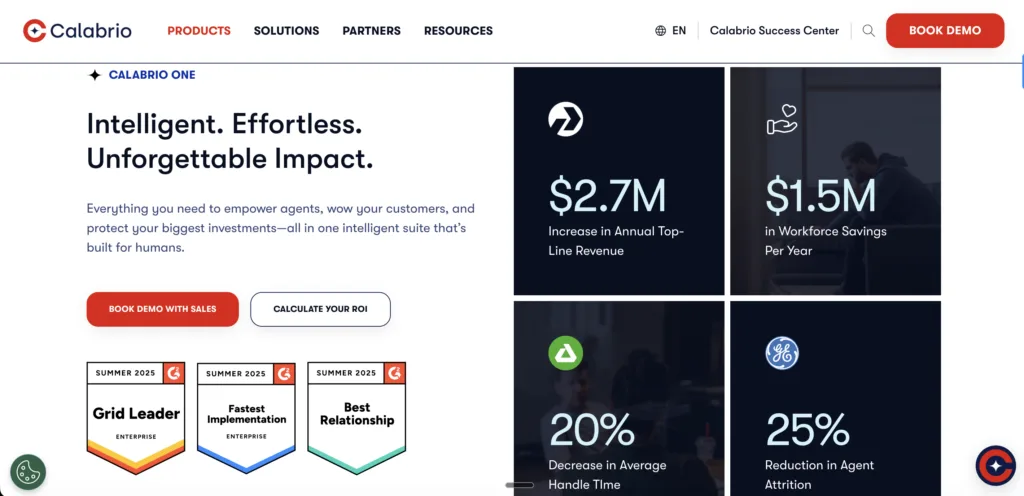
It integrates workforce management, quality management, and analytics into a cohesive system designed to improve both agent performance and employee satisfaction. The platform is particularly strong in helping organizations balance operational efficiency with agent wellbeing, making it valuable for centers focused on sustainable performance.
The top feature? Data Explorer that provides advanced analytics and customizable reporting capabilities, allowing managers to uncover actionable trends in agent performance and customer interactions.
Best suited for: Contact centers of medium to large size that prioritize workforce optimization, data-driven decision-making, and comprehensive quality management.
Calabrio ONE’s USPs
- Unified WEM suite: Combines scheduling, quality monitoring, and analytics in a single, cohesive platform
- Data Explorer for custom insights: Create tailored reports and dashboards with drag-and-drop simplicity
- Omnichannel quality management: Evaluates agent performance across voice, chat, email, and social with consistent scoring
- Advanced forecasting algorithms: AI predicts staffing needs based on historical data and real-time trends
- Agent-centric design: Self-scheduling and performance gamification boost employee engagement
- Interaction transcripts with sentiment analysis: Automatically transcribes and analyzes digital interactions
- Compliance-focused recording: Secure, encrypted call and screen recording with easy retrieval for audits
- Cross-platform compatibility: Integrates with Genesys, Cisco, and Avaya for flexibility
Calabrio ONE’s Pros
- Comprehensive workforce management: Robust scheduling, forecasting, and adherence tracking optimize staffing efficiency
- Detailed quality management: Granular call recording and evaluation tools identify specific training opportunities
- Actionable analytics: Real-time dashboards provide insights that drive informed operational decisions
- Strong platform compatibility: Integrates effectively with Cisco, Avaya, and Genesys systems
- Agent engagement focus: Gamification and self-scheduling features improve morale and reduce turnover
Calabrio ONE’s Cons
- Implementation complexity: Initial configuration requires significant time and often IT involvement
- Premium pricing: Full feature access comes at a higher cost, particularly for advanced analytics
- Interface modernization needed: User interface feels dated compared to newer platforms
- Limited mobile functionality: Mobile access lacks the full feature set available on desktop
- Support response variability: Technical support resolution times can be inconsistent
Calabrio ONE’s Pricing
Per user/month or per agent, depending on modules:
- Basic WFM or QM features: $75–$100/user/month
- Full suite (WFM + QM + Analytics): $150–$200+/user/month
Often bundled with other contact center solutions. Custom quotes for larger deployments.
How to get pricing: Contact Calabrio for a detailed quote. Expect a discovery process to ensure the solution is properly configured for your requirements.
Verint (Quality/WEM)
Verint offers an enterprise-focused workforce engagement management and quality monitoring solution designed for organizations with complex operational requirements.

The platform specializes in improving customer engagement through deep analytical insights and comprehensive automation. It’s particularly strong in regulated industries where detailed interaction analysis and compliance monitoring are critical business requirements.
The standout feature? Speech and Text Analytics that analyzes interactions across all channels to identify trends, compliance risks, and customer sentiment with sophisticated accuracy.
Best suited for: Large enterprises with complex contact centers requiring extensive analytics, strict compliance monitoring, and comprehensive tools to enhance both agent performance and customer satisfaction.
Verint’s USPs
- Enterprise-grade speech analytics: Analyzes 100% of voice interactions for keywords, phrases, and sentiment with high accuracy
- Behavioral analytics: Tracks agent desktop activities to identify inefficiencies or compliance risks
- Automated quality scoring: AI scores agent interactions based on predefined criteria, reducing manual evaluation
- Knowledge management integration: Suggests real-time knowledge articles to agents based on customer queries
- Multi-channel interaction mining: Extracts insights from voice, chat, email, and social media in unified framework
- Compliance and fraud detection: Flags potential risks in real-time to prevent regulatory breaches
- Robotic Process Automation (RPA): Automates repetitive back-office tasks tied to customer interactions
- Historical trend analysis: Long-term data tracking identifies seasonal patterns or recurring issues
Verint’s Pros
- Advanced analytics capabilities: Sophisticated speech and text analysis uncovers detailed insights from customer interactions
- Comprehensive workforce engagement: Full suite of scheduling, performance tracking, and motivation tools
- Strong compliance focus: Robust security features and audit trails protect sensitive customer information
- Flexible quality frameworks: Customizable evaluation criteria align with specific organizational standards
- Broad integration support: Connects effectively with major CRMs, telephony systems, and WEM platforms
Verint’s Cons
- Significant implementation complexity: Extensive capabilities require dedicated IT resources and expertise to configure
- Enterprise-level pricing: High investment required, making it less accessible for smaller organizations
- User interface design: Platform interface appears dated compared to more modern alternatives
- Performance with large datasets: System can slow down when processing extensive recordings or analytics data
- Support experience variability: Quality and responsiveness of customer support can be inconsistent
Verint’s Pricing
Subscription or perpetual licensing depending on deployment:
- Cloud-based WEM: Starts at $100–$150/user/month for core features (QM, WFM)
- Advanced AI/analytics: $200+/user/month
- On-premises: Higher upfront costs with annual maintenance fees (custom quote required)
Pricing highly customized based on modules and scale.
How to get pricing: Contact Verint sales for enterprise quotes. Implementation timelines and pricing will be customized based on your specific requirements.
Observe.AI
Observe.AI is an AI-powered conversation intelligence platform designed to enhance contact center performance through automated quality assurance and real-time guidance.

The platform specializes in applying artificial intelligence to conversation analysis, making sophisticated QA capabilities accessible without requiring massive manual effort. It’s particularly effective for organizations looking to augment existing contact center platforms with advanced AI-driven insights and coaching tools.
The top feature? Real-Time Agent Guidance that provides live prompts and contextual suggestions to agents during customer interactions based on sentiment analysis and conversation flow.
Best suited for: Contact centers of any size looking to enhance agent coaching, improve compliance monitoring, and increase customer satisfaction through AI-driven quality management tools.
Observe.AI’s USPs
- Real-time conversation analysis: Live call insights with sentiment scoring and intent detection guide agents mid-interaction
- Auto QA scoring: Automatically evaluates 100% of interactions against custom rubrics, eliminating manual quality checks
- Moment-by-moment feedback: Highlights specific call segments for coaching with timestamps and context-specific notes
- Custom compliance alerts: Flags potential compliance violations in real-time with tailored rule sets
- AI-driven coaching plans: Creates personalized agent training based on performance gaps identified through analytics
- Voice AI for non-native speakers: Adjusts speech recognition models to accommodate accents and dialects
- Cross-channel sentiment tracking: Analyzes tone and emotion in voice and text interactions
- Seamless CCaaS integration: Connects with Five9 and Genesys for unified data flow
Observe.AI’s Pros
- Sophisticated conversational AI: Advanced analysis of calls for sentiment, intent, and compliance provides actionable insights
- Automated quality assurance: Evaluates 100% of interactions without manual supervisor review, ensuring consistent standards
- Effective real-time guidance: Live prompts during calls improve first-call resolution and agent confidence
- Strong compliance monitoring: Accurately detects script adherence and potential regulatory violations during interactions
- Accessible interface: Intuitive dashboard makes complex AI insights understandable for all team members
Observe.AI’s Cons
- Specialized functionality: Focused primarily on AI analytics rather than full contact center operations
- Connectivity requirements: Cloud-based performance depends on reliable internet connection
- Volume-based pricing model: Cost structure favors organizations with higher interaction volumes
- Integration considerations: Connecting with certain legacy systems may require additional configuration
- Feature depth trade-off: Advanced AI customization requires dedicated training and setup time
Observe.AI’s Pricing
Per user/month or based on interaction volume:
- Basic conversation analytics: $30–$50/user/month
- Advanced plans (real-time coaching and compliance): $75–$100+/user/month
Pricing depends on number of interactions analyzed and add-on features. Often used alongside other CCaaS platforms.
How to get pricing: Request a demo from Observe.AI. They’re generally transparent about pricing once they understand your volume.
|
How to Choose the Right Call Center Monitoring Software
Making the right choice doesn’t require an overwhelming checklist.
You need a clear decision framework that helps you evaluate options against your specific requirements. Here’s a practical approach to guide your selection process:
Anchor on outcomes and metrics
Define 3–5 measurable targets before engaging with vendors.
Examples: +15% auto-QA coverage, -10% AHT, +20% coaching completion, +5 pts CSAT, 100% PCI/PHI redaction.
Connect every requirement to a specific outcome. If a feature doesn’t tie directly to a metric that matters to your business, it may not be essential for your needs.
Map your operating model
Understand your specific operational requirements:
- Voice-only vs true omnichannel
- Inbound vs outbound mix
- Centralized vs multi-site/global
- BPO partnerships
- Remote work policies
- Union considerations
If the majority of your interactions are inbound voice calls, focus on platforms that excel in that area rather than paying premium prices for extensive omnichannel features you won’t utilize.
Prioritize monitoring and QA depth
Look for auto-scoring capabilities on 100% of interactions, established calibration workflows, clear coaching assignment processes, and closed-loop tracking.
Evaluate how quality rubrics translate across different channels. Inconsistent scoring frameworks across channels can create confusion and reduce the effectiveness of your quality program.
Validate AI capabilities
Test real-time agent assistance features, transcription accuracy with various accents and background noise, summarization accuracy, and no-code model training options.
Measure actual performance improvement with an A/B pilot using your own data, not just vendor demonstrations. Vendor demos typically showcase ideal scenarios that may not reflect your real-world conditions.
Confirm integration compatibility
Verify certified connectors for your CCaaS, CRM, knowledge base, and BI systems.
Review API rate limits, webhook reliability, identity/SSO capabilities (SAML/OIDC), SCIM provisioning, and data export options to your warehouse.
If the platform can’t connect to your systems effectively, you’ll create data silos that limit the value of your monitoring insights.
Evaluate reporting capabilities
Build representative dashboards during your trial period—test filters, cohorts, historical depth, and export cadence to your BI stack.
If you can’t self-serve insights without vendor assistance, you’ll face bottlenecks every time you need custom analysis.
Verify security and compliance requirements
Request attestations (SOC 2, ISO 27001), and where applicable, Data Processing Agreements or Business Associate Agreements (GDPR/HIPAA).
Confirm PCI pause/resume capabilities, field-level redaction, encryption both at rest and in transit, granular audit logs, and data residency controls.
For regulated industries, these requirements are non-negotiable and should be verified early in the evaluation process.
Assess scalability and reliability
Request information about regional Points of Presence (PoPs), latency benchmarks, SLAs, failover patterns, and performance expectations under peak loads.
Review the platform’s microservices architecture and release cadence to understand how updates are deployed and how frequently new capabilities become available.
Test admin and agent experience
Observe a supervisor building QA forms, routing rules, and coaching plans in real-time during your evaluation.
Watch agents handle actual interactions using both desktop and mobile clients to assess the practical usability of the platform.
Calculate total cost of ownership
Model all costs: licensing, add-ons (AI, WEM, analytics), usage fees (minutes/storage), implementation services, ongoing success services, and training.
Request clear line-item transparency and understand how costs scale as you grow. Many platforms have significant cost increases when adding users or features.
Structure a proof-of-value pilot
Plan for 4–6 weeks, involve 2–3 queues, establish baseline versus target metrics, create a change plan, schedule weekly checkpoints, define success criteria, and prepare an exit report.
Keep pilots focused, conclusive, and data-driven rather than trying to test everything at once.
Evaluate vendor partnership potential
Assess support SLAs, access to solution architects, roadmap alignment with your needs, strength of the community ecosystem, and availability of reference customers in your industry vertical.
The vendor relationship matters as much as the technology, especially for platforms you’ll rely on for years.
Quick Guidance by Scenario
Here’s a simplified starting point based on common use cases:
- Enterprise omnichannel at global scale: NICE CXone or Genesys Cloud CX
- Outbound-heavy sales and dialing operations: Five9
- Fast time-to-value with modern user experience: Talkdesk
- WFM-first overlay on existing telephony infrastructure: Calabrio ONE or Verint
- AI-powered QA/coaching enhancement for existing CCaaS: Observe.AI
- Integrated monitoring for unified help desk operations: Kayako
If you need help creating a customized shortlist based on your specific volumes, existing technology stack, and top operational priorities, consider working with an implementation partner or consultant who can map requirements to capabilities objectively.
Ready to make your decision?
The right call center monitoring software should align with your operational model, integrate with your existing systems, and deliver measurable improvements in the metrics that matter most to your business.
Focus on platforms that solve your specific challenges rather than those with the most features, and always validate capabilities with a structured proof-of-value pilot before making a final commitment.