The 8 Social Media Customer Service Platforms Worth Your Time (And the One Most People Sleep On)
Choose from this list of top 8 social customer service platforms like Kayako, Sprinklr, Khoros, Sprout Social, Zendesk & more. Find real pricing, Features, honest trade-offs, and a decision framework that actually works.
Look, I’m not going to pretend choosing a social media customer service platform is sexy.
It’s not.
But here’s what is sexy: Consolidating channels. Compressing response times. Actually having data that tells you something useful instead of vanity metrics you screenshot for LinkedIn.
Pick the right platform and you get all of that. Pick wrong and you’re duct-taping workflows together, shipping data around in CSVs like it’s 2015, and missing the moments that actually matter to your customers.
I’ve spent way too much time evaluating these platforms, so you don’t have to. What follows is a hands-on assessment of the top 8 options—clear capabilities, specific trade-offs, realistic pricing, and practical advice to help you actually make a decision instead of spiraling for three more months.
Let’s dive in.
Research Methodology: How I Evaluated the Platforms
Here’s what I looked at (and what you should too):
- Coverage and channel depth: Breadth (social, messaging, communities) and depth (moderation, threading, async handling) per channel
- Routing and case management: Skills-based routing, backlog controls, prioritization (sentiment, VIPs), and SLA constructs
- Agent experience: Unified inbox quality, shortcuts/macros, collision detection, internal notes, mobile parity
- AI and automation: Classification, response suggestions, summarization, translation, and bot orchestration that actually reduces handle time
- Analytics and QA: Queue health, agent productivity, conversation outcomes, VoC/sentiment fidelity, exportability
- Integrations: CRM, marketing, knowledge base, data pipelines (BI/warehouse), openness of APIs/webhooks
- Governance, security, compliance: Roles/permissions, audit trails, data residency, industry compliance, moderation tooling
- Knowledge and deflection: Search, dynamic suggestions, community integration, measurable deflection
- Scalability and performance: High-volume stability, rate-limit handling, global team workflows
- Implementation and TCO: Time-to-value, admin complexity, pricing transparency, hidden costs of add-ons or professional services
- Vendor reliability: Product roadmap momentum, support responsiveness, ecosystem/community strength
Kayako

Most customer service platforms try to be everything to everyone. Kayako doesn’t.
It’s built specifically for businesses that want human, personalized support without the enterprise bloat. If you’re tired of platforms that require a PhD to configure or cost more than your entire marketing budget, Kayako might be your answer.
The top feature here? Unified customer conversations. Every interaction—email, live chat, social, messaging—shows up in one clean timeline. Your agents see the full context without toggling between seventeen tabs.
Best suited for: Small to mid-sized businesses that prioritize customer relationships over robotic efficiency metrics.
USPs
Here’s what makes Kayako different:
- Journey tracking that actually makes sense: See every touchpoint a customer has had with your brand in chronological order—no detective work required
- Collision detection that prevents awkward double-responses: When two agents try to respond to the same customer, Kayako stops them before they both hit send
- Customer self-service portal: Let customers help themselves with a knowledge base that doesn’t look like it was designed in 2003
- Mobile app with full functionality: Your support team can actually work from their phones, not just check notifications
- Real-time typing indicators: Agents can see when customers are typing responses, making conversations feel more human
- Customizable customer satisfaction surveys: Built-in CSAT and NPS tools that don’t require third-party integrations
- Multi-brand support: Manage support for multiple brands from one dashboard without creating separate accounts
- Custom fields and automation rules: Tailor workflows to your specific needs without hiring a developer
- Affordable pricing tiers: No hidden fees or surprise charges when you scale
Pros
- Actually intuitive interface: Your team won’t need a three-week training program to figure it out
- Strong email and live chat integration: If these are your primary channels, Kayako handles them beautifully
- Reasonable learning curve: New agents can get productive fast
- Helpful support team: Reviewers consistently mention responsive, genuinely useful customer support
- Clean, uncluttered UI: Everything you need is visible; nothing you don’t need is cluttering your screen
Cons
- Limited social media depth: Kayako handles social channels, but doesn’t go as deep as social-first tools like Sprout or Khoros
- Fewer third-party integrations: The ecosystem isn’t as robust as Zendesk’s marketplace
- Basic reporting compared to enterprise tools: If you need complex analytics dashboards, you might hit limitations
- Smaller community: Fewer resources for troubleshooting and best practices compared to bigger platforms
- Less robust for high-volume operations: If you’re processing thousands of tickets daily, you might outgrow it
Pricing
Kayako uses tiered pricing based on agents and features:
- Inbox: $15/agent/month (email and live chat support)
- Growth: $30/agent/month (adds social channels, automations, and reporting)
- Scale: $60/agent/month (custom fields, SLAs, and advanced features)
- Enterprise: Custom pricing (dedicated support, onboarding, custom integrations)
Annual billing gets you a discount. No surprise fees for basic features.
Bottom line: If you’re a small to mid-sized team that wants effective, straightforward customer support without paying enterprise prices or dealing with enterprise complexity, Kayako is worth a serious look.
|
Sprinklr Service (Unified-CXM)
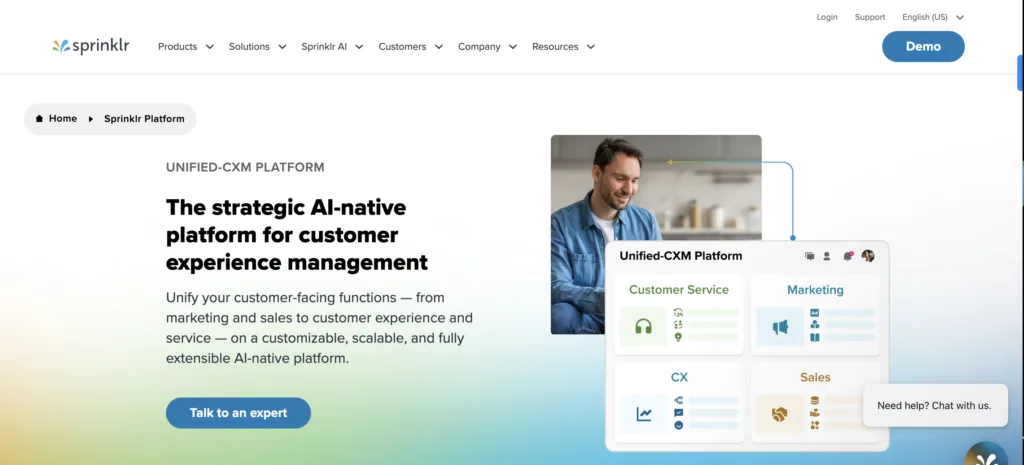
Sprinklr is the platform you choose when “good enough” isn’t in your vocabulary.
It’s built for massive, global operations where customer interactions happen across 30+ channels and any workflow breakdown means lost revenue. If you’re managing customer service for a Fortune 500 company or a sprawling enterprise with complex compliance needs, this is your tool.
The top feature? AI-powered omnichannel routing and case management that intelligently assigns queries based on context, priority, and agent expertise.
Best suited for: Large enterprises with complex, global customer service operations that need serious scalability.
USPs
- Unified inbox across 30+ digital channels: Including niche platforms like WeChat and Line that most tools ignore
- AI-driven sentiment analysis: Prioritizes critical issues based on tone and urgency, not just keywords
- Robust knowledge base integration: Self-service options embedded directly into chat and social responses
- Advanced compliance tools: Message archiving, data retention, audit trails for regulated industries (finance, healthcare)
- Deep CRM integrations: Pulls customer data from Salesforce and similar systems into a single agent view
- Customizable dashboards: Real-time performance tracking across teams, regions, and time zones
- AI-powered response suggestions: Predicts customer needs based on historical interaction data
- Multilingual support with auto-translation: Handle diverse customer bases without hiring translators for every language
- Dedicated social listening module: Proactively address concerns before they become PR fires
Pros
- True omnichannel consolidation: One interface for everything reduces agent context-switching and speeds up responses
- Enterprise-grade AI: Sentiment analysis and automated routing actually work well, unlike some competitors’ half-baked features
- Powerful analytics: Generate custom reports that provide actionable insights for strategic planning
- Handles massive scale: Thousands of interactions daily without performance issues
- Flexible workflow customization: Role-based access and compliance controls ensure consistency across regions
Cons
- Steep learning curve: The interface is overwhelming initially; expect significant training requirements
- Expensive for smaller businesses: Pricing is enterprise-focused and often unjustifiable for SMEs
- Performance glitches under heavy load: Some users report slow loading times or bugs during peak usage
- Complex integrations with legacy systems: Syncing with older CRM or ticketing systems requires technical expertise
- Inconsistent customer support: Despite being a customer service tool, Sprinklr’s own support gets mixed reviews
Pricing
Custom pricing based on modules, users, and business needs.
- Small to medium businesses: Typically $10,000–$50,000/year
- Enterprise plans: Often exceed $100,000 annually
The final cost depends on social profiles managed, number of users, and features like AI-powered insights.
How to get pricing: Request a quote from Sprinklr’s sales team (sprinklr.com).
Khoros Care
Khoros Care is what you get when social media engagement and customer support have a baby.
It’s designed for brands with strong social presences who want to turn community interactions into support conversations without losing the human touch. If your customers expect responses on Twitter within minutes and you’re managing community forums alongside direct support, Khoros gets it.
The standout feature? Smart Response Suggestions that use AI to recommend tailored responses based on customer intent and past interactions.
Best suited for: Mid-to-large businesses with strong social media presence and community engagement alongside customer support.
USPs
- Seamless Khoros Communities integration: Pull solutions from user-generated content and forums without leaving the platform
- Native social publishing tool: Transition from support to marketing campaigns without switching platforms
- Social media-specific analytics: Response time by platform, sentiment trends on Twitter, engagement metrics
- AI-driven automation: Auto-tag and route social mentions to specific teams
- Asynchronous messaging workflows: Handle conversations across time zones without losing context
- Built-in crisis management tools: Escalate high-impact social issues with predefined workflows
- Robust API integrations: Connect with third-party tools for a customized ecosystem
- Agent gamification: Performance badges and leaderboards based on resolution metrics
Pros
- Strong social media engagement: Deep focus on platforms like Twitter and Facebook makes social support seamless
- Community-building features: Reduces ticket volume by empowering peer-to-peer support
- Smart routing and prioritization: High-priority issues reach the right agents quickly based on sentiment or urgency
- Advanced sentiment tracking: Identify potential PR crises before they escalate
- Enterprise-grade security: Data encryption and compliance tools for regulated industries
Cons
- Limited non-social channel support: Email and phone integrations aren’t as strong, requiring additional tools for true omnichannel
- Expensive for small teams: Pricing structure favors larger organizations
- Cluttered interface: Too many features packed into one view can slow navigation
- Integration challenges: Connecting with other CRMs or analytics tools isn’t always seamless
- Inconsistent mobile app: Lacks full functionality compared to desktop, limiting remote work flexibility
Pricing
Custom pricing based on features and scale.
- Small to mid-sized businesses: Around $10,000–$25,000/year
- Enterprise plans: Often $50,000+ annually
Costs depend on number of agents, social channels, and integrations (CRM, analytics).
How to get pricing: Contact Khoros for a custom quote (khoros.com).
Sprout Social
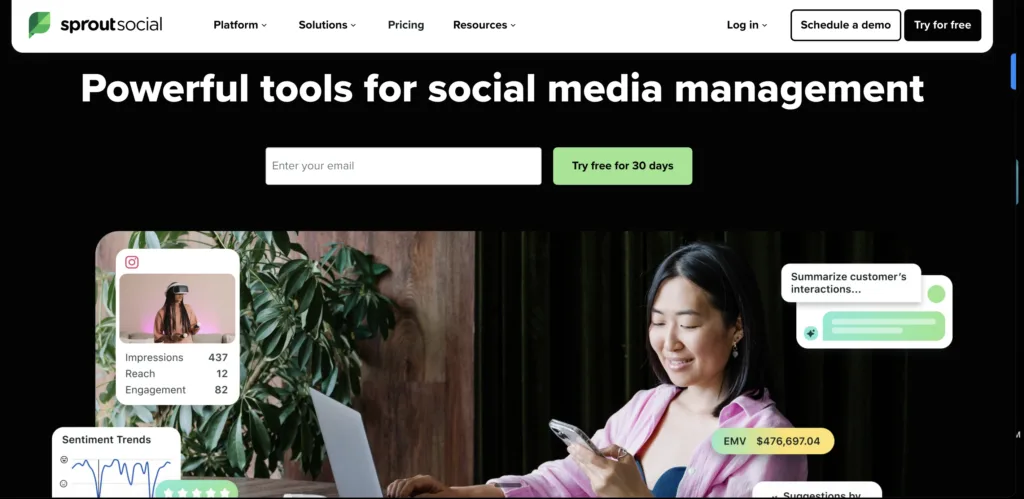
If you want a tool that doesn’t make you hate your life, Sprout Social is it.
This is the platform for teams who need social media management and customer care without the enterprise-level complexity. It’s clean, intuitive, and actually pleasant to use—which is rarer than you’d think in this space.
The top feature? Smart Inbox that consolidates messages, comments, and mentions from multiple social channels into one prioritized stream.
Best suited for: Small-to-medium businesses and marketing teams looking for an all-in-one tool for social engagement and basic customer support.
USPs
- Unified Smart Inbox: Filters and prioritizes social interactions based on keywords or urgency
- Built-in social listening: Monitor brand mentions and competitor activity directly within the platform
- User-friendly, visually appealing reports: Social engagement and support metrics designed for non-technical users
- Team collaboration tools: Internal notes and task assignments within the inbox for seamless handoffs
- Full-featured mobile app: On-the-go social customer care without compromise
- Hashtag and keyword tracking: Identify customer pain points or trending topics proactively
- Integrated social CRM: Store customer interaction history tied directly to social profiles
- Content scheduling alongside support: Reduce the need for separate platforms
Pros
- Intuitive interface: Clean design that simplifies social media management and reduces training time
- Strong social listening: Monitor mentions and trends to anticipate customer needs
- Consolidated inbox: No customer query slips through the cracks across multiple platforms
- Actionable analytics: Detailed reports on engagement, response times, and team performance
- Smooth team collaboration: Task assignments and internal notes foster accountability
Cons
- Limited support beyond social: Heavily focused on social channels with minimal email, chat, or phone capabilities
- Pricing not scalable for small teams: Advanced features locked behind higher tiers
- Restricted customization: Limited workflow or reporting customization compared to enterprise platforms
- Occasional real-time delays: Message updates or notifications can lag during high-traffic periods
- Slow customer support: Users report delays getting help for technical issues
Pricing
Tiered subscription plans based on features and users:
- Standard Plan: $249/month per user (basic social media management)
- Professional Plan: $399/month per user (advanced analytics and publishing)
- Advanced Plan: $499/month per user (message tagging and chatbots)
- Enterprise: Custom pricing for larger teams
Annual billing offers discounts.
How to get pricing: Check the Sprout Social website (sproutsocial.com) or request a demo for enterprise pricing.
Hootsuite (with Sparkcentral)
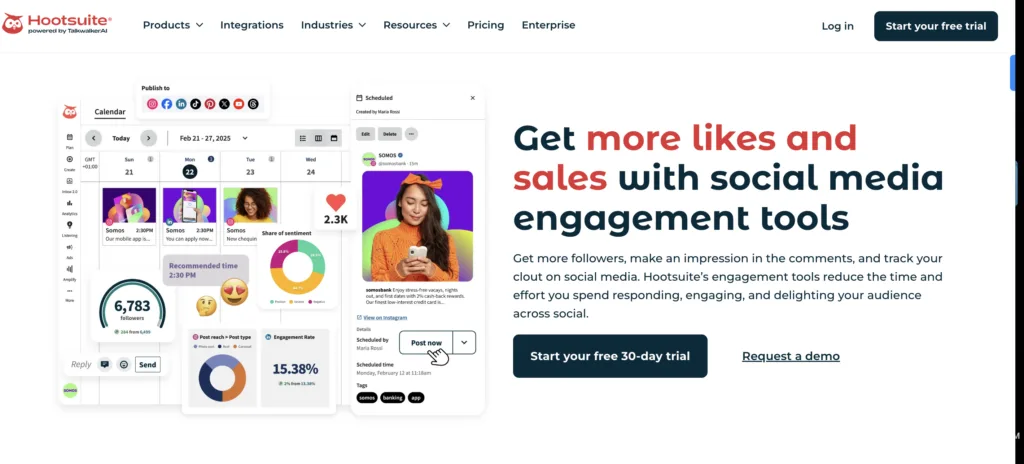
Hootsuite is the reliable workhorse of social media management.
With Sparkcentral integration, it adds conversational messaging capabilities for WhatsApp, SMS, and social DMs—turning it into a hybrid tool for both content scheduling and customer support.
The top feature? Conversational messaging hub via Sparkcentral that supports asynchronous communication, allowing customers to pick up interactions days later without losing context.
Best suited for: Mid-sized businesses and agencies needing a balance of social media management and customer support without deep enterprise complexity.
USPs
- Hybrid workflow: Combines Sparkcentral’s messaging-first approach with Hootsuite’s social scheduling
- Asynchronous conversations: Customers can resume interactions days later without losing context
- Automated chatbot integrations: Basic query resolution on messaging apps like WhatsApp
- Centralized dashboard: Manage public social posts and private customer messages from one place
- Bulk scheduling and content libraries: Ideal for social-first brands managing multiple accounts
- Lightweight CRM: Track customer interaction history within the platform
- Multi-user access with role-based permissions: Manage support and marketing teams separately
- Open API access: Integrate niche messaging platforms or custom workflows
Pros
- Comprehensive social management: Schedule posts and handle customer queries from a single dashboard
- Strong messaging capabilities: Sparkcentral enables personal, real-time customer conversations
- Affordable for mid-sized teams: More budget-friendly than enterprise tools
- Extensive third-party integrations: App directory extends functionality without complete system overhauls
- Efficient content scheduling: Content calendar and bulk scheduling save time
Cons
- Fragmented experience post-Sparkcentral integration: Separate workflows for traditional posting and messaging can confuse agents
- Limited analytics depth: Basic reporting lacks granular insights compared to competitors
- Inconsistent customer support: Mixed feedback on response times and solution quality
- Cluttered interface: Dashboard feels overloaded with multiple accounts or integrations active
- Scalability issues for large enterprises: Performance lags or feature limitations at very high interaction volumes
Pricing
Tiered plans with additional costs for Sparkcentral integration:
Hootsuite Core Plans:
- Professional: $99/month (1 user, 10 social accounts)
- Team: $249/month (3 users, 20 social accounts)
- Business: $739/month (5 users, 35 social accounts)
- Enterprise: Custom pricing
Sparkcentral Add-On: Custom pricing, typically $1,000–$5,000/month for small teams; costs increase based on agents and interaction volume.
How to get pricing: Visit Hootsuite (hootsuite.com) for basic plans or contact sales for Sparkcentral and enterprise pricing.
Zendesk Suite (with Social/Messaging)
Zendesk is the Swiss Army knife of customer service platforms.
It does helpdesk, ticketing, knowledge base, live chat, social media, messaging—basically everything except make you coffee. If you want one tool that handles all your support channels without requiring five different logins, this is it.
The top feature? Unified agent workspace that consolidates tickets from email, chat, social, and phone into a single interface for streamlined resolution.
Best suited for: Mid-to-large businesses seeking a robust, scalable helpdesk solution with strong social and messaging capabilities.
USPs
- Native social and messaging channels: Integrates WhatsApp, Facebook Messenger, and Twitter as native channels within ticketing
- Context-aware workspace: Pulls customer history across channels for personalized responses
- Built-in AI bots (Answer Bot): Resolves simple queries on social and messaging before escalating to agents
- Extensive workflow customization: Automations specific to social ticket routing
- Robust self-service portal: Links to social responses for deflecting common queries
- 1,000+ app integrations: Zendesk Marketplace includes niche social tools
- Real-time collaboration tools: Agents can consult internally while responding to social queries
- Detailed SLA tracking: Ensures timely responses for social and messaging channels
- Multilingual support: Automated language detection for global customer bases
Pros
- True omnichannel support: Email, chat, phone, social, messaging in one cohesive platform
- Customizable automation: Detailed rules for repetitive tasks boost agent productivity
- Extensive knowledge base features: Self-service portal reduces inbound query volume significantly
- Scalable for all business sizes: Plans and features grow with your company
- Strong third-party integrations: Vast app marketplace creates tailored ecosystems
Cons
- Higher costs with add-ons: Base plans are reasonable, but social messaging and advanced features increase costs significantly
- Learning curve for advanced features: Advanced customization requires extensive training or external consultants
- Social features less robust: Compared to social-first tools, Zendesk’s social capabilities feel basic
- Performance issues with high volumes: Slowdowns or glitches when managing large ticket volumes
- Mixed customer support feedback: Inconsistent response quality affects operational continuity
Pricing
Tiered plans based on features and agents:
- Suite Team: $55/month per agent (basic support features)
- Suite Growth: $99/month per agent (includes messaging and social channels)
- Suite Professional: $125/month per agent (advanced reporting and automation)
- Enterprise: Custom pricing for larger teams and additional integrations
How to get pricing: Visit Zendesk (zendesk.com) for detailed plans or request a quote for enterprise needs.
|
Salesforce Service Cloud (Digital Engagement)
Salesforce Service Cloud is the platform you choose when customer data is your religion.
It’s built for enterprises that need every interaction—social, messaging, email, phone—connected to a comprehensive CRM. If you’re obsessed with 360-degree customer views and predictive AI, this is your promised land.
The top feature? Service Cloud Einstein AI that provides predictive insights and automated case classification across digital channels.
Best suited for: Large enterprises with complex customer service needs and reliance on data-driven decision-making.
USPs
- Einstein AI: Predicts customer issues and recommends next-best actions during social interactions
- 360-degree customer view: Integrates social and messaging data with historical CRM records
- Lightning Service Console: Manage digital engagements alongside traditional tickets
- Native social listening: Salesforce Social Studio monitors brand sentiment in real-time
- Custom app development: Tailor social support workflows on the Salesforce platform
- Advanced case management: Automated escalation rules for high-priority social issues
- Seamless integration across modules: Marketing and sales data for holistic customer journey view
- Omnichannel routing: Skills-based assignment for social and messaging queries
- Robust data security and compliance: Tools for industries with strict regulatory requirements
Pros
- End-to-end customer journey tracking: 360-degree view helps agents deliver personalized resolutions
- Powerful Einstein AI: Accurate case classification and response suggestions reduce manual effort
- Seamless digital engagement: Social, messaging, and chat with full context retention
- Highly customizable: Lightning Flow builds bespoke workflows for unique industry needs
- Robust ecosystem: Connects with numerous apps and data sources across departments
Cons
- Prohibitive cost: Notoriously expensive with escalating costs for additional features or users
- Complex setup and use: Requires significant technical expertise and long onboarding periods
- Overwhelming for basic needs: Extensive features feel unnecessary for straightforward customer service
- Ecosystem dependence: Maximizing value requires integration with other Salesforce products
- Mixed support experience: Slow responses or inconsistent quality for urgent platform issues
Pricing
- Essentials: $25/month per user (basic support, limited social tools)
- Professional: $75/month per user (some digital engagement features)
- Enterprise: $150/month per user (full omnichannel support, including social)
- Unlimited: $300/month per user (advanced AI and analytics)
- Digital Engagement add-ons: Often $50–$100 per user/month extra
How to get pricing: Contact Salesforce sales for a tailored quote (salesforce.com).
Emplifi Service Cloud (formerly Astute)
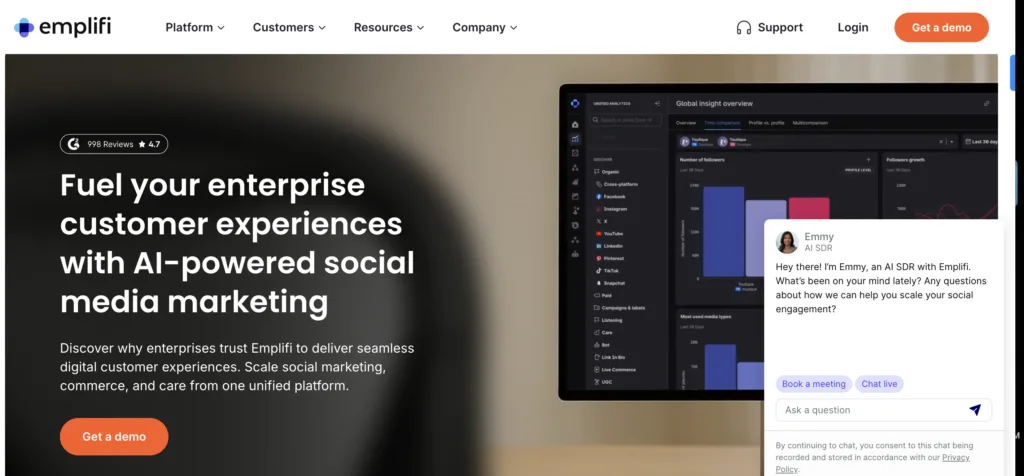
Emplifi Service Cloud is the data nerd’s social support platform.
It’s built for brands that want actionable insights and faster response times across social and digital channels. If you believe that sentiment scoring and VoC analytics should inform your support strategy, Emplifi delivers.
The top feature? AI-driven interaction analytics that identifies trends and customer sentiment across social interactions to inform support strategies.
Best suited for: Mid-to-large businesses with a strong focus on social media engagement and data-driven customer service.
USPs
- AI-powered VoC (Voice of Customer) analytics: Extract insights from social and digital interactions
- Unified agent desktop: Prioritizes high-impact social queries based on sentiment scoring
- Native integration with Emplifi’s social marketing tools: Cohesive brand engagement strategy
- Automated post-interaction surveys: Gather immediate customer feedback on social channels
- Dynamic knowledge base suggestions: Speed up resolutions during social chats
- Flexible routing engine: Assigns social cases based on agent expertise or workload
- Detailed performance dashboards: Channel-specific metrics for social and messaging
- Built-in content moderation tools: Manage user-generated content on social platforms
- Real-time translation: Multilingual social engagement without external tools
Pros
- Specialized in social media care: Features for listening and engagement capture brand mentions effectively
- AI-driven response suggestions: Speeds up agent replies while maintaining brand voice consistency
- Focus on CX metrics: Detailed customer satisfaction and engagement scores identify pain points
- Streamlined agent workflows: Unified inbox and task prioritization reduce response times
- Community engagement tools: Peer support reduces ticket loads through forums or groups
Cons
- Limited omnichannel capabilities: Heavily social-focused with weaker email, phone, or live chat support
- Smaller market presence: Fewer user resources and third-party integrations compared to larger competitors
- Pricing transparency issues: Confusion over pricing structures or unexpected premium feature costs
- Interface lacks polish: Functional but dated compared to competitors, slowing new team member adoption
- Scalability concerns: Struggles with very high interaction volumes during peak times
Pricing
Custom pricing based on features, users, and interaction volume.
- Smaller businesses: Approximately $5,000–$20,000/year
- Enterprise plans: Often exceed $50,000 annually
Costs depend on number of agents, social channels, and integrations.
How to get pricing: Request a quote via Emplifi (emplifi.io).
How to Choose the Right Platform (Without Losing Your Mind)
Look, I could give you a 47-point checklist here.
But you’re busy. You don’t need more overwhelm. You need a decision framework that actually works.
Here’s how to do this:
Map channel reality to platform depth
List the exact channels where your customers message you today and where you plan to be in 12 months. Prioritize platforms with native depth on those channels—WhatsApp threading, Instagram DM features, Facebook private-to-public handoffs, async persistence.
If 80% of your support happens on Twitter and Facebook, don’t pay for a platform optimized for email ticketing.
Model your volume, concurrency, and SLAs
What’s your peak hourly volume? How many concurrent conversations per agent? What are your SLA tiers?
Validate queueing, overflow rules, and backlog behavior in a live trial with synthetic spikes. If the platform chokes when you simulate Black Friday traffic, you’ll know before it costs you real revenue.
Integrate where the truth lives
If your customer record of truth lives in Salesforce or a data warehouse, bias toward platforms with first-class, admin-friendly integrations and robust APIs/webhooks.
Test identity resolution from social handles to customer profiles. If the platform can’t connect @angry_customer_47 to “Sarah Johnson, Enterprise Account,” you’re flying blind.
Evaluate agent workflow fit
Put real transcripts in the tool. Measure clicks-to-resolution and copy/paste events to surface friction.
Evaluate collision detection, internal notes, macros, drafts, bulk actions, and mobile parity. If agents are clicking seventeen times to send one response, they’ll hate you.
Pilot AI that actually helps
Test AI for intent detection, tagging, triage, and suggested replies. Track changes in first response time, average handle time, and reopens.
Avoid “black box” models you can’t tune. If you can’t understand why the AI routed a ticket to the wrong team, you can’t fix it.
Demand analytics that drive decisions
Ensure you can segment by channel, queue, topic, and sentiment. Validate exports to BI and the presence of QA/review workflows.
Demand transparent definitions for metrics like “response time” and “resolution.” If you can’t explain how a metric is calculated, don’t trust it.
Check governance and compliance
Confirm role granularity, audit logs, message retention, legal hold, and redaction tools. Verify data residency/SOC/ISO needs and social platform compliance (especially for regulated industries).
If you’re in healthcare or finance, this isn’t optional.
Assess knowledge and community strategy
If deflection matters, test knowledge surfacing inside the agent UI and community/forum integration. Measure dynamic article suggestions and post-interaction survey capture.
Can customers help themselves? Can they help each other? If not, your agents will drown.
Model total cost of ownership
Price the core license, add-ons (bots, listening, digital engagement), implementation, admin effort, and integration work.
Model a three-year TCO with growth in seats and channels. That $50/agent/month plan might cost $150/agent/month once you add social messaging, AI bots, and the integration you actually need.
Plan for implementation and change management
Look for vendors with structured onboarding, sandbox environments, and migration tooling. Insist on named support contacts and documented escalation paths.
If the vendor’s onboarding is “here’s a login, good luck,” run.
Proof of Concept Checklist
Before you commit, run a 2–4 week PoC against real volume:
- Include at least two social channels and one messaging app
- Test skills-based routing, sentiment-driven prioritization, and SLA breaches
- Measure baseline vs. PoC metrics (FRT, AHT, CSAT, deflection)
- Get agent feedback scores on usability and suggestions
If the vendor won’t let you run a real PoC with your actual data, that’s a red flag.
Scoring Framework (Keep It Simple)
Weight by your priorities:
- Channel coverage and depth: 20%
- Agent experience and productivity: 20%
- AI/automation impact: 15%
- Analytics and reporting: 15%
- Integrations and data portability: 15%
- Security/governance/compliance: 10%
- TCO and commercial flexibility: 5%
Adjust these percentages based on what matters most to your business.
Red Flags and Common Traps
Watch out for these:
- “Social included” but only for public comments—DMs require an add-on
- Limited rate-limit handling leads to missed messages during spikes
- No audit trail for edited or deleted social responses
- Bot handoffs that drop context or reset threads across channels
- Vendor support SLAs that don’t match your operating hours
If the sales demo glosses over any of these, ask directly. Twice.
The Bottom Line
Most platforms can handle the basics.
What separates the good from the garbage is what happens at the edges—when volumes spike, when agents need to collaborate, when customers switch channels mid-conversation, when you actually need to use the data you’re collecting.
Choose based on where you are and where you’re going. If you’re a 10-person team today but plan to be 50 next year, factor that in now.
And if you want me to convert this into a side-by-side scorecard tailored to your stack and volumes, or draft a PoC plan you can run with vendors next week, just say the word.
Now go make a decision.
Cheers
|