Olark vs Intercom: The Chat Philosophy That Will Define Your Customer Experience
Sometimes the simplest decisions have the biggest consequences.
The Olark vs Intercom choice feels straightforward on the surface-both help customers talk to your team. But dig deeper and you’ll discover you’re not just picking chat software. You’re choosing a fundamental philosophy about how customer communication should work.
Intercom built a full customer communications empire designed to track behavior across users and companies, automate lifecycle journeys, run in-app guidance, and unify support operations with knowledge, bots, ticketing, and deep analytics. Olark took the opposite approach-purpose-built for fast, human live chat on websites with simple setup, predictable pricing, and a lightweight footprint that won’t slow down your site.
Both approaches can win decisively, depending on whether you need end-to-end lifecycle orchestration across channels and platforms or a lean, low-overhead way to get customers talking to a person quickly without jumping through automation hoops.
This breakdown covers capabilities, strengths, trade-offs, and real-world implications so you can choose the right tool for your team, tech stack, and budget without expensive regrets later.
|
Research Methodology
To write the most honest Olark vs Intercom comparison possible, we:
Analyzed real user feedback and public documentation to understand actual deployment patterns, pros/cons, and common pitfalls for each tool rather than relying on marketing claims.
Ran hands-on tests to validate setup complexity, targeting options, message delivery, and agent workflows for both platforms under realistic conditions.
Compared pricing paradigms including how costs scale with seats, contacts, automation usage, and add-ons that can surprise you later.
Evaluated operational realities such as time-to-first-value, ongoing maintenance, routing and workload management, deflection vs. human-first support, and how each tool fits into broader stacks.
Synthesized specific examples to illustrate what each platform enables in practice-from behavior-triggered onboarding and upsell in Intercom to fast, focused, human chat in Olark with minimal overhead.
Pricing: The Reality Check That Changes Everything
Let’s cut through the noise-most Olark vs Intercom decisions get made right here, before teams even compare features.
Olark’s approach: Public pricing that’s flat and easy to model-you pay per seat for live chat core functionality. No metered fees on contacts or people reached, so bills stay predictable when traffic spikes or campaigns run. You can scale seats up or down as staffing changes without contract gymnastics.
Intercom’s model: Costs often expand with add-ons, message volumes, channels, and automation usage. Smaller teams can end up paying for breadth they don’t yet need, or for features bundled into higher tiers that make budget planning complicated.
The reality check: Olark wins on pricing predictability and budget control. Intercom can provide better value when its unification of messaging, automation, and support operations replaces multiple tools.
Before committing to either pricing structure, consider platforms that deliver comprehensive customer communication capabilities without usage-based surprises or the operational overhead that increases costs over time.
|
Main Platform Comparison
Intercom wins at behavioral data, segmentation, and lifecycle automation
Intercom treats customer data as the foundation for everything-tracking users, leads, and companies with timestamped events and traits while modeling complex business entities via custom objects like subscriptions, plans, and entitlements.
A Capterra review captures the essence:

Identity resolution merges anonymous sessions into known profiles at login, creating a clean, living contact graph that actually makes sense. Data flows in real time through APIs, web and mobile SDKs, Segment, CSV, and enrichment apps.
This depth powers granular targeting and orchestration that goes far beyond basic chat rules. You can compose dynamic segments with nested AND/OR logic, filter by event frequency/recency, and trigger on very specific behaviors like clicked CTA X three times this week, then gate by account health, role, plan, or MRR.
Try Kayako for behavioral targeting without platform complexity.
This unlocks journeys like onboarding checklists after a feature is first touched, activation nudges if a key event stalls, and upsell prompts when an account crosses usage thresholds. Olark can target prompts and run basic automation rules, but it lacks event tracking, custom objects, reusable multi-dimensional segments, and cross-channel lifecycle journeys.
Olark wins at pricing predictability and budget control
Olark’s public pricing is flat and easy to model: you pay per seat for the core of live chat without surprise metered fees that can explode your budget. There aren’t charges on contacts or people reached, so bills stay predictable when traffic spikes or campaigns run.
A Capterra reviewer expressed it clearly:

That lets teams keep chat accessible rather than hiding it behind bots to manage costs. With Olark, you can scale seats up or down as staffing changes without contract gymnastics, and total cost of ownership stays lower because there’s less to configure and maintain.
Intercom’s costs often expand with add-ons, message volumes, channels, and automation usage. Smaller teams can end up paying for breadth they don’t yet need, or for features bundled into higher tiers that complicate budget planning.
Intercom wins at omnichannel messaging and in‑app delivery
Intercom is truly omnichannel in ways that actually matter: live chat, in-app messages, email, and mobile push live in one workspace with a single customer timeline that preserves context. Journeys can mix these channels, trigger from product events, and follow delivery rules.
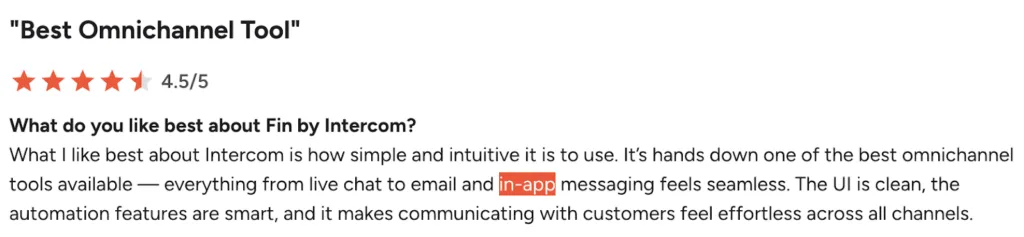
Crucially, Intercom’s in-app messaging isn’t just website chat. Native SDKs for web, iOS, Android, and React Native render messages inside your product using first-class UI components that feel integrated, not bolted on.
Targeting goes beyond page views to event-driven, account-level logic; you can trigger messages from server-side or client events, user traits, feature flags, and plan/role attributes. Olark centers on web chat with rules like URL and time on page and does not offer native mobile SDKs, event-driven in-app guidance, or cross-channel orchestration.
Olark wins at time‑to‑value and low operational overhead
Olark is built for chat first, so setup takes minutes-one snippet or a simple CMS plugin, sane defaults, and lightweight rules to go live quickly without extensive implementation projects. The widget is fast and unobtrusive, protecting Core Web Vitals that matter for SEO.
As one Capterra user explained that it is easy to use:

Agents ramp fast because the interface focuses on conversations, shortcuts, tags, and transcripts-not a sprawling suite that requires training. Reporting is pragmatic: track queues, response times, and outcomes without spinning up a data project.
|
It plays nicely with an existing stack through simple integrations and exports, reducing lock-in. You keep using your help desk or CRM, instead of reshaping workflows around a single vendor’s ecosystem.
Intercom’s setup is more involved with module choices, team inboxes, assignment rules, help center connections, and identity verification-each step adding dependencies and QA checks.
Intercom wins at product tours and in‑product guidance
Intercom’s Product Tours provide no-code, in-product guidance using step types like hotspots, tooltips, banners, and modals that actually help users instead of annoying them. You anchor steps to stable CSS selectors or element attributes so tours survive UI changes.
A G2 review captures the essence:
Triggers can be precise: first-time feature use, error states, plan upgrades, or any custom signal that indicates the right moment to help. Tours can branch based on user actions, pair with checklists and Mobile Carousels, and cover both desktop and native mobile apps.
Measurement includes completion, per-step drop-off, and downstream goal conversions; you can iterate or split-test via Series with holdouts. Olark has no native product tours or in-app guides; teams must bolt on separate tools, losing unified targeting, analytics, and governance.
Olark wins at website performance and a minimal footprint
Olark keeps its footprint small because it’s a chat widget, not a full customer platform that tries to do everything. The loader is asynchronous, heavy assets don’t fetch until someone opens the widget, and styles/scripts stay scoped-minimizing network requests and layout shifts.
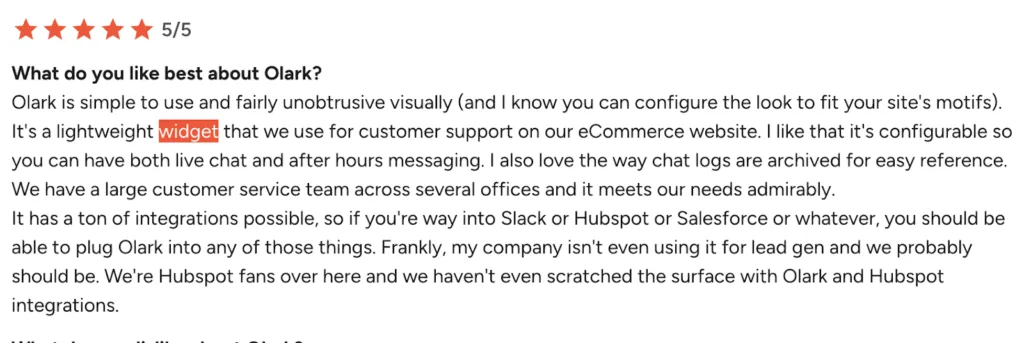
You get precise control over when and where it loads: initialize only on high-intent pages, delay until network idle, block until consent is granted, disable for slow connections, or keep it out of critical templates like checkout.
Intercom’s Messenger can be tuned, but the broader stack bundles more code paths by default-product tours, inbox surfaces, help center, and eventing-even if you only need chat. That increases JavaScript parse/execute time and bandwidth.
Intercom wins at support operations and automation at scale
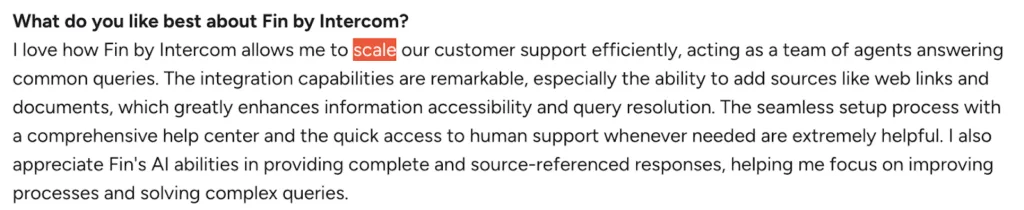
Intercom brings an integrated help center, ticketing, SLAs, workload management, flexible routing, and automation into a single inbox that doesn’t make agents want to quit. Its automation spans bots, workflow builders, and AI that actually works:
One Capterra rating says it best:

Fin answers questions from your knowledge base with guardrails, deflecting common issues and escalating with full context. Workflows route and triage based on any user, company, event, or custom object attribute. Agents get AI summarization, tone adjustments, and content reuse to speed replies.
|
The Messenger hosts apps for bookings, system status, payments, and custom workflows. Olark offers solid chat with transcripts, saved replies, and rules, but bot depth is limited; reporting is lighter; channels are fewer; and it relies on external systems for ticketing and knowledge.
Intercom wins at mobile SDKs and secure in‑app experiences
Intercom’s iOS and Android SDKs embed messenger, article search, mobile carousels, surveys, proactive in-app banners, and push notifications with minimal code that doesn’t break your app. They support identity verification to prevent impersonation, register push tokens, deep link to specific screens, and handle localization.
As one G2 feedback line shows:

Teams can trigger messages from real-time app events and measure outcomes end to end without switching between tools. Olark has no native mobile SDK: no in-app messaging, no push, no secure identity, and no event-based targeting on mobile-forcing brittle webviews or separate tools.
Olark wins at time to first human support
Olark optimizes for getting customers to a person quickly without forcing them through automation hoops:
The console is lean and keeps context in one pane. Agents see page history, referrer, and custom data immediately. Pre-chat forms capture essentials without launching bot flows that slow the handoff. Smart routing sends chats to the right group fast.

Shortcuts, notes, and searchable transcripts speed consistent answers and follow-ups. Proactive rules invite the right visitors before frustration builds. Because pricing isn’t tied to contact volume, teams don’t have to gate human access behind bots just to control costs.
Intercom is powerful, but its automation-heavy approach can add orchestration steps before a teammate engages. Olark’s philosophy is assistive automation with a human default-reducing cognitive load for agents and cutting the steps customers must clear to reach help.
Intercom wins at app ecosystem and deep integrations
Intercom’s app ecosystem is extensive and deeply integrated with the agent and customer experience in ways that actually save time. Apps run inside the Messenger and Inbox so reps can schedule meetings, issue refunds, create tickets, or sync notes to CRMs-without tab-hopping.
Bi-directional CRM connectors bring account, deal, and activity data into threads and push outcomes back with field mapping. Ecommerce or subscription data surfaces at decision points, highlighting order value, plan details, and churn risks when it matters.
Olark’s catalog is smaller, leans on Zapier for gaps, and often focuses on one-way transcripts or basic lead creation-limiting context, automation depth, and closed-loop data quality.
Intercom wins at enterprise readiness and scale
Intercom is built for high-volume, cross-team operations that don’t break under pressure:
High-volume routing with rules, SLAs, workload management, and bots that triage on any user, company, event, or custom object attribute. Custom Objects to model subscriptions, orders, devices and use them in targeting, routing, and macros. Granular roles and permissions, audit logs, SAML SSO, and SCIM provisioning for governance.
APIs, webhooks, and rate limits designed for millions of users and automated journeys, keeping data fresh and workflows stable as brands, teams, and volumes grow. Olark can support busy queues, but it’s chat-centric by design and will lean on external systems for advanced operations.
Olark wins at flexible, low lock‑in operations
Olark’s month-to-month, cancel-anytime billing maps directly to seats without complex contract negotiations. You add agents when you hire, drop them after peak season, and run staffing experiments without renegotiating contracts.
Fewer upsell pressures keep your roadmap clean: core support value sits in the base subscription, rather than being gated behind add-ons that complicate decision-making. Admins spend less time evaluating upgrades or retraining agents after packaging changes.
With Intercom’s broader suite, you often encounter cross-sell paths and usage meters as you scale-which can pull support into marketing or sales tooling they didn’t plan to own.
Intercom wins at measurable impact across the lifecycle
Intercom’s reporting goes beyond chat volume to measure resolution time, deflection, cohort engagement, message conversion, and journey goals tied to product events. Because everything runs on the same rails-bots, knowledge base, workflows, SLAs-you get coherent attribution.
One Capterra reviewer highly praises Intercom’s reporting and analytics:</p>

App ecosystem data surfaces at decision po
ints, and outcomes sync bi-directionally with CRMs. For product-led growth, this is critical: you can connect in-app guidance and lifecycle messaging to activation, expansion, and retention in rigorous ways.
Olark’s reporting remains pragmatic and chat-centric, which keeps it simple but limits full-funnel visibility without additional tools.
How to Choose Between Olark vs Intercom
Use Intercom if Your Priority Is End-to-End Lifecycle Orchestration
- You need behavioral and account-level data to drive targeted onboarding, activation, and expansion
- Product teams want no-code tours, checklists, surveys, and mobile carousels with precise triggers and goals
- Support needs a unified help center, ticketing, SLAs, bots, and AI in one place
- You operate across web and native mobile and want a consistent in-app experience with secure identity
- You require deep reporting, experimentation, and cross-channel journeys in-app, email, push
- Your stack benefits from a rich app ecosystem and bi-directional CRM connectors
- You have the resources to implement, govern, and maintain a powerful platform
Use Olark if Your Priority Is Speed, Simplicity, and Predictable Cost
- You want to be live in minutes with a small footprint that protects Core Web Vitals
- Your team values time to first human over deflection-assistive automation with a human default
- Budgets must stay predictable, and you want to avoid usage-based surprises or add-on sprawl
- You prefer flexible, low lock-in contracts that mirror staffing changes
- Your existing help desk, CRM, or knowledge base should remain central, with chat as a clean, focused entry point
- You need straightforward rules for targeting and routing without modeling objects, events, or complex journeys
- Your website is the primary support surface, and native mobile in-app messaging isn’t a requirement
Key Decision Criteria to Weigh
Data and targeting depth: If event-driven, role-aware, account-level targeting matters, Intercom wins decisively.
Channel scope: For omnichannel in-app, email, push and mobile-native experiences, Intercom is the better fit. For web chat only, Olark is more than enough.
Onboarding and guidance: If you need product tours, checklists, and in-app education tied to goals, Intercom is purpose-built for it.
Support operations: If you need a help center, ticketing, SLAs, and AI/bots under one roof, Intercom outpaces Olark.
Performance and simplicity: If speed, minimal footprint, and low cognitive load are paramount, Olark shines.
Cost model: If per-seat simplicity and predictable budgeting matter, Olark’s pricing is easier to manage; Intercom’s value scales with usage and breadth but can be more variable.
Time-to-value vs. long-term leverage: Olark delivers instant value with little overhead. Intercom takes longer to implement but pays dividends in lifecycle automation and analytics.
The Bottom Line
The Olark vs Intercom choice isn’t just a feature checklist; it’s a choice between philosophies that will shape every customer interaction.
Intercom is a full customer communications platform designed for teams that want to orchestrate the entire lifecycle with rich data: behavioral events, account attributes, and custom objects power precise segmentation and targeting. Journeys span in-app, email, and push; product tours and mobile carousels guide users through real workflows; bots, AI, and a unified help center scale support; and deep integrations plus rigorous reporting make business impact measurable.
Olark is a focused live chat solution that prizes speed, clarity, and predictability. Setup is minutes. The widget is lightweight and performance-friendly. Rules are readable, agents ramp quickly, and conversations move fast to a human by default. Pricing maps to seats, not contact volume, and contracts are flexible with minimal lock-in.
Choose Intercom for behavior-led lifecycle messaging, in-app guidance, omnichannel orchestration, and scaled support in one platform that can handle complex business requirements.
Choose Olark for a lean, high-speed chat layer with predictable costs and minimal overhead that gets customers talking to humans quickly.
Both are excellent at what they were built to do-pick the one that aligns with your priorities today and the experience you want customers to feel the moment they reach out for help.