Discover the top 11 Zoho Desk alternatives. Compare features, pricing, and real-world performance to find the best customer support software for your business.
Choosing the right customer support software can be a game-changer for your business.
Zoho Desk is a popular option, but depending on your specific needs, there may be better fits in the market.
After having hands-on experience with multiple leading platforms, I’ve thoroughly evaluated the top 10 Zoho Desk alternatives.
In this detailed listicle, I’ll share unbiased insights on their introductions, unique selling points (USPs), direct comparisons with Zoho Desk, and pricing details, so you can make a well-informed decision
Research Methodology
My evaluation process was multidimensional. I analyzed each platform on core aspects critical to customer support success including:
- Ticket management efficacy
- Integration capabilities
- Automation and AI features
- Ease of use and user experience
- Reporting and analytics depth
- Multichannel support scope
- Scalability for different business sizes
- Pricing transparency and value
Additionally, I reviewed user feedback from multiple sources, including G2 reviews, and tested product demos where possible to validate claims. The comparisons provided rely on up-to-date performance and feature ratings, ensuring relevance to today’s business needs.
1) Kayako
Kayako represents an approach to customer communication by focusing on eliminating repetitive conversations rather than simply managing them more efficiently. Its standout feature is autonomous resolution capabilities that can eliminate over 80% of repetitive customer inquiries through advanced AI automation. This makes it perfect for growing businesses handling high conversation volumes that want to dramatically reduce operational costs while maintaining exceptional customer experiences.
Key Features
-
Autonomous Resolution: AI eliminates repetitive conversations before they reach human agents, freeing your team for strategic interactions
-
Self-Learning Intelligence: Continuously improves from past conversations, chat histories, and knowledge base interactions
-
One Platform Philosophy: Comprehensive workflow handling detection, resolution, and learning from customer interactions
-
Multi-channel Integration: Seamlessly manages conversations across email, chat, social media, and other channels
-
Advanced Analytics: Deep insights into conversation elimination rates, cost savings, and team productivity metrics
-
Customizable Workflows: Highly adaptable automation rules tailored to your specific business processes
-
Context-Aware Responses: Leverages customer data for personalized, intelligent interactions
-
Developer-Friendly: Extensive APIs and integration capabilities with existing business tools
Kayako vs Zoho
While Zoho excels in offering a broad suite of business tools and reliable multi-channel communication features, Kayako takes a fundamentally different approach by eliminating the need for many conversations altogether. Where Zoho focuses on enabling teams to manage and respond to customer interactions efficiently, Kayako's AI handles routine inquiries automatically—dramatically reducing the workload on your support team. Zoho remains a great choice for businesses seeking an all-in-one platform with integrated productivity and CRM tools, while Kayako is ideal for companies looking to scale customer communication without proportionally scaling headcount.
Kayako Pricing
Ready to see how Kayako can resolve 80% of your repetitive tickets?
Watch Kayako AI in action
2) Zendesk

Zendesk is a leading customer service and engagement platform designed to help businesses of all sizes improve their customer support operations. Its top feature is its omnichannel ticketing system, which streamlines communication across various channels. It's best suited for businesses looking to scale their customer service operations efficiently.
Zendesk’s unique selling points include omnichannel support integrating email, chat, phone, social media, and SMS into a single platform. It leverages AI-powered bots to automate responses and resolve common inquiries quickly. Customizable workflows allow businesses to tailor ticket routing, automation, and service level agreements. Moreover, Zendesk boasts advanced reporting with comprehensive analytics, a massive app marketplace with over 1,000 integrations, multilingual support, ticket sharing and collaboration tools, plus a mobile app for managing tickets on the go.
Zendesk Vs. Zoho Desk
Zendesk and Zoho Desk both offer comprehensive help desk solutions, yet their approaches and features differ significantly. Zendesk scores highly in ticket management (8.6/10) and knowledge base (8.4/10), outperforming Zoho Desk’s scores of 8.4/10 and 8.3/10 respectively. Users praise Zendesk for its robust API capabilities, enabling seamless integration with other systems. Conversely, Zoho Desk is lauded for its affordability and ease of use, scoring 8.8/10 compared to Zendesk's 8.6/10. However, Zoho Desk's reporting features (8.3/10) lag behind Zendesk’s (8.4/10). Both platforms provide multi-channel support, but Zendesk's AI-driven bots and more extensive third-party app marketplace offer a richer customer service experience. For businesses prioritizing scalability and advanced automation, Zendesk might be the preferable choice.
Zendesk Pricing
- Essential: $19 per agent/month (billed annually)
- Team: $49 per agent/month (billed annually)
- Professional: $99 per agent/month (billed annually)
- Enterprise: $150 per agent/month (billed annually)
- Suite: $70 per agent/month (billed annually)
Related Read: Top 10 Zendesk Alternatives
3) Freshdesk

Freshdesk is a cloud-based customer service software that simplifies and improves customer support operations. Its top feature is its intuitive user interface, which makes it easy for businesses to set up and use. It's best suited for small to medium-sized businesses looking for an affordable and user-friendly solution.
Freshdesk stands out with its gamification features that encourage agent engagement via performance-based games and rewards. It also offers SLAs and robust time tracking, scenario automation for repetitive tasks, a built-in knowledge base, and IT asset management. The AI-powered bot "Fred" automates ticket management, while multiproduct support, collision detection, and custom roles provide fine-grained control over user access and workflow efficiency.
Freshdesk Vs. Zoho Desk
Freshdesk and Zoho Desk share many similarities, but Freshdesk leads in customer satisfaction with an overall score of 8.6/10 compared to Zoho Desk's 8.4/10. Freshdesk's knowledge base functionality scores 8.4/10, slightly above Zoho Desk's 8.3/10. Freshdesk also offers more advanced automation tools, scoring 8.5/10 versus Zoho Desk's 8.4/10. Users appreciate Freshdesk's intuitive interface and seamless integration with other Freshworks products. On the other hand, Zoho Desk is commended for its value for money and robust reporting capabilities (8.3/10), closely matching Freshdesk’s 8.4/10. Freshdesk’s multichannel support is more comprehensive, covering more social media platforms and messaging apps. For teams seeking a more integrated service suite, Freshdesk may provide a better fit.
Freshdesk Pricing
- Free: $0 for up to 10 agents
- Growth: $15 per agent/month (billed annually)
- Pro: $49 per agent/month (billed annually)
- Enterprise: $79 per agent/month (billed annually)
Related Read: Top 10 Freshdesk Alternatives
4) HubSpot Service Hub
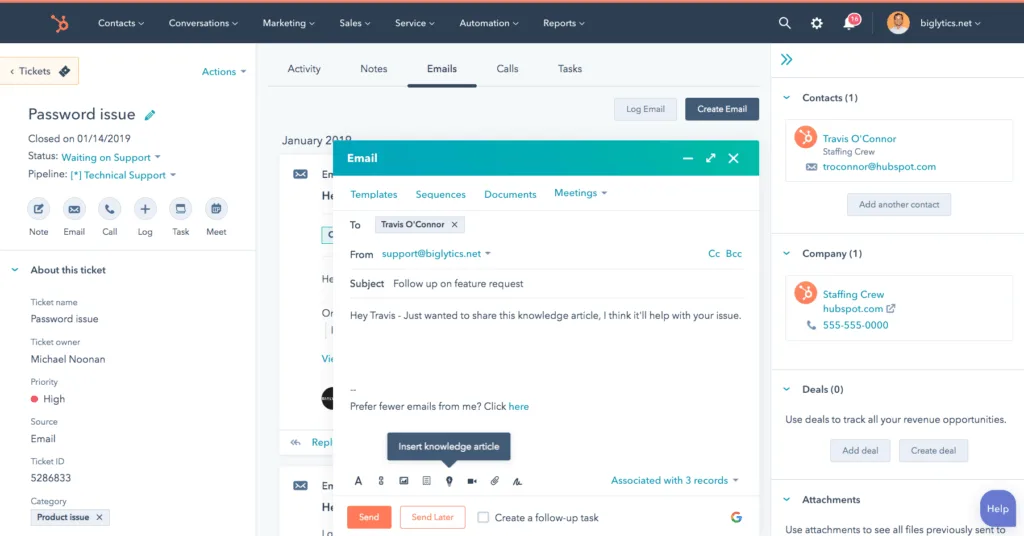
HubSpot Service Hub is a comprehensive customer service platform that integrates seamlessly with other HubSpot tools. Its top feature is its robust ticketing system, which helps businesses manage customer inquiries efficiently. It's best suited for businesses already using HubSpot's marketing and sales tools.
HubSpot’s USPs include its native integration with HubSpot CRM, providing a unified view of customer interactions across marketing, sales, and service. It offers customer feedback tools like surveys and NPS, conversational ticketing that converts interactions into tickets automatically, guided service playbooks, ticket merging, and customer health scoring. Furthermore, it supports automation of common tasks, a fully integrated knowledge base, and detailed reporting to measure service performance and satisfaction.
HubSpot Service Hub Vs. Zoho Desk
HubSpot Service Hub and Zoho Desk cater to different needs within the customer service spectrum. HubSpot, part of the broader HubSpot CRM suite, integrates seamlessly with marketing and sales tools, scoring 8.8/10 in integration capabilities, compared to Zoho Desk's 8.6/10. HubSpot's ticket management scores 8.4/10, slightly below Zoho Desk's 8.4/10, but its knowledge base (8.6/10) outperforms Zoho Desk's 8.3/10. Users appreciate HubSpot's unified platform approach and ease of use (8.8/10), whereas Zoho Desk’s user-friendliness is scored at 8.8/10. However, Zoho Desk provides more granular control over reporting features (8.3/10) than HubSpot's 8.2/10. For businesses prioritizing a holistic customer experience and seamless integration across marketing, sales, and service, HubSpot Service Hub is a superior choice.
HubSpot Service Hub Pricing
- Free: $0
- Starter: $45 per month (billed annually)
- Professional: $360 per month (billed annually)
- Enterprise: $1,200 per month (billed annually)
Related Read: Top 10 Freshdesk Alternatives
5) Jira Service Management

Jira Service Management is a service desk solution that is part of Atlassian's suite of products. Its top feature is its integration with other Atlassian tools like Jira Software and Confluence. It's best suited for IT service management and DevOps teams looking for a solution that integrates well with their existing workflows.
Its unique selling points include adherence to ITIL best practices, integration with Opsgenie for incident management and on-call scheduling, agile service management support, customizable request forms, and workflows. Additionally, it provides asset and configuration management, knowledge sharing through Confluence, automation rules, SLA monitoring, and customizable reporting dashboards tailored for service performance insights.
Jira Service Management Vs. Zoho Desk
Jira Service Management and Zoho Desk serve different use cases, with Jira focusing on IT service management and DevOps. Jira scores higher in incident management (8.7/10) compared to Zoho Desk's 8.3/10, reflecting its strength in IT-focused environments. Jira's knowledge base scores 8.2/10, just below Zoho Desk's 8.3/10. However, Jira's integration capabilities (8.8/10) outshine Zoho Desk's 8.6/10, particularly within the Atlassian ecosystem. Users praise Jira for its robust workflow customization, which is essential for complex IT operations. In contrast, Zoho Desk excels in ticket management (8.4/10) and ease of use (8.8/10), closely matching Jira's 8.4/10 and 8.6/10 respectively. For teams deeply embedded in IT service management and DevOps, Jira Service Management offers superior tools, while Zoho Desk remains a versatile option for general customer service needs.
Jira Service Management Pricing
- Standard: $5 per user/month (billed annually) for up to 10 users
- Premium: $8 per user/month (billed annually) for up to 10 users
- Enterprise: Custom quote
6) Salesforce Service Cloud
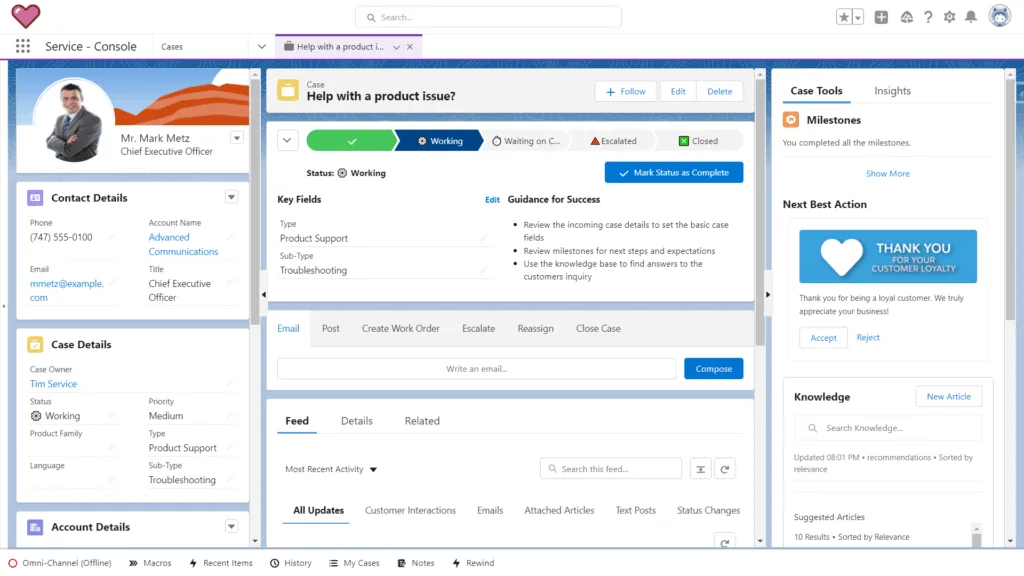
Salesforce Service Cloud is a comprehensive customer service platform that offers a range of tools for managing customer interactions. Its top feature is its robust case management system, which helps businesses handle customer inquiries efficiently. It's best suited for large enterprises looking for a highly customizable and scalable solution.
Salesforce’s USPs include Einstein AI for predictive analytics and automated case routing, intelligent omni-channel routing, and a customizable Service Console for agents. It provides comprehensive knowledge management, field service lightning integration for technician dispatch, macros and quick actions for task automation, telephony integration, social customer service capabilities, and detailed analytics and reporting to constantly enhance service quality.
Salesforce Service Cloud Vs. Zoho Desk
Salesforce Service Cloud and Zoho Desk both provide comprehensive customer service solutions, but Salesforce's enterprise focus is evident in its higher scores for integration (8.9/10) compared to Zoho Desk's 8.6/10. Salesforce also excels in knowledge base functionality (8.6/10) over Zoho Desk's 8.3/10. Users appreciate Salesforce's robust reporting capabilities (8.6/10), surpassing Zoho Desk’s 8.3/10. However, Zoho Desk scores higher in ease of use (8.8/10) and ticket management (8.4/10), closely competing with Salesforce’s 8.6/10 and 8.4/10. Salesforce's AI features, like Einstein Analytics, provide predictive insights, which Zoho Desk lacks. For large enterprises needing deep integrations and advanced analytics, Salesforce Service Cloud stands out, while Zoho Desk remains a cost-effective and user-friendly alternative for smaller businesses.
Salesforce Service Cloud Pricing
- Starter: $25 per user/month (billed annually)
- Professional: $75 per user/month (billed annually)
- Enterprise: $150 per user/month (billed annually)
- Unlimited: $300 per user/month (billed annually)
Let Kayako’s self-service and smart chatbot handle the basics for you.
Get Started
7) Help Scout
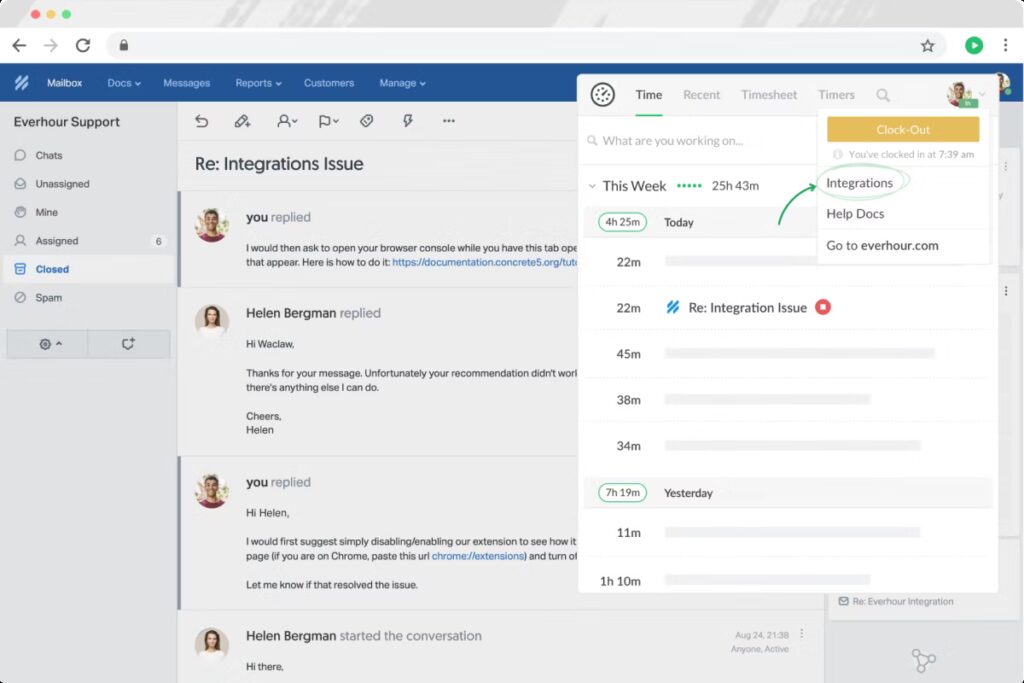
Help Scout is a customer support platform that focuses on providing personalized customer service. Its top feature is its shared inbox, which allows teams to collaborate on customer inquiries effectively. It's best suited for small to medium-sized businesses looking for a simple and user-friendly solution.
Help Scout’s strengths lie in its shared inbox that multiple team members can access concurrently, a built-in knowledge base called Docs, and automation workflows based on predefined rules. It also provides basic reporting and analytics, a customizable Beacon widget for website support, happiness ratings for customer feedback, custom fields for customer data organizing, API and integration capabilities, plus a mobile app for agents on the move.
Help Scout Vs. Zoho Desk
Help Scout and Zoho Desk cater to different customer service needs, with Help Scout focusing on simplicity and ease of use. Help Scout scores 8.9/10 for ease of use, higher than Zoho Desk's 8.8/10. Help Scout's customer satisfaction is also higher at 8.7/10 compared to Zoho Desk's 8.4/10. However, Zoho Desk excels in ticket management (8.4/10) and reporting (8.3/10), slightly above Help Scout's 8.3/10 and 8.2/10. Users praise Help Scout for its intuitive interface and personalized support, while Zoho Desk is valued for its robust feature set and affordability. Help Scout's knowledge base scores 8.3/10, on par with Zoho Desk’s 8.3/10. For small to medium-sized businesses prioritizing a user-friendly interface and exceptional customer support, Help Scout might be the better choice, while Zoho Desk offers more comprehensive features for a similar or lower price point.
Help Scout Pricing
- Standard: $20 per user/month (billed annually)
- Plus: $35 per user/month (billed annually)
- Pro: $60 per user/month (billed annually)
Related Read: Top 10 Help Scout Alternatives
8) Intercom

Intercom is a customer communication platform that combines messaging, support, and marketing tools. Its top feature is its in-app messaging capabilities, which allow businesses to engage with customers directly within their product. It's best suited for product-led growth companies looking to improve customer engagement and support.
Intercom excels with AI-powered chatbots, a team inbox managing multiple channels, and article suggestions that surface relevant help content automatically during interactions. Its customizable workflows enhance support and engagement, lead qualification tools identify high-value prospects, and product tours guide users interactively. Additionally, it integrates customer data for unified interaction views and offers detailed analytics and reporting.
Intercom Vs. Zoho Desk
Intercom and Zoho Desk serve distinct customer service needs, with Intercom focusing heavily on messaging and live chat. Intercom scores an impressive 9.0/10 for live chat functionality, while Zoho Desk scores 8.4/10. Intercom’s integration capabilities (8.7/10) also outshine Zoho Desk's 8.6/10, especially within the tech ecosystem. Users appreciate Intercom's real-time messaging features and AI-driven automation, which scores 8.5/10, above Zoho Desk's 8.4/10. However, Zoho Desk leads in ticket management (8.4/10) and ease of use (8.8/10), slightly above Intercom’s 8.3/10 and 8.6/10. Intercom’s knowledge base (8.4/10) is comparable to Zoho Desk’s 8.3/10. Overall Intercome is a good Zoho desk alternative. For businesses prioritizing real-time communication and seamless tech integrations, Intercom is the superior choice, while Zoho Desk remains a robust option for traditional ticket management needs.
Intercom Pricing
- Start: $74 per month (billed annually)
- Grow: $136 per month (billed annually)
- Accelerate: $377 per month (billed annually)
- Scale: Custom quote
Related Read: Top 11 Intercom Alternatives
9) LiveAgent

LiveAgent is a help desk and live chat software that helps businesses provide customer support across various channels. Its top feature is its live chat functionality, which allows businesses to engage with customers in real-time. It's best suited for businesses looking for an affordable and feature-rich support solution.
LiveAgent provides a universal inbox that consolidates emails, chats, calls, and social media into one interface. It offers customizable live chat widgets, a built-in call center with routing and IVR, a robust ticketing system, and a customizable knowledge base. The software also supports gamification, time tracking, extensive integrations, and multi-language support for diverse customer bases.
LiveAgent Vs. Zoho Desk
LiveAgent and Zoho Desk both offer robust customer service solutions, with LiveAgent focusing on multichannel support. LiveAgent scores higher in live chat (8.7/10) compared to Zoho Desk’s 8.4/10. LiveAgent’s knowledge base (8.5/10) also outperforms Zoho Desk’s 8.3/10. Users appreciate LiveAgent’s wide range of communication channels and affordable pricing. However, Zoho Desk excels in ticket management (8.4/10) and ease of use (8.8/10), slightly above LiveAgent’s 8.3/10 and 8.6/10. LiveAgent's reporting capabilities (8.3/10) match Zoho Desk’s, but its integration scores (8.5/10) are lower than Zoho Desk’s 8.6/10. For businesses that need extensive multichannel support and a strong knowledge base, LiveAgent is the better choice, whereas Zoho Desk provides more streamlined ticket management and ease of use.
LiveAgent Pricing
- Ticket: $9 per agent/month (billed annually)
- Ticket + Chat: $29 per agent/month (billed annually)
- All-inclusive: $39 per agent/month (billed annually)
Related Read: Top 10 LiveAgent Alternatives
10) HappyFox

HappyFox is a customer support software that offers a range of tools for managing customer inquiries and support operations. Its top feature is its smart rules engine, which automates ticket management and workflows. It's best suited for businesses looking for a customizable and scalable support solution.
HappyFox features a smart rules engine automating ticket workflows, reliable SLA management, and a customizable knowledge base for self-service. Multichannel support integrates email, chat, phone, and social media, while team management tools and performance reporting help optimize operations. Additional benefits include broad third-party integrations, customizable ticket and customer fields, and security compliance features.
HappyFox Vs. Zoho Desk
HappyFox and Zoho Desk both offer comprehensive customer service solutions, with HappyFox excelling in customization and flexibility. HappyFox scores 8.5/10 for customization, higher than Zoho Desk’s 8.3/10. HappyFox's knowledge base (8.4/10) also outperforms Zoho Desk’s 8.3/10. Users appreciate HappyFox’s ability to tailor workflows to specific business needs. However, Zoho Desk leads in ease of use (8.8/10) and ticket management (8.4/10), slightly above HappyFox’s 8.6/10 and 8.3/10. HappyFox’s reporting capabilities (8.3/10) match Zoho Desk’s, but its integration scores (8.4/10) are lower than Zoho Desk’s 8.6/10. For businesses needing highly customizable solutions and a strong knowledge base, HappyFox may be the better choice, while Zoho Desk remains a user-friendly and cost-effective alternative.
HappyFox Pricing
- Mighty: $29 per agent/month (billed annually)
- Fantastic: $49 per agent/month (billed annually)
- Enterprise: $69 per agent/month (billed annually)
- Enterprise Plus: $89 per agent/month (billed annually)
Related Read: Top 8 Happy Fox Alternatives
Scale flexibly with Kayako’s remote-ready platform.
Discover More
11) Groove
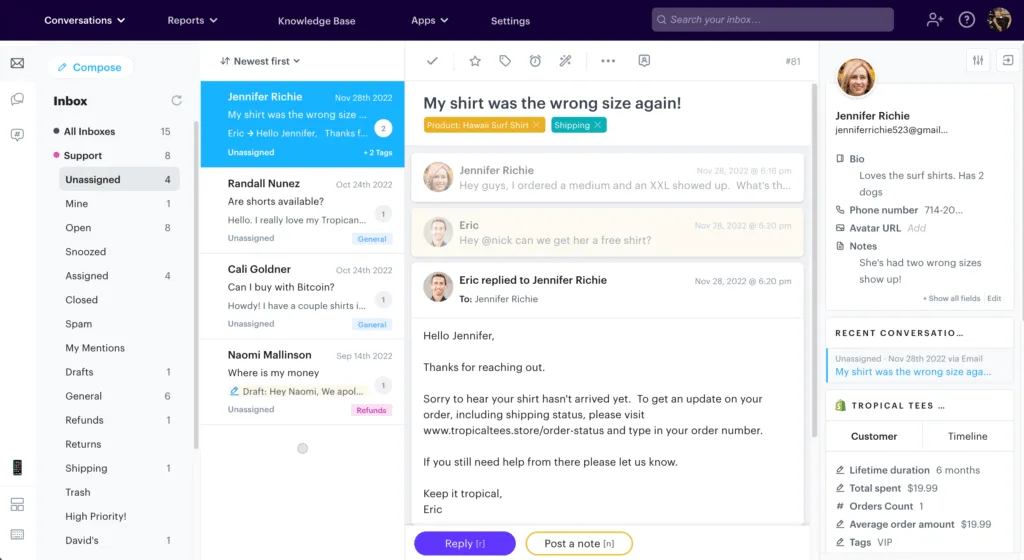
Groove is a customer support platform designed to help businesses provide personalized and efficient support. Its top feature is its collaborative inbox, which allows teams to work together on customer inquiries. It's best suited for small to medium-sized businesses looking for a simple and affordable support solution.
Groove’s platform offers a collaborative inbox accessible by multiple team members, a customizable knowledge base, and AI-powered automated responses. It provides basic reporting and analytics, customizable workflows, integration with third-party apps, customer satisfaction surveys, a mobile app, and customizable customer data fields to streamline organization.
Groove Vs. Zoho Desk
Groove and Zoho Desk both aim to streamline customer support, with Groove focusing on simplicity and speed. Groove scores 8.8/10 for ease of use, matching Zoho Desk’s 8.8/10. Groove's customer satisfaction (8.6/10) is slightly higher than Zoho Desk’s 8.4/10. Users praise Groove for its intuitive interface and rapid response times. However, Zoho Desk excels in ticket management (8.4/10) and reporting (8.3/10), slightly above Groove’s 8.3/10 and 8.2/10. Groove’s knowledge base (8.3/10) matches Zoho Desk’s, but its integration capabilities (8.4/10) are lower than Zoho Desk’s 8.6/10. For small to medium-sized businesses looking for a straightforward and fast support system, Groove may be the better option, while Zoho Desk offers more comprehensive features and robust reporting for a similar price point.
Groove Pricing
- Starter: $12 per user/month (billed annually)
- Pro: $25 per user/month (billed annually)
- Business: $45 per user/month (billed annually)
- Enterprise: Custom quote
How to Choose Zoho Desk Alternative for you:
Selecting the best alternative to Zoho Desk depends on your business size, industry, and unique support needs.
- Define Your Priorities: Are you seeking advanced AI automation, multichannel support, or deep CRM integration? For example, Intercom excels in messaging and live chat, while Jira Service Management targets IT and DevOps workflows.
- Consider Scalability and Budget: Larger enterprises may benefit from robust, customizable solutions like Salesforce Service Cloud or Zendesk, whereas startups and SMBs might prefer Freshdesk, Help Scout, or Groove for cost-effectiveness and ease of use.
- Evaluate Integration Needs: If your business already uses platforms like HubSpot CRM, Atlassian tools, or Salesforce, opting for complementary service desks ensures seamless data flow and efficiency.
- Test User Experience: An intuitive interface can reduce training time and agent frustration. Help Scout and Groove receive high marks for simplicity, which is crucial for fast deployment.
- Analyze Reporting and Analytics: To make data-driven improvements in customer service, choose a platform with detailed and customizable reporting, such as Zendesk or Salesforce.
- Check Support Channels: If your customers demand omnichannel support, Zendesk, Freshdesk, and LiveAgent offer extensive channel integrations, including social media and SMS.
By systematically weighing these factors against your operational goals and budget, you will identify which Zoho Desk alternative aligns best with your vision for stellar customer support.
This comprehensive look at the top 10 Zoho Desk alternatives offers you clear insights drawn from hands-on experience and in-depth analysis. Whichever tool you choose, ensuring it matches your business needs will be the real key to delivering exceptional customer service.