Zoho Desk vs Freshdesk: An Honest 2026 Comparison
The bottom line
|
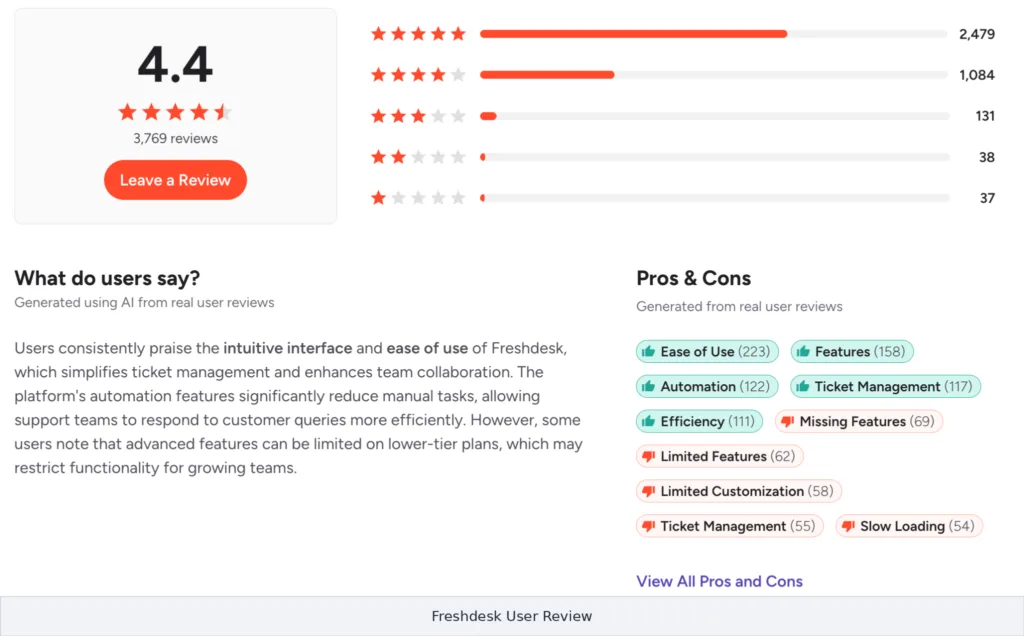
Unlike a premium platform such as Zendesk, both Zoho Desk and Freshdesk compete on value, which makes this a closer, more interesting comparison. Both are affordable, feature-rich help desks aimed at small and mid-sized teams, and both are rated 4.4 out of 5 on G2.
The real difference is philosophy: Zoho Desk packs more capability into lower prices and rewards teams willing to configure it, while Freshdesk optimizes for a clean interface and fast time to value.
This comparison is non-partisan. It draws on public pricing, aggregated G2 and Capterra scores, and independent hands-on reviews to show where each platform wins, so you can match your needs to the right tool. We cover the quick verdict, key differences, a feature-by-feature table, real pricing and the true savings, honest pros and cons, what users say, and a use-case matrix.
Zoho Desk vs Freshdesk: the quick verdict
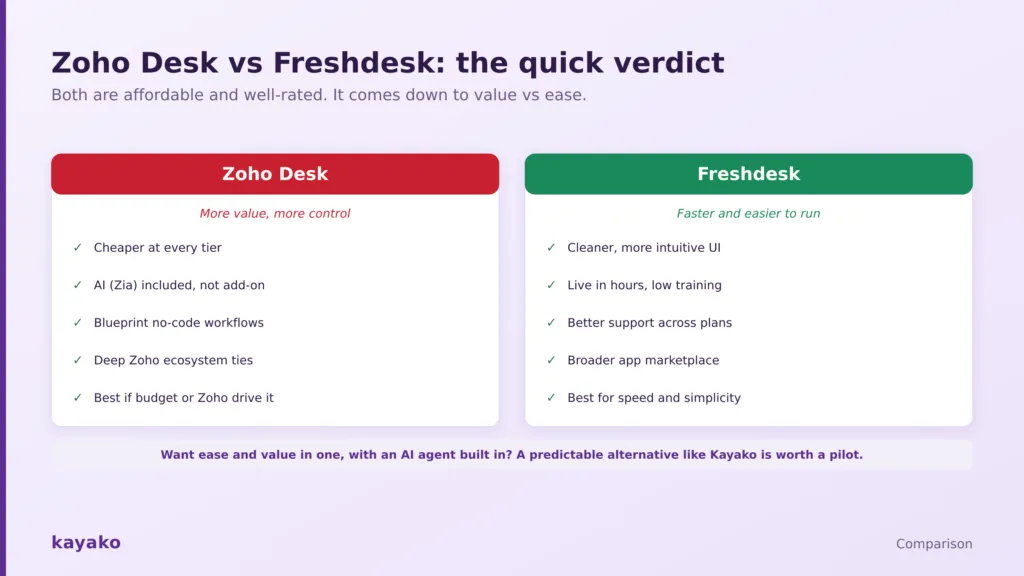
Both are affordable and well-rated. It comes down to value versus ease.
Choose Zoho Desk if budget is the priority at any team size, you want AI and most features included rather than as add-ons, you need deeper workflow control, or you already run other Zoho apps.
Choose Freshdesk if you want the cleanest interface and the fastest rollout, low training overhead, better support access across plans, and a broad third-party marketplace. For cost-driven teams, Zoho Desk usually wins on total spend, while Freshdesk earns its slightly higher price on ease and speed.
Zoho Desk vs Freshdesk at a glance
Prices are per agent per month on annual billing and were current in mid-2026. Confirm both vendor pricing pages before committing.
| Dimension | Zoho Desk | Freshdesk |
|---|---|---|
| Best for | Budget-first teams and Zoho users | Teams that value speed and simplicity |
| Free plan | Free, up to 3 agents | Free, up to 2 agents |
| Entry paid price | Express $7; Standard $14 | Growth $15 |
| Top tier | Enterprise $40 | Enterprise $79 (Omni higher) |
| Interface | Feature-dense, steeper learning curve | Clean, intuitive, fast to learn |
| Ecosystem | Deep with the Zoho suite | Deep with the Freshworks suite |
| AI | Zia, included across tiers | Freddy, Copilot add-on plus session-based agent |
| Integrations | About 1,000, plus Zoho apps | About 1,200, broad third-party |
| G2 rating | 4.4 out of 5 (7,400+ reviews) | 4.4 out of 5 (3,700+ reviews) |
| Capterra | About 4.5 out of 5 | About 4.5 out of 5 |
Read it this way: Zoho Desk wins on price and depth of control, while Freshdesk wins on ease, speed, and support. Both are strong, so the decision hinges on whether your team optimizes for cost or for simplicity.
How we evaluated this
We pulled list pricing from each vendor and confirmed it in mid-2026, read aggregated scores and recent reviews on the major platforms, and drew on independent hands-on testing of both interfaces. Where a capability depends on a separate product or add-on, we say so rather than treating it as included.
- Ratings: Zoho Desk and Freshdesk head-to-head on G2 and Capterra.
- Independent analysis: third-party teardowns of pricing and fit, such as getMACHA’s comparison.
Vendor claims are attributed in text rather than linked, so the sourced links here point only to independent platforms.
The key differences between Zoho Desk and Freshdesk
Strip away the marketing and the two diverge on five things that decide the fit.
- Price. Zoho Desk is cheaper at nearly every tier, and the gap widens at the top, where its Enterprise plan costs roughly half of Freshdesk’s.
- Ease vs depth. Freshdesk is cleaner and faster to learn, so teams go live in hours. Zoho Desk is more configurable but takes longer to set up.
- Ecosystem. Zoho Desk is deepest inside the Zoho suite, sharing data with Zoho CRM, Analytics, and Books. Freshdesk is deepest inside the Freshworks suite, with Freshsales, Freshchat, and Freshcaller, plus a broader third-party marketplace.
- Workflow automation. Zoho’s Blueprint offers more powerful, no-code multi-stage process control. Freshdesk’s automation is simpler to configure for everyday needs.
- AI and support. Zoho bundles Zia AI into its tiers at a lower price. Freshdesk’s Freddy is capable but adds cost, and Freshdesk tends to score higher for support access across plans.
Those differences show up concretely in a feature-by-feature view.
Zoho Desk vs Freshdesk: feature comparison
The table scores the capabilities that decide most deals. Edge means which platform tends to win that row for most teams, not an absolute rule.
| Capability | Zoho Desk | Freshdesk | Edge |
|---|---|---|---|
| Price and value | Cheaper at nearly every tier | Higher per seat | Zoho |
| Ease of use and setup | Feature-dense, steeper curve | Clean UI, fast to deploy | Freshdesk |
| Workflow automation | Blueprint, powerful no-code | Simpler, easy to configure | Depends |
| AI | Zia included across tiers | Freddy, add-on and session-based | Zoho |
| Omnichannel | Unified, chat and phone via Zoho apps | Unified, bundled channels | Freshdesk |
| Reporting | Broad, advanced needs Zoho Analytics | Solid out of the box | Depends |
| Ecosystem | Deep across the Zoho suite | Deep across Freshworks, broad third-party | Depends |
| Integrations | About 1,000, plus Zoho | About 1,200, broad marketplace | Freshdesk |
| Support access | Mixed for complex cases | Better across plans | Freshdesk |
| Multi-department control | Strong, mid-tier and up | Available, simpler | Zoho |
| Total cost of ownership | Lower | Higher | Zoho |
The pattern is consistent. Zoho takes the price, AI-value, and control rows; Freshdesk takes the ease, support, and integration rows, and neither runs away with it. Pricing is where the gap is widest.
Zoho Desk vs Freshdesk pricing
Both are affordable, but Zoho Desk is the cheaper of the two at nearly every tier, and the difference compounds as you scale.
| Tier | Zoho Desk | Freshdesk |
|---|---|---|
| Free | Free, up to 3 agents | Free, up to 2 agents |
| Entry | Express $7; Standard $14 | Growth $15 |
| Mid-tier | Professional $23 | Pro $49 |
| Top tier | Enterprise $40 | Enterprise $79 |
| Omnichannel line | Included in tiers | Freshdesk Omni, from about $29 to $119 |
| AI | Zia included in mid and high tiers | Freddy Copilot add-on; AI agent by session |
Zoho Desk is cheaper at every tier, about 50% less at Enterprise.
The savings are real. At the Enterprise tier, Zoho Desk at $40 costs roughly half of Freshdesk at $79, which for a 50-agent team works out to about $23,000 a year. Freshdesk’s higher price buys a smoother interface and stronger support, and its Freddy AI is licensed per agent so you can add it only where needed, though session-based AI costs can climb with volume. For budget-first teams, Zoho is hard to beat on total spend, as long as you can invest the extra setup time.
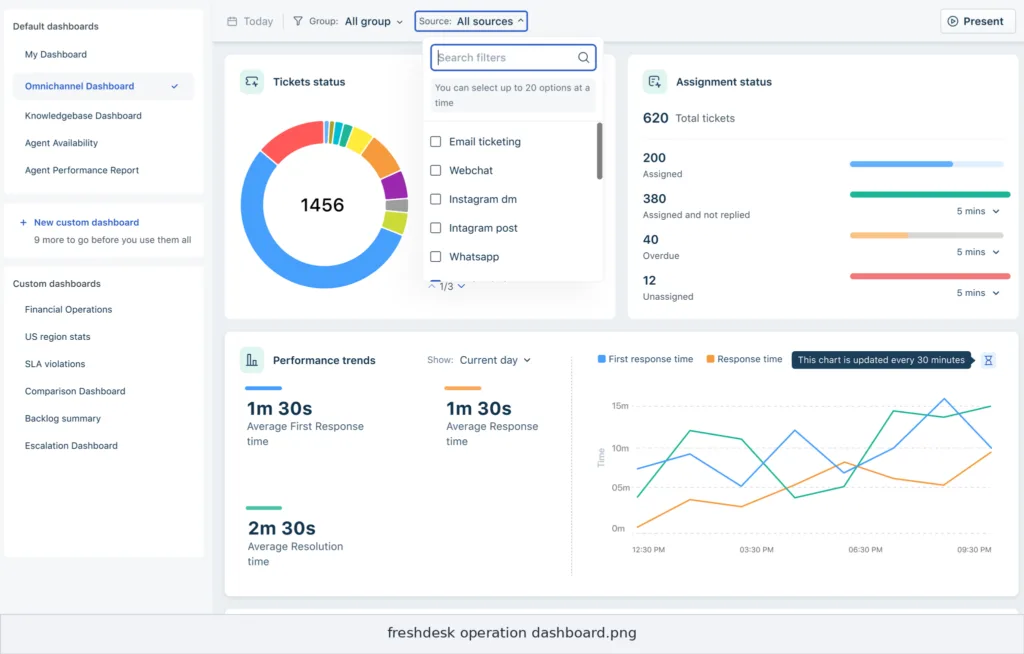
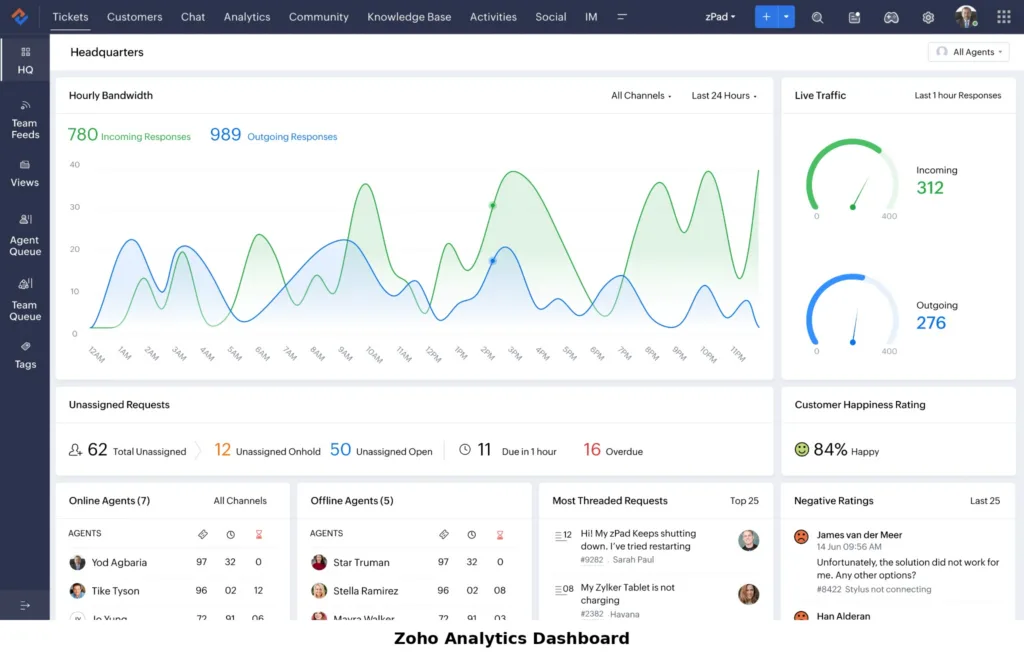
|
|
Zoho Desk vs Freshdesk: pros and cons
Aggregated from thousands of reviews and hands-on testing, here is where each platform earns praise and where it draws complaints.
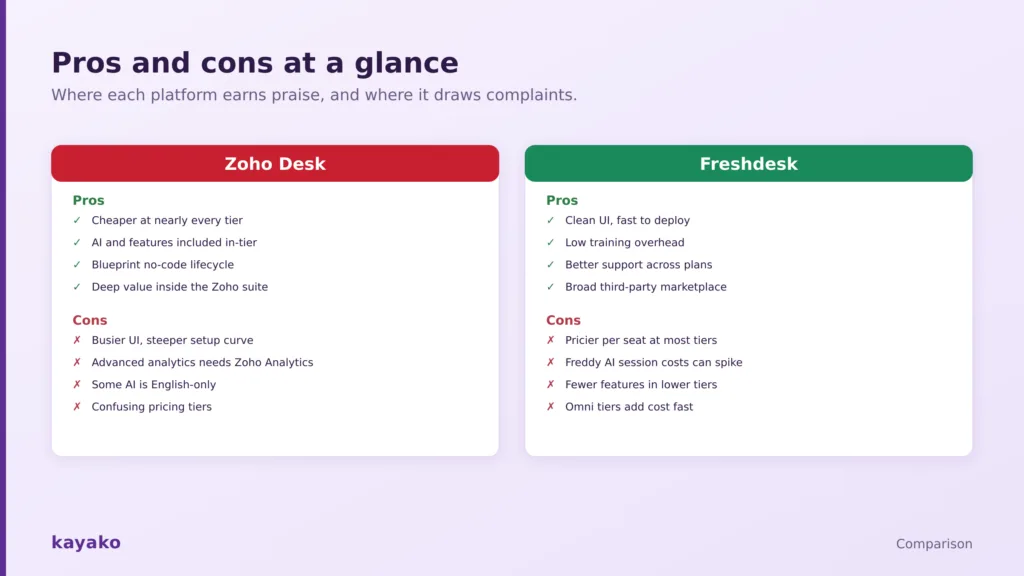
Where each platform earns praise and where it draws complaints.
Zoho Desk pros and cons
Pros: cheaper at nearly every tier, AI and most features included in-tier, Blueprint for powerful no-code workflow control, and deep value for teams already using the Zoho suite.
Cons: a busier interface with a steeper learning curve, advanced analytics that require buying Zoho Analytics, some AI features limited to English, and pricing tiers that reviewers find confusing.
Freshdesk pros and cons
Pros: a clean, intuitive interface, fast deployment with low training overhead, better support access across plans, and a broad third-party integration marketplace.
Cons: a higher price per seat at most tiers, Freddy AI session costs that can spike with volume, fewer features in the lower tiers, and Omni plans that add cost quickly.
AI head-to-head: Zia vs Freddy
Both platforms have leaned hard into AI. Zoho’s Zia handles auto-tagging, reply suggestions, sentiment analysis, and knowledge base answers, and its main advantage is that these capabilities are largely included in the mid and high tiers rather than sold separately. Some of its features are English-only, and bots run through Zoho’s SalesIQ, which is more sales-oriented than support-oriented.
Freshdesk’s Freddy comes in two parts: a Copilot that assists agents with writing, summarizing, and drafting, sold as a per-agent add-on, and an AI Agent that resolves customer queries, priced by session. Freddy’s bots are more CX-focused and easier to build with drag-and-drop tools, and Freshdesk supports far more languages. The honest read is that Zoho’s AI is better value because it is bundled, while Freshdesk’s is more polished and CX-focused, at an added and sometimes variable cost.
What real users say on G2 and Capterra
Both platforms are rated 4.4 on G2, and the review themes map neatly onto their positioning.
Zoho Desk
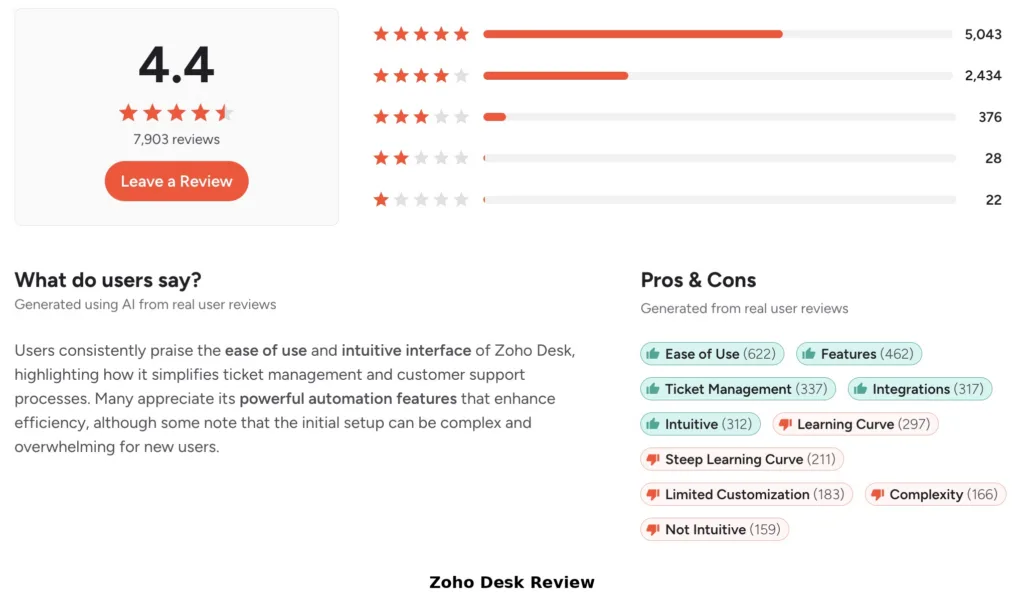
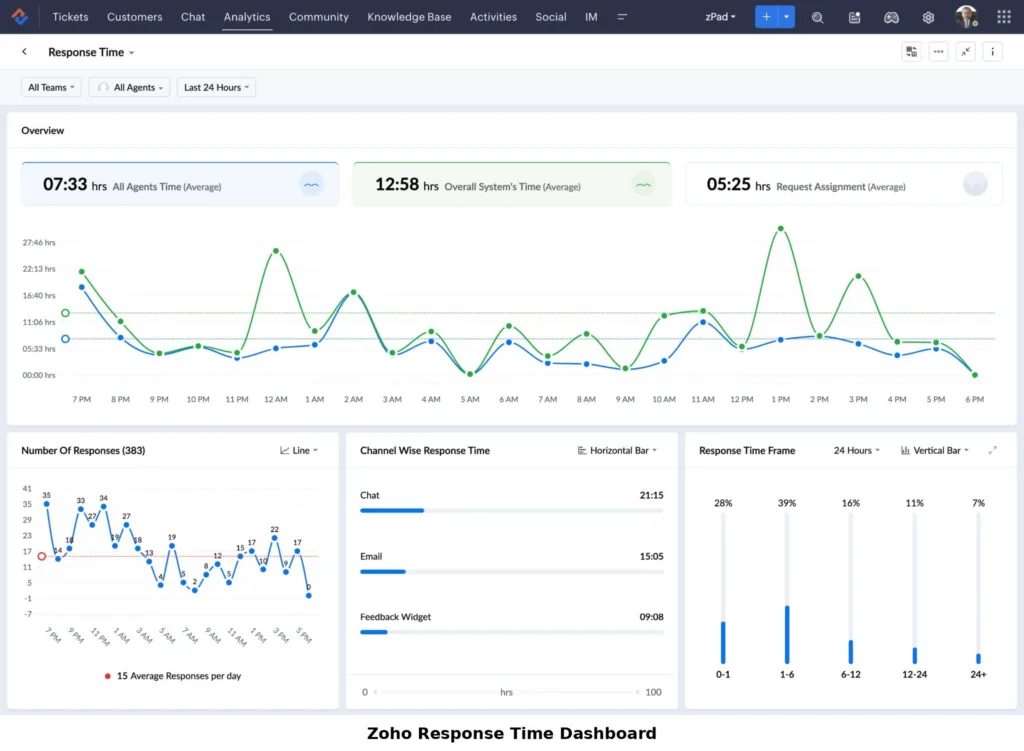
On G2, Zoho Desk holds 4.4 across more than 7,400 reviews, with strong marks on Capterra. Reviewers praise the value, the feature depth, and Blueprint, and note the pull of the wider Zoho ecosystem. The most common complaints are a learning curve, a busier interface that takes effort to configure, and mixed support experiences on more complex cases.
Freshdesk
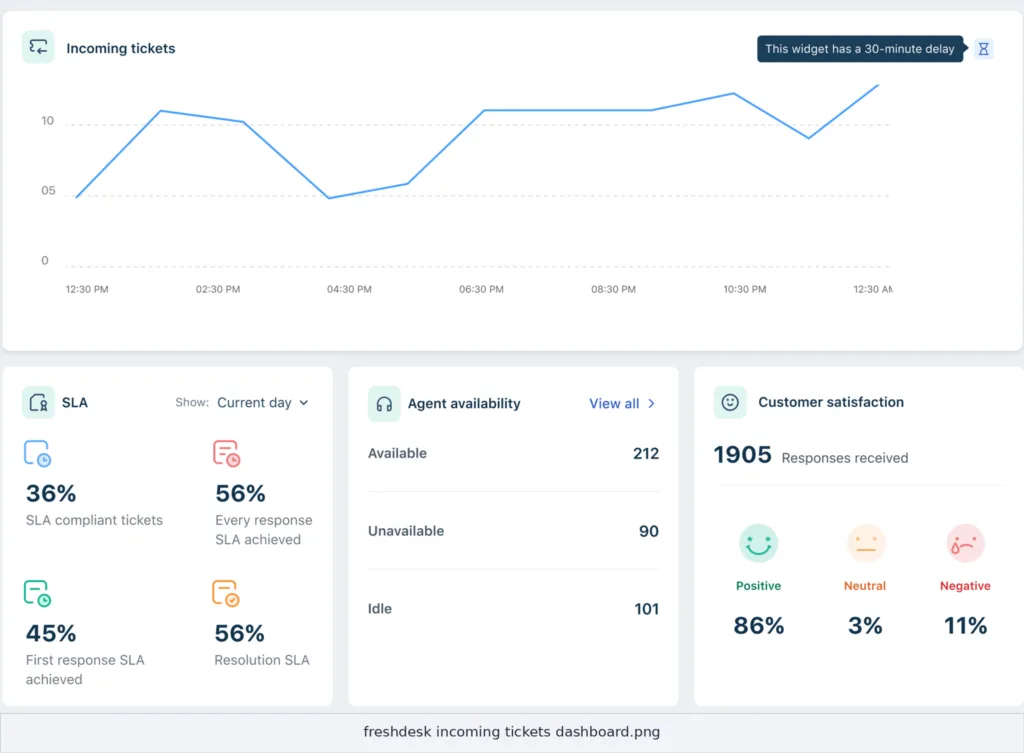
On G2, Freshdesk also sits at 4.4 across about 3,700 reviews, near 4.5 on Capterra. The dominant praise is ease of use and fast onboarding, with reviewers noting they manage tickets from a single place with little training. The recurring criticisms are the higher per-seat price and Freddy AI session costs that can rise with volume.
Which is better for your team? Use cases
The right answer depends on your budget, your existing stack, and how much setup effort you can absorb. Match your case against the scorecard below.
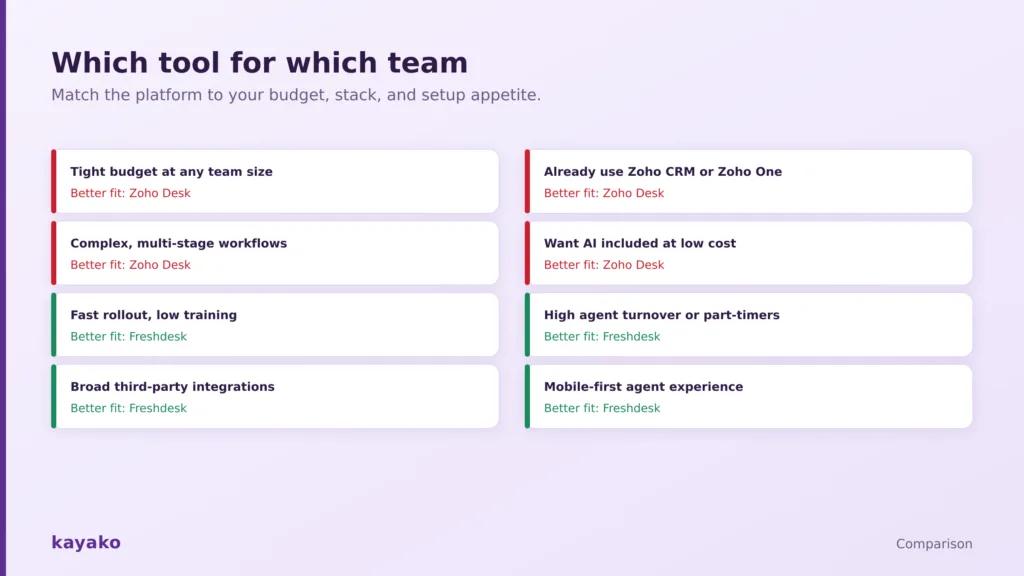
Match the platform to your budget, stack, and setup appetite.
| Your situation | Better fit | Key reason and watch-out |
|---|---|---|
| Tight budget at any team size | Zoho Desk | Cheaper at every tier. Budget extra setup time. |
| Already use Zoho CRM or Zoho One | Zoho Desk | Native, deep suite integration. Best value here. |
| Complex, multi-stage workflows | Zoho Desk | Blueprint gives powerful no-code control. Steeper curve. |
| Want AI included at low cost | Zoho Desk | Zia bundled in-tier. Some features English-only. |
| Fast rollout, low training | Freshdesk | Clean UI, live in hours. Costs more per seat. |
| High turnover or part-time agents | Freshdesk | Low training overhead offsets some cost. Watch Freddy fees. |
| Broad third-party integrations | Freshdesk | Larger marketplace and easy connects. Pricier tiers. |
Migration and onboarding
Onboarding is where Freshdesk pulls ahead. Its clean interface and guided setup get most teams live in hours with little training, which matters if you have high agent turnover or part-time staff. Zoho Desk offers a setup wizard, free migration assistance, and native import tools, but reviewers consistently note that configuring all of its flexibility takes more time and effort. Whichever way you move, export your historical data deliberately, confirm what each method drops, especially on closed tickets, and budget the real setup time rather than the quote on the proposal.
If you want ease and value together
The whole Zoho Desk versus Freshdesk debate is a trade between price and ease, and some teams would rather not choose. If you want a clean interface, an AI agent, and a knowledge base without either a steep setup curve or per-seat costs that climb, it is worth testing a focused alternative against your real workflows. Kayako, for example, combines a unified workspace, an AI agent, and a knowledge base with predictable pricing.
You can read our take on AI customer support, or compare the field in our best Zoho Desk alternatives and best Freshdesk alternatives guides. Whichever way you lean, run a two-week pilot on your live queue and price the fully loaded cost, add-ons included, before you sign.
|
|
Frequently asked questions
Is Zoho Desk or Freshdesk better?
Neither is better in the abstract, and both are rated 4.4 on G2. Zoho Desk is better for budget-conscious teams and anyone in the Zoho ecosystem, offering more features at a lower price. Freshdesk is better for teams that value a clean interface, fast onboarding, and strong support. The choice comes down to value versus ease.
Is Zoho Desk cheaper than Freshdesk?
Yes, at nearly every tier. Zoho Desk runs from a free plan up to $40 per agent for Enterprise, while Freshdesk runs from a free plan up to $79. At the Enterprise tier, Zoho costs roughly half as much, which for a 50-agent team is about $23,000 a year in savings. Freshdesk’s higher price buys a smoother interface and better support.
Which is easier to use, Zoho Desk or Freshdesk?
Freshdesk is generally easier to use. Reviewers and independent testers consistently highlight its clean, intuitive interface and fast onboarding, with agents productive in hours and minimal training. Zoho Desk is more powerful and configurable but has a busier interface and a steeper learning curve, so teams take longer to set it up and ramp new agents.
Does Freshdesk integrate with Zoho, or Zoho Desk with Freshworks?
Each is deepest inside its own ecosystem. Zoho Desk integrates natively with the Zoho suite, including Zoho CRM, Analytics, Books, and Projects. Freshdesk integrates natively with the Freshworks suite, including Freshsales, Freshchat, and Freshcaller. Both also connect to common third-party tools, with Freshdesk offering the broader external marketplace.
Which has better AI, Zoho Desk or Freshdesk?
Zoho’s Zia is better value because it is bundled into the mid and high tiers, covering auto-tagging, reply suggestions, and sentiment analysis, though some features are English-only. Freshdesk’s Freddy is more CX-focused and polished, with a Copilot add-on and a session-priced AI agent, and it supports more languages. Zoho wins on value; Freshdesk wins on polish and language breadth.
Do Zoho Desk and Freshdesk have free plans?
Both do. Zoho Desk offers a free plan for up to three agents, and Freshdesk offers a free plan for up to two agents. Both cover basic email ticketing and are a reasonable way to trial the interface before committing. As you add channels, AI, and automation, you will move into paid tiers, where Zoho Desk remains the cheaper of the two.