Most pages on this topic are written by companies selling a rival tool, and they bend the verdict toward their own product. This one does not, and it does something most comparisons avoid: it picks a clear winner in every round, because hedging every call helps nobody. Where the honest answer is Freshdesk, I say Freshdesk. Where it is Help Scout, I say so just as plainly.
Help Scout vs Freshdesk at a glance
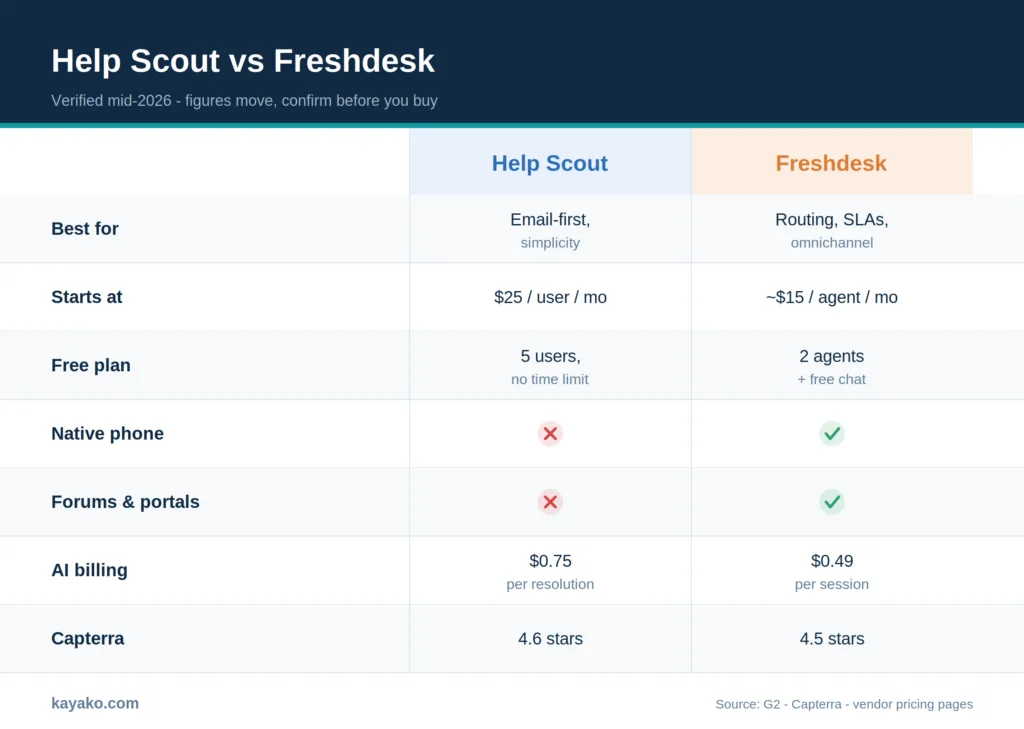
Here is the compressed view before the detail. Prices are per user or per agent, per month, on annual billing, and were current in mid 2026. Confirm both pricing pages before you commit, and give Freshdesk’s a careful read, since its tiers are easy to misread.
|
Dimension |
Help Scout |
Freshdesk |
|---|---|---|
|
Best for |
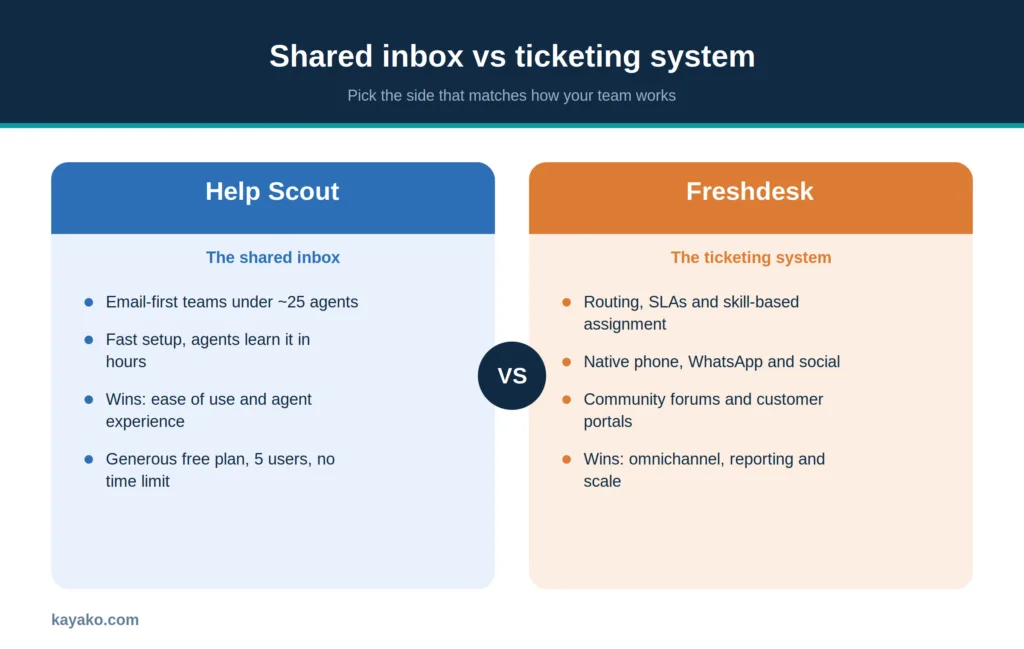
Email-first teams under ~25 agents, simplicity |
Routing, SLAs, omnichannel, room to scale |
|
Starting paid price |
$25 / user/mo (Standard) |
Around $15 / agent/mo (Growth, annual) |
|
Free plan |
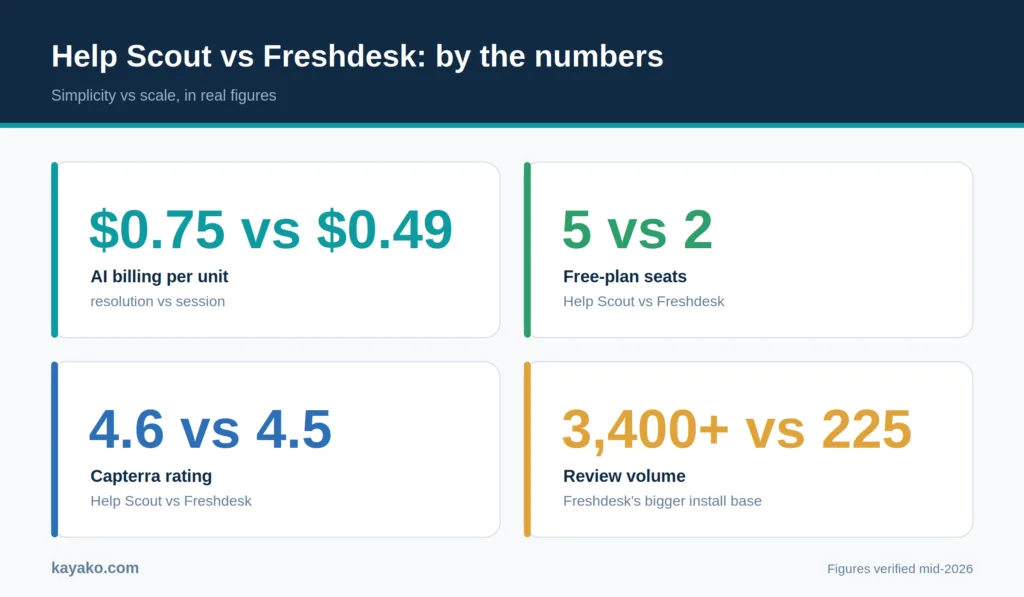
Yes, up to 5 users, no time limit |
Yes, up to 2 agents, plus free Freshchat |
|
Native phone |
No, via integrations |
Yes, Freshcaller is built in |
|
Community forums and portals |
No |
Yes |
|
AI billing |
AI Answers $0.75 per resolution |
Freddy about $0.49 per session |
|
Integrations |
Around 100 |
Freshworks marketplace, far larger |
|
Ease of use (G2) |
Higher, agents learn it fast |
Good, more to configure |
|
Capterra rating |
4.6 / 5 (225 reviews) |
4.5 / 5 (3,400+ reviews) |
A table cannot tell you which of these matters are for your team. The fastest way to find your side is the one-line recommendation, so start there.
The 30-second answer
Some readers want the verdict before the deep dive, so here it is up front.
Choose Help Scout if your team runs mostly on email and chat, sits under roughly 25 agents, and values a clean shared inbox that people actually enjoy using over deep configurability. Choose Freshdesk if you need native phone and social channels, enforceable SLAs, skill-based routing, and a platform with room to grow into complex operations. Most teams land clearly on one side. The close calls usually turn on budget and on how much structure you genuinely need today versus a year from now.
Since budget decides so many of these, pricing is the right place to dig in first, and both tools have a free tier worth weighing.
Pricing and the free tiers
Freshdesk charges per agent. The free Sprout plan covers up to 2 agents with email ticketing and a knowledge base. Growth runs about $15 per agent on annual billing, Pro about $49 (where Freddy AI, SLA management, and skill-based routing live), and Enterprise about $79 with audit logs and a sandbox. Freshworks also offers free live chat through Freshchat for small teams, which extends the on-ramp. One honest caveat: Freshdesk’s pricing pages are genuinely confusing, and even Help Scout’s own comparison points out that its help-center articles conflict, so verify what your tier actually includes before you buy.
Help Scout charges per user. Its free plan covers up to 5 users with no time limit, which is more generous on seats than Freshdesk’s free tier, though it excludes API access and integrations. Standard is $25 per user, plus around $50, and Pro is around $65, with a 10-user minimum on annual billing. The practical read: Freshdesk usually wins on raw cost-per-seat and range, while Help Scout’s free plan is the friendlier place for a tiny team to start and stay.
The AI pricing details that most comparisons skip
Both platforms bill AI by usage, but they count it differently, and the difference can flip which one is cheaper for you. Freshdesk’s Freddy charges roughly $0.49 for every session its AI participates in, whether or not it solves the problem. Help Scout’s AI Answers charges $0.75 per resolution, but only when the AI actually resolves the request on its own. If your AI handles a high share of conversations end-to-end, Freshdesk’s per-session rate can add up faster than the headline number suggests. If it mostly assists and resolves selectively, Help Scout’s resolve-only model can work out cheaper. Model it against your expected resolution rate rather than comparing the two sticker prices.
Round by round, called honestly
Eight rounds, one clear verdict each. A note before we start: some comparisons, including an earlier version of this one, hand Help Scout the omnichannel, integrations, and self-service rounds. That gets the facts backward, and the sections below explain why.
1. Ease of use and agent experience
Help Scout’s interface reads like email, onboarding takes hours rather than weeks, and agents tend to like using it. Freshdesk is approachable but has more surface to configure. On G2, Help Scout scores higher for ease of use, setup, and administration. Verdict: Help Scout.
2. Omnichannel and native voice
Freshdesk brings phone through Freshcaller, plus WhatsApp and social, into one platform. Help Scout centers on email and chat and reaches other channels through integrations, with no native voice. For teams that need true multichannel coverage out of the box, this is not close. Verdict: Freshdesk.
3. Ticketing, SLAs, and routing
This is Freshdesk’s home turf. It offers SLA policies with business hours, escalation rules, and skill-based and round-robin routing. Help Scout’s assignment and workflows are deliberately simpler and lack native SLA enforcement, which Freshworks notes directly. Verdict: Freshdesk.
4. Automation and AI
Freshdesk’s Freddy spans auto-categorization, intent-based routing, suggested replies, and an autonomous agent, woven into workflows on mid and higher tiers. Help Scout’s AI is lighter and inbox-focused, strong for draft assistance but not heavy automation. Verdict: Freshdesk on breadth, with the cost nuance from above.
5. Reporting
Freshdesk includes team performance metrics, SLA tracking, and customizable dashboards out of the box, though building custom reports takes some learning. Help Scout’s reporting is clean and quick to read, but shallower. For operational depth, Freshdesk leads; for a simple weekly read, Help Scout is enough. Verdict: Freshdesk in depth.
6. Integrations and marketplace
The Freshworks marketplace is far larger than Help Scout’s roughly 100 integrations, and Freshdesk connects natively across CRM, ecommerce, and IT tools. If your support needs data flowing between many systems, breadth matters. Verdict: Freshdesk.
7. Self-service: knowledge base, forums, and portals
Freshdesk offers community forums and customer portals. Help Scout offers neither, a fact Help Scout states on its own site. Both build a clean knowledge base, and Help Scout’s editor is simpler at a lower entry price, but in terms of self-service breadth, this round goes to Freshdesk. Verdict: Freshdesk, with the knowledge base itself a near tie.
8. The shared-inbox experience
Here, Help Scout earns its reputation. Conversations stay threaded, and human, collision detection, and private notes keep a small team in sync, and customers feel like people rather than case numbers. Teams that think in conversations rather than tickets consistently prefer it. Verdict: Help Scout.
Tally those and the pattern is clear and, importantly, accurate. Freshdesk takes the breadth and scale rounds, Help Scout takes the simplicity and experience rounds. The right pick depends on which set of rounds describes your real day.
What real users say (G2, Capterra, TrustRadius, Reddit)
Scores and reviews fill in what feature lists cannot, and a few themes recur once you read enough of them.
Help Scout rates about 4.6 on Capterra across a few hundred reviews and around 4.4 on G2, with standout marks for ease of use and customer service. The recurring criticism is that it can feel limiting as a team grows past simple email support, and some reviewers note recent price increases without matching new features.
Freshdesk rates about 4.5 on Capterra across more than 3,400 reviews and around 4.4 on G2, backed by a much larger install base of more than 50,000 companies. Reviewers praise its breadth and value, while the common gripes are that it can feel dated or sluggish with many tabs open, and that custom reporting resists the deeper views some teams want.
The pattern across both is consistent. Teams choose Help Scout for simplicity and a calmer agent experience, and they choose Freshdesk for breadth, channels, and headroom. For community sentiment, the most candid threads sit in r/CustomerSuccess, r/SaaS, and the platform subreddits, which are worth a direct read before you decide.
Migration reality
Moving between these two is not a like-for-like swap, because you are changing data models, not just tools. Help Scout thinks in conversations, and Freshdesk thinks in tickets, so threads, tags, and automations do not map one-to-one in either direction. Plan for cleanup on custom fields and workflow rules, and watch Help Scout’s lower-tier limits while you scope: its free plan has no API access, and the Standard plan does not expose reporting endpoints, which matters if your migration or integrations depend on them.
How to choose, by scenario
To turn those verdicts into a decision, match your situation against the cases below.
- Team size and trajectory. Small, email-first, and likely to stay lean points to Help Scout. Growing toward complex, multi-team operations points to Freshdesk.
- Channel mix. Need native phone, WhatsApp, and social in one place? Choose Freshdesk. Mostly email and chat, Help Scout fits.
- Structure you need. Enforceable SLAs, skill-based routing, and audit trails favor Freshdesk. A clean inbox with light automation favors Help Scout.
- Self-service ambitions. Want community forums and customer portals, that is, Freshdesk only. A simple, polished help center suits either, with Help Scout being cheaper to start.
- Budget and free tier. Lowest cost-per-seat and the widest range favor Freshdesk. A generous, no-time-limit free plan for a tiny team favors Help Scout.
Help Scout and Freshdesk are both strong, and they are not really competing for the same job. Help Scout is the shared inbox built for email-first teams that prize simplicity, speed, and an experience agents enjoy. Freshdesk is the ticketing and omnichannel platform built for routing, SLAs, native voice, deeper reporting, and scale. The deciding question is not which has more features. It is whether your team thinks in conversations or in tickets, and how much room you need to grow.
If you want the calm of a shared inbox without hitting a ceiling as you scale, it is worth looking at platforms that combine both before you sign.
Want simple without the ceiling? Try Kayako.
The mistake in this decision is not symmetric, and that is worth sitting with before you commit. Outgrow Help Scout, and you hit a ceiling: native phone is missing, there are no community forums, and routing cannot match tickets to agent skills, so you start bolting on third-party tools to fill the gaps. Over-buy Freshdesk and you pay a quieter tax: a configuration surface your small team never touches and an interface your agents work around rather than enjoy. One failure mode is a wall you run into; the other is a weight you carry.
The good news is that both let you find out cheaply. Help Scout’s free plan runs five users with no time limit, and Freshdesk’s free tier plus free Freshchat covers a small team’s basics. Spend a real week in each with your own inbox and your own volume before you sign anything. The tool you want is the one that feels right at the size you are now and still makes sense at twice that size.
Frequently asked questions
Which is cheaper, Help Scout or Freshdesk?
Freshdesk usually wins on cost-per-seat and offers a wider price range, from a free tier up to Enterprise. Help Scout’s free plan is more generous for a tiny team, but its paid tiers tend to cost more per seat at the entry level. Model both at your team size.
Does Freshdesk have a free plan?
Yes. Freshdesk’s free Sprout plan covers up to 2 agents with email ticketing and a knowledge base, and Freshworks offers free live chat separately through Freshchat. Help Scout also has a free plan for up to 5 users with no time limit.
Does Help Scout have phone support?
Not natively. Help Scout centers on email and chat, and adds phone through integrations. Freshdesk includes native voice through Freshcaller, so if phone is a core channel, Freshdesk is the stronger fit.
Which is easier to use?
Help Scout, in most cases. Its email-like interface and fast setup score higher on G2 for ease of use, setup, and administration. Freshdesk is approachable but has more to configure before it sings.
Which has better AI?
Freshdesk’s Freddy is broader, covering routing, categorization, and autonomous resolution across workflows. Help Scout’s AI is lighter and inbox-focused. Freshdesk leads on AI breadth, though the per-session billing can cost more at high automation volumes.
Which is better for a small team?
Help Scout, if that team runs on email and values simplicity and a clean shared inbox. Freshdesk, if the small team expects to scale fast or needs phone, SLAs, and routing sooner rather than later.