Zendesk vs Zoho Desk: An Honest 2026 Comparison
|
The bottom line
|
A choice between Zendesk and Zoho Desk is really a choice between polish and price. Zendesk is the premium, purpose-built service platform with a clean interface and deep omnichannel support. Zoho Desk is the value-dense option that packs most of the same capabilities into far cheaper tiers, especially for teams already using other Zoho apps. Both are capable, widely adopted, and highly rated, but they are built for different budgets and different operating models.
This comparison is non-partisan. It draws on public pricing, aggregated G2 and Capterra scores, and hands-on reviews to show where each platform wins, so you can match your needs to the right tool. We cover the quick verdict, key differences, a feature-by-feature table, real pricing and the true savings, honest pros and cons, what users say, and a use-case matrix.
Zendesk vs Zoho Desk: the quick verdict
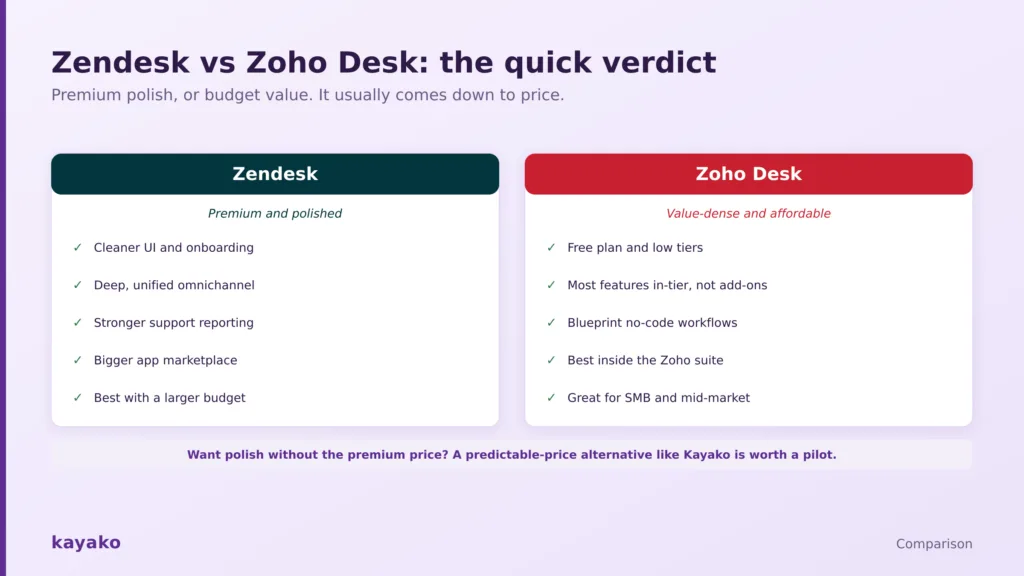
Premium polish, or budget value. It usually comes down to price.
Choose Zoho Desk if budget matters, you want a free plan or very low tiers, you prefer most features included rather than sold as add-ons, or your business already runs on Zoho.
Choose Zendesk if you want a cleaner interface and smoother onboarding, deeper native omnichannel and voice, and more granular support reporting, and you can absorb the higher price. For most SMB and mid-market teams on a budget, Zoho Desk delivers most of the value for a fraction of the cost, while Zendesk earns its premium on polish and depth.

Zendesk vs Zoho Desk at a glance
Prices are per agent or per user, per month, on annual billing, and were current in mid-2026. Confirm both vendors’ pricing pages before committing.
|
Dimension |
Zendesk |
Zoho Desk |
|---|---|---|
|
Best for |
Larger budgets wanting polish and depth |
Budget-conscious teams and Zoho users |
|
Free plan |
None, 14-day trial |
Free plan, up to 3 agents |
|
Entry paid price |
Support Team $19; Suite Team $55 |
Express $7; Standard $14 |
|
Top tier |
Suite Enterprise about $169 |
Enterprise $40 |
|
Interface |
Clean, user-friendly, great onboarding |
Feature-dense, busier, steeper learning curve |
|
Channels |
Native, unified omnichannel |
Included in-tier, some via separate Zoho apps |
|
AI |
Support-first, often a paid add-on |
Zia, included across mid and high tiers |
|
Integrations |
About 1,900 apps |
About 1,000 apps, plus the Zoho suite |
|
G2 rating |
About 4.3 out of 5 (7,100+ reviews) |
About 4.4 out of 5 |
|
Capterra |
4.5 out of 5 |
About 4.5 out of 5 |
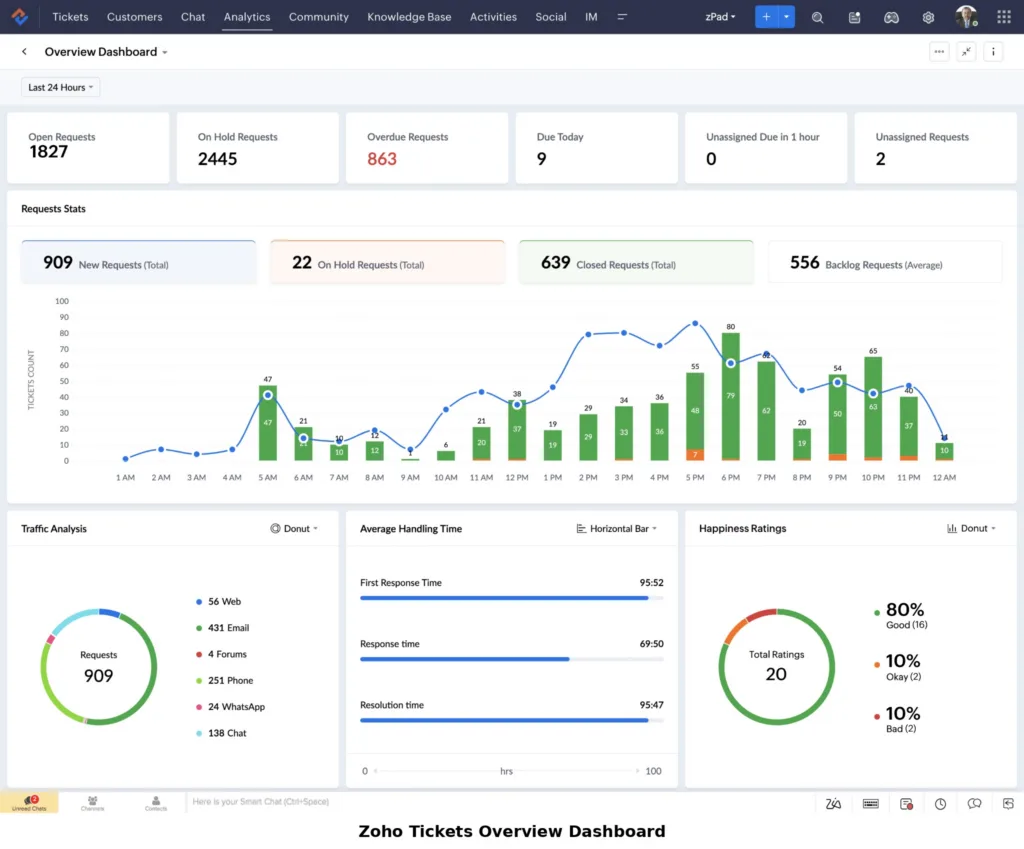
Read it this way: Zoho Desk wins on price and value density, while Zendesk wins on interface, omnichannel depth, and reporting. The price gap is large enough to lead the decision for most teams, so it is worth examining closely.
How we evaluated this
We pulled list pricing from each vendor and confirmed it in mid-2026, read aggregated scores on the major review platforms, sampled recent individual reviews for repeated themes, and drew on independent hands-on testing of both interfaces. Where a capability depends on a separate product or add-on, we say so rather than treating it as included.
- Ratings: Zendesk and Zoho Desk on G2 and Capterra.
- Hands-on testing: Zapier’s independent, tested Zendesk vs Zoho Desk comparison, which walks through both interfaces in detail.
Vendor claims are attributed in text rather than linked, so the sourced links here point only to independent platforms.
The key differences between Zendesk and Zoho Desk
Strip away the marketing, and the two diverge on five things that decide the fit.
- Price. Zoho Desk is far cheaper at every tier, with a free plan and an Enterprise tier that costs less than Zendesk’s entry omnichannel plan.
- Included vs add-on. Zoho bundles most channels, AI, and features into its tiers. Zendesk often sells the same capabilities, such as advanced AI, as paid add-ons.
- Interface and onboarding. Zendesk is cleaner and easier to learn, with a strong setup tutorial. Zoho Desk is more feature-dense and takes longer to get comfortable with.
- Ecosystem. Zoho Desk is at its best inside the wider Zoho suite, sharing data with Zoho CRM, Analytics, and SalesIQ. Zendesk leans on a larger third-party marketplace instead.
- Depth. Zendesk goes deeper on unified omnichannel, native voice, and granular support reporting, which matters most for larger, high-volume teams.
Those differences show up concretely in a feature-by-feature view.
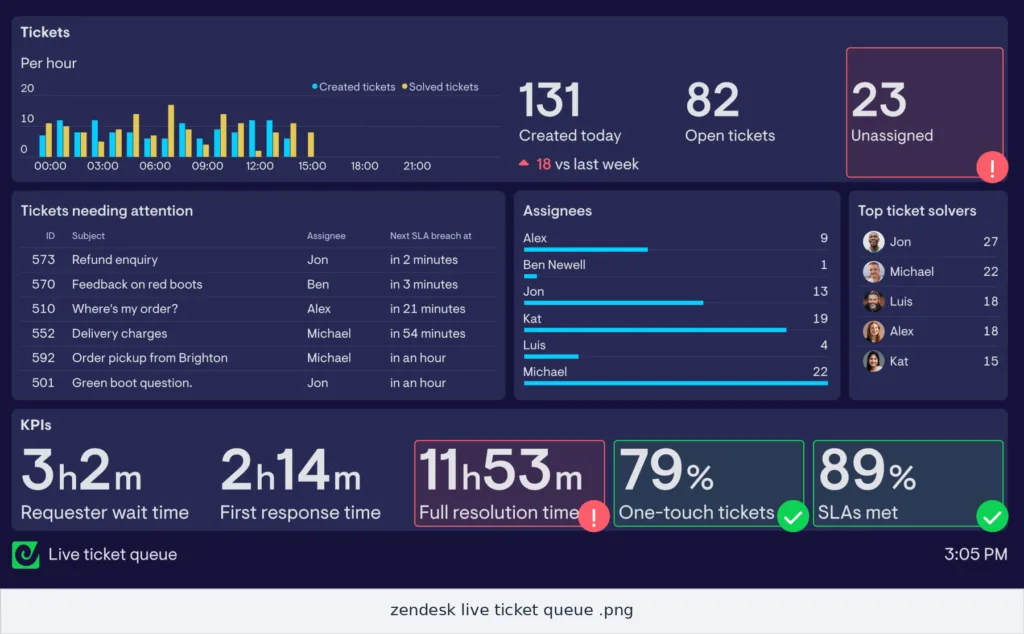
Zendesk vs Zoho Desk: feature comparison
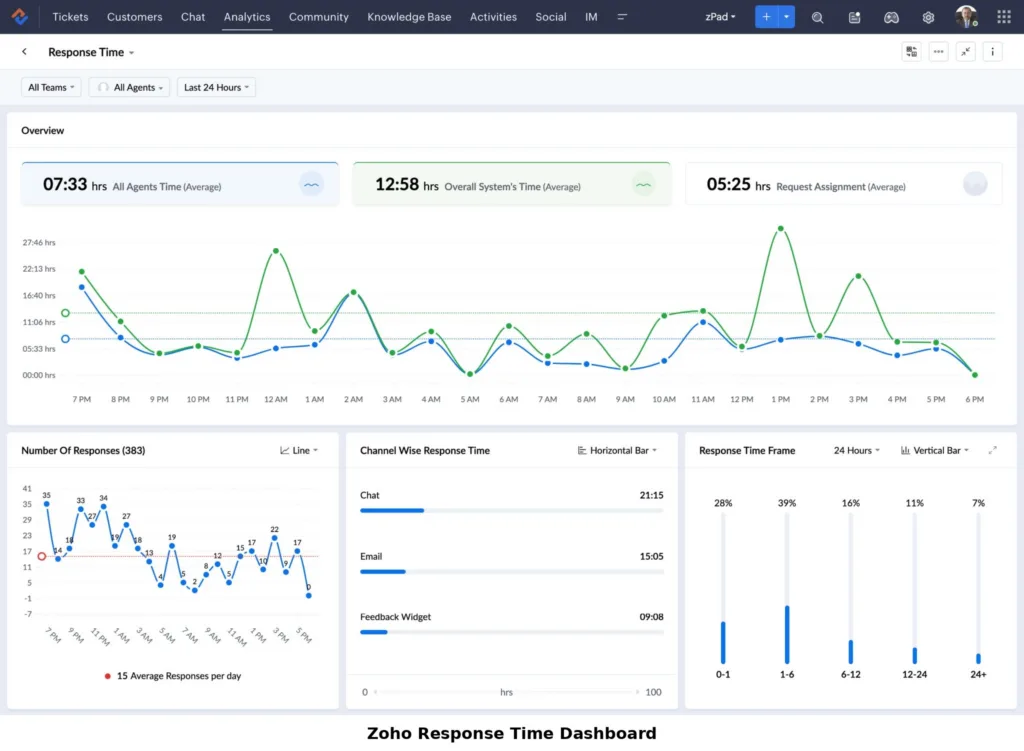
The table scores the capabilities that decide most deals. Edge means which platform tends to win that row for most teams, not an absolute rule.
|
Capability |
Zendesk |
Zoho Desk |
Edge |
|---|---|---|---|
|
Price and value |
Premium pricing |
Free plan and low tiers |
Zoho |
|
Interface and onboarding |
Clean, guided setup |
Feature-dense, steeper curve |
Zendesk |
|
Omnichannel |
Native, unified out of box |
Included, some via Zoho apps |
Zendesk |
|
Ticketing and workflows |
Deep triggers and automations |
Strong, plus Blueprint lifecycle |
Tie |
|
AI |
Support-first, add-on pricing |
Zia included across tiers |
Depends |
|
Reporting |
Granular support analytics (Explore) |
Broad via Zoho Analytics |
Zendesk |
|
Knowledge base |
Highly customizable help center |
Solid, with article SEO fields |
Depends |
|
Integrations |
About 1,900 apps |
About 1,000, plus Zoho suite |
Zendesk |
|
Ecosystem value |
Large third-party marketplace |
Deep native Zoho integration |
Depends |
|
Native voice |
Zendesk Talk, mature |
Via PhoneBridge providers |
Zendesk |
|
Total cost of ownership |
Higher, add-ons stack |
Lower, fewer add-ons |
Zoho |
The pattern is consistent. Zoho takes the price and value rows, Zendesk takes the polish, omnichannel, and reporting rows, and the right pick depends on which you weigh most. Pricing is where the gap becomes stark.
Zendesk vs Zoho Desk pricing
This is the clearest difference between the two. Zoho Desk undercuts Zendesk at every tier, and it is not close.
|
Tier |
Zendesk |
Zoho Desk |
|---|---|---|
|
Free |
None (14-day trial) |
Free, up to 3 agents |
|
Entry |
Support Team $19; Suite Team $55 |
Express $7 |
|
Lower-mid |
Suite Growth $89 |
Standard $14 |
|
Mid-tier |
Suite Professional $115 |
Professional $23 |
|
Top tier |
Suite Enterprise about $169 |
Enterprise $40 |
|
Advanced AI |
Copilot +$50 per agent, plus per resolution |
Zia included in mid and high tiers |
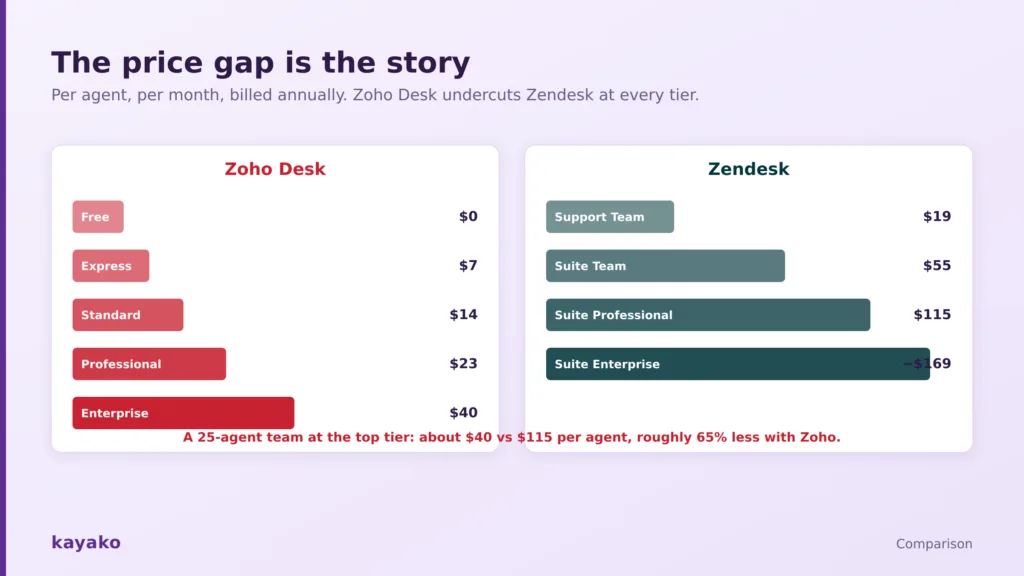
Zoho Desk undercuts Zendesk at every tier, roughly 65% less at the top.
The gap compounds. Zoho Desk’s top Enterprise tier at $40 costs less than Zendesk’s entry omnichannel plan, and Zendesk adds further cost through paid AI add-ons and premium help-center themes that can run into the hundreds or thousands. For a 25-agent team, the difference between the two at a comparable tier is roughly 65%. That does not make Zendesk overpriced, since the polish and depth are real, but budget-first teams should go in clear-eyed about the multiple.
|
Zendesk vs Zoho Desk: pros and cons
Aggregated from thousands of reviews and hands-on testing, here is where each platform earns praise and where it draws complaints.
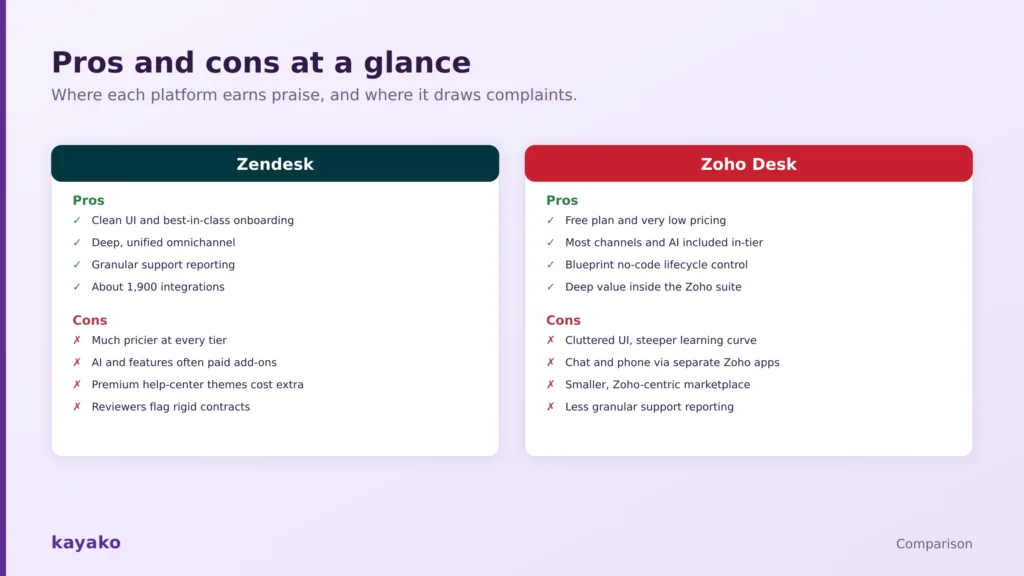
Where each platform earns praise and where it draws complaints.
Zendesk pros and cons
Pros: a clean, user-friendly interface, best-in-class onboarding, deep and unified omnichannel with native voice, granular support reporting through Explore, and a large app marketplace.
Cons: much higher pricing at every tier, advanced AI and some features sold as paid add-ons, premium help-center themes that cost extra, and reviewer complaints about rigid contract terms.
Zoho Desk pros and cons
Pros: a free plan and very low pricing, most channels and AI included in-tier rather than as add-ons, no-code lifecycle control through Blueprint, and deep value for teams already using the Zoho suite.
Cons: a busier, more cluttered interface with a steeper learning curve, chat and phone that run through separate Zoho products, a smaller and more Zoho-centric marketplace, and less granular support reporting.
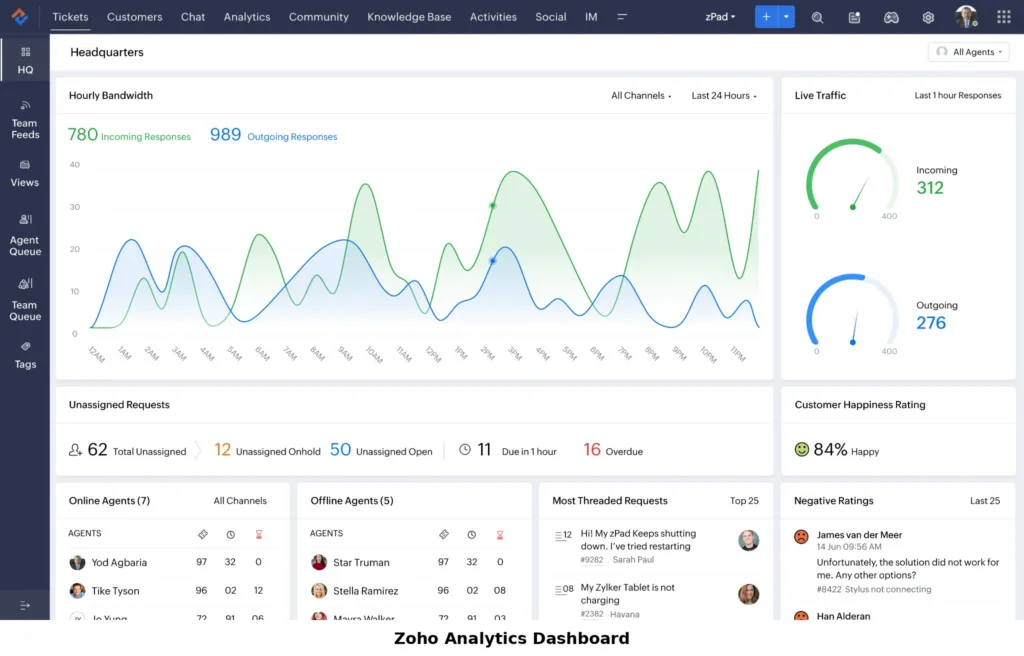
AI head-to-head: Zia vs Zendesk AI
Both platforms lean on AI, with different focuses. Zoho’s Zia is a broad, business-wide assistant that spans the whole Zoho suite, and within Desk it auto-tags tickets, retrieves knowledge base answers, suggests replies, and runs sentiment analysis. Its strength is that these capabilities are largely included in the mid and high tiers rather than sold separately, though you sometimes have to enable Zia through the CRM settings first.
Zendesk’s AI is built specifically for customer support, with autonomous AI agents that resolve a share of inquiries, a Copilot that assists human agents, and pre-built reporting that tracks how well the AI is performing. It also uses outcome-based pricing, so you are charged when the AI resolves an issue on its own. The honest read is that Zoho’s AI is better value because it is bundled, while Zendesk’s is more purpose-built for support and more transparent about performance, at an added cost.
What real users say on G2 and Capterra
Both platforms rank among the top-rated help desks, and the review themes are consistent once you read enough of them.
Zendesk
On G2, Zendesk holds about 4.3 across roughly 7,100 reviews, with 4.5 on Capterra. Reviewers and hands-on testers praise the clean interface, the standout onboarding tutorial, and the depth of Explore reporting. The recurring criticism is cost, from the base price to paid AI add-ons and premium themes, along with contract terms some teams find rigid.
Zoho Desk
On G2, Zoho Desk sits around 4.4, with strong marks on Capterra near 4.5. Users highlight the low price, the value of the wider Zoho ecosystem, and features like Blueprint. The most common complaint, echoed in independent testing, is a busy, cluttered interface that makes the initial learning curve steeper than Zendesk’s.
Which is better for your team? Use cases
The right answer depends on your budget, your existing stack, and how much support depth you need. Match your case against the scorecard below.
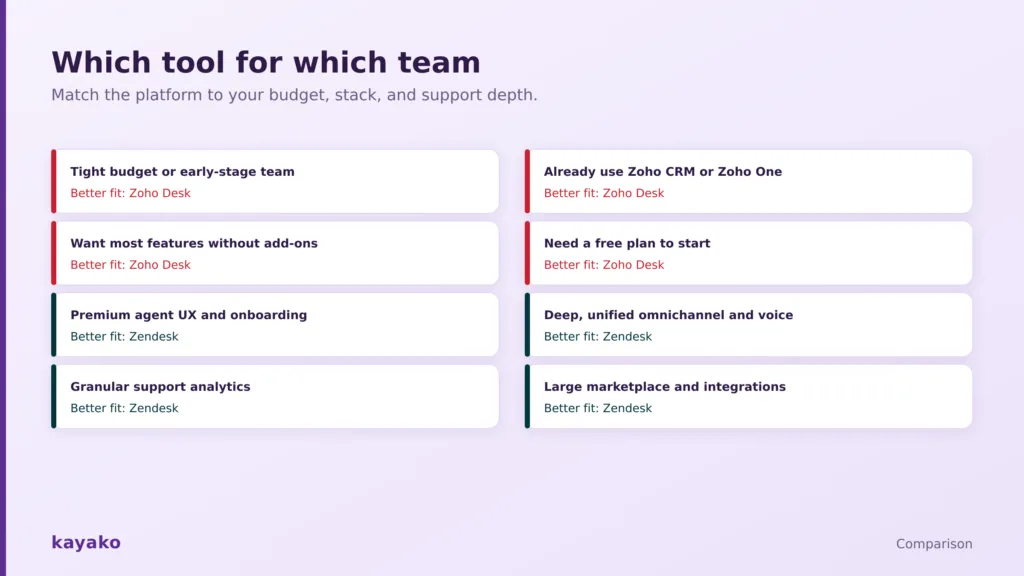
Match the platform to your budget, stack, and support depth.
|
Your situation |
Better fit |
Key reason and watch-out |
|---|---|---|
|
Tight budget or early-stage team |
Zoho Desk |
Free plan and low tiers. Expect a busier interface. |
|
Already use Zoho CRM or Zoho One |
Zoho Desk |
Native, deep integration with the suite. Best value here. |
|
Want most features without add-ons |
Zoho Desk |
Channels and Zia AI included in-tier. Some via separate Zoho apps. |
|
Need to start free |
Zoho Desk |
Free for up to three agents. Upgrade as you grow. |
|
Premium agent UX and onboarding |
Zendesk |
Clean UI and guided setup. Budget for the higher price. |
|
Deep unified omnichannel and voice |
Zendesk |
Native, mature channels in one workspace. Costs more. |
|
Granular support analytics |
Zendesk |
Explore reporting is deeper. Advanced tiers add cost. |
Migration and onboarding
Onboarding is faster on Zoho Desk for small and mid-sized teams, thanks to a setup wizard, a native Zendesk migration utility that pulls tickets and contacts, and free migration assistance. Zendesk can match the outcome but often leans on marketplace add-ons or professional services, and its cleaner interface makes the learning curve gentler even if the initial setup takes longer. Whichever way you move, export your historical data deliberately, confirm what each method drops, especially on closed tickets, and budget the real setup time rather than the quote.
If you want polish without the premium price
Some teams find Zendesk more platform than their budget allows, while Zoho Desk’s cluttered interface and Zoho-centric design are more than they want to take on. If you keep landing in that gap, it is worth testing a focused alternative against your real workflows before committing. Kayako, for example, combines a clean unified workspace, an AI agent, and a knowledge base with predictable pricing and no add-on math. You can read our take on AI customer support, or compare the field in our best Zendesk alternatives and best Zoho Desk alternatives guides. Whichever way you lean, run a two-week pilot on your live queue and price the fully loaded cost, add-ons included, before you sign.
|
|
Frequently asked questions
Is Zendesk or Zoho Desk better?
Neither is better in the abstract. Zoho Desk is better for budget-conscious teams and anyone in the Zoho ecosystem, offering most features at a much lower price. Zendesk is better for teams that want a cleaner interface, deeper omnichannel support, and stronger support reporting, and can absorb the higher cost. The right choice comes down to budget versus polish.
Is Zoho Desk cheaper than Zendesk?
Significantly. Zoho Desk offers a free plan for up to three agents and paid tiers from $7 to $40 per user per month, while Zendesk runs from $19 to about $169. Zoho’s top Enterprise tier costs less than Zendesk’s entry omnichannel plan, and Zendesk adds further cost through paid AI add-ons and premium themes. For a comparable tier, Zoho can be roughly 65% cheaper.
Is there a free version of Zendesk or Zoho Desk?
Zoho Desk has a permanent free plan for up to three agents, covering email ticketing, a basic help center, and mobile apps. Zendesk does not offer a free plan, only a 14-day trial. For a team that wants to start at no cost, Zoho Desk is the only option of the two.
What is the difference between Zendesk and Zoho Desk?
Zendesk is a premium, purpose-built service platform with a clean interface, deep unified omnichannel, and granular reporting, sold at a higher price with some features as add-ons. Zoho Desk is a value-dense platform that includes most features in-tier, integrates deeply with the Zoho suite, and costs far less, at the cost of a busier interface and a steeper learning curve.
Is Zoho Desk good for large teams?
Zoho Desk scales well for many mid-market and larger teams, especially those standardized on Zoho, and its Enterprise tier adds strong governance and workflow control. Very high-volume operations that need the deepest unified omnichannel, native voice depth, and the most granular support analytics may still find Zendesk a better fit, at a higher cost.
Which has better AI, Zendesk or Zoho Desk?
Zoho’s Zia offers strong, broadly bundled AI across auto-tagging, reply suggestions, and sentiment analysis, included in the mid and high tiers. Zendesk’s AI is more purpose-built for support, with autonomous agents, a Copilot, and performance reporting, but it is priced as an add-on with outcome-based billing. Zoho wins on value; Zendesk wins on support-specific depth and transparency.