Zoho Desk Pricing 2026: Plans, Costs, Features, and Is It Worth It?
Pricing tells you what Zoho Desk costs. Use cases tell you whether it is worth paying for. This guide covers both.
|
Zoho Desk pricing in 2026 runs per agent per month: Free for up to three agents, then Express $7, Standard $14, Professional $23 and Enterprise $40 on annual billing. It is among the cheapest full help desks per agent, though features are gated by tier and Zoho’s own support draws the most complaints. This guide covers which plan fits your team and whether Zoho Desk is worth it. Key takeaways
|
Zoho Desk pricing is some of the lowest in the help desk market, but the sticker tells only part of the story. Your real cost depends on how many agents you have, which tier your features sit behind, and whether you add light agents or telephony on top. The cheapest plan is rarely the one a growing team ends up on.
This guide breaks down what each edition is built for, what really drives the bill once tier gating is in play, and when Zoho Desk is worth it against when a focused, resolution-priced tool would serve you better. It ends with a decision tree and a scenario table so you can place your own team.
1. Zoho Desk pricing at a glance
Zoho Desk is billed per agent per month on annual billing: Free for three agents, then Express $7, Standard $14, Professional $23 and Enterprise $40. It is among the cheapest full help desks, but single features often sit a tier higher than you would expect.
Here is the Zoho Desk ladder on annual billing. Treat it as the entry point, because single features often sit one tier up from where you expect.
|
Plan |
Price per agent (annual) |
Built for |
|---|---|---|
|
Free |
$0 (3 agents) |
Solo or tiny teams needing basic email tickets |
|
Express |
$7 / month |
Micro teams wanting multichannel and basic workflows |
|
Standard |
$14 / month |
Small teams needing answer bot, live chat and a KB |
|
Professional |
$23 / month |
Growing teams needing Zia AI, Blueprints and telephony |
|
Enterprise |
$40 / month |
Larger multi-brand operations needing live chat and IVR |
Note. Every price is per agent per month on annual billing; Zoho does not publish a US monthly rate, and monthly billing costs roughly a third to a half more on the mid-tiers. Light agents are about $6 each, and Enterprise includes 50 of them free. Telephony is metered separately.
That table is the easy part. Before breaking down what moves the number, it helps to hear from the teams already paying it.
2. What people say about Zoho Desk on G2, Capterra, and Reddit
Zoho Desk scores around 4.4 on G2 and 4.5 on Capterra, though many reviews are incentivized. Reviewers consistently praise the value, the Zoho-ecosystem integration and the automation, and just as consistently flag Zoho’s own support and a dated interface.
Zoho Desk holds strong ratings, around 4.4 out of 5 on G2 from nearly 8,000 reviews and 4.5 on Capterra, with 8.3 out of 10 on TrustRadius. The high-volume sites carry many short, incentivized reviews, so the themes behind the scores matter more than the averages.
What people praise
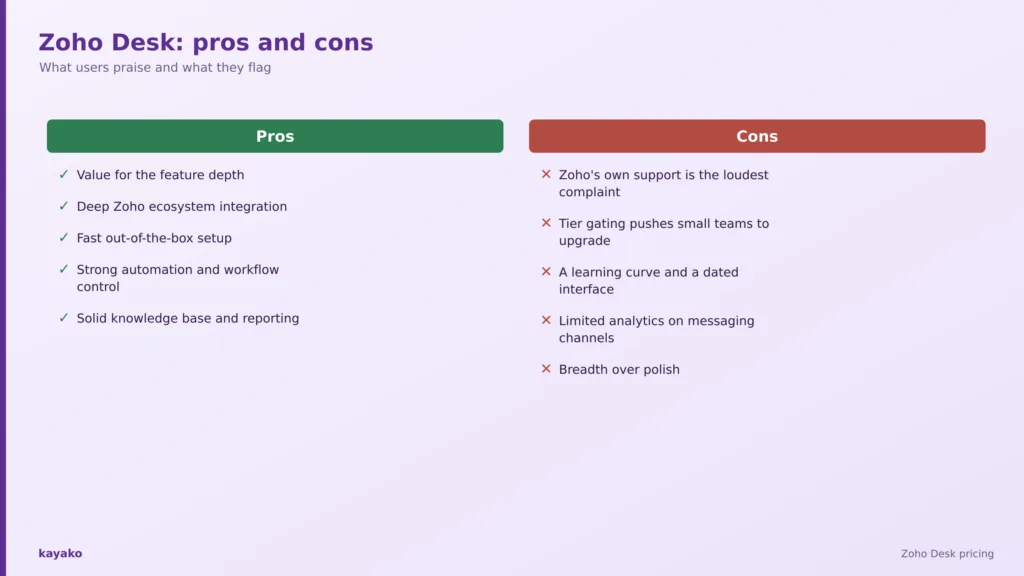
- Value for the feature depth. Repeatedly called well-priced for what you get, especially next to Zendesk.
- Deep Zoho ecosystem integration. A top strength for teams already on Zoho CRM or Zoho One, unifying support and sales data.
- Fast out-of-the-box setup. Core ticketing works without heavy configuration.
- Strong automation and workflow control. Blueprint process automation, SLAs and auto-assignment earn consistent praise.
- Solid knowledge base and reporting. Self-service and standard dashboards work well, with well-regarded mobile apps.
What people flag
- Zoho’s own support is the loudest complaint. On Reddit’s r/sysadmin, standard-tier support is described as slow and unhelpful, with Enterprise support rated better.
- Tier gating pushes small teams to upgrade. Single features sit one plan up, so the effective cost climbs past the headline.
- A learning curve and a dated interface. Advanced settings are hard to find, and in-app search is weak.
- Limited analytics on messaging channels. WhatsApp and IM reporting is thin for scaled teams.
- Breadth over polish. Some users feel the wide feature set comes at the cost of refinement.
None of these are vague grumbles. They trace back to how the Zoho Desk bill is assembled once tier gating is in play, which is worth breaking down next.
|
Kayako charges per resolved ticket, not per gated tier. See how. |
3. What actually determines your Zoho Desk cost?
Seat count sets the floor, but tier gating is what really moves the bill: the answer bot, Zia AI, Blueprint automation, and telephony each sit a plan up. Light agents at about $6 and metered telephony round out the real cost.
Zoho Desk is billed per agent, so headcount is the first lever: Professional at $23 across ten agents is $2,760 a year, a fraction of what the same team would pay on Zendesk or Freshdesk. The low seat price is the product’s headline strength.
The real cost driver is tier gating. Features you might expect on a cheaper plan sit one or two tiers up: the answer bot starts on Standard, the Zia AI assistant, Blueprint automation, telephony and round-robin routing start on Professional, and live chat through SalesIQ, IVR, skill-based routing and a sandbox arrive only on Enterprise. A team that needs one Enterprise feature pays the Enterprise rate across every seat.
Two smaller levers round out the bill. Light agents, for people who only need occasional access, run about six dollars each, though Enterprise bundles fifty of them free. Telephony is metered separately through call credits, and the generative AI allowance of roughly thirty million tokens a month is generous, but Zoho does not publish what usage beyond it costs. Stack these together and the gap between the sticker and the real figure is smaller than with per-agent AI add-ons, but it is still there. That is why the next question matters more than the price list: which edition does your team genuinely need?
It helps to separate the two kinds of agent Zoho Desk bills for. Full agents get the complete feature set of whatever tier you are on, while light agents, intended for occasional contributors like managers or back-office staff, cost about six dollars each and can read and act on tickets without a full seat. For a team with a core of frontline agents and a long tail of occasional users, light agents keep the bill down, and Enterprise bundling fifty of them free is a real saving at scale.
Telephony is the other variable to plan for. Zoho Desk’s built-in phone channel runs on call credits billed separately from the subscription, so a team that leans on voice should model that usage rather than assume the seat price covers it. None of these layers is large on its own, but together they explain why two teams on the same edition can end up with different bills.
|
Cost layer |
What it adds to the bill |
|---|---|
|
Seats x agents |
Professional $23 x 10 agents = $2,760 / yr |
|
+ Tier gating |
Answer bot (Standard), Zia and Blueprints (Professional), live chat and IVR (Enterprise) |
|
+ Light agents |
~$6 per light agent; Enterprise includes 50 free |
|
+ Telephony and tokens |
Metered phone usage; generative AI beyond ~30M tokens a month is not disclosed |
4. Which Zoho Desk plan makes sense for you?
Free or Express suits a tiny, email-only team; Standard adds self-service and chat; Professional is the popular tier for AI and automation; Enterprise is for multi-brand and IVR. The right edition follows the shape of your support work, not the feature list.
The right edition follows the shape of your support work, not the length of the feature list. Four patterns cover most teams.
A solo or tiny team: Free or Express
Free covers three agents on email-only ticketing with no automation or AI. Express at $7 adds multichannel capture and basic workflows for up to five agents. Both suit very small teams with straightforward needs.
- Scenario. A three-person team answering email tickets with no live channels yet.
A small team wanting self-service and chat: Standard
Standard at $14 opens up the answer bot, live chat, a knowledge base and community, with unlimited agents. It is the first tier most growing teams actually need.
- Scenario. A ten-agent team adding a help center and chat to deflect repetitive questions.
A growing team wanting AI and automation: Professional
Professional at $23 is the most-popular tier, adding the Zia AI assistant, Blueprint automation, telephony, multi-department support and round-robin routing. The step up pays off once manual routing becomes a bottleneck.
- Scenario. A team routing tickets across departments that needs SLAs and AI assistance.
A larger multi-brand operation: Enterprise
Enterprise at $40 adds SalesIQ live chat, IVR, a multi-brand help center, skill-based routing, and a sandbox. The value appears when you genuinely run several brands or need the governance.
- Scenario. A company supporting several brands that needs IVR and a sandbox for testing.
If you are weighing the category more broadly, it helps to read our rundown of the best ticketing systems alongside this, and to understand how AI agents differ from basic chatbots before you judge any bundled AI.
Knowing which edition fits is half the decision. The other half is knowing when the spend is justified.
5. When does Zoho Desk pricing actually make sense?
Zoho Desk earns its price when you are already on Zoho CRM or Zoho One, want the most features per dollar, need strong Blueprint automation on a mid-market budget, or want AI bundled by tier rather than metered per seat.
Zoho Desk earns its price when several of these are true at once.
- You already use Zoho CRM or Zoho One. Integration across the Zoho suite is best-in-class and avoids a second system.
- You want the most features per dollar. Few help desks match its capability at this price.
- You need strong workflow automation. Blueprint process automation is a genuine strength on a mid-market budget.
- You are a small or MSP team with straightforward ticketing. The core product is reliable and cheap to run.
- You want AI without a separate per-agent fee. Zia and the answer bot are bundled by tier rather than metered per seat.
Put plainly, Zoho Desk is cheap for a reason that holds up when you use its breadth. The reverse case matters too, because a few recurring gaps change the picture for some teams.
|
6. When might Zoho Desk be more than you need?
It can cost more than it is worth if you need responsive vendor support, a modern interface, deep messaging analytics, or autonomous AI resolution rather than a suite to configure, or if tier gating forces a full upgrade for one feature.
The better test is what you value most. Zoho Desk may cost more than it should, in time or frustration, when several of these hold true.
- You need responsive vendor support, which is Zoho’s top complaint.
- You want a polished, modern interface and fast in-app search.
- You need deep messaging or WhatsApp analytics.
- Your priority is resolving tickets with AI rather than configuring a suite.
- You dislike tier gating that forces a full upgrade for one feature.
When most of your volume is repetitive and your goal is resolution rather than configuration, a platform built around autonomous AI and priced on resolved tickets charges for the outcome directly, which reframes the buying question by scenario.
7. Zoho Desk pricing by company scenario
From a three-agent startup to a multi-brand operation, each common scenario maps to a likely plan and how well Zoho Desk fits. The last row covers the AI-first team that most pricing pages leave out.
Find the row that sounds most like your team, then read across. The last row is the one most pricing pages leave out.
|
Company scenario |
What you probably need |
Zoho Desk fit |
|---|---|---|
|
Solo or MSP team |
Straightforward ticketing |
Free or Express |
|
Small team |
Self-service and chat |
Standard |
|
Growing team |
AI and workflow automation |
Professional |
|
Multi-brand operation |
Live chat, IVR, sandbox |
Enterprise |
|
AI-first resolution |
Autonomous ticket resolution |
Compare alternatives |
Seeing yourself in a row is useful, but a buying decision usually comes down to a direct comparison with a leaner, AI-first option.
8. Zoho Desk vs Kayako
Zoho Desk wins on value, Blueprint automation and Zoho integration; Kayako resolves tickets autonomously with Agent Kay at one dollar per resolved ticket. Per-agent tiers reward adding seats, while per-resolution pricing keeps the bill tied to outcomes.
This is not a full feature teardown, just the short version of where each platform fits.
Zoho Desk
Zoho Desk’s strength is value: a deep feature set per dollar, strong workflow automation through Blueprint, and best-in-class integration across the Zoho ecosystem. It fits teams already in Zoho, or any team wanting the most capability on a tight budget.
Kayako
Kayako is a focused AI support platform. Agent Kay resolves tickets autonomously, SingleView gives agents one screen of context, and pricing is one dollar per resolved ticket rather than per agent across gated tiers, so the AI that does the work is what you pay for.
Per-agent tiers reward adding seats and upgrading for single features; per-resolution pricing rewards resolving tickets automatically and keeps the bill tied to outcomes.
A head-to-head helps, but the final call comes down to your own numbers. For a wider view, it is worth reading our guide to the best ticketing systems by use case, and a short checklist turns the pricing question into a decision.
|
9. What should you actually consider before buying Zoho Desk?
Before buying, count full versus light seats, map the features you need to the tiers that gate them, check your Zoho usage and messaging-analytics needs, and model the cost when the team doubles — the question that catches teams out.
Swap the question of which edition is cheapest for a short set of questions about your own operation.
- How many agents need seats, and how many only need light access?
- Which features do we need, and which tier gates them?
- Do we already use Zoho CRM or Zoho One?
- How much do we rely on messaging-channel analytics?
- How important is fast vendor support to us?
- Will the bundled AI be enough, or do we want autonomous resolution?
- What will it cost when the team doubles?
That last question is the one that catches teams out. Pricing today is not the same as cost at scale. It is also worth weighing how much of your volume is automatable, since research from Gartner found only 14 percent of customer service issues are fully resolved in self-service, which shows how much room modern AI resolution still has to take load off paid seats.
With those answers in hand, the decision becomes straightforward. The tree below turns them into a single recommendation.
Is Zoho Desk worth it for you? A quick decision table
Match your team’s main need — basic ticketing, self-service, AI and automation, or multi-brand support — to the right Zoho Desk edition, or to a leaner alternative if autonomous resolution is the real goal.
|
If this is you |
Then |
|---|---|
|
Only need basic email ticketing for a tiny team? |
Free or Express. |
|
Need self-service and live chat? |
Standard. |
|
Need AI assistance and workflow automation? |
Professional. |
|
Running several brands or needing IVR? |
Enterprise. |
|
Mainly want autonomous AI resolution? |
Compare Kayako. |
A tree like this is more useful than another pricing table, because it moves you from what Zoho Desk costs to whether it is worth paying for.
How Kayako helps
Kayako takes a different approach: Agent Kay resolves repetitive tickets end to end and SingleView gives agents one screen of customer context, with pricing tied to resolved tickets rather than seats.
Kayako is an AI customer support platform built around autonomous resolution. Agent Kay resolves repetitive tickets end to end, and SingleView gives agents the full history of every customer on one screen for the conversations that still need a human. Because pricing is one dollar per resolved ticket rather than per agent across tiers, cost rises only when the platform does the work.
Case study: Aurea. Aurea saved about $20,000 per agent with Kayako across a phased rollout spanning more than fourteen products, by letting AI resolve the repetitive volume rather than adding seats to manage it.
|
Conclusion
Zoho Desk pricing in 2026 is genuinely low: free for a tiny team, then $7 to $40 per agent per month as you climb. The catch is tier gating, where single features pull you up a plan, and Zoho’s own support, which is the most common complaint. For teams already in the Zoho ecosystem or wanting maximum capability on a budget, it is hard to beat on price.
So read the price list, then read your own operation. Pricing tells you what Zoho Desk costs. Your use case tells you whether it is worth it, and whether a simpler, outcome-based platform would get you more resolution for less.
Frequently asked questions
1. How much does Zoho Desk cost?
Zoho Desk costs nothing for up to three agents on the Free plan, then $7 per agent per month for Express, $14 for Standard, $23 for Professional and $40 for Enterprise on annual billing. Light agents are about $6 each, and telephony is metered separately.
2. What is the cheapest Zoho Desk plan?
The Free plan is the cheapest, covering up to three agents on basic email ticketing with no automation or AI. Among paid plans, Express at $7 per agent per month is the lowest, adding multichannel capture and basic workflows for up to five agents.
3. Is Zoho Desk priced per agent?
Yes. Every Zoho Desk edition is billed per agent per month, so cost scales with team size. Light agents are charged at a lower rate for occasional users, and Enterprise includes fifty light agents free.
4. How much does Zoho Desk AI cost?
Zoho bundles its AI by tier rather than charging a separate per-agent fee. The answer bot is included from Standard and the Zia assistant from Professional, with a generative-AI token allowance of roughly thirty million a month. Cost beyond that allowance is not publicly disclosed.
5. Is Zoho Desk cheaper than Zendesk?
Yes, materially. At comparable tiers Zoho Desk costs far less per agent than Zendesk, which is its headline strength. The trade-offs are tier gating, a dated interface and Zoho’s own support quality, which reviewers raise more often than price.
6. Is Zoho Desk worth it?
Zoho Desk is worth it for teams already in the Zoho ecosystem or wanting the most features per dollar, especially with strong workflow automation. Teams that need responsive vendor support, a modern interface or autonomous AI resolution may find a focused platform a better fit.
7. Is Zoho Desk good for small businesses?
Yes, small businesses often get strong value from Zoho Desk, starting free or on Express and moving to Standard for self-service and chat. The thing to watch is tier gating, since one needed feature can pull you up to a pricier plan across every seat.
8. What is the best Zoho Desk alternative?
The best alternative depends on your use case. For teams focused on AI-first autonomous resolution without tier gating, Kayako is a strong fit, charging per resolved ticket. Comparing the leading ticketing systems by scenario is the quickest way to shortlist.
9. Is Kayako cheaper than Zoho Desk?
It depends on volume. Zoho Desk is cheaper on seat price, but Kayako charges one dollar per resolved ticket rather than per agent across tiers, so teams with high, repetitive volume that automates well can pay less overall while getting autonomous resolution.
10. Does Zoho Desk have a free plan?
Yes. Zoho Desk’s free plan covers up to three agents on basic email ticketing, with no automation, AI or live chat, and no time limit. It suits a very small team with simple needs, though most growing teams move to Standard for self-service and chat fairly quickly.
11. What is the difference between Zoho Desk plans?
The plans gate features by tier: Express adds multichannel capture and basic workflows, Standard adds the answer bot, live chat and a knowledge base, Professional adds Zia AI, Blueprint automation and telephony, and Enterprise adds SalesIQ live chat, IVR, multi-brand support and a sandbox. Each step up opens the next layer of capability.
12. Is Zoho Desk good for MSPs?
Yes, many managed service providers use Zoho Desk for its low per-agent price and strong automation, especially if they already run Zoho CRM or Zoho One. The main caution is Zoho’s own support quality, which matters more for teams that cannot afford downtime.
13. Can you pay for Zoho Desk monthly?
Zoho Desk advertises annual pricing and promotes a saving of up to about a third for paying yearly. Monthly billing is available but costs noticeably more per agent, roughly a third to a half more on the mid-tiers, so annual is the better value if you can commit.
14. Is Zoho Desk worth it for a small team?
For a small team wanting maximum capability at the lowest price, Zoho Desk is often worth it, especially on Standard or Professional. The trade-offs to accept are a dated interface and Zoho’s support quality, which weigh more heavily the more you depend on fast help.