
A Head of CX breaks down the 15 best ticketing systems in 2026 from Kayako and Zendesk. Real pros, cons, pricing, and a framework to build the right support stack.Let me save you a few bad quarters.
I’ve implemented, migrated, and lived with every major ticketing system on this list.
I’ve sat in the post-incident reviews when the wrong platform choice cost us SLA credits. I’ve been on the receiving end of an agent revolt when we shipped a tool nobody wanted to use. And I’ve also seen the other side — what happens when you get the stack right, when AI actually resolves tickets instead of just triaging them into a fancier queue, when your team goes home on time.
This guide is written from that vantage point. Not a vendor comparison matrix. Not a recycled feature list. It’s my honest assessment of what these tools actually do in production — and what they cost you when you get the decision wrong.
How I Evaluated These Ticketing Systems
I don’t evaluate software by clicking through demos. Here’s the actual lens I use when advising CX leaders and operators:
- Deployment reality: How long does it actually take to go live? Setup, data migration, SSO/SCIM, admin ergonomics. I’ve seen “3-week” implementations stretch to six months.
- Core capability depth: Ticket lifecycle management, SLA configuration, automation rules, approvals, knowledge management. Not just whether the features exist — but whether they work without a full-time admin babysitting them.
- AI and automation quality: Intent detection accuracy, routing precision, suggested-reply relevance, deflection rates. I’m deeply sceptical of “AI” features that are just keyword matching with a chatbot wrapper. I test against real, messy ticket queues.
- Agent and requester experience: UI responsiveness, collision control, mobile usability. If your agents hate the tool, your CSAT will reflect it — every time.
- Omnichannel cohesion: Email, chat, voice, social, in-app — does the context actually carry across channels, or does every handoff start a new conversation from scratch?
- Total cost of ownership: Licensing, add-ons, implementation, support costs, ongoing admin overhead. The gap between list price and true cost is where most buyers get burned.
- Integrations and extensibility: Native connectors, webhook reliability, API quality, marketplace maturity. What does connecting your CRM cost in engineering hours?
- Security and compliance: Roles and permissions, audit trails, data residency, certifications. Non-negotiable in regulated industries.
- Analytics and reporting: Can you answer “what’s our deflection rate this week?” without exporting to a spreadsheet? If not, that’s a problem.
- Vendor posture: Roadmap clarity, support responsiveness, documentation quality, community strength. A great tool with a bad vendor relationship will erode faster than you think.
Every tool below has been evaluated against all ten dimensions. Where I have direct production experience, I’ll say so. Where I’m relying on extended pilots and peer input, I’ll flag that too.
Tools covered in this guide:
- Customer Support Ticketing Systems: Kayako, Zendesk, Freshdesk, Jira Service Management, ServiceNow, Zoho Desk, Help Scout, Zammad
|
Best Customer Support Ticketing Systems- Rated by a Customer Support Leader
If you’re a CX or support leader, this is your section. For event ticketing platforms, skip to Part 2.
The customer support ticketing system market is crowded and noisy. Everyone claims AI. Everyone has an “answer bot.” The real question isn’t which tool has AI — it’s which tool’s AI actually reduces your ticket volume, improves your first-contact resolution rate, and doesn’t require a six-month implementation to see those results. Here’s my honest breakdown.
1. Kayako — The AI Ticketing System That Resolves, Not Just Routes
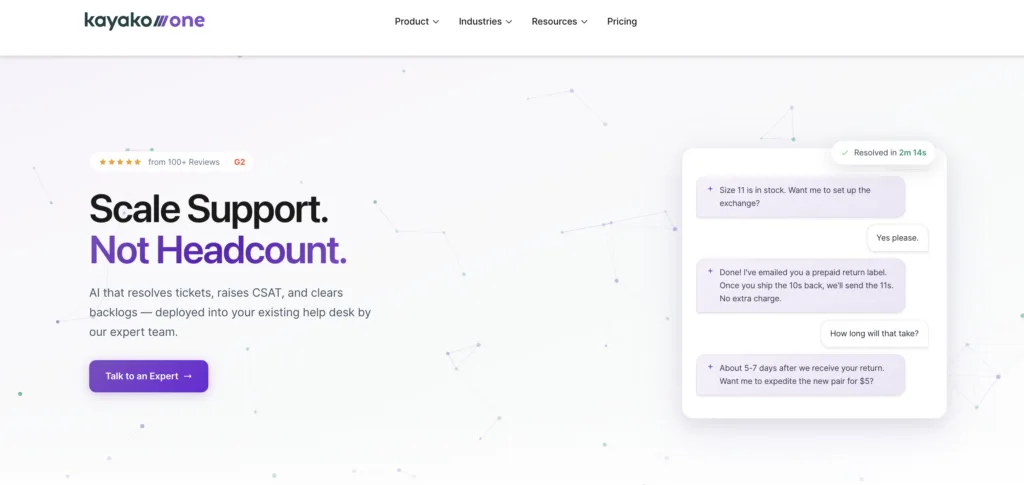
I’ll be direct: Kayako is the first recommendation I make to any mid-market CX leader who’s tired of AI that promises the world and delivers a slightly smarter FAQ widget. The reason is structural. Most ticketing system vendors sell you a platform and leave you to figure out the AI. Kayako flips that entirely — it’s an AI Support Agent and modern help desk implemented for you, by a team that has done this across 300+ companies.
That’s not a marketing line. It’s the difference between a tool and an outcome. When I recommend Kayako to a peer, I’m not recommending they buy software. I’m recommending they buy a cost reset.
Kayako’s AI Ticketing Features — What Actually Moves the Needle
- AI Triage (Phase 1): Auto-classifies, prioritises, and routes every ticket the moment it lands. No manual sorting, no dispatch queue. First response time drops immediately.
- AI Answers (Phase 2): Responds with high-confidence answers or asks clarifying questions before escalating. It has a genuine sense of when it should and shouldn’t answer — which is rarer than you’d think.
- AI Continuous Learning (Phase 3): Every resolved ticket trains the model. Coverage expands automatically. Your agents aren’t retraining bots on weekends.
- Expert-led implementation: Kayako’s Professional Services team configures the system, trains the AI on your data, and integrates your existing workflows. This is why deployments succeed where self-serve tools fail.
- Unified agent workspace: Full customer history, previous conversations, AI-suggested responses — all in one place. Agents don’t context-switch.
- Backlog Breakthrough Guarantee: Full refund if no measurable results. In my career, I’ve never seen another vendor in this category back their platform with that level of commitment.
Here’s the math most CX leaders don’t do until renewal time.
A mid-market team on Zendesk Suite Professional at $115/agent/month with 20 agents is paying $27,600/year just in licences — before AI add-ons, telephony, WFM, and analytics. By the time you add those line items, you’re routinely at $50–80k/year for a platform that still requires internal admin hours to maintain.
Kayako’s $1 per ticket model with expert implementation included changes the equation. At 5,000 tickets/month, you’re spending $5,000/month on outcomes — not on the hope that your team will eventually configure the platform correctly. The phased pilot approach means you start with one queue, prove ROI, and expand when the numbers justify it.
Kayako’s Pricing
Pilot-first, custom pricing model. The 90-day AI Agent Pilot is the entry point: one support queue, clear KPIs (CSAT, average response time, first-touch resolution), Backlog Breakthrough Guarantee. Enterprise pricing on request.
Kayako’s Pros
- AI that actually resolves — not just routes: Phase-based learning means coverage expands with every ticket, without manual retraining.
- Expert implementation included: You’re not handed documentation. A team does the work with you.
- Outcome-based pricing: Vendor has skin in the game. Rare.
- Proven across 300+ deployments: Not a beta product. A refined, battle-tested system.
- $1/ticket TCO: Often cheaper than “cheaper” platforms at scale when you add up all the real costs.
Kayako’s Cons
- Not self-serve: If you want to click around and configure yourself, this isn’t your tool. This is an expert engagement model.
- Custom pricing requires a conversation: No price list means you can’t benchmark without a call.
- Best for mid-market: Very small teams with sub-500 tickets/month may not justify the implementation investment.
|
2. Zendesk — The Benchmark Ticketing System for Enterprise CX
If you’ve worked in CX for more than five years, you’ve used Zendesk. It’s the category reference — comprehensive, scalable, deeply integrated into the enterprise support ecosystem. The Zendesk Support Suite unifies email, chat, phone, and social into a single agent workspace and has the deepest third-party marketplace of any platform on this list.
I’ve run Zendesk implementations at two organisations. My honest take: it’s an excellent platform if you have the admin resources to unlock it. Without a dedicated Zendesk admin, you’re using maybe 40% of what you’re paying for.
See how it stacks up: Zendesk alternatives | Zendesk vs Freshdesk.
Zendesk’s Top Ticketing and AI Features
- Unified Agent Workspace: All channels — email, chat, phone, social — consolidated into one view. Genuinely useful for complex omnichannel operations.
- AI-Powered Answer Bot: Deflects common queries with KB article suggestions before escalation. Works well when your knowledge base is well-maintained.
- Zendesk Explore: Deep analytics on ticket trends, agent performance, and CSAT. One of the best reporting suites in the category.
- 1,000+ App Marketplace: CRM, e-commerce, telephony, productivity — extensive native connectivity.
- SLA Management: Granular SLA configuration with escalation rules. Essential for enterprise support operations.
- Sunshine Platform: Open CRM layer for building custom apps and workflows. Powerful for teams with engineering resources.
Zendesk’s Pros
- Best omnichannel unification in the category: A genuine single pane of glass across every channel.
- Powerful ticketing depth: SLA management, automation, escalation — all configurable.
- Zendesk Explore analytics: One of the strongest reporting suites available. Surfaces trends that matter.
- App ecosystem: If you use a mainstream tool, there’s a Zendesk connector. Integration overhead is genuinely low.
- Enterprise scalability: Multi-brand, multi-language, multi-region — it handles the complexity.
Zendesk’s Cons
- The bill compounds: Base plan looks reasonable. Add AI, voice, WFM, and analytics add-ons and you’re routinely 2–3x the headline price.
- Admin-heavy: Without a dedicated Zendesk admin, complex workflows sit half-configured. I’ve seen this derail implementations repeatedly.
- Dated UI: The interface hasn’t kept pace with newer tools. Agents notice — and it affects adoption.
- Zendesk’s own support is slow: The irony is real. Critical issues take days to resolve through their support channel.
- Complexity tax: Power comes at a price. Simple support needs don’t need this much platform.
Zendesk’s Pricing
- Suite Team: $55/agent/month (annual)
- Suite Growth: $89/agent/month
- Suite Professional: $115/agent/month
- Suite Enterprise: Custom pricing
- Free Trial: 14 days. AI, voice, and WFM are add-on costs.
Also compare: Zendesk vs Intercom | Zendesk vs Zoho Desk | Zendesk vs Salesforce Service Cloud.
3. Freshdesk — The SMB Ticketing System That Punches Above Its Price
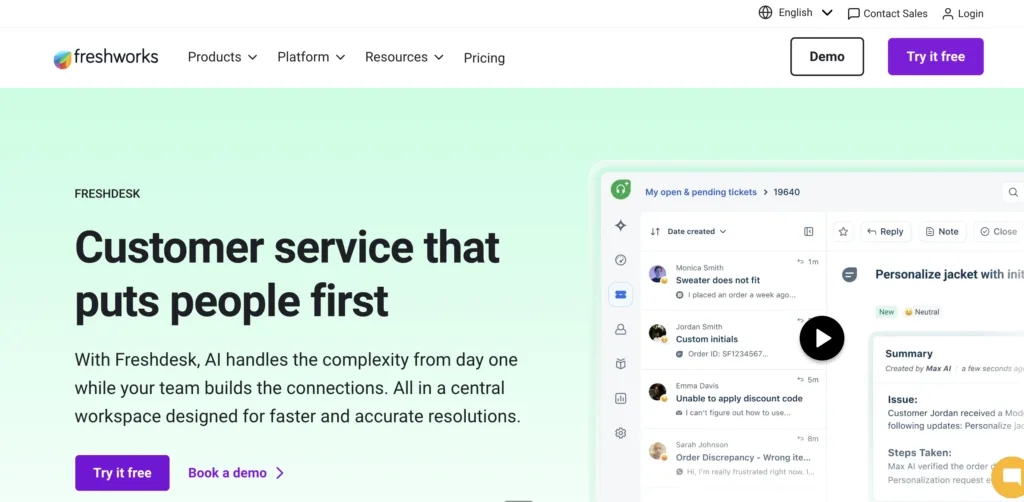
When a support leader tells me they need a solid customer support ticketing system without a Zendesk-sized budget, Freshdesk is usually my first call. It’s part of the Freshworks suite, genuinely intuitive to set up, and the free tier is one of the most useful in the market. The Freddy AI layer does real work — not just keyword matching.
Where Freshdesk shows its limits is at scale. Enterprise-level workflows, complex SLA hierarchies, and high-volume concurrent ticket management all start to strain. It’s a brilliant SMB ticketing system; it’s not an enterprise one.
See: Freshdesk alternatives.
Freshdesk’s Top Features
- Freddy AI: Predictive ticket assignment based on agent skill and workload. Genuinely useful triage that reduces manual routing.
- Scenario Automations: Multi-action triggers based on ticket conditions — one rule can cascade across assignment, tagging, and notification.
- Gamification: Leaderboards, reward points for resolution streaks. Sounds gimmicky; in practice it improves agent engagement in high-volume teams.
- Multi-product support: Manage queries across different products from one dashboard — valuable for product companies.
- Freshcaller integration: Built-in telephony without a separate vendor relationship.
Freshdesk’s Pros
- Best value for money in the SMB segment: Free for up to 10 agents. Paid plans start at $15/month. The ROI calculation is easy.
- Fastest time-to-value on this list: I’ve seen teams go live in under a day. That’s not hyperbole.
- Freddy AI does genuine work: Ticket categorisation and predictive assignment reduce manual overhead meaningfully.
- Gamification actually works: I was sceptical too. But in high-volume support teams, it moves the needle on resolution rates.
- Multichannel without the complexity tax: Email, chat, social — unified without requiring an admin to configure 40 workflow rules.
Freshdesk’s Cons
- Enterprise ceiling: Complex SLA management, advanced reporting, and enterprise integrations start to show gaps above ~100 agents.
- Mobile app is weak: Remote agents on Freshdesk mobile have a noticeably degraded experience.
- Freshdesk’s own support is inconsistent: Paying customers sometimes wait longer than they should for technical resolution.
- Deep customisation needs code: UI and workflow customisation beyond the standard options requires Freshdesk developer resources.
- Update-introduced bugs: New feature rollouts have a history of introducing regressions. Test before pushing to production.
Freshdesk’s Pricing
- Free: $0 — up to 10 agents
- Growth: $15/agent/month
- Pro: $49/agent/month
- Enterprise: $79/agent/month
- Free Trial: 14 days
|
4.ProProfs Help Desk – AI Help Desk for Shared Inboxes and Scaling Support Teams
When a support lead tells me they need to get off spreadsheets and shared email inboxes without adopting something as heavy, ProProfs Help Desk is usually where I point them. It’s built around a shared inbox and ticket workflow automation that’s genuinely easy to configure, most teams have their email connected and tickets flowing within minutes, not days. The built-in AI layer drafts response suggestions on incoming tickets, which trims the time agents spend starting from a blank reply.
Where it earns its keep is in how it scales with a growing team. Round-robin assignment, canned responses, and SLA-based automation keep tickets moving even as ticket volume climbs, and it connects natively with ProProfs Knowledge Base so agents can publish help articles straight from resolved tickets, cutting down repeat queries over time. It’s a strong fit for lean support teams that want automation without an admin-heavy setup; it’s not the tool for organizations that need on-premise deployment or deep, code-level customization.
ProProfs Help Desk’s Top Features
- Shared Inbox & Ticket Workflow Automation: Route, label, and assign tickets automatically based on rules your team defines, so nothing sits unassigned.
- AI-Drafted Response Suggestions: The AI layer proposes reply drafts on incoming tickets, giving agents a starting point instead of a blank box.
- Knowledge Base Integration: Publish help articles from resolved tickets via ProProfs Knowledge Base, deflecting repeat questions before they become tickets.
- Live Chat Connectivity: Bring conversations from ProProfs Chat into the same ticket view, so chat and email history live in one place.
- SLA Management & Reporting: Set response-time rules and track agent and team performance from a single reporting dashboard.
ProProfs Help Desk’s Pros
- Fast to configure: Most teams are live within a day, no dedicated admin required.
- Genuinely affordable at the low end: The free single-user plan and entry paid tiers make it accessible for small teams.
- AI response drafts save real time: Not a gimmick, agents consistently reply faster with a draft to start from.
- Native ecosystem: Knowledge base and live chat plug in without a separate migration project.
- Human support included: Phone, chat, and email support are available even on paid entry tiers.
ProProfs Help Desk’s Cons
- No downloadable or on-premise version: It’s cloud-only, so it won’t work for teams with strict data-residency requirements.
- No dark mode: There’s no low-light UI option for agents who spend all day in the inbox.
- Free plan has no dedicated account manager: That level of support is reserved for paid plans.
ProProfs Help Desk’s Pricing
- Single User: $0, 1 agent, limited monthly tickets
- Essentials: Starting around $19.99/agent/month, billed annually
- Business & Business Complete Elite: Higher tiers unlock omnichannel support, WhatsApp, and expanded AI features
- Free Trial: 15 days
5. Jira Service Management — The ITSM Ticketing System for Tech-First Teams
If your support desk lives next to your engineering team and both teams are already in Jira, Jira Service Management is the obvious IT ticketing system choice. The native link between service tickets and development sprints is genuinely differentiated — customer-reported bugs become development tasks without anyone re-entering data. For DevOps-aligned organisations running Agile, it’s a natural fit.
Outside IT, it’s harder to recommend. The UX is built for ITIL practitioners. Non-technical teams find it bureaucratic. And the consumer-facing self-service portal is meaningfully behind friendlier alternatives.
Jira Service Management’s Top Features
- Native Jira Software integration: Service tickets link directly to dev sprints. The gold standard for bridging support and engineering.
- ITIL-aligned workflows: Incident, problem, change, and request management built to ITIL best practices.
- Asset Management: Hardware and software inventory tracked within the platform — reduces diagnostic time in IT support.
- Confluence integration: KB articles linked to tickets for immediate self-service context.
- Automation for Jira: API-driven rules that eliminate manual repetitive tasks for technical teams.
Jira Service Management’s Pros
- Unrivalled DevOps alignment: Customer bugs → sprint backlog without manual hand-off. Nothing else does this as cleanly.
- Strong ITIL capability: Incident and change management that competes with ServiceNow at a fraction of the cost.
- Asset management is a genuine differentiator: IT support teams resolving hardware issues appreciate context they can’t get elsewhere.
- Confluence knowledge base: Linked documentation reduces repeat queries significantly.
- Pricing scales well: Per-agent cost decreases as team size grows.
Jira Service Management’s Cons
- Not for general customer support: If you’re running a B2C support desk, this will frustrate your team and your customers.
- Complex initial setup: Even Atlassian veterans need time to configure JSM correctly.
- Dated UI: The interface feels functional rather than delightful. Agent adoption can be sluggish.
- Reporting gaps: Built-in analytics are limited. Deep insights often require third-party tools or Atlassian Data Center.
- Premium features are expensive at scale: Advanced automation and SLA features are Premium tier — the cost jumps are meaningful.
Jira Service Management’s Pricing
- Free: $0 — up to 3 agents
- Standard: $22.05/agent/month (annual)
- Premium: $47.55/agent/month
- Enterprise: Custom pricing
- Free Trial: 7 days
5. ServiceNow — The Enterprise ITSM Powerhouse
There’s a reason ServiceNow dominates the Fortune 500 ITSM ticketing system conversation. It’s not just a help desk — it’s a digital transformation platform that connects IT, HR, facilities, and customer service under a single workflow engine. For large enterprises with complex, cross-departmental service management needs, nothing else on this list competes.
The honest counterpoint: for everyone else, it’s overkill. I’ve spoken to organisations running ServiceNow at 50-person IT teams and the TCO is genuinely difficult to justify. If you’re not enterprise, this tool will consume more budget and implementation bandwidth than it returns.
ServiceNow’s Top Features
- Now Platform Workflow Automation: Cross-departmental workflow automation beyond IT — HR onboarding, facilities, legal, finance. One platform to rule them all.
- AI Search + Virtual Agent: Predictive, context-aware search and conversational AI that handles complex queries at scale.
- Performance Analytics: Real-time dashboards and predictive trend analysis.
- Low-code App Engine: Build custom workflows and internal tools without heavy development.
- Integration Hub: Pre-built connectors to every major enterprise system.
ServiceNow’s Pros
- Unmatched enterprise ITSM depth: Incident, problem, change — every ITIL process handled with precision.
- Cross-departmental automation: IT, HR, facilities in one platform. Eliminates the tool proliferation problem in large orgs.
- AI-driven insights: Predictive analytics and virtual agent reduce manual resolution workload meaningfully.
- Enterprise security: SOC 2, ISO 27001, GDPR — every compliance requirement met.
- Low-code customisation: IT admins build without developers. Reduces implementation bottleneck.
ServiceNow’s Cons
- Prohibitively expensive outside enterprise: $100–150/user/month before you’ve added any modules. The bill accelerates fast.
- Implementation takes months: A clean ServiceNow deployment often takes 3–6 months and requires certified consultants.
- Overkill for most CX use cases: If you’re running a customer support desk rather than enterprise ITSM, this is an expensive mismatch.
- Steep learning curve: Agents need training. Admins need certification. The ramp-up cost is real.
- ServiceNow’s own support is inconsistent: Enterprise tools have enterprise support SLAs — but not always enterprise response times in practice.
ServiceNow’s Pricing
Custom pricing only. Estimated starting cost ~$100–150/user/month for ITSM. Demos available on request. No self-serve trial.
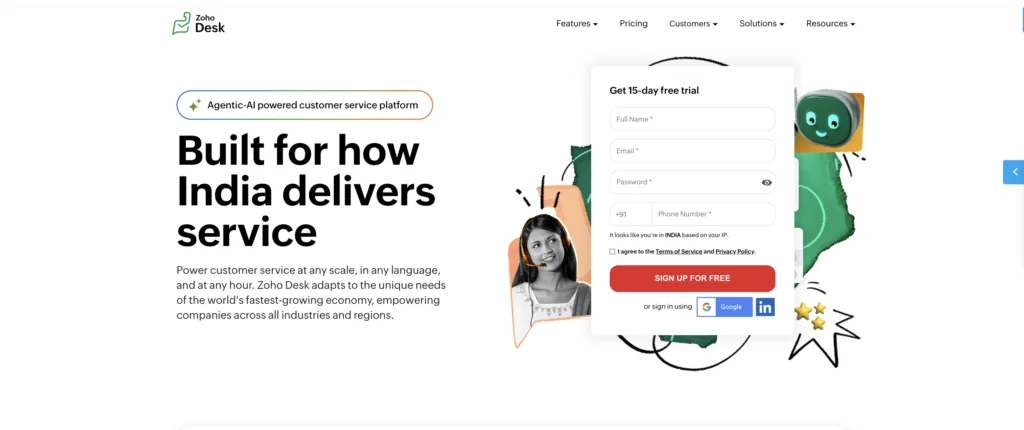
6. Zoho Desk — The Integrated Ticketing System for the Zoho Ecosystem
If your business runs on Zoho — CRM, Books, Analytics — then Zoho Desk is the path of least resistance for customer support ticketing. The integration depth is genuine; I’ve seen CRM-to-ticket context pass cleanly in ways that external integrations rarely achieve. And the pricing is simply hard to argue with for SMBs.
Outside the Zoho ecosystem, the value proposition weakens. Third-party integrations require more work, and the platform’s customisation limitations become more visible when you’re not leveraging the native stack.
Compare: Zoho Desk alternatives | Zoho Desk vs Freshdesk.
Zoho Desk’s Top Features
- Zia AI: Sentiment analysis on tickets, automated response suggestions, anomaly detection. One of the better SMB-tier AI implementations.
- Blueprint: Visual workflow builder for mapping complex ticket resolution processes. Well-designed for non-technical admins.
- Zoho CRM integration: 360-degree customer view with purchase history, deal stage, and interaction log alongside every ticket.
- ASAP widget: Embeddable self-service tool for in-app or website support.
- Multi-brand help centres: Run support for multiple products or brands from a single Zoho Desk instance.
Zoho Desk’s Pros
- Exceptional value for Zoho users: If you’re already paying for Zoho CRM, the incremental cost of Zoho Desk is hard to beat.
- Zia AI punches above its price: Sentiment analysis and automated suggestions in the SMB tier — that’s rare.
- Blueprint automation: Visual, intuitive, and powerful for non-coders.
- Solid mobile app: One of the better mobile experiences in this tier.
- Free tier is genuinely useful: 3 agents, basic ticketing, help centre. A real starting point for small teams.
Zoho Desk’s Cons
- Limited deep customisation: Complex UI or workflow tweaks often require Deluge scripting or developer involvement.
- Zoho’s own support is inconsistent: Support delays are a recurring theme in user reviews. Slow response during urgent issues.
- Third-party integration overhead: Non-Zoho integrations require more work. Not insurmountable, but worth factoring into implementation planning.
- Reporting is surface-level: For data-driven CX operations, you’ll need Zoho Analytics or a third-party BI tool.
- Performance lag at volume: High concurrent ticket loads can cause sluggishness. Mid-market teams approaching 10k+ tickets/month should test this carefully.
Zoho Desk’s Pricing
- Free: $0 — up to 3 users
- Standard: $14/user/month (annual)
- Professional: $23/user/month
- Enterprise: $40/user/month
- Free Trial: 15 days
7. Help Scout — The Email-First Ticketing System for Personal CX
There’s a specific type of support leader who loves Help Scout: one who believes the best customer support feels like a personal email conversation, not a ticket in a queue. If that’s your philosophy, Help Scout is your tool. It’s beautifully minimal, genuinely fast to set up, and the Shared Inbox feature is one of the best collaborative email experiences I’ve used.
The ceiling is real though. Limited omnichannel, basic automation, no SLA management — Help Scout is a brilliant email-first customer support tool, not a full ticketing system in the enterprise sense. See: Help Scout alternatives | Help Scout vs Freshdesk.
Help Scout’s Top Features
- Shared Inbox: Collaborative email management without individual assignment overhead. Teams see ownership at a glance.
- Beacon: Embeddable in-app chat and help widget. Clean implementation, genuinely fast.
- Collision Detection: Prevents two agents from responding to the same query simultaneously. Simple, effective, undervalued.
- Saved Replies: Consistent, quick responses to common queries.
- Customer profiles: Full conversation history and integrated app data per contact.
Help Scout’s Pros
- Best email support experience on this list: If your primary channel is email and you want it to feel human, nothing beats this.
- Fastest setup: Genuinely can be live and useful in under an hour.
- Clean, non-intimidating UI: Agent adoption is high. There’s no “I don’t know how to use this” friction.
- Beacon is excellent: In-app self-service and chat that doesn’t require a full implementation project.
- Affordable for small teams: $20/user/month for a tool this polished is good value.
Help Scout’s Cons
- No real omnichannel: Social, phone, and complex in-app messaging are not Help Scout’s domain. If those channels matter, look elsewhere.
- Automation is basic: Rudimentary compared to Zendesk or Freshdesk. Complex routing and escalation rules hit a wall quickly.
- No dedicated mobile app: Browser-dependent on mobile. In 2025, that’s a gap that costs agent adoption.
- No SLA management: If your support operation requires formal SLA tracking, Help Scout isn’t your tool.
- Reporting is shallow: Great for team health metrics; not built for deep operational analysis.
Help Scout’s Pricing
- Standard: $20/user/month (annual, minimum 2 users)
- Plus: $40/user/month
- Pro: $65/user/month
- Free Trial: 15 days
8. Zammad — The Open-Source Ticketing System for Cost-Conscious Teams
Every CX leader should know Zammad exists. It’s open-source, free to self-host, and genuinely capable for teams that want full data control and customisation without enterprise licensing costs. The community is active, the multi-channel support is solid, and the hosted plans are remarkably affordable even for teams who don’t want to manage infrastructure.
The trade-offs are real: self-hosting requires technical capability, commercial support is limited, and the feature depth is constrained compared to enterprise platforms. But for the right context — a cost-conscious team with development resources and straightforward support workflows — Zammad is a legitimate answer.
Zammad’s Top Features
- Open-source with self-hosting: Full data control, no licensing fees. Self-host on your own infrastructure.
- Multichannel: Email, chat, phone, Twitter, Telegram — tickets consolidated from all channels.
- LDAP/Active Directory integration: SSO for enterprise environments without a premium tier requirement.
- Time tracking: Built-in ticket time logging for workload analysis.
- REST API: Full API access for custom integrations and workflow automation.
Zammad’s Pros
- Zero licensing cost on self-hosted: For teams with the infrastructure and skills, this is genuinely compelling.
- Full data sovereignty: On-premise hosting for privacy-sensitive or regulated environments.
- Active community: Plugins, extensions, and community troubleshooting fill some of the gap from limited commercial support.
- Clean UI: More intuitive than most open-source alternatives.
- Hosted plans are affordable: From €5/agent/month for teams who want cloud without the self-hosting overhead.
Zammad’s Cons
- Self-hosting demands technical resource: Infrastructure setup, maintenance, and upgrades are your responsibility. Not for non-technical teams.
- Limited out-of-the-box features: Advanced automation and reporting require plugins or custom development.
- Commercial support is minimal: Critical issues go to community forums rather than a support SLA. Plan for that.
- Documentation gaps: Guides for advanced customisation are inconsistent and sometimes outdated.
- Scalability ceiling: Performance can degrade under high-volume concurrent ticket loads.
Zammad’s Pricing
- Self-hosted: Free (open-source)
- Hosted Standard: €5/agent/month (~$5.50)
- Hosted Plus: €13/agent/month (~$14.30)
- Hosted Professional: €24/agent/month (~$26.40)
|
All Ticketing Systems: Pricing Comparison
A quick reference of pricing across the top ticketing systems I listed aboove.
As always: list price is never total cost. Factor in AI add-ons, implementation, per-ticket fees at your volume, and exit costs before committing.
|
|||||||||||||||||||||||||||||||||||||||||||||||||
| l |
Prices based on publicly available information. Always verify directly with vendors for current rates.
How to Build the Right Ticketing System Stack for Your Organisation
I rarely recommend a single “best” tool. Most organisations benefit from a right-sized portfolio — and the right portfolio depends entirely on your use cases, scale, and operating constraints. Here’s the decision path I use with CX leaders and operators:
Step 1: Separate Your Use Cases
Before evaluating any tool, answer this question: are you managing customer or IT support flows, or event attendance and registration? These are fundamentally different problems. Conflating them leads to buying the wrong category of tool entirely.
- Customer support / ITSM: SLAs, omnichannel, escalations, incident/change/problem management, knowledge bases. Kayako, Zendesk, Freshdesk, Jira SM, ServiceNow, Zoho Desk, Help Scout, Zammad.
Step 2: Define Non-Negotiables
- Security and compliance: SSO/SCIM, roles/permissions, audit trails, data residency, SOC 2/ISO 27001. Don’t evaluate tools that don’t clear this bar.
- Integration anchors: What does your CRM, commerce platform, telephony, and dev tools stack look like? The tool that integrates natively is worth paying a premium for.
- Operating constraints: Budget cap, implementation bandwidth, on-prem vs. SaaS preference, data locality requirements.
Step 3: Segment by Scale and Sophistication
- Startup/SMB customer support: Freshdesk, Zoho Desk, Help Scout, or Zammad (hosted) for value and speed-to-value.
- Mid-market AI-first support: Kayako — expert-implemented, outcome-based, $1/ticket TCO.
- Enterprise CX/ITSM: Zendesk, Jira Service Management, or ServiceNow for depth, governance, and extensibility.
Step 4: Run Scenario-Based Trials on Real Workloads
- Simulate real workloads: 500–5,000 tickets/month for support tools, 1,000–50,000 attendees for event platforms
- Test critical automations: routing by skill and priority, change approvals, refund flows
- Validate analytics: SLA breach views, cohort analysis, event ROI and channel attribution
- Measure admin friction: role design, audit readiness, sandbox-to-production migration path
Step 5: Model True Total Cost of Ownership (12–36 Months)
The gap between list price and true cost is where most buying decisions go wrong. Include:
- Licensing and per-seat costs
- AI, analytics, telephony, and WFM add-ons
- Implementation and professional services
- Ongoing admin FTEs and training investment
- For event tools: payment processing rates, payout timing, refund/chargeback handling, tax implications
- Exit costs: data export format, migration complexity, contractual lock-in terms
At scale, Kayako’s $1 per ticket model with expert implementation included routinely produces a lower 36-month TCO than platforms that look cheaper per seat but accumulate admin overhead and add-on costs over time.
Step 6: Set Governance and Exit Ramps Before You Sign
The worst time to negotiate data portability is at renewal. Before signing any ticketing system contract:
- Define data ownership and export formats upfront
- Confirm backup/export paths and decommission procedures
- Negotiate support SLAs and roadmap commitments aligned to your risk profile
- Understand contractual exit terms and migration assistance commitments
Which Ticketing System Should You Choose?
The short version, based on the context I most often encounter:
- AI-first customer support, mid-market, outcome-based pricing: Kayako — my first recommendation to any CX leader tired of AI that doesn’t actually resolve.
- Enterprise omnichannel support: Zendesk — if you have admin resources to unlock it. See Zendesk alternatives.
- SMB ticketing on a budget: Freshdesk — best value in the segment. See Freshdesk alternatives.
- IT and DevOps-aligned ITSM: Jira Service Management — if your team lives in Atlassian.
- Enterprise ITSM at scale: ServiceNow — for large enterprises with cross-departmental workflow complexity.
- Zoho ecosystem CX: Zoho Desk — if you’re already in Zoho. See Zoho Desk alternatives.
- Email-first personal support: Help Scout — the best email support experience built. See Help Scout alternatives.
- Open-source, full data control: Zammad — if you have the technical resources to run it.
The best ticketing system isn’t the most feature-rich one. It’s the one that fits your team’s actual workflow, your customers’s actual expectations, and your organisation’s actual budget — not the vendor’s definition of what you should need.
|