I have rolled out five of the tools on this list and watched two die quietly. Not because the software was bad, but because the reps stopped logging. That is the only thing that matters in this category, and almost nobody evaluates for it. A CRM that your team does not keep current is an expensive spreadsheet with worse reporting.
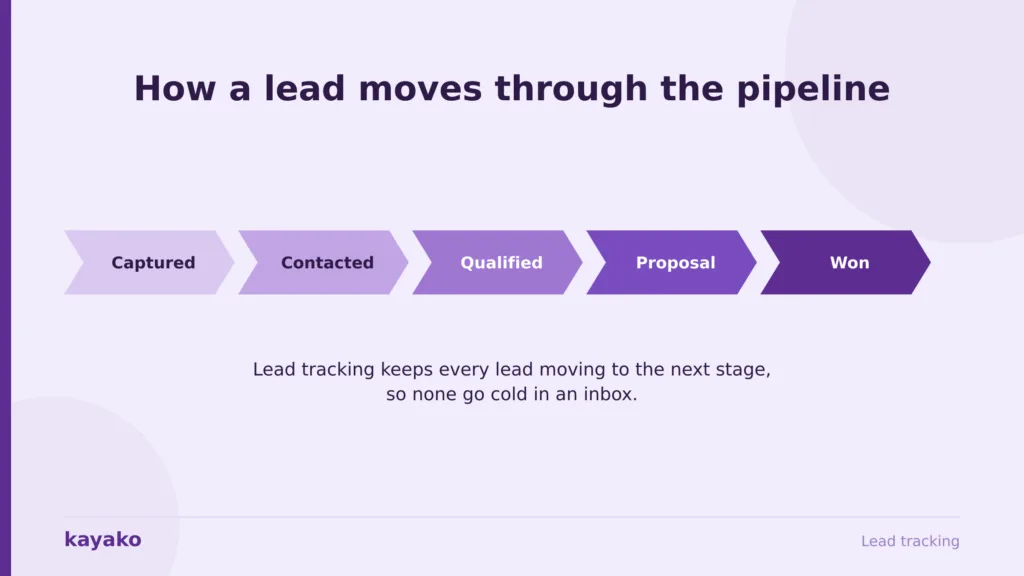
Lead tracking software captures every new lead, records where it came from and what has happened since, and prompts the next action so nothing goes cold in someone’s inbox. This is my honest read on the nine worth shortlisting, what each really costs, and which ones reps actually adopt. Speed to lead is where the money sits: reps spend only about 40% of their time actually selling, per Salesforce figures cited by Qwilr, and most of the rest goes to admin; these tools are supposed to eliminate.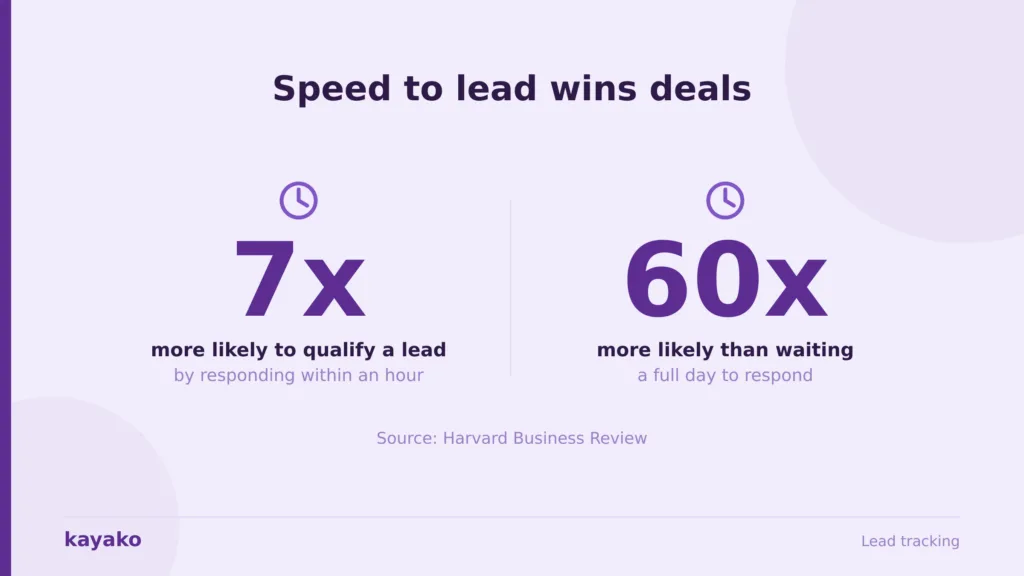
How I evaluated these lead tracking tools
I do not score software on feature checklists. These are the criteria that decide whether a lead tracking rollout survives its first quarter.
- Automatic capture over manual entry. Does it log emails, calls, and meetings on its own, or does it rely on a rep remembering? Every CRM failure I have seen traces back to this.
- Rep adoption in week two. Pilot with your best rep, your average rep, and one skeptic. If any of them reverts to a spreadsheet, the rollout will fail.
- Real cost with add-ons. Several tools here price core features separately, so the sticker price and the invoice are different numbers.
- Pipeline complexity fit. A tool built for a simple pipeline strains on a complex one, and an enterprise platform buries a small team in configuration.
One disclosure: I work at a customer support company, not a CRM vendor, so I have no horse in this race. Kayako appears once at the end, in the honest place it belongs, which is after the lead converts. Pricing moves constantly, so confirm every figure at checkout.
Closing leads but losing customers three months later? That is a support problem, and I will map it with you.
Salesflare: the CRM for reps who refuse to update the CRM
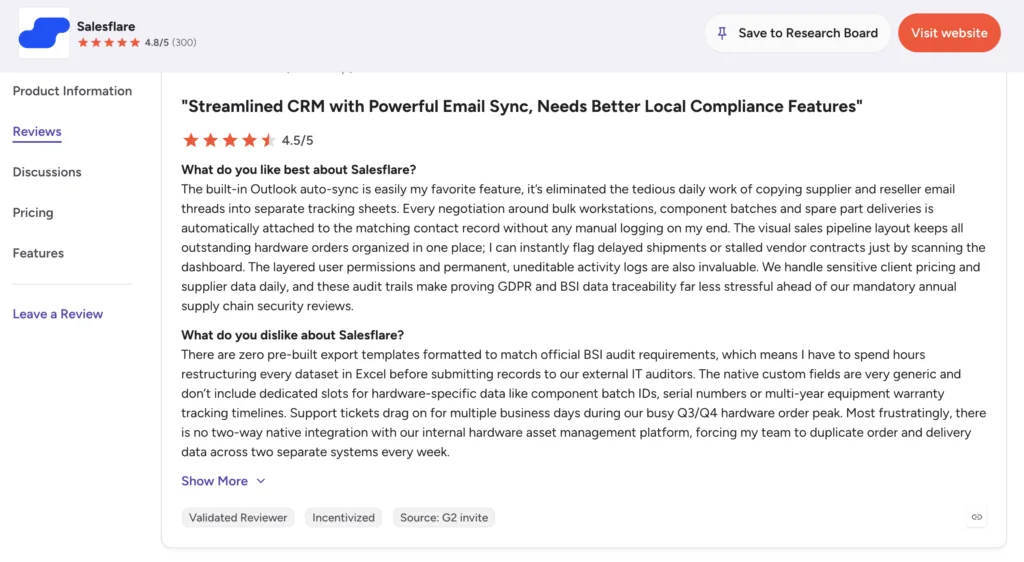
Salesflare is my first recommendation for small B2B teams whose reps hate data entry, which is most of them. It pulls contact details from email signatures, logs emails and meetings from connected inboxes, and builds the address book itself, so the CRM stays current without anyone maintaining it. For a team under 50 running email-based outbound, that automation is the whole product.
Salesflare pros
- Genuine zero-input automation. It logs activity whether or not the rep cooperates, which fixes the single biggest cause of CRM failure.
- Fast setup and strong support. It scores highly across user reviews on G2.
- LinkedIn sidebar and email finder. A rep builds a contact and logs the first touch from a profile in one click.
Salesflare cons
- Reporting is basic. If you need deep pipeline analytics for a sales leader, you will feel the ceiling quickly.
- No built-in dialer. Call-heavy teams need a separate tool.
- Teams outgrow it past roughly 50 people. Reviewers raise this repeatedly, and it matches what I have seen.
- No free plan. A 30-day trial, and that is it.
Salesflare pricing
- Growth: $29 per user per month. Core automation, email tracking, 5 lead credits.
- Pro: $49 per user per month. Multi-step workflows, permissions, custom dashboards, and 100 lead credits.
- Enterprise: $99 per user per month. Dedicated account management, custom training, migration help, and 250 lead credits. 30-day free trial.
2. Pipedrive: the visual pipeline reps actually enjoy
Pipedrive built its name on a drag-and-drop pipeline reps adopt without nagging, which is half the battle. It suits teams of 5 to 50 wanting deal-flow visibility without enterprise complexity. My caution is the add-on model: the plan you price is rarely the plan you land on, because lead generation and campaigns are billed separately.
Pipedrive pros
- Best pipeline UX in the category. Reps adopt it fast, and adoption beats features.
- Large integration marketplace. Most gaps get filled without custom work.
- Deep customization for a sales-first tool. Praised consistently across user reviews on G2.
Pipedrive cons
- Add-ons inflate the real bill. LeadBooster and Campaigns are separate line items, so the sticker price misleads.
- No free plan at all. Every competitor here with a free tier wins the proof-of-concept.
- Marketing automation is thin. Full-funnel teams bolt on another tool.
- Phone support sits on higher tiers. Zoho gives you phone support at every level.
Pipedrive pricing
- Lite: $14 per user per month (annual).
- Growth: $39 per user per month. The realistic starting point for most teams.
- Premium: $49 per user per month.
- Ultimate: $79 per user per month. No free plan, 14-day trial. Monthly billing runs meaningfully higher.
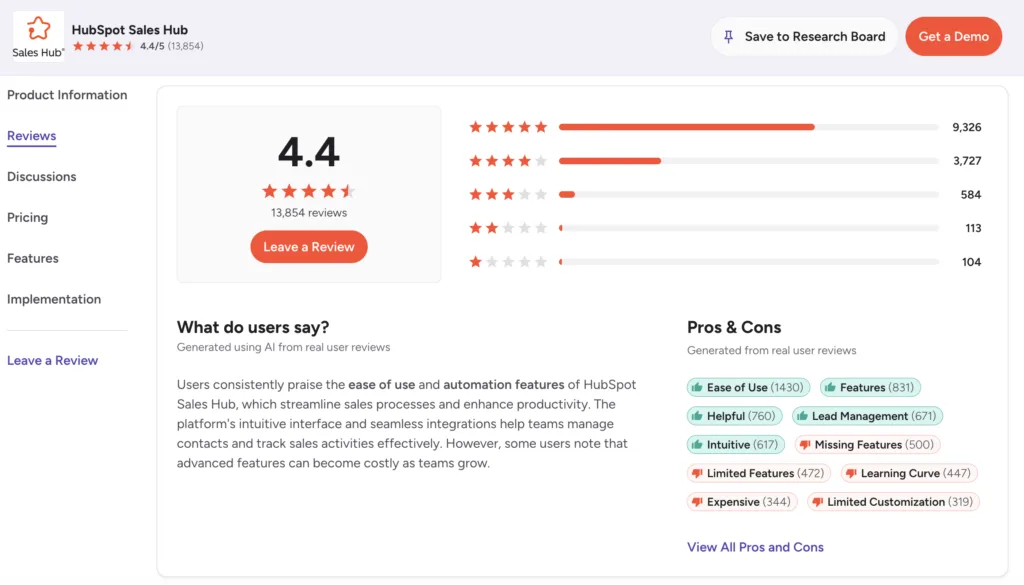
3. HubSpot Sales Hub: the free start that scales, then bills
HubSpot’s free CRM is a real product rather than a demo, which makes it the easiest yes on this list for a team with no budget and no CRM. Sales Hub then scales up with sequences, reporting, and automation. The honest catch is the ecosystem gravity: useful features are split between the free CRM and the paid Hub, and the pull toward buying more HubSpot is constant.
HubSpot Sales Hub pros
- The most generous, genuinely free CRM. Unlimited contacts and real functionality, not a trial.
- Clean interface and fast setup. Reps do not need training to start.
- Seamless lead-to-deal handoff. If marketing already runs HubSpot, one record across the funnel is genuinely valuable.
HubSpot Sales Hub cons
- Costs climb sharply past free. Professional is $100 per seat per month, and that is where useful automation lives.
- Mandatory onboarding fees. A professional carries a one-time fee of roughly $1,500 on your first invoice.
- Ecosystem pressure is real. Reviewers on user reviews on G2 consistently note feeling nudged toward more HubSpot products as they grow.
- Weak value off the ecosystem. If you are not on HubSpot marketing, you pay a premium for continuity you will not use.
HubSpot Sales Hub pricing
- Free: $0, unlimited users, core CRM.
- Starter: around $15 to $20 per seat per month.
- Professional: $100 per seat per month, plus a one-time onboarding fee of roughly $1,500.
- Enterprise: $150 per seat per month, plus onboarding. Free view-only seats on paid plans.
Won the customer, then watched them churn? Kayako keeps the accounts your reps fought for.
4. Salesforce Sales Cloud: maximum power, maximum overhead
Salesforce is the most configurable CRM available and the enterprise default for good reason. Once configured, it scales to almost any process. That word once is doing a lot of work. I have watched 30-person teams spend six months and a consultant budget getting to where Pipedrive would have been in a week. Under 50 people, this is almost certainly more platform than you need.
Salesforce pros
- Unmatched depth and configurability. It grows with the company rather than capping it.
- The largest ecosystem in software. Whatever you need, an AppExchange app exists.
- Enterprise governance. Territory management, approvals, and permissions that nothing else here matches.
Salesforce cons
- You need an admin or a consultant. Reviewers on user reviews on G2 cite this constantly. Budget for it or the rollout stalls.
- Steep learning curve hurts adoption. Reps revert to spreadsheets when the tool fights them.
- Support is a paid add-on. Premier Success runs roughly 30% of the license fees for phone support.
- Nobody pays list. Enterprise discounts of 30% to 60% are standard, which means the published price is fiction and you need real negotiating room.
Salesforce pricing
- Starter Suite: $25 per user per month, capped at 10 users.
- Pro Suite: around $100 per user per month.
- Enterprise: around $165 per user per month.
- Unlimited and Agentforce tiers: $330 and up, reaching roughly $550 per user per month at the top. Verify current tiers, since Salesforce repriced recently and published figures vary by source.
5. Zoho CRM: the best feature-to-price ratio on the market
Zoho CRM covers lead tracking, automation, and reporting at roughly half what Pipedrive or HubSpot charge for equivalent capability, and ties into the wider Zoho suite. For a cost-conscious team of 10 to 50 willing to accept a busier interface, nothing here beats it on value. The UI is a genuine adoption risk.
Zoho CRM pros
- Exceptional value. A professional at $23 delivers automation that costs $90 elsewhere.
- Phone support at every tier. Pipedrive gates this behind higher plans.
- Ecosystem consolidation. Zoho Mail, Books, and Campaigns can collapse several subscriptions into one bill.
Zoho CRM cons
- Busier, less polished interface. This is an adoption risk, and adoption is the whole game.
- Features need configuration to work well. Reviewers on user reviews on G2 note the setup effort repeatedly.
- Value drops outside the Zoho suite. The tie-in is much of the appeal.
Zoho CRM pricing
- Free: $0 for up to 3 users.
- Standard: $14 per user per month (annual).
- Professional: $23 per user per month. The best-value tier.
- Enterprise: $40 per user per month. Ultimate runs around $52.
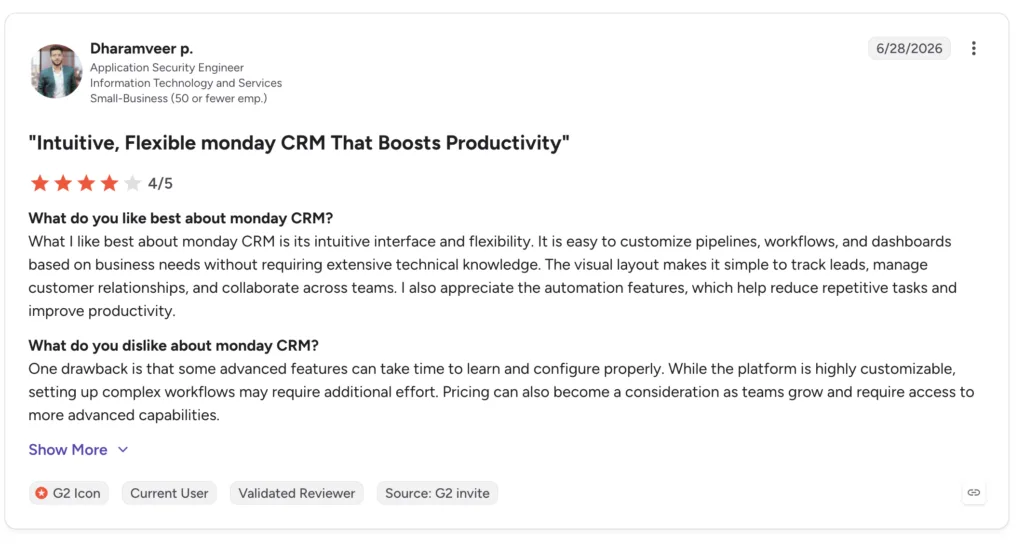
6. monday CRM: flexible workspace, not a sales-native tool
Built on monday’s work OS, monday CRM tracks leads on colourful, configurable boards and adapts to non-standard processes. It makes sense for one situation above all: your team already lives in monday for projects and operations, and consolidating tooling is worth more than sales-specific depth. Outside that, a purpose-built sales CRM will serve reps better.
monday CRM pros
- Genuinely flexible boards. Non-standard pipelines that break other CRMs work here.
- One workspace across teams. Sales, marketing, and ops share a view rather than juggling tools.
monday CRM cons
- Not sales-native out of the box. Reviewers on user reviews on G2 note it starts closer to a blank slate than a CRM, and templates rarely match a real sales motion.
- Configuration burden falls on you. The flexibility that sells it is also the work.
- Seat minimums apply. You buy in blocks, so a small team overbuys.
monday CRM pricing
Per seat with a 3-seat minimum, tiered from a basic plan through standard, pro, and a custom enterprise tier. monday reprices and repackages frequently and publishes by seat block rather than a flat rate, so I am not quoting a figure I cannot stand behind. Check the live pricing page and price the seat block you will actually buy, not the per-seat headline.
7. Freshsales: built-in AI at the lowest entry price here
Freshsales pairs lead tracking with Freddy AI scoring and built-in phone and email at the cheapest entry point on this list. For an SMB that wants automation without setup work, it is a strong pick, and at the Growth tier, it undercuts almost everyone. The trade-off is ecosystem breadth: the integration marketplace is thinner than Pipedrive’s or HubSpot’s.
Freshsales pros
- Lowest entry price in this comparison. Growth starts around $9 per user per month.
- AI lead scoring included early. Pipedrive gates equivalent scoring behind its Premium tier.
- Built-in phone and email. The core selling tools are in one place, no dialer to bolt on.
Freshsales cons
- Smaller integration ecosystem. Reviewers on user reviews on G2 raise this as they scale.
- Dense interface. Familiar to CRM veterans, overwhelming for new users, and it needs training sessions.
- Free tier is small. Three users, so it is a trial rather than a plan.
Freshsales pricing
- Free: $0 for up to 3 users.
- Growth: around $9 per user per month (annual), around $11 monthly.
- Pro: around $39 per user per month.
- Enterprise: around $59 per user per month. Freshworks repackages often, so confirm the current lineup.
8. Breakcold: the social-selling CRM with genuinely flat pricing
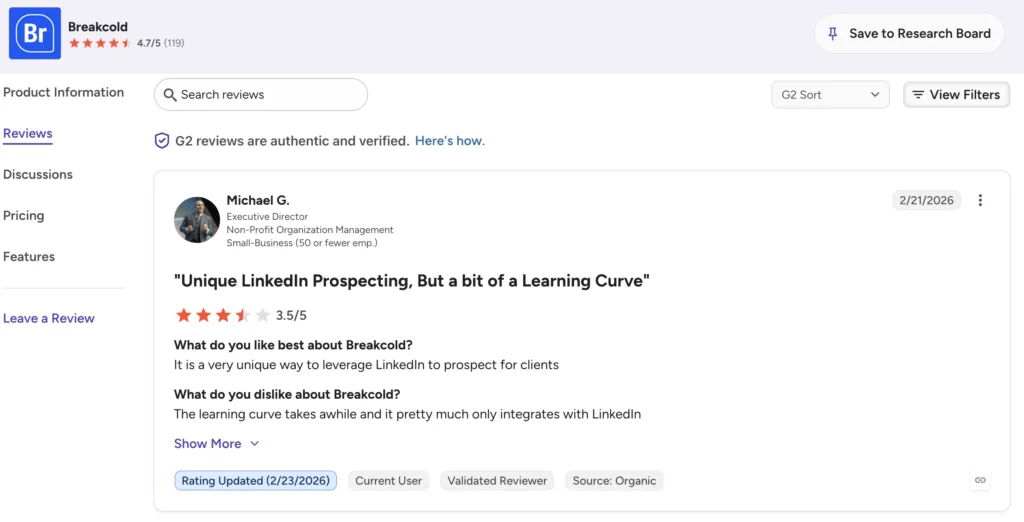
Breakcold tracks leads alongside their LinkedIn and email activity, so reps engage before they pitch. It suits founders and small teams running relationship-led outbound. The pricing is the most interesting thing here: flat, not per seat, which makes it the cheapest option on this page for a small team by a wide margin.
Breakcold pros
- Flat pricing, not per seat. A team of five pays roughly $99 a month total. That is less than one Salesforce seat.
- Unified multichannel inbox. Email, LinkedIn, and WhatsApp in one view, without glue tools.
- No feature gating by tier. You get everything on the single plan.
Breakcold cons
- Small ecosystem. As a newer tool, integrations are thinner than the incumbents, per user reviews on G2.
- Built for lean outbound. Complex, multi-team pipelines will outgrow it.
- Less proven at scale. Fewer large deployments to learn from than anything else here.
Breakcold pricing
A single flat plan at $59 a month, plus $10 per additional seat and $10 per additional connected account. A team of five lands around $99 a month total, with unlimited contacts, pipelines, and enrichment included.
9. Leadfeeder: not a CRM, and that is the point
Leadfeeder, now part of Dealfront, reveals which companies visit your website and feeds them into your pipeline. Shortlist it only if your problem is not enough leads rather than poor tracking, because it fills a different hole. It works alongside a CRM, never instead of one.
Leadfeeder pros
- Turns anonymous traffic into named accounts. Nothing else on this list does this.
- Free tier is a genuine entry point. You can identify a limited number of companies a month at no cost.
- Strong European data. Dealfront’s GDPR-compliant sourcing is best in class for EU targeting.
Leadfeeder cons
- It is a layer, not a system. You still need a CRM, so this is an additional line item rather than a replacement.
- Company-level, not person-level. It tells you an account visited, not who to call.
- Modular pricing gets complicated. Dealfront sells five modules separately, and a useful full setup runs well into four figures a month.
Leadfeeder pricing
A free tier identifies a limited number of companies each month. The paid Web Visitors plan starts around €99 a month billed annually, or roughly €165 billed monthly, and scales with the number of companies identified. The wider Dealfront sales-intelligence platform is quote-only. Verify the current tiers, since Dealfront repackages its modules often.
All 9 lead tracking tools: pricing compared
A quick reference. List price is never the total cost, so price the add-ons you will actually use before comparing.
| Tool | Best for | Entry price | Free tier | Watch for |
|---|---|---|---|---|
| Salesflare | Reps who hate data entry | $29/user/mo | 30-day trial | Basic reporting |
| Pipedrive | Visual pipeline management | $14/user/mo (Lite) | None | Add-on costs |
| HubSpot Sales Hub | A free start that scales | Free, then ~$15/seat | Yes, unlimited users | $1,500 onboarding at Pro |
| Salesforce | Enterprise customization | $25/user/mo (10-user cap) | None | Admin overhead |
| Zoho CRM | Value-focused SMBs | Free, then $14/user/mo | Yes, 3 users | Busier interface |
| monday CRM | Teams already on monday | Per seat, 3-seat minimum | Limited | Not sales-native |
| Freshsales | SMBs wanting built-in AI | Free, then ~$9/user/mo | Yes, 3 users | Smaller ecosystem |
| Breakcold | Social-selling outreach | $59/mo flat, +$10/seat | None | Newer, smaller |
| Leadfeeder | Website visitor identification | Free, then ~€99/mo | Yes, limited | Not a CRM |
Pricing checked against vendor pages and review platforms at the time of writing and changes often. Verify directly before purchasing.
How to choose lead tracking software
Four questions get you to a shortlist of two. Answer them honestly, and the field collapses.
Will your reps actually log?
If the honest answer is no, buy automation rather than discipline. Salesflare logs whether or not the rep cooperates, and that single property matters more than every feature comparison on this page. Every CRM graveyard is full of tools that worked perfectly and were never updated.
How complex is your pipeline?
A simple pipeline on Salesforce is a waste of money and six months. A complex, multi-territory, approval-heavy pipeline on Pipedrive hits a wall. Match the tool to the process you actually run, not the one you plan to run in three years.
What is the real monthly cost?
Price the plan and the add-ons together. Pipedrive’s LeadBooster and Campaigns, HubSpot’s onboarding fee, and Salesforce’s support tier are all real money that never appears on the pricing page you compared. Run the 36-month number, not the monthly one.
Then run a two-week pilot
Pick your top rep, an average rep, and one sceptic. Give them 30 days. If all three are still in the tool at week two, buy it. If any of them is back in a spreadsheet, you have your answer, and you have saved a year.
Want me to map these nine against your team size, pipeline, and budget?
Which lead tracking tool should you choose?
- Small B2B teams whose reps hate admin: Salesflare. Automation beats discipline every time.
- Visual pipeline management, 5 to 50 reps: Pipedrive, if you price the add-ons honestly first.
- No budget, no CRM: HubSpot Sales Hub free. Nothing else comes close at zero.
- Enterprise complexity with admin resource: Salesforce. Not otherwise.
- Best value at 10 to 50 reps: Zoho CRM Professional.
- Already on monday for ops: monday CRM, for consolidation.
- Cheapest entry with AI scoring: Freshsales.
- Lean social-selling teams: Breakcold, on flat pricing.
- Not enough leads, rather than poor tracking: Leadfeeder, alongside a CRM.
The best lead tracking software is the one your team keeps current. Favor automatic capture over manual entry, weigh real user sentiment alongside the vendor pitch, and pick the tool your reps will still be using in month three rather than the one with the longest feature list.
After the lead converts: where support decides the outcome
Every tool on this page solves the same half of the problem: winning the customer. None of them touches the other half, which is keeping them. That gap is where I have watched more revenue leak than any pipeline problem, because a customer won by a great rep and then failed by slow support churns anyway, and the pipeline has to replace them just to stay flat. Increasing retention by 5% can raise profits by 25% to 95%, per Bain.
This is the honest, secondary place Kayako fits in a CRM conversation, and I will be direct that it is not a lead tracking tool and plays no part in closing a deal. What it does is resolve post-sale questions fast enough that a hard-won customer stays, which is what turns a closed deal into lifetime value. Trilogy, for example, cut ticket age from 17.6 hours to under 2 minutes after adopting it. If your pipeline is healthy and your churn is not, the problem was never the CRM.
Your reps win the customer. Kayako makes sure support does not lose them.
Frequently asked questions
What is lead tracking software?
Lead tracking software captures every new lead, records its source and history, and moves it through a pipeline while prompting the next action. It shows where each lead came from, what has happened since, and what needs to happen next, so promising leads do not go cold in an inbox. Most lead tracking today happens inside a CRM, though some tools focus purely on capture or website visitor identification.
What is the difference between lead tracking software and a CRM?
Lead tracking is a function; a CRM is the system that usually contains it. Lead tracking covers capture, source attribution, pipeline stages, and follow-up prompts. A CRM does all of that plus contact management, deal forecasting, reporting, and often marketing or service features. Most teams get lead tracking as part of a CRM rather than buying a separate tool, with exceptions like Leadfeeder that add a capture layer alongside one.
What is the best lead tracking software in 2026?
It depends on your team. Salesflare leads for small B2B teams wanting automatic, low-effort tracking; Pipedrive for visual pipeline management; HubSpot Sales Hub for a genuinely free start that scales; and Salesforce for enterprise customization if you have the admin resource. Zoho CRM offers the best feature-to-price ratio, Freshsales the cheapest entry with built-in AI, Breakcold flat pricing for social selling, and Leadfeeder website visitor identification alongside a CRM.
How much does lead tracking software cost?
Entry pricing ranges from free to enterprise. Freshsales starts around $9 per user per month, Pipedrive and Zoho CRM at $14, Salesflare at $29, and Salesforce at $25 for a capped starter tier rising to $165 or more at Enterprise. HubSpot, Zoho, and Freshsales offer free tiers. Breakcold breaks the pattern with $59 a month flat. Watch add-ons: Pipedrive prices lead generation separately, and HubSpot Professional carries a one-time onboarding fee of roughly $1,500.
What features should lead tracking software have?
Look for automatic lead capture and activity logging, visual pipeline and stage tracking, follow-up automation and reminders, lead scoring, and reporting. The most important is automatic capture, because a tool that depends on reps manually logging emails and calls will drift out of date within a quarter and take your forecast with it. Prioritize what happens without human effort over what is possible with it.