

Looking for the best live chat software? We reviewed 8 top tools — Kayako, Intercom, Zendesk, Drift, Tidio & more — with real pros, cons, pricing, and AI features to help you choose confidently.
Choosing the right live chat software is a leverage decision — the kind that compounds. Get it right and you accelerate resolution times, unlock revenue through proactive conversations, and capture the data you need to improve customer experience at scale. Get it wrong and you saddle your teams with tab-juggling, latency spikes, and attribution gaps that never quite close.
Most comparison articles stop at bullet points and screenshots. This one doesn’t. Below, you’ll find eight tools — starting with the one most teams overlook — with honest assessments of AI capability, real-world trade-offs, and the pricing details you need to model TCO before you sign anything.
“The best live chat software isn’t the one with the slickest widget. It’s the one that fits the motion your team is actually running.”
How I Evaluated These Live Chat Tools
I benchmarked each platform against a consistent, go-to-market and support-centric rubric. Here’s what I measured:
- Time-to-first-value: setup speed, widget performance, and no-code configuration depth
- Conversational AI capability: routing, bots, multilingual support, and personalisation triggers
- Omnichannel coverage: email, social, SMS, mobile SDKs, and unified inbox quality
- Sales motion support: lead capture, ABM targeting, meeting scheduling, and CRM handoff
- Support motion support: ticketing depth, SLAs, knowledge base, and self-service deflection
- Data and analytics: reporting depth, dashboards, exports, and attribution clarity
- Total cost of ownership: pricing model, seat vs. usage costs, add-on creep, and admin overhead
- Security and compliance: SSO, audit logs, data residency, HIPAA/GDPR readiness
Tools covered in this guide:
- Kayako — AI-native live chat + expert-implemented support
- Intercom — Personalised messaging for SaaS
- Zendesk — Enterprise omnichannel support
- Drift — Conversational marketing for B2B sales
- LiveChat — Simple, fast chat for SMBs
- Tidio — Budget-friendly AI chatbot platform
- Crisp — All-in-one messaging for small teams
- HubSpot Live Chat — Free chat native to HubSpot CRM
|
1. Kayako — The AI-Powered Live Chat That Resolves, Not Just Responds
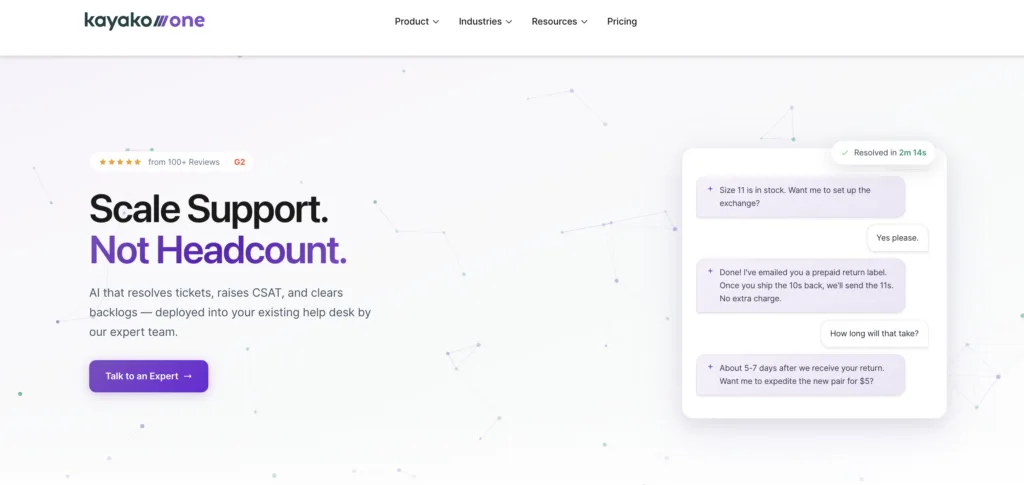
Most live chat software puts a widget on your website and calls it AI. Kayako is different. It’s an AI Support Agent and modern help desk — implemented for you by a team of support experts who have done this across 300+ companies. The result is a live chat and support platform that doesn’t just chat — it resolves.
Where other tools hand you a bot builder and documentation, Kayako’s team does the setup, trains the AI on your data, and integrates it into your existing workflows. That distinction matters enormously when you’re trying to prove ROI in 90 days — not 9 months.
Kayako’s AI Features — What Actually Moves the Needle
- AI Triage (Phase 1): Auto-classifies, prioritises, and routes every incoming chat and ticket. Stops manual sorting before it starts. Faster first response, smaller backlog.
- AI Answers (Phase 2): Responds with high-confidence answers or asks smart clarifying questions before escalating. It knows when to hand off — and does it gracefully.
- AI Continuous Learning (Phase 3): Every conversation makes the model smarter. The AI learns from human agents’ resolved tickets and expands its coverage over time — no retraining sprints required.
- Live Chat with full context: Agents see customer history, previous conversations, and AI-suggested responses in a unified workspace — no tab-switching.
- Expert-led implementation: Kayako’s Professional Services team configures the system, trains the data, and integrates your workflows. This is why Kayako outperforms self-serve tools that require months of internal effort before showing results.
- Backlog Breakthrough Guarantee: Full refund if no measurable results. That’s how confident Kayako is in the model
Kayako’s Total Cost of Ownership — The Argument That Wins
Every live chat platform on this list charges per seat. Then they charge for AI. Then for analytics. Then for additional inboxes. The bill compounds quietly until someone in finance asks a very uncomfortable question.
Kayako’s model is fundamentally different. At $1 per ticket with expert implementation included, you’re not just buying software — you’re buying outcomes. The phased pilot approach means you start with one support queue, prove ROI, and scale when the numbers justify it. No big-bang risk. No six-figure implementation surprise.
Teams on a legacy live chat tool can add Kayako’s AI Agent as a layer on their existing stack. Teams ready for a full modern help desk can migrate entirely. Either way, you get a dedicated expert team — not a stack of documentation.
Kayako’s Pros
- Expert-implemented from day one: No DIY frustration. The team does the heavy lifting so you see results fast.
- AI that learns continuously: Every resolved ticket improves coverage — no manual retraining cycles.
- Outcome-based pricing: A guaranteed-result model is rare. It means Kayako has skin in the game alongside you.
- Full context for agents: Unified workspace with history, AI suggestions, and routing — all in one place.
- Proven at scale: Trusted by 10,000+ support professionals across 300+ companies.
Kayako’s Cons
- Pilot-first model: Not ideal for teams that want instant self-serve access. This is a hands-on engagement.
- Custom pricing: No public price list makes upfront benchmarking require a conversation.
- Best fit for mid-market: Very small teams with minimal ticket volume may not see the full ROI of expert implementation.
|
2. Intercom — Personalised Messaging for Product-Led SaaS Teams
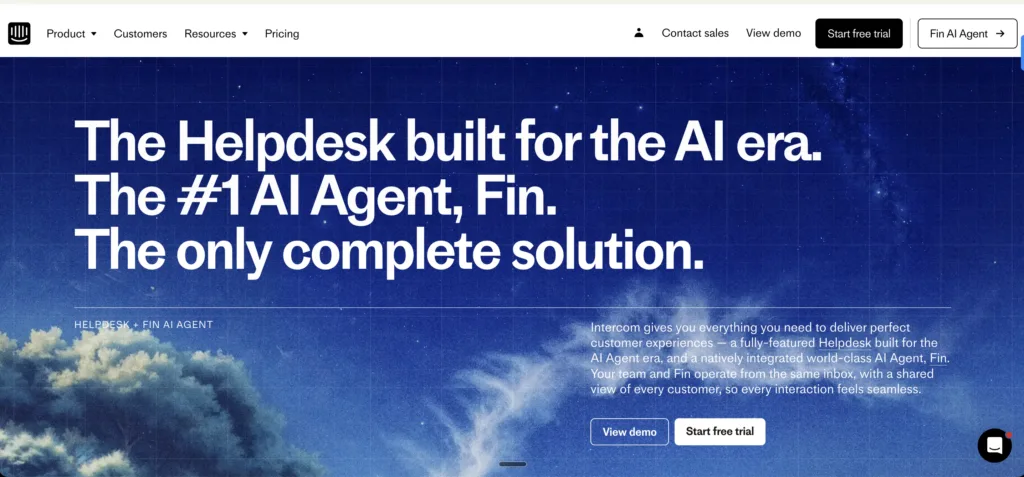
If Kayako wins on AI implementation depth, Intercom wins on proactive, behaviour-based messaging — and it’s been doing it longer than anyone else in the category. It’s a customer communication platform built around live chat, in-app messaging, and marketing automation. For SaaS teams where support and engagement blur into each other, Intercom is a serious contender.
That said, it’s not a traditional ticketing system — and it doesn’t want to be. If your primary need is structured support workflows at scale, you’ll bump into the ceiling fast.
See also: Intercom alternatives | Intercom vs Drift.
Intercom’s Top Live Chat and AI Features
- Custom Bots: Complex, data-driven workflows to qualify leads, book meetings, or resolve issues without human intervention.
- Unified Customer View: CRM data, behaviour history, and conversation context in a single profile per user.
- Outbound Messaging: Targeted, automated emails or in-app messages triggered by user actions — blending marketing and support.
- Product Tours: Interactive, in-app onboarding walkthroughs that reduce new-user friction.
- Behaviour-Based Triggers: Chat messages fire based on specific user actions (time on page, feature usage, abandonment).
- Mobile SDK: Robust in-app messaging and support for mobile-first businesses.
Intercom’s Pros
- Best-in-class proactive engagement: Behaviour-triggered outbound messaging is genuinely powerful for SaaS retention and onboarding.
- Rich customer context: Every conversation is loaded with user history, plan data, and behaviour — agents never start cold.
- Strong SaaS integrations: Salesforce, HubSpot, Slack, Stripe — Intercom embeds deeply into the standard SaaS tech stack.
- Customisable chatbots: Data-driven bot workflows go far beyond basic FAQ deflection.
- In-depth analytics: Response times, resolution rates, bot performance — the reporting is genuinely actionable.
Intercom’s Cons
- Pricing is painful for small teams: Advanced features are locked behind high tiers. Add-ons for AI features like Fin start at $99/month on top of base plans.
- Weak traditional ticketing: Complex internal workflows and structured SLA management are underdeveloped compared to dedicated helpdesks.
- Steep automation learning curve: Building effective bot flows requires time and technical comfort — not plug-and-play.
- Occasional reliability issues: Widget outages during high-traffic periods risk losing live leads mid-conversation.
- Feature overwhelm for simpler teams: The breadth confuses teams that just need fast, clean chat support.
Intercom’s Pricing
- Starter: $74/month (annual) — 1 seat, basic chat and email support
- Growth: $149/month — additional seats, automation, and integrations
- Accelerate: $499/month — advanced AI bots and reporting
- Enterprise: Custom pricing
- Free Trial: 14 days. Note: Fin AI Agent add-on starts at $99/month separately.
Also see: Intercom vs Freshdesk | Olark vs Intercom.
3. Zendesk — The Enterprise Standard for Omnichannel Live Chat
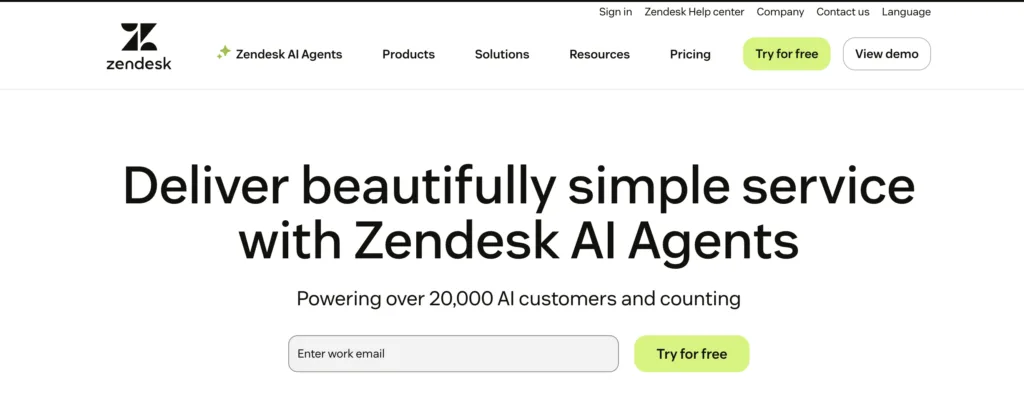
When a support leader at an enterprise says “we need live chat software”, they’re probably picturing something that looks a lot like Zendesk. It’s the category benchmark — comprehensive, scalable, and deeply integrated into the enterprise support ecosystem. The Messaging + Support Suite unifies email, chat, phone, and social into a single agent workspace.
The trade-offs? Complexity and cost. Zendesk’s power is also its barrier. Teams without dedicated admin resources often find they’ve bought more platform than they can actually configure.
Compare: Zendesk alternatives | Zendesk vs Intercom.
Zendesk’s Top Live Chat and AI Features
- Sunshine Platform: Open, customisable foundation for building unique customer experiences via APIs and apps.
- AI-Powered Answer Bot: Suggests knowledge base articles before escalating to agents, reducing live chat volume meaningfully.
- Agent Workspace: Unified cross-channel interface with full customer history — no tab-switching.
- Omni-Channel Routing: Routes chats and tickets based on agent skills, availability, and workload.
- Workflow Automation: Advanced SLA rules, triggers, and macros for large-scale support operations.
- Robust Reporting with Explore: Deep analytics on agent performance, resolution times, and CSAT.
Zendesk’s Pros
- Best omnichannel unification: Email, chat, social, and phone in one place. A genuine single pane of glass for enterprise agents.
- Powerful ticketing depth: SLAs, escalation rules, and automation for teams handling serious support volume.
- Scales reliably: Role-based access and team hierarchies handle complex enterprise structures without breaking.
- AI-Powered Explore analytics: Actionable reporting that surfaces trends in customer behaviour and agent performance.
- Huge app marketplace: Hundreds of integrations. If you use it, there’s probably a Zendesk connector.
Zendesk’s Cons
- Expensive, and it compounds: Base plans are mid-range. Add AI, voice, WFM, and analytics add-ons and the bill escalates fast.
- Complex setup: Initial configuration demands significant time and technical resources. Without admin support, workflows sit half-configured.
- Dated UI: The interface feels behind compared to newer tools. Overcrowded dashboards slow agents down.
- Inconsistent messaging performance: Chat features occasionally lag or fail to sync across channels during peak hours.
- Limited free plan: Essential features like analytics and automations are locked behind paid tiers — trial value is restricted.
Zendesk’s Pricing
- Suite Team: $55/agent/month (annual)
- Suite Growth: $99/agent/month
- Suite Professional: $150/agent/month
- Enterprise: Custom pricing
- Free Trial: 14 days. AI and voice are additional add-on costs.
Also compare: Zendesk vs Freshdesk | Zendesk vs Zoho Desk | Zendesk vs Salesforce Service Cloud.
|
4. Drift — The Conversational Marketing Platform for B2B Sales Teams
Let’s be clear: Drift is not traditional live chat software. It’s a conversational marketing and sales platform that happens to use chat as its primary interface. If your goal is turning website visitors into pipeline — qualifying leads, booking meetings, routing high-intent accounts to the right rep instantly — Drift is built for exactly that motion.
If your goal is support, look elsewhere. Drift’s support features are thin by design. It prioritises revenue over resolution.
See also: Drift alternatives | Intercom vs Drift.
Drift’s Top Conversational AI Features
- Conversational AI for Sales: Bots qualify leads with dynamic questions and route high-intent visitors to the right rep in real time.
- Meeting Scheduling: Calendar integration lets prospects book directly during chats — no back-and-forth required.
- ABM Tools: Personalises chat experiences for target accounts using data from Clearbit and similar enrichment tools.
- Playbooks: Pre-built conversation flows for lead capture, support deflection, or demo requests — deployable without coding.
- FastLane Lead Routing: Prioritises high-intent leads for immediate human handoff so no opportunity slips.
- Video Messaging: Sales reps can send personalised video responses within chats for a human touch in an automated flow.
Drift’s Pros
- Best live chat for converting B2B pipeline: Qualifying leads in real time and routing them instantly is genuinely Drift’s superpower.
- Sophisticated AI chatbot builder: Context-aware conversations without coding. Handles nuanced queries well.
- Tight sales tool integration: Salesforce and HubSpot integration passes chat data directly into CRM pipelines.
- Proactive visitor targeting: Behaviour-based triggers engage visitors at the optimal moment — not reactively.
- Granular conversation analytics: Lead scoring, chatbot success rates, and visitor intent metrics for iterating fast.
Drift’s Cons
- Extremely expensive: Premium plan starts at $2,500/month. One of the highest entry points in the live chat software category.
- Not built for support: Ticketing, SLA management, and structured support workflows are thin. Don’t buy Drift for your helpdesk.
- Bot building requires effort: Crafting natural conversation flows takes time and iteration. Poor setup leads to frustrated visitors.
- Integration bugs: Data sync delays and broken automations appear in user reviews, disrupting the seamless flow Drift promises.
- Mixed vendor support: Slow or generic responses when troubleshooting technical issues — especially ironic given what the product is for.
Drift’s Pricing
- Premium: $2,500/month (annual) — live chat and basic chatbot features
- Advanced: Custom pricing — AI-powered bots and advanced integrations
- Enterprise: Custom pricing
- Free Trial: No trial available. Demos on request.
5. LiveChat — The Fast, Simple Chat Tool for E-Commerce and SMBs
Not every team needs AI agents, ABM playbooks, or enterprise workflows. Sometimes you just need a fast, clean, reliable live chat widget that agents can pick up in minutes. That’s exactly what LiveChat delivers. It’s one of the most user-friendly live chat software options on the market, with particular depth in e-commerce integrations and agent UX.
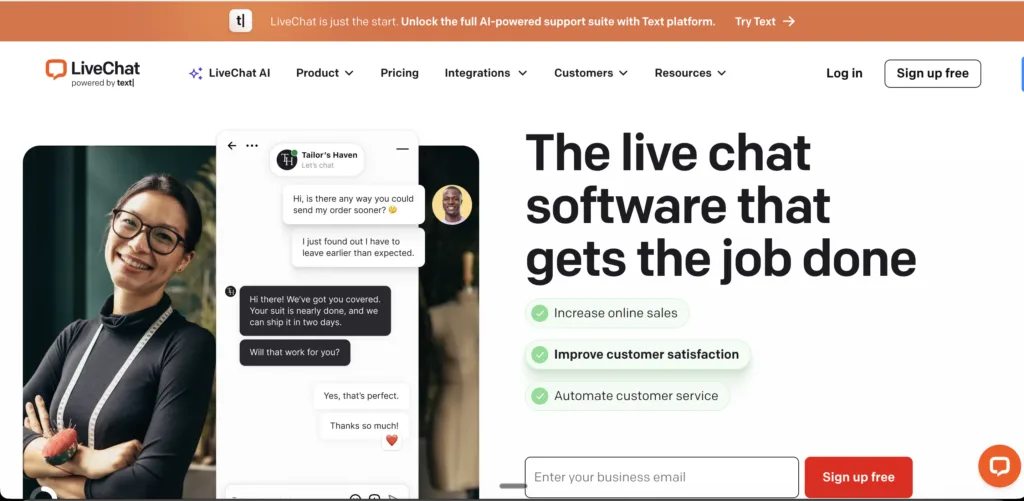
The ceiling shows up in automation. If you want sophisticated bot flows, deep ticketing, or AI-driven resolution — you’ll outgrow LiveChat faster than you’d like.
LiveChat’s Top Features
- Highly Customisable Widget: Detailed design control over colours, themes, and positioning to match brand identity precisely.
- Sneak Peek: Agents see what customers are typing before they send — enabling faster, more relevant responses.
- Canned Responses: Library of saved replies for FAQs, with easy categorisation for large teams.
- Chat Transcripts: Automatically saved and emailed to both parties — no manual record-keeping.
- E-Commerce Focus: Integrates with Shopify and WooCommerce to display product cards directly in chat.
- Mobile Apps for Agents: Full iOS and Android functionality for on-the-go support coverage.
LiveChat’s Pros
- Lightning-fast performance: The chat widget loads instantly. No lag, no spinner, no lost customers.
- Minimal learning curve: Both agents and admins find it intuitive. Onboarding takes hours, not weeks.
- Rich chat UX: File sharing, transcripts, canned responses, and sneak peek — agents have what they need without friction.
- Flexible integrations: CRMs, e-commerce platforms, helpdesks — LiveChat slots into existing workflows cleanly.
- Detailed visitor insights: Real-time data on location and browsing behaviour lets agents personalise interactions on the fly.
LiveChat’s Cons
- Per-agent pricing scales poorly: Costs climb quickly as team size grows. SMBs approaching 10+ agents feel the pinch.
- Basic automation: Chatbot and proactive engagement features lag behind Intercom, Drift, and Kayako. Mostly reactive.
- Mobile app gaps: Some desktop functionality doesn’t translate to mobile. Remote agents can feel limited.
- Customisation ceiling: Chat widget design options are good but not granular enough for brand-obsessed teams.
- Inconsistent support quality: Some users report slow follow-ups on technical issues — not ideal when chat is down.
LiveChat’s Pricing
- Starter: $20/agent/month (annual) — basic chat
- Team: $41/agent/month — ticketing and reporting
- Business: $59/agent/month — advanced features including work scheduler
- Enterprise: Custom pricing
- Free Trial: 14 days
|
6. Tidio — The Budget-Friendly AI Chatbot for Small Businesses
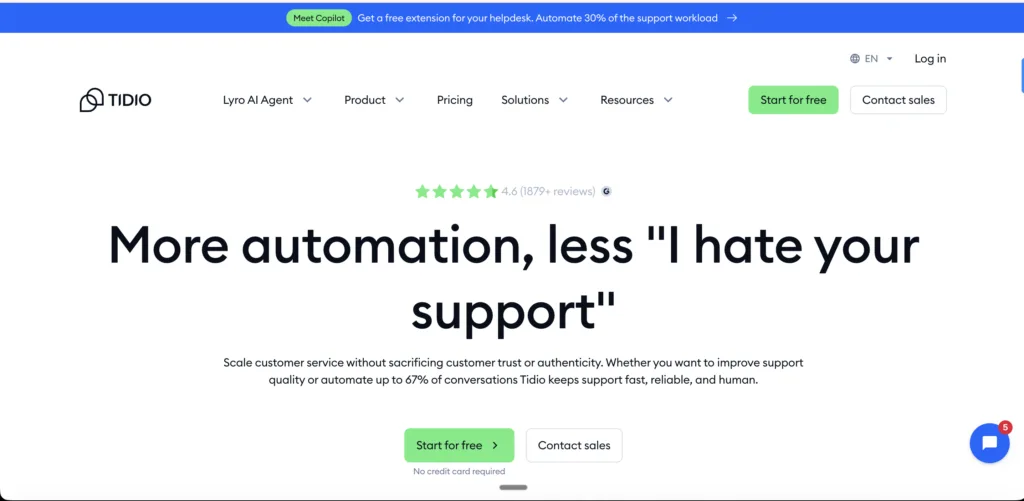
For startups and small businesses that want AI chatbot capability without enterprise-level investment, Tidio punches well above its price point. Its Lyro AI chatbot handles natural language queries — not just keyword-matching — and its free tier is genuinely usable. If your team is small, your queries are mostly FAQs, and your budget is tight, Tidio is a smart starting point.
The ceiling arrives when your needs get complex. Ticketing depth, analytics granularity, and scalability all have limits here.
See: Tidio alternatives.
Tidio’s Top AI Features
- Lyro AI Chatbot: NLP-powered responses to nuanced queries — not just scripted rule trees. A meaningful step up for the price point.
- Visual Bot Builder: Drag-and-drop workflow creation. Non-technical users can build decent automation without dev help.
- Abandoned Cart Recovery: Automated chat messages to recover lost e-commerce sales based on user behaviour.
- Multichannel Inbox: Website chat, email, and Messenger unified in one dashboard.
- Visitor Insights: Location and browsing data visible during live chats for personalised responses.
Tidio’s Pros
- Exceptional value for startups: The free tier supports 3 agents and 50 conversations/month — more than most competitors offer free.
- Genuinely quick setup: Plug-and-play, especially with Shopify. Technical users are live in under an hour.
- Effective for basic automation: FAQ deflection and lead capture work well for teams not needing complex workflows.
- Multichannel communication: Chat, email, and Messenger in one inbox prevents unnecessary tool sprawl for small teams.
- Clean visual bot editor: Drag-and-drop simplicity lowers the barrier for first-time chatbot builders.
Tidio’s Cons
- Limited depth for complex support: Beyond basic chat and FAQ bots, Tidio struggles. Ticketing, SLAs, and analytics are surface-level.
- Scalability ceiling: Teams above ~10 agents or high chat volume quickly hit plan limits — and the pricing jump to Scale is significant.
- Bot accuracy inconsistency: Without advanced AI, responses can misfire on nuanced queries, frustrating customers.
- Basic reporting: No deep analytics. Hard to track long-term trends or measure deflection rates meaningfully.
- Slow vendor support: Technical issues and billing queries don’t always get fast responses.
Tidio’s Pricing
- Free: $0 — 1 agent, 50 chats/month
- Starter: $29/month — 3 agents, 100 chats
- Team: $59/month — unlimited chats, 5 agents
- Scale: $329/month — advanced AI and automation
- Free Trial: 7 days on paid plans. Lyro AI add-on from $39/month.
7. Crisp — The All-in-One Messaging Platform for Budget-Conscious Teams
If you’re looking for live chat software that does more than most platforms at a fraction of the price, Crisp deserves a serious look. It combines live chat, email, social DMs, and SMS into a unified inbox — with a co-browsing feature that bigger platforms charge significantly for. The free plan is genuinely useful, and even the Unlimited tier at $95/month covers unlimited users.
Where Crisp falls short is in automation depth and enterprise scalability. It’s a brilliant tool for small and growing teams; it’s not ServiceNow.
Also See: Crisp alternatives.
Crisp’s Top Features
- MagicMap: Real-time visitor map showing locations and browsing activity — unique visual insight for proactive outreach.
- Co-Browsing (MagicBrowse): Agents see and interact with the customer’s screen in real time — powerful for tech support and onboarding.
- Unified Inbox: Chat, email, Twitter DMs, and SMS in one place. No tool juggling.
- Multilingual MagicType: On-the-fly translation of both agent and customer messages during live chats.
- Knowledge Base Integration: Help centre embedded directly in the chat widget for instant self-service.
- Status Pages: Public uptime pages for proactive communication during outages — a niche feature most competitors don’t include.
Crisp’s Pros
- Best-value all-in-one communication: The Unlimited plan at $95/month/workspace for unlimited users is exceptional value.
- Generous free plan: Unlimited chat history and basic automations at $0 — more than most free tiers offer.
- Co-browsing is a genuine differentiator: Screen-sharing for support is usually a premium add-on. Crisp includes it.
- Multilingual support: Real-time translation breaks communication barriers for global teams at no extra cost.
- Customisable knowledge base: Self-service portal embedded in chat reduces repetitive ticket volume effectively.
Crisp’s Cons
- Automation depth is limited: Chatbot logic and proactive messaging fall short of Intercom or Kayako. Complex workflows hit walls.
- Add-on costs creep up: Video chat, advanced bots, and additional integrations are extra. The free plan is great; the extras add up.
- Occasional performance lag: Widget load delays and notification latency during high-traffic periods frustrate real-time support.
- Advanced tools have a learning curve: Basic features are intuitive; CRM integrations and trigger logic require technical depth.
- Inconsistent mobile experience: The mobile app lacks some desktop features. Remote agents notice the gap.
Crisp’s Pricing
- Basic: Free — 2 seats, basic chat
- Pro: $25/month/workspace — 4 users, advanced chat features
- Unlimited: $95/month/workspace — unlimited users, chatbots, and integrations
- Free Trial: 14 days on paid plans
8. HubSpot Live Chat — The Free CRM-Native Chat Tool
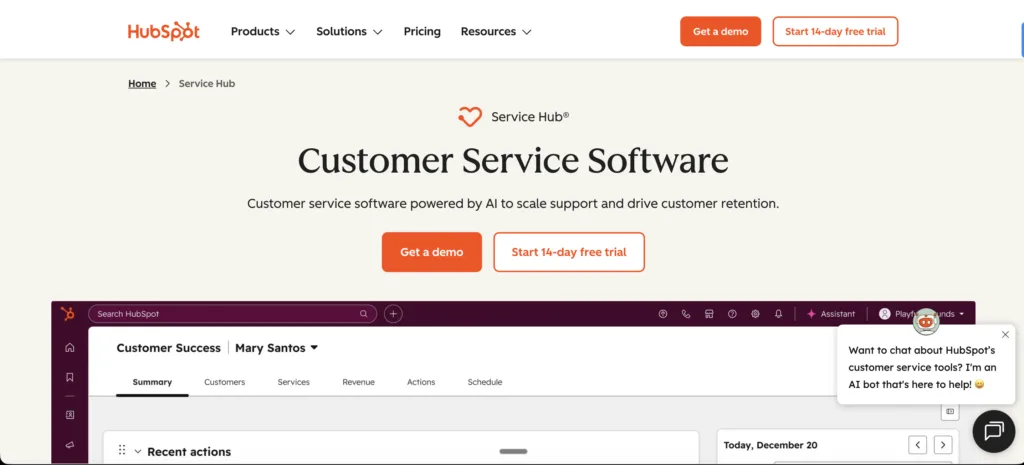
If you’re already in the HubSpot ecosystem, adding HubSpot Live Chat is the path of least resistance. It’s native to the CRM, free at the base tier, and syncs every conversation to contact timelines and deal pipelines automatically. For small teams using HubSpot for marketing and sales, it’s a natural extension.
For teams that aren’t HubSpot users, or who need real live chat depth — dedicated agents, complex routing, advanced bots — it feels underpowered. It’s a CRM add-on that also happens to be a chat tool, not the other way around.
See: HubSpot Service Hub alternatives.
HubSpot Live Chat’s Top Features
- Native CRM Integration: Every chat is automatically logged to HubSpot contacts, deals, and tickets — zero manual entry.
- Free Live Chat: Core chat, bots, and team inbox available at $0. Rarely matched at this price point.
- Marketing Automation Tie-In: Triggers chatbots or messages based on HubSpot workflows, connecting live chat to lead nurturing.
- Chatbot Builder: CRM-data-driven bot creation without external tools — personalised automation in the free tier.
- Team Collaboration Tools: Internal notes and Slack integration for seamless multi-agent handling of complex conversations.
HubSpot Live Chat’s Pros
- Free plan with real value: Live chat, ticketing, basic bots, and team inbox at $0. Hard to beat as a starting point.
- 360-degree customer view: Native CRM integration gives agents full contact history, deal stage, and lifecycle data during chat.
- Simple chatbot builder: No technical skill needed for basic lead capture and FAQ automation.
- Great collaboration tools: Internal notes and Slack integration support multi-agent conversations without confusion.
- Scales with HubSpot: As your business grows into HubSpot’s marketing and sales tools, live chat grows with it — no third-party dependencies.
HubSpot Live Chat’s Cons
- Limited depth on the free plan: Detailed analytics, advanced automations, and reporting all require paid upgrades.
- Basic chat functionality as a standalone: Co-browsing, robust multilingual support, and deep routing logic are absent. It’s a complementary tool, not a dedicated platform.
- Ecosystem lock-in: Full value only appears when paired with other HubSpot products. Standalone, it’s outgunned by dedicated chat tools.
- Pricing jumps sharply: Moving from free to Professional ($90/seat/month) is a significant leap for modest feature gains.
- Learning curve for full capability: Using live chat deeply with HubSpot CRM requires training investment that small teams don’t always have.
HubSpot Live Chat’s Pricing
- Free: $0 — up to 5 users, basic chat and bots
- Starter: $15/seat/month (annual) — ticketing and basic automation
- Professional: $90/seat/month — advanced reporting and tools
- Enterprise: $130/seat/month
- Free Trial: Free plan available; paid plans come with 14-day trial.
|
Live Chat Software Pricing Comparison at a Glance
A quick reference before we get into the decision framework. Remember: list price is never total cost. Factor in AI add-ons, seat overages, implementation costs, and ongoing admin before committing to any platform.
| Tool | Starting Paid Plan (per month) | Free Plan? | Free Trial? | Best For |
| Kayako | Custom – pilot-first pricing | 90-day pilot | Yes (pilot) | Mid-market AI-first support |
| Intercom | $74 | No | 14 days | Growing SaaS businesses |
| Zendesk Suite | $55/agent | No | 14 days | Enterprise omnichannel support |
| Drift | $2,500 | No | Demo only | B2B sales-driven teams |
| LiveChat | $20/agent | No | 14 days | SMBs and e-commerce |
| Tidio | $29 | Yes (limited) | 7 days | Startups and small businesses |
| Crisp | $25/workspace | Yes (limited) | 14 days | Budget-conscious SMBs |
| HubSpot Live Chat | $15/seat | Yes (limited) | 14 days | HubSpot CRM users |
Prices based on publicly available information. Always verify with vendors for current rates and custom enterprise pricing.
How to Choose the Best Live Chat Software for Your Team
Stop shopping on features. Start shopping on fit. Here’s the decision stack that avoids buyer’s remorse:
Step 1: Define Your Primary Motion
The biggest mistake teams make is buying for the wrong job. Before you look at a single feature:
- Sales-led, ABM-heavy: Prioritise Drift or Intercom. Pipeline conversion over ticket resolution.
- Support-led with complex SLAs: Shortlist Kayako or Zendesk. Ticket depth and AI resolution over lead generation.
- Product-led SaaS: Intercom’s in-app messaging and behaviour triggers are designed for your motion.
- Small team, tight budget: Tidio, Crisp, or HubSpot free. Start simple and scale when the numbers justify it.
Step 2: Map Your Channels — Today’s and Tomorrow’s
List the channels you must support at launch: web chat, mobile SDK, WhatsApp, email, social. Then list the channels you’ll likely add in the next 12 months. Ensure the platform supports today’s stack natively — and tomorrow’s via marketplace or API — before you sign a 12-month contract.
Step 3: Define the Automation Floor
What absolutely must be automated on day one? Routing? FAQ deflection? Meeting booking? Lead qualification? Choose the platform whose lowest-priced plan meets that bar — without requiring add-ons to get there. Add-on sprawl kills ROI faster than the wrong tool choice.
Step 4: Model True Total Cost of Ownership (12–24 Months)
This is where most buying decisions go wrong. The true cost of live chat software includes:
- Seat licences and usage-based costs (MAUs, contacts, messages)
- AI add-ons (chatbot, Fin AI, Lyro — these are often separate line items)
- Implementation and professional services
- Ongoing admin FTEs and training
- Knowledge base authoring and bot maintenance
- Messaging overages and data storage charges
Kayako’s $1 per ticket model with expert implementation included often produces a dramatically lower 12-month TCO than platforms that look cheaper per seat but require months of internal setup and ongoing maintenance.
Step 5: Test at Production Depth — Not Just in a Demo
“A demo is a best-case scenario. A pilot on a real queue tells you the truth.”
- Run a 2–4 week pilot on an actual support queue
- Track: deflection %, first response time, CSAT, agent NPS, setup hours
- Test mobile performance, widget load speed, and routing latency under real conditions
- Security review: SSO, audit logs, data residency, GDPR/HIPAA compliance
Step 6: Validate Analytics Depth
Ensure you can track these without exporting to spreadsheets: time to first response, resolution rates, deflection rates, funnel attribution, and CSAT. If the analytics require a data export to answer basic operational questions, that’s admin overhead that never goes away.
Step 7: Plan the Migration
- Confirm import of historical conversations, KB articles, and routing rules
- Get a migration playbook and SLA from the vendor before signing
- Plan for a hypercare period post-launch with weekly metric reviews
Which Live Chat Software Should You Choose?
The short version:
- For AI-native live chat with expert implementation and proven ROI: Kayako — best for mid-market teams scaling support without scaling headcount.
- For comprehensive enterprise omnichannel: Zendesk — if you need a mature platform and have the admin resources to configure it. See: Zendesk alternatives.
- For personalised SaaS messaging and proactive engagement: Intercom — powerful for product-led growth. Watch the pricing. See: Intercom alternatives.
- For B2B sales conversion via chat: Drift — if pipeline generation is the primary metric. See: Drift alternatives.
- For simple, fast e-commerce chat: LiveChat — clean, reliable, minimal learning curve.
- For startups with AI chatbot needs on a budget: Tidio — strong free tier with Lyro AI. See: Tidio alternatives.
- For budget-conscious all-in-one messaging: Crisp — exceptional value, especially for small teams. See: Crisp alternatives.
- For HubSpot-native teams: HubSpot Live Chat — the free tier is a genuinely useful starting point if you’re already in the ecosystem.
The right answer is the one that fits your motion, your team size, and your 12-month budget — not the one with the longest feature list. Pilot first. Measure everything. Let the data decide.
|