SaaS vs PaaS comes down to how much of the technology stack you manage yourself. With SaaS, you use finished software over the internet; with PaaS, you build applications on a platform someone else maintains; and with IaaS, you rent raw computing infrastructure. This guide defines all three models, gives real examples of each, compares them side by side, and helps you choose the right one for a given job.
Almost every piece of software a business touches today runs in the cloud, but not in the same way. The tool your team logs into, the platform your developers build on, and the servers running underneath are three different layers of the same stack, and the cloud industry has a name for each. The market behind them is enormous: cloud computing reached roughly $943 billion in 2025 and continues to grow at around 20% a year (Techjury).
Understanding SaaS vs PaaS, and where IaaS fits alongside them, is really about understanding how much of that stack you want to manage. The three models trade control for convenience in opposite directions, and picking the wrong one means either paying for complexity you do not need or hitting a ceiling you cannot break through. A finance team does not want to manage servers, and a platform engineering team does not want to be boxed into a rigid application template, so the same word, cloud, means very different things depending on where you sit. This guide explains each model, shows real examples, and gives you a simple way to choose.
What are cloud service models?
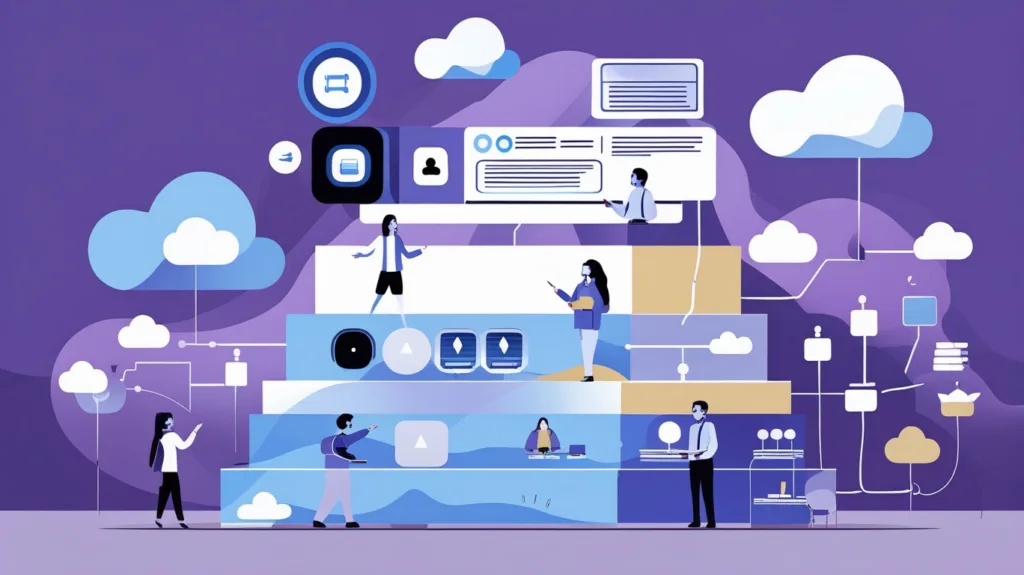
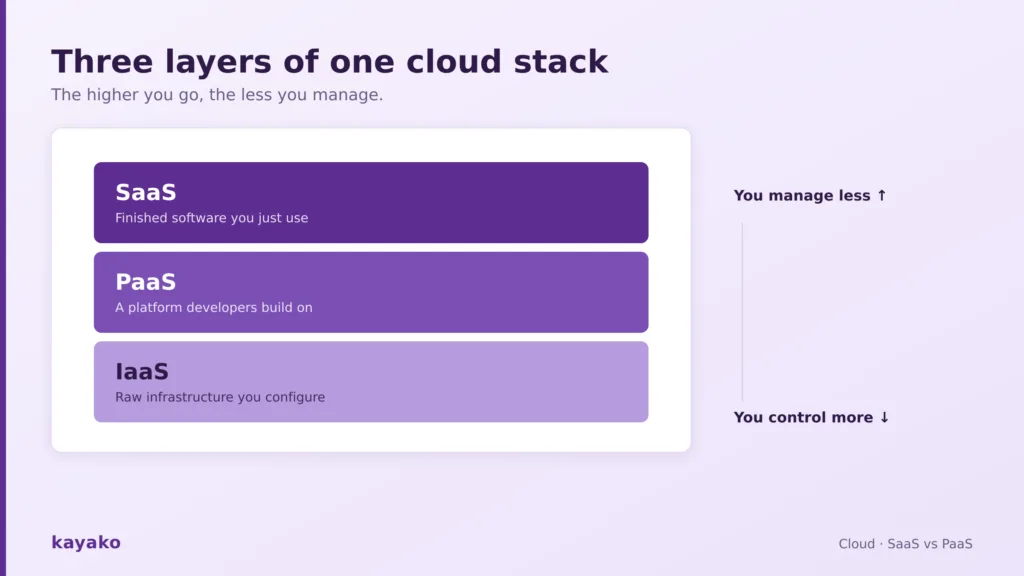
Cloud computing is delivered in three main service models, usually pictured as a stack. At the bottom sits IaaS, infrastructure as a service, which provides the raw building blocks of servers, storage, and networking. In the middle sits PaaS, platform as a service, which adds the tools and environment developers need to build and run applications. At the top sits SaaS, software as a service, the finished applications that end users actually open and use.
The difference between them is a question of responsibility. As you move up the stack from IaaS to SaaS, the provider takes on more of the management burden, and you take on less, trading control for convenience at every step. A helpful way to hold this in mind is that IaaS gives you the most control and the most work, SaaS gives you the least of both, and PaaS sits in between.
This layered structure is why the three are so often drawn as a pyramid. Every application, no matter which model you interact with, ultimately runs on infrastructure; the models simply differ in how much of that underlying stack is hidden from you. A SaaS user never sees the servers their software runs on, a PaaS developer never sees the operating system their code deploys to, and an IaaS administrator sees and manages nearly all of it. Starting from the top of the stack, SaaS is the model most people already know.
What is SaaS? (definition and examples)
Software as a service is ready-to-use software delivered over the internet, where the provider hosts, maintains, updates, and secures everything, and you simply log in and use it. There is nothing to install or manage, and you typically pay a per-user subscription that scales with your team. SaaS is the largest of the three segments by far, worth roughly $505 billion and anchoring most cloud spending (Techjury). Its dominance makes sense because most organizations need finished software far more often than they need to build their own.
The examples are everywhere. Gmail and Outlook are SaaS email; Slack is SaaS messaging; Salesforce is SaaS CRM; and a customer support platform like Kayako is SaaS too, delivered to teams over the web with no servers to run. If you use software without ever thinking about the machine it runs on, it is almost certainly SaaS. Even a knowledge base tool that your team uses to document processes is delivered this way.
The appeal of SaaS is speed and simplicity. There is no setup, no maintenance, and no in-house expertise required to keep it running, which is why it dominates business software. The trade-off is control: you take the software largely as it comes, you depend on the vendor for uptime and security, and your data lives on their systems. For the vast majority of business needs, that is a trade most teams happily make, because the alternative is running software they have no reason to run. That total lack of infrastructure concern is the opposite of what happens one layer down.
What is PaaS? (definition and examples)
Platform as a service provides a complete environment for building, deploying, and running applications, without the team having to manage the underlying servers, storage, or operating systems. Developers get the tools, runtimes, and databases they need, and the provider handles everything beneath. It is aimed at builders rather than end users, which is why most people never interact with PaaS directly, even though they use apps built on it every day.
Common examples include Google App Engine, Microsoft Azure App Service, Heroku, and Red Hat OpenShift. A development team uses these to ship an application without provisioning a single server. PaaS is a fast-growing segment, worth around $208 billion and expanding at roughly 22% a year (CloudZero). It removes the infrastructure work while keeping the freedom to build custom software, which is the balance that makes it valuable.
The benefit of PaaS is developer speed. A team can go from idea to deployed application without hiring anyone to manage servers, patch operating systems, or configure networking, which shortens development cycles considerably. The drawback is a degree of lock-in and less control over the environment: you build within the platform’s constraints, and moving to a different provider later can be real work. For teams whose priority is shipping software rather than running infrastructure, that is usually an acceptable price. Below PaaS lies the layer that gives you the most control of all.
What is IaaS? (definition and examples)
Infrastructure as a service provides the fundamental computing resources, virtual servers, storage, and networking that you rent and configure yourself. The provider maintains the physical hardware and data centers, but everything above that, the operating system, the runtime, the applications, is yours to manage. IaaS offers the most control and flexibility of the three models, at the cost of the most work.
The best-known examples are Amazon EC2, Google Compute Engine, and Microsoft Azure Virtual Machines. A company uses IaaS when it wants cloud economics without giving up control of its environment, such as running custom or legacy software that a platform would not accommodate. IaaS is the fastest-growing segment of the three, worth around $180 billion and expanding at roughly 26% a year (CloudZero).
The advantage of IaaS is flexibility. You can build almost any environment you need, scale it up or down on demand, and pay only for what you use, all without owning a data center. The cost is responsibility: your team handles the operating systems, security patching, and configuration, which requires real technical skill and staffing. IaaS suits organizations that need control and have the expertise to wield it, and it underpins a great deal of what runs on the other two models, since many SaaS and PaaS products are themselves built on IaaS. With all three models defined, the differences are easiest to see side by side.
SaaS vs PaaS vs IaaS: the key differences
The three models differ mainly in who manages what and who each is built for. This table lays out the practical distinctions.
| IaaS | PaaS | SaaS | |
|---|---|---|---|
| You manage | OS, apps, data | Apps and data | Nothing, just use it |
| Provider manages | Hardware, network | Everything but your app | Everything |
| Built for | IT and sysadmins | Developers | End users |
| Control | Highest | Medium | Lowest |
| Examples | AWS EC2, Azure VMs | Heroku, App Engine | Gmail, Salesforce, Kayako |
The pattern is consistent: the higher up the stack you go, the less you manage, and the less you control. Cost models follow the same logic. SaaS is usually a predictable per-user subscription, PaaS often bills on application usage and resources, and IaaS tends to be the most variable, billed on the exact compute, storage, and bandwidth you consume. That variability is part of what you take on in exchange for control, and it is worth modeling before you commit to the lowest layer.

A simpler way to feel the overall trade-off is with an analogy the industry loves.
The pizza-as-a-service analogy
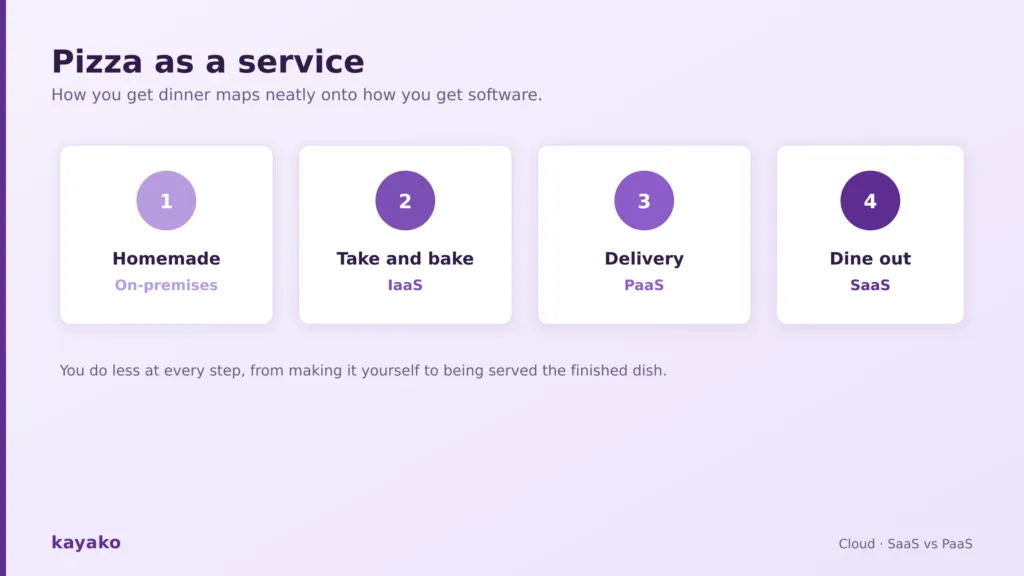
Cloud models are often explained with food, because the trade-off maps neatly onto how you might get dinner. Making a pizza at home from scratch is like running your own on-premises servers: you buy every ingredient, use your own oven, and do all the work. Take-and-bake, where you buy a prepared pizza and cook it in your oven, is like IaaS: the provider supplies the raw materials, but the environment is still yours to run.
Ordering delivery is like PaaS: the pizza is made and cooked for you, and you provide only the table and drinks, much as a developer provides only the application. And dining out at a restaurant, where everything from cooking to cleanup is handled, and you just eat, is SaaS: you enjoy the finished product and manage none of it. The same logic that decides how you get dinner can guide how you get software, and there are more models on the menu than the original three.
What about DaaS and other cloud models?
The three core models have been joined by a growing family of more specialized ones, often grouped under the label anything as a service. DaaS, desktop as a service, delivers full virtual desktops over the internet, so employees can work from a cloud-hosted machine on any device. CaaS, containers as a service, provides managed container orchestration for teams building with tools like Kubernetes. FaaS, functions as a service, runs individual pieces of code on demand without any server management at all, the model behind serverless computing.
These are variations on the same theme rather than replacements for it. Each takes one more piece of the stack off your hands and packages it as a subscription service, extending the logic of the original three models into more specific jobs. Knowing they exist is enough for most decisions, which come down to choosing among the three main models. The naming can get carried away, and you will occasionally see almost anything rebranded as a service, but nearly all of it reduces to the same principle: someone else runs a layer of the stack so you do not have to. Once you understand SaaS, PaaS, and IaaS, the rest of the family is easy to place.
How to choose the right cloud model
The right model depends on what you are trying to do and who is doing it. For most business functions, from email to CRM to customer support, SaaS is the obvious answer, because you want the software to work without running anything yourself.
If your team is building a custom application and wants to focus on the code rather than the servers, PaaS is the natural fit. And if you need full control over your environment, or you are running specialized or legacy software, IaaS gives you the cloud without the constraints.
In practice, most organizations use all three at once, often without labeling them, and rarely rely on a single provider. Only about 8% of companies use just one infrastructure provider, while the large majority run a hybrid or multi-cloud setup that blends models and vendors (CloudZero). The question is rarely which single model to adopt, but which model fits each specific job.
A few concrete scenarios make the choice clearer. A small business that needs email, accounting, and customer support should reach for SaaS every time, because none of those are worth running yourself, and you can track how well the tools serve you through your support metrics rather than server dashboards.
A startup building a new product picks PaaS to move fast without an infrastructure team. An enterprise migrating a complex legacy system that needs specific configurations chooses IaaS for control. Most companies end up with a blend, and that is normal rather than a sign of indecision. Match the layer to the work, and the choice usually makes itself.
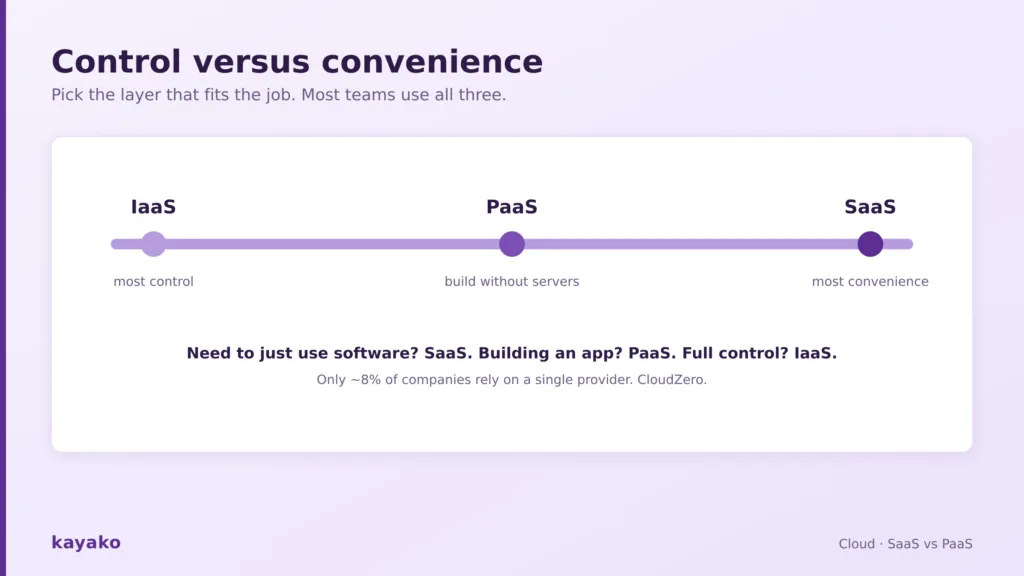
SaaS, PaaS, and IaaS are three layers of the same cloud stack, separated by how much you manage and how much control you keep. SaaS hands you finished software to use, PaaS hands developers a platform to build on, and IaaS hands you raw infrastructure to configure.
There is no best model in the abstract, only the right model for a given job: SaaS for software you want to just use, PaaS for applications you want to build without managing servers, and IaaS for full control over your environment. Match the layer to the task, expect to use more than one, and the cloud stack stops being jargon and becomes a simple map of who does the work.
Frequently asked questions
What is the difference between SaaS and PaaS?
SaaS delivers finished software you use over the internet, with the provider managing everything, so there is nothing to build or maintain. PaaS delivers a platform that developers use to build and run their own applications, with the provider managing the underlying servers and infrastructure but not the app itself. In short, SaaS is for end users who want to use software, while PaaS is for developers who want to build it.
What is PaaS with examples?
Platform as a service gives developers a complete environment to build, deploy, and run applications without managing the underlying infrastructure. The provider handles the servers, storage, operating systems, and runtimes, while the team focuses on their code. Common examples include Google App Engine, Microsoft Azure App Service, Heroku, and Red Hat OpenShift, all of which let a team ship an application without provisioning any servers themselves.
What are examples of IaaS?
Infrastructure as a service provides rented virtual servers, storage, and networking that you configure yourself, while the provider maintains the physical hardware. The best-known examples are Amazon EC2, Google Compute Engine, and Microsoft Azure Virtual Machines. Teams choose IaaS when they want cloud economics with full control over the operating system and software, such as when running custom or legacy applications that a managed platform would not support.
Is SaaS better than PaaS or IaaS?
No single model is better; they solve different problems. SaaS is best when you want to use software without managing anything, which covers most business functions like email, CRM, and customer support. PaaS is best for developers building custom applications who do not want to manage servers. IaaS is best when you need full control of your environment. Most organizations use all three at once, matching each model to the job it fits.
What is the pizza-as-a-service analogy?
It is a popular way to explain cloud models using how you get dinner. Making pizza from scratch at home is like on-premises servers, where you do everything. Take-and-bake is like IaaS, where you get the ingredients but cook in your own oven. Delivery is like PaaS, where the pizza is made for you and you just provide the table. Dining out is like SaaS, where everything is handled, and you simply enjoy the finished product.