The first thing worth saying about sales prospecting tools is that four of the ten below do not publish a price at all. ZoomInfo, Cognism, Outreach, and Salesloft all require a sales conversation before you learn what they cost, and that is not an accident. It is a negotiating position, and knowing that going in is worth more than any feature comparison.
I have bought, renewed, and canceled most of this list. I have signed a ZoomInfo contract and spent the next year justifying it. I have watched a team buy Clay, never learn it, and quietly stop logging in. The pattern is always data accuracy in the regions you actually sell into, and the credit maths nobody models before signing. Reps already spend only about 40% of their time selling, per Salesforce figures cited by Qwilr. The wrong tool here does not fix that. It adds a subscription to it.
How I evaluated these prospecting tools
These are the criteria that decide whether a prospecting tool earns its renewal.
- Data accuracy in your region. US direct dials and European mobile numbers are different products. Almost every complaint in this category traces to buying a US-centric database for EU outbound.
- The credit maths. Most of these prices are on credit. Model your real monthly volume before signing, because credits are where the bill escapes the plan.
- Job to be done. Data, engagement, and signal are three different purchases. Buying an all-in-one to do one job well is how teams overspend.
- Contract terms. Multi-year lock-ins and auto-renewal clauses are the norm at the enterprise end. Read them before the demo impresses you.
One disclosure: I work at a customer support company, not a prospecting vendor, so I have no side to take here. Kayako appears once at the end, in the honest place it belongs, which is long after prospecting has done its job. Pricing moves constantly, so confirm every figure at checkout.
Filling the pipeline but losing customers after the sale? That is a support problem, and I will map it with you.
Data and enrichment tools
These tools answer one question: who do I contact and how do I reach them? Get this layer wrong and everything downstream is wasted effort.
1. Apollo.io: the best value all-in-one, if you verify the data
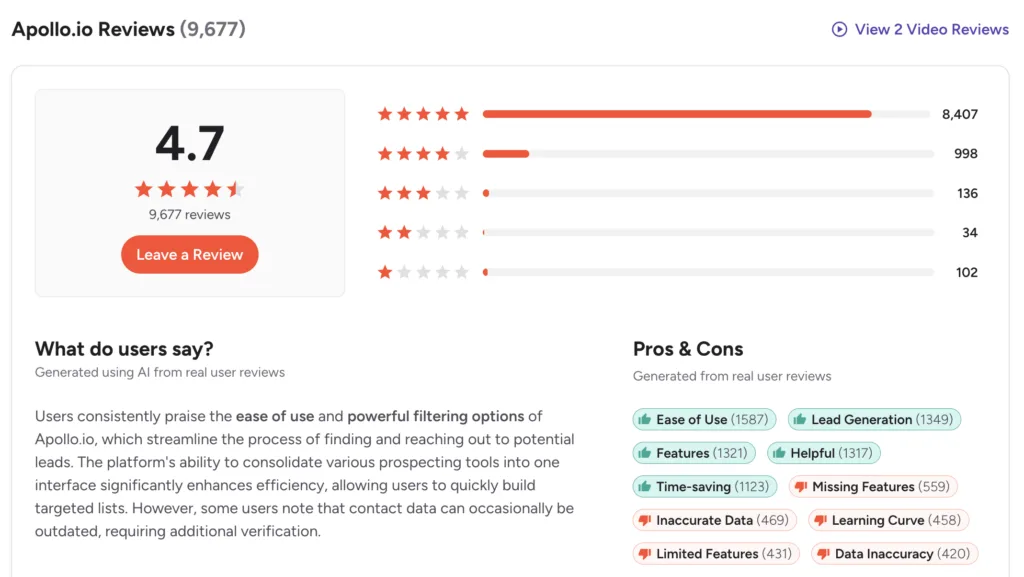
Apollo bundles a large contact database, sequencing, a dialer, and enrichment into one affordable subscription with a genuinely usable free plan. For startups and small teams, it is the best value here, and the free-forever tier lets a rep test the data on their own list before paying anything. The practitioner consensus on r/sales is worth repeating: use Apollo for sourcing and sequencing logic, then send through a specialist tool for deliverability.
- Pros: unbeatable price for the bundle, month-to-month billing, and a free plan that is actually useful. Strong ratings across more than 9,000 user reviews on G2.
- Cons: Data accuracy outside the US is the recurring complaint, and the credit system gets expensive fast. Many teams verify exported lists before sending. Its all-in-one breadth means nothing here is best in class.
- Pricing: free plan available. Paid tiers run roughly $49, $79, and $119 per user per month on annual billing. Verify current tiers, since Apollo repackages regularly.
▶ How to use Apollo.io: full 2026 tutorial (YouTube)
A hands-on walkthrough of Apollo’s search, enrichment, and sequencing, useful for judging the workflow before you buy.
2. ZoomInfo: the best US data, at a price that requires a business case
ZoomInfo has the deepest B2B database available, especially US direct dials, and reps consistently call its mobile data the best there is. For a team making 200 calls a day, separately verified direct dials are often the single feature that justifies the contract. Be honest with yourself about two things: the price is genuinely enterprise, and European coverage is weaker than the US, which is why teams selling into the EU end up adding Cognism anyway.
- Pros: best-in-class US direct dials and mobile data, intent data, and strong CRM integrations. Reps rate the data quality highly on user reviews on G2.
- Cons: pricing runs into tens of thousands a year, multi-year contracts are standard, and the renewal terms catch teams out. European coverage trails. This is a procurement project, not a purchase.
- Pricing: no public pricing. Quote-only annual contracts, commonly cited in the tens of thousands a year and scaling with seats, credits, and modules. Budget for a negotiation and a legal review.
3. Cognism: the answer for compliant European data
Cognism specializes in GDPR-compliant, phone-verified mobile numbers with deep international coverage, which is exactly where the US-centric tools fall short. If you sell into the UK and Europe, phone-verified mobiles cut the wasted dials that a GDPR-thin database produces, and that is the entire value proposition. It sits at the premium end, and it does not pretend otherwise.
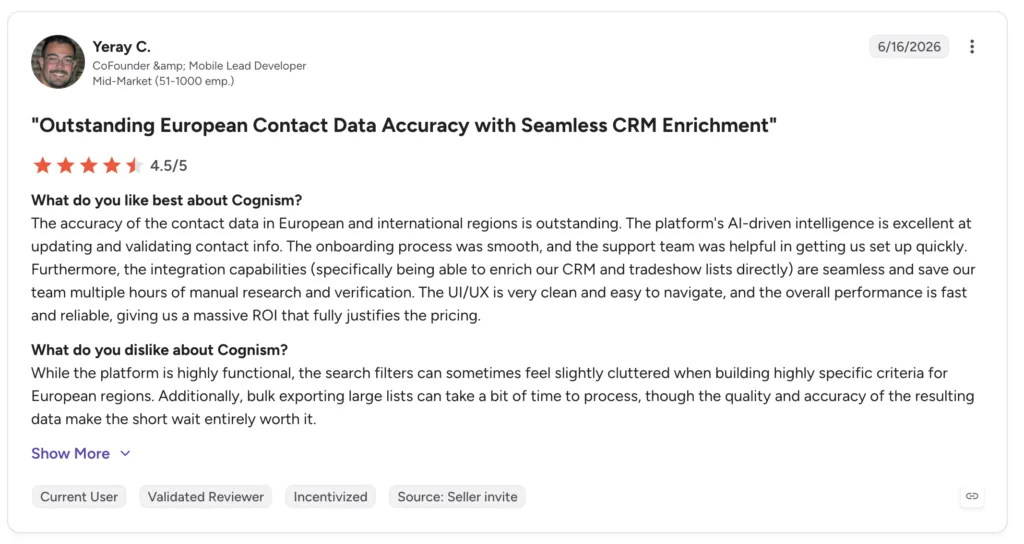
- Pros: verified mobile data and a genuine compliance posture for European outreach. Reviewers on user reviews on G2 highlight both consistently.
- Cons: premium pricing, no free tier, and less US depth than ZoomInfo. Teams selling both sides of the Atlantic often end up paying for two databases, which is a real cost nobody budgets for.
- Pricing: no public pricing. Quote-only annual contracts based on seats and data packages.
4. Lusha: the quickest way to grab a contact
Lusha’s browser extension pulls emails and phone numbers as you browse LinkedIn, with a low entry price and a free tier. It fits reps who need fast, occasional lookups rather than bulk list-building, and it is commonly the first paid tool an individual rep buys before anyone is ready for an enterprise contract. Judge it as an extension, not a database.
- Pros: fast, simple, and cheap to start, with a free tier. Users praise the speed of the extension in user reviews on G2.
- Cons: limited credits on lower tiers and a smaller database than the enterprise players. Not a system of record.
- Pricing: free tier with limited credits. Paid plans commonly cost around $36 per user per month, with credit limits per tier. Verify current tiers and credit allowances.
5. Seamless.ai: a real-time search engine, with real-time variance
Seamless.ai builds contact lists on the fly and offers a free tier to start, which makes it an easy first test. Most teams I know treat it as a supplement to a primary data source rather than a system of record, and I would too. Trial the data on your own ICP before committing to anything, because accuracy is the whole question here.
- Pros: real-time search and a free entry point that lets you test before paying.
- Cons: Inconsistent data accuracy is the recurring theme on user reviews on G2, along with a persistent sales and renewal experience that reviewers often raise. Trial it on your own list first.
- Pricing: free tier available. Paid pricing is quote-based and not published, which is worth factoring into your evaluation.
6. RocketReach: broad lookups, no outreach layer
RocketReach covers a very large set of professionals for finding emails and phone numbers, and skips the outreach layer entirely. That is a feature rather than a gap: it slots neatly into a stack alongside a dedicated sequencer, and the per-lookup pricing suits reps who need occasional contacts rather than a platform. Do not buy it expecting a workflow.
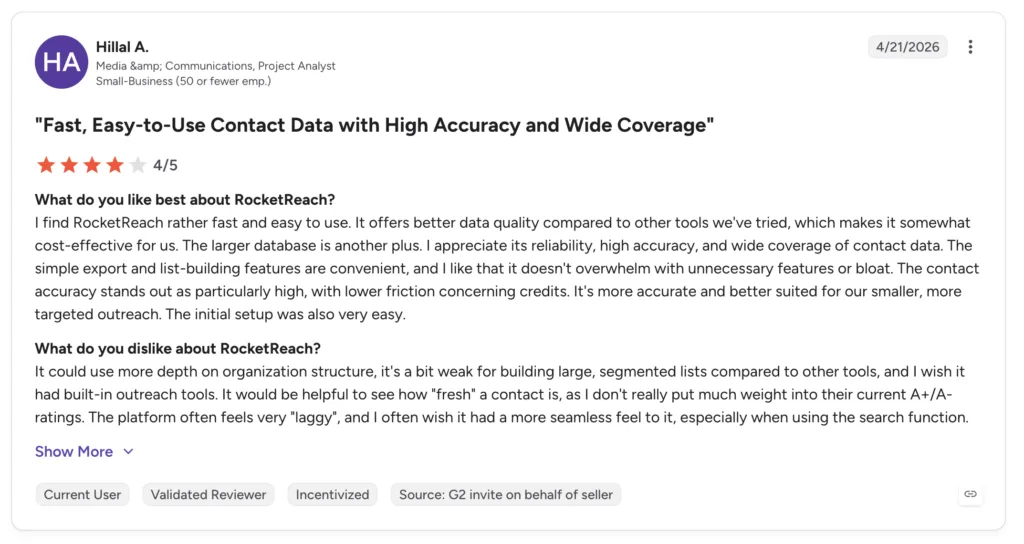
- Pros: breadth of contacts and simple lookups. Clean fit as a data source feeding your own sequencer, per user reviews on G2.
- Cons: data-only, so accuracy varies, and you pair it with a separate outreach tool. No workflow, no sequencing, no dialer.
- Pricing: commonly cited from around $39 per month for an entry tier, rising through mid and top tiers with larger lookup allowances. Verify current tiers.
Data tools win the meeting. Kayako makes sure support does not lose the customer afterward.
Engagement and sequencing tools
These run the outreach itself. Both leaders here are excellent, expensive, and quote-only, which tells you who they are built for.
7. Outreach: the enterprise standard for process discipline
Outreach runs sophisticated multi-step, multi-channel sequences with deep analytics and AI guidance. It suits larger teams that want to standardize and measure outbound at scale, where consistency across dozens of reps matters more than any single feature, and the reporting justifies the spend to leadership. For a ten-person team, it is almost certainly overkill.
- Pros: automation depth, strong analytics, and it genuinely enforces a consistent process across a team. Praised in user reviews on G2.
- Cons: expensive and more than a small team needs. Real onboarding is required, and the learning curve is not trivial.
- Pricing: no public pricing. Quote-only annual contracts, per user, commonly cited around $100 per user per month and up, depending on modules and volume.
8. Salesloft: engagement plus coaching in one platform
Salesloft is the tool most often compared head-to-head with Outreach, and the honest differentiator is coaching. It pairs strong cadences with conversation intelligence, so managers improve rep performance rather than only automating sends. That makes it a natural fit for organizations running structured onboarding and ramp for new reps, which is a real and underrated reason to choose it.
- Pros: cadence management plus coaching and analytics in one place. Users value the conversation intelligence on user reviews on G2.
- Cons: like Outreach, cost and learning curve suit mid-market and enterprise rather than small teams. No free tier and no self-serve entry.
- Pricing: no public pricing. Quote-only annual contracts priced per user, in the same band as Outreach.
Signal and LinkedIn tools
These surfaces know who to contact in the first place, which is a different job from finding their email.
9. LinkedIn Sales Navigator: the network is the moat
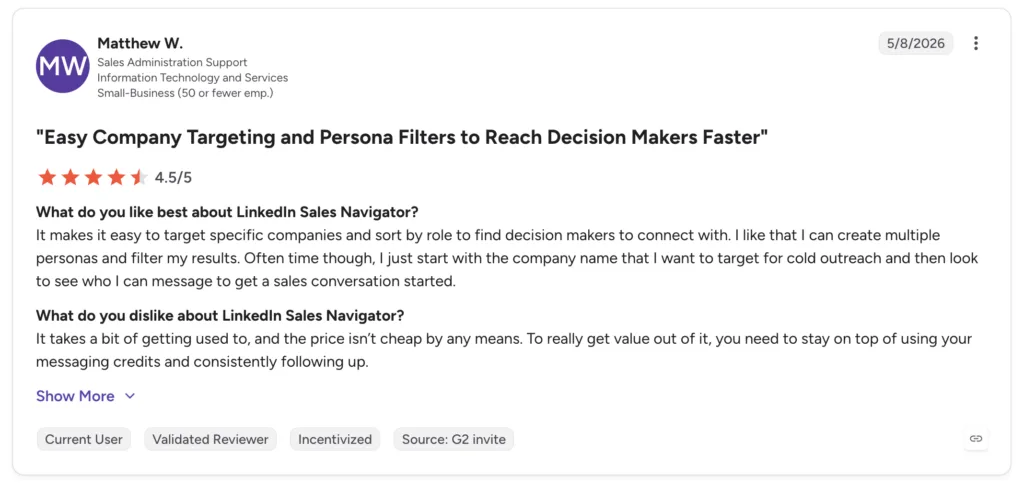
Sales Navigator offers advanced targeting, lead recommendations, and buying signals inside the network where B2B buyers actually are, plus InMail to reach people without a verified email on file. It fits relationship-led and account-based selling, where a warm path beats a cold email every time. Nearly every team pairs it with a data tool because it deliberately does not give you contact details.
- Pros: the best targeting and buying signals available, and warm-intro paths nothing else can replicate. Rated highly on user reviews on G2.
- Cons: no contact emails and no exports, by design, so it is always a second line item alongside a data tool. Per-seat pricing adds up across a team.
- Pricing: commonly cited from around $99 per month for the core tier, rising to roughly $179 for the advanced tier, with an enterprise tier quoted on request. Verify current tiers.
10. Clay: the power tool that rewards the setup time
Clay pulls from many data providers in a single waterfall, then uses AI to research and personalize at scale. For technical, growth-minded teams that treat prospecting as an engineering problem, nothing else here comes close. The failure mode is equally clear, and I have watched it happen: a team buys Clay, nobody learns it properly, and the subscription quietly becomes shelfware.
- Pros: enrichment power and automation that genuinely replace manual research. The waterfall approach beats any single data source. Reviewers on user reviews on G2 are enthusiastic.
- Cons: a steep learning curve is the universal complaint, and credit costs add up quickly. It rewards teams willing to invest real setup time and punishes those who are not.
- Pricing: free tier available. Paid plans commonly cost around $149 per month, rising steeply with credits and seats. The credit model is the line item to model carefully.
All 10 sales prospecting tools: pricing compared
A quick reference. Note how many say quote only, which is the most useful column on this table.
| Tool | Category | Best for | Entry price | Free tier |
|---|---|---|---|---|
| Apollo.io | Data + engagement | All-in-one on a budget | ~$49/user/mo | Yes |
| ZoomInfo | Data + intelligence | US direct dials | Quote only, high | Trial |
| Cognism | Data + enrichment | Compliant EU data | Quote only | No |
| Lusha | Data + enrichment | Fast, simple lookups | ~$36/user/mo | Yes |
| Seamless.ai | Data + enrichment | Real-time lead search | Quote only | Yes |
| RocketReach | Data only | Broad contact lookups | ~$39/mo | Trial |
| Outreach | Engagement | Enterprise sequencing | Quote only, ~$100/user | No |
| Salesloft | Engagement | Cadences and coaching | Quote only | No |
| Sales Navigator | Signal + LinkedIn | LinkedIn targeting | ~$99/mo | Trial |
| Clay | Signal + enrichment | Automated enrichment | ~$149/mo | Yes |
Pricing is checked against vendor pages and review platforms at the time of writing and changes often. Quote-only tools require a sales conversation. Verify directly before purchasing.
How to choose sales prospecting tools
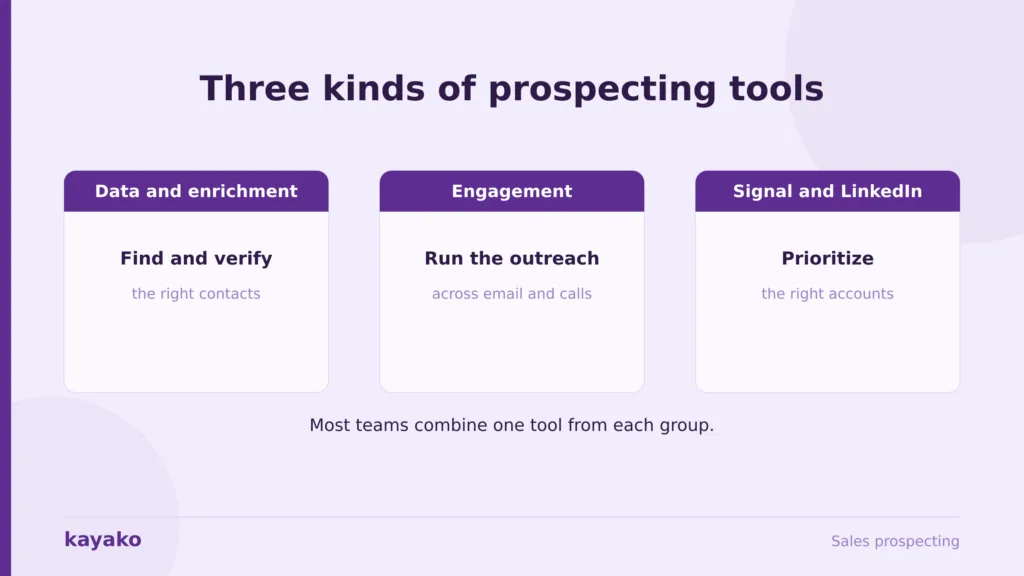
Three questions get you to a stack. Most teams need two or three tools, not one.
Which regions do you actually sell into?
This decides more than anything else. ZoomInfo for US direct dials, Cognism for compliant European mobiles. If you sell both, you will probably pay for both, and it is better to know that now than at renewal. Buying a US-centric database for EU outbound is the single most common expensive mistake in this category.
Which job are you buying?
Data, engagement, and signal are three different purchases. Apollo bundles all three cheaply and does none of them best. If you already run Outreach or Salesloft, buy data alone and feed it in. If you have nothing, Apollo is the sensible starting point precisely because it is adequate at everything.
Then model the credits, not the seats
Almost every tool here prices on credits on top of seats, and that is where the bill escapes the plan you priced. Take your real monthly volume, multiply it out, and add 30%. Then negotiate: at the enterprise end, published prices are a starting position and multi-year commitments are the main lever.
Want me to map these ten against your regions, volume, and budget?
Which prospecting tool should you choose?
- Startups and small teams on a budget: Apollo.io, verified before sending.
- US outbound at volume with budget: ZoomInfo, once you have a business case.
- UK and European outbound: Cognism, for compliant verified mobiles.
- Occasional lookups for individual reps: Lusha.
- A data source feeding your own sequencer: RocketReach.
- Enterprise process discipline: Outreach, or Salesloft if coaching matters more.
- Relationship-led and account-based selling: Sales Navigator, alongside a data tool.
- Technical growth teams: Clay, if you will genuinely invest the setup time.
The best prospecting tool is the one with accurate data in the regions you sell into. Everything else is preference. Buy for the job, model the credits, and trial the data on your own ICP before you sign anything longer than a year.

After prospecting wins the deal: where support decides the outcome
Every tool on this page solves the front half of the problem: finding and reaching the customer. None of them touch the back half, which is keeping them once your reps have done the hard part. That gap is where I have watched more revenue leak than any data-quality problem, because a customer won through months of outbound and then failed by slow support churns anyway, and the pipeline has to replace them just to stay flat. Increasing retention by 5% can raise profits by 25% to 95%, per Bain.
This is the honest, secondary place Kayako fits in a prospecting conversation, and I will be direct that it is not a prospecting tool and plays no part in sourcing or closing. What it does is resolve post-sale questions fast enough that an expensively acquired customer stays, which is what turns a signed contract into lifetime value. Trilogy cut ticket age from 17.6 hours to under 2 minutes after adopting it. If your outbound is working and your churn is not, the data was never the problem.
Your reps win the customer. Kayako makes sure support does not lose them.
Frequently asked questions
What are sales prospecting tools?
Sales prospecting tools help reps find, research, and reach potential customers. They split into three jobs: data and enrichment tools that supply contact details, engagement and sequencing tools that run multi-step outreach, and signal tools that surface who is worth contacting. Most teams run two or three together rather than one, because the tools that bundle all three rarely do any of them best.
What is the best sales prospecting tool in 2026?
It depends on your region and the job to be done. Apollo.io is the best value all-in-one for startups and small teams. ZoomInfo leads on US direct dials for teams with a budget, and Cognism on compliant European mobile data. Outreach and Salesloft lead engagement at enterprise scale, Sales Navigator owns LinkedIn signal, and Clay is the most powerful enrichment tool for technical teams willing to learn it.
How much do sales prospecting tools cost?
Published entry pricing runs from free tiers on Apollo, Lusha, Seamless.ai, and Clay to around $36 to $49 per user per month for data tools, roughly $99 a month for Sales Navigator, and around $149 a month for Clay. Four of the ten publish nothing: ZoomInfo, Cognism, Outreach, and Salesloft are quote-only annual contracts, with ZoomInfo commonly cited in the tens of thousands a year. Model credit costs on top of seats, because that is where bills escape.
Which sales prospecting tool has the most accurate data?
It depends on the region. ZoomInfo is consistently rated best for US direct dials and mobile numbers, and reps say so repeatedly across G2 and r/sales. Cognism leads for GDPR-compliant, phone-verified European mobiles, where US-centric databases fall short. Apollo offers the best value but draws consistent criticism for accuracy outside the US. If you sell into both regions, most teams end up paying for two data sources.
What features should a sales prospecting tool have?
For data tools, look at verified contact accuracy in your regions, credit allowances, and CRM integration. For engagement tools, multi-step multi-channel sequencing, analytics, and coaching features. For signal tools, targeting depth and buying-intent data. Across all three, the details that matter most are the credit model and the contract terms, since those decide the real cost long after the feature comparison is forgotten.