
Discover the top 10 sales forecasting software tools in this expert evaluation. Compare features, pricing, accuracy, integrations, and pros & cons to choose the best solution for your sales team in 2025.
————————————————————————————————————————————————————————————————————-
Accurate sales forecasting isn’t a luxury anymore. It’s a strategic necessity.
The right sales forecasting software helps teams anticipate demand, allocate resources efficiently, and make data-driven decisions that can make or break revenue goals. But with so many options out there, picking the perfect tool feels overwhelming.
I’ve personally tested the top 10 sales forecasting solutions. This guide breaks down their unique strengths, potential drawbacks, pricing, and user feedback. You’ll walk away knowing exactly which tool fits your needs.
Research Methodology
I evaluated each platform based on these critical aspects:
- Forecasting Accuracy & Analytics: How well the tool predicts sales trends using historical data and AI-driven methods
- Ease of Use & Adoption: User interface intuitiveness, learning curve, and onboarding experience
- Integration Capabilities: Ability to sync with existing CRM, ERP, marketing, and communication platforms
- Customization & Flexibility: How adaptable the tool is to various sales processes and organizational structures
- Mobile Accessibility: Support for sales teams in the field or remote work scenarios
- Customer Support & Community: The availability and quality of technical support and educational resources
- Pricing Transparency & ROI: Cost-effectiveness relative to features offered
- User Feedback & Market Reputation: Real-world reviews and sentiment from diverse industries and company sizes
These parameters let me compare features and limitations objectively. I’m weighing pros and cons equally so you get the full picture.
1. Salesforce Sales Cloud
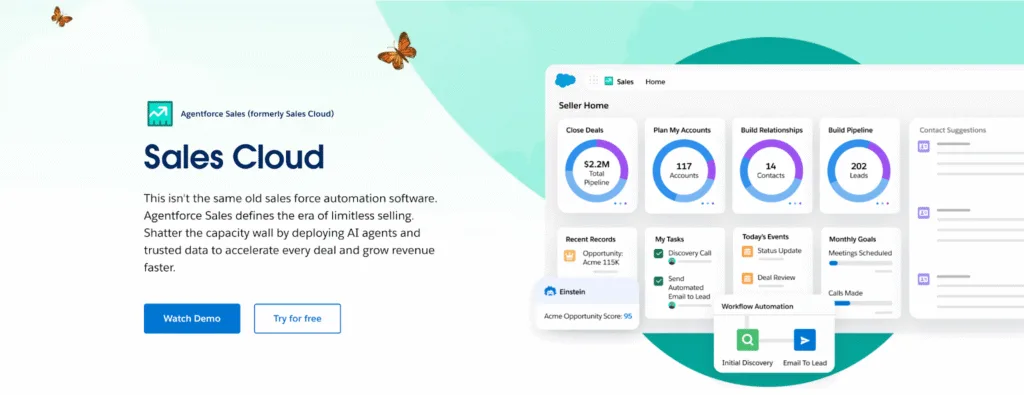
Salesforce Sales Cloud is a leading CRM platform designed to help businesses manage sales activities, customer interactions, and streamline sales processes. Its top feature is the extensive customization and integration capabilities. It’s best suited for enterprises of all sizes looking for a comprehensive, scalable CRM solution.
What Makes It Stand Out:
- Einstein Analytics: AI-driven insights and predictions to enhance sales performance and decision-making
- AppExchange Marketplace: Vast ecosystem of third-party apps and integrations to extend functionality
- Workflow Automation: Advanced automation tools for managing sales processes and reducing manual tasks
- Mobile Access: Full-featured mobile app for managing sales on the go
- Salesforce Communities: Facilitates collaboration between customers, partners, and employees within a secure environment
- Data Security and Compliance: Robust security features and compliance with various international standards
- Service Cloud Integration: Seamless integration with Salesforce Service Cloud for unified customer service and sales operations
- Trailhead Learning Platform: Comprehensive training and certification resources for users and administrators.
Related Read: Salesforce Service Cloud vs Zendesk
Top 5 Pros:
1. Extensive Customization Options
Salesforce Sales Cloud is highly customizable. Businesses can tailor the platform to their specific sales processes. Users praise the ability to create custom objects, fields, and workflows, which enables a personalized experience that aligns with their unique sales strategies.
2. Robust Reporting and Analytics
The platform offers advanced reporting and analytics capabilities. Users appreciate the intuitive dashboards and real-time data visualization, which help in making data-driven decisions and tracking key metrics effectively.
3. Seamless Integration with Third-Party Apps
Salesforce Sales Cloud integrates seamlessly with a wide range of third-party applications. This integration capability is highly valued by users, as it allows them to connect their existing tools and streamline their workflows without disrupting their operations.
4. Comprehensive Mobile App
The Salesforce mobile app is praised for its comprehensive features and user-friendly interface. Sales teams can access critical data, manage leads, and update records on the go, ensuring productivity is maintained even when away from the office.
5. Strong Customer Support and Community
Users highlight the exceptional customer support and vibrant community that Salesforce offers. The availability of extensive documentation, tutorials, and community forums ensures that users can find quick solutions to their queries and learn best practices from other users.
Top 5 Cons:
1. Complexity and Learning Curve
Salesforce Sales Cloud’s extensive features can be overwhelming for new users. Many users report that it takes significant time and effort to master the platform, which can delay the realization of its full potential.
2. High Cost of Ownership
The cost of Salesforce Sales Cloud can be prohibitive for small and medium-sized businesses. Users often mention that the pricing model, which includes additional fees for premium features and integrations, can lead to a higher total cost of ownership than anticipated.
3. Occasional Performance Issues
Some users experience performance issues, including slow loading times and occasional system downtime. These problems can impact productivity and frustrate users, especially during critical sales activities.
4. Overwhelming Feature Set
The vast array of features can be more than what some businesses need. Users report that navigating through the extensive options and configuring the system to meet their specific needs can be challenging and time-consuming.
5. Limited Out-of-the-Box Functionality
While customization is a strength, the out-of-the-box functionality may not meet all users’ needs immediately. Some users find that they need to invest in additional configuration and customization to achieve the desired results, which can be resource-intensive.
2. Microsoft Dynamics 365 Sales Insights
Microsoft Dynamics 365 Sales Insights is an AI-powered sales analytics tool that integrates with Microsoft Dynamics 365 to provide actionable insights and improve sales performance. Its top feature is the AI-driven predictive analytics that helps sales teams prioritize leads and opportunities. It’s best suited for businesses already using Microsoft products and looking to enhance their sales operations with AI.
What Makes It Stand Out:
- Relationship Analytics: Provides insights into customer interactions and relationship health
- Predictive Lead Scoring: Uses AI to score leads based on their likelihood to convert
- Next Best Action: Suggests the next best action for sales reps to take with each customer
- Conversation Intelligence: Analyzes sales calls to provide insights and coaching opportunities
- Integration with Microsoft Products: Seamless integration with Microsoft 365 and other Microsoft tools
- Activity Capture: Automatically captures emails and meetings from Microsoft Exchange and logs them into Dynamics 365
- Opportunity Health Score: AI-generated scores to predict the likelihood of closing deals
- Team Selling: Facilitates collaboration among sales teams to work on deals together
Top 5 Pros:
1. Advanced AI-Driven Insights
Microsoft Dynamics 365 Sales Insights leverages artificial intelligence to provide predictive analytics and actionable insights. Users commend the platform for its ability to forecast sales trends, identify high-value leads, and suggest next-best actions, which significantly enhances sales strategies.
2. Integration with Microsoft Ecosystem
The seamless integration with other Microsoft products like Office 365 and LinkedIn is a major advantage. Users appreciate the ability to access sales data and communicate within familiar tools, streamlining their workflows and enhancing productivity.
3. User-Friendly Interface
The intuitive and clean interface of Dynamics 365 Sales Insights is highly praised. Users find it easy to navigate and use, which reduces the learning curve and allows sales teams to focus on selling rather than figuring out the software.
4. Comprehensive Customer Data Management
The platform offers robust customer data management features. Users value the ability to track customer interactions and history, which helps in building stronger customer relationships and personalizing sales approaches.
5. Strong Support for Mobile Users
The mobile app for Dynamics 365 Sales Insights is well-received for its comprehensive functionality and ease of use. Sales professionals can manage their sales activities on the go, ensuring they remain productive even when away from their desks.
Top 5 Cons:
1. Complex Setup and Configuration
The initial setup and configuration of Dynamics 365 Sales Insights can be complex and time-consuming. Users report that it requires significant technical expertise and resources, which can be a barrier for smaller businesses or those with limited IT support.
2. Costly Subscription Model
The subscription model of Dynamics 365 Sales Insights can be expensive, especially for businesses with large sales teams. Users mention that the pricing can be a significant investment, and additional costs for premium features may add up quickly.
3. Limited Customization Options
While the platform offers many features out of the box, the customization options are somewhat limited compared to competitors. Users express frustration with the inability to tailor certain aspects of the system to their specific sales processes.
4. Occasional Data Synchronization Issues
Some users experience issues with data synchronization between Dynamics 365 Sales Insights and other Microsoft products. These problems can lead to inconsistencies in data and affect the accuracy of sales insights and reporting.
5. Steep Learning Curve for Advanced Features
The advanced features of Dynamics 365 Sales Insights, particularly those related to AI and predictive analytics, can have a steep learning curve. Users report that it takes time to understand and utilize these features effectively, which can delay the realization of their full potential.
3. HubSpot Sales Hub
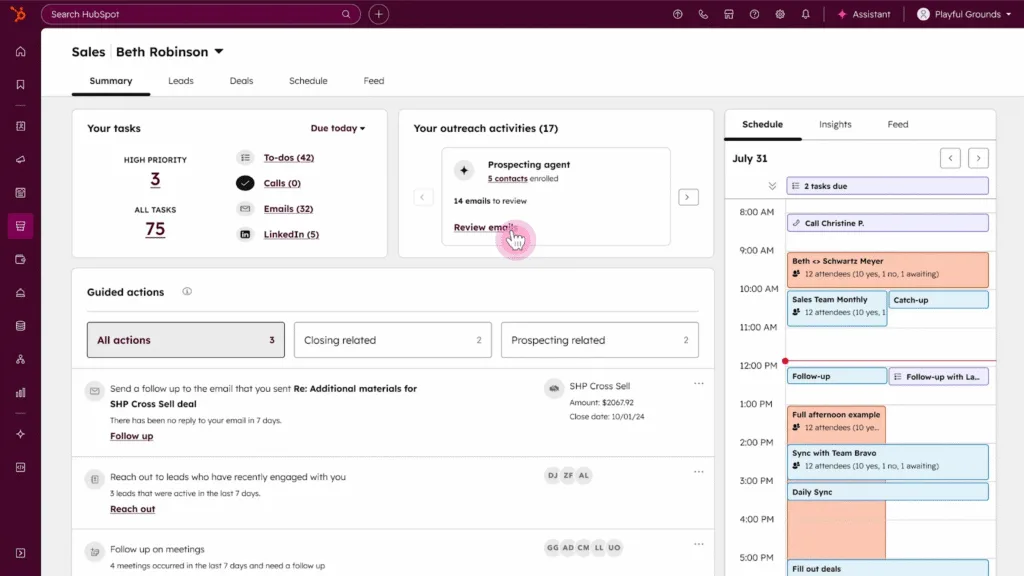
HubSpot Sales Hub is a user-friendly CRM and sales automation tool designed to help businesses attract, convert, and close leads. Its top feature is the seamless integration with HubSpot’s marketing and customer service tools, providing a unified platform for customer engagement. It’s best suited for small to medium-sized businesses looking for an affordable, all-in-one sales solution.
What Makes It Stand Out:
- Integrated Email Tracking: Provides real-time insights into email opens and clicks
- Meeting Scheduler: Automates the scheduling of meetings directly from emails
- Pipeline Management: Customizable sales pipeline stages to fit unique sales processes
- Live Chat and Chatbot Integration: Enables immediate engagement with website visitors
- Sales Playbooks: Guides sales reps through best practices and processes
- Document Tracking: Monitors document views to understand customer engagement
- HubSpot CRM Integration: Seamless integration with HubSpot’s free CRM for a complete view of customer interactions
- Templates and Sequences: Offers templates for emails and sequences for follow-ups to streamline sales efforts
Related Read: Top 10 HubSpot Service Hub Alternatives
Top 5 Pros:
1. User-Friendly Interface
HubSpot Sales Hub is known for its intuitive and user-friendly interface. Users find it easy to navigate and use, which minimizes the learning curve and allows sales teams to become productive quickly.
2. Integrated Marketing and Sales Tools
The seamless integration of marketing and sales tools is a significant advantage. Users appreciate the ability to manage leads, track customer interactions, and execute marketing campaigns all within the same platform, which enhances collaboration and efficiency.
3. Robust Email Tracking and Automation
HubSpot Sales Hub offers powerful email tracking and automation features. Users praise the ability to monitor email opens, clicks, and replies, as well as automate follow-up emails, which helps in managing leads more effectively and personalizing communication.
4. Comprehensive Reporting and Analytics
The platform provides detailed reporting and analytics capabilities. Users value the customizable dashboards and real-time data visualization, which aid in making informed decisions and tracking key metrics.
5. Scalable and Flexible Pricing
HubSpot Sales Hub offers scalable and flexible pricing plans. Users appreciate the ability to start with a basic plan and upgrade as their needs grow, ensuring they only pay for the features they use.
Top 5 Cons:
1. Limited Customization Options
While the platform offers many features out of the box, the customization options are somewhat limited. Users express frustration with the inability to tailor certain aspects of the system to their specific sales processes, which can be a drawback for businesses with unique needs.
2. Integration Challenges with Third-Party Apps
Some users report challenges with integrating HubSpot Sales Hub with certain third-party applications. These issues can limit the platform’s functionality and require additional time and resources to resolve.
3. Occasional Performance Issues
Some users experience performance issues, including slow loading times and occasional system downtime. These problems can impact productivity and frustrate users, especially during critical sales activities.
4. Limited Advanced Features in Basic Plans
The basic plans of HubSpot Sales Hub may not include all the advanced features that some users require. Users mention that upgrading to higher-tier plans can be necessary to access these features, which increases the cost of ownership.
5. Dependence on Internet Connectivity
As a cloud-based platform, HubSpot Sales Hub requires a stable internet connection to function effectively. Users report that disruptions in connectivity can hinder their ability to access and use the platform, which can be a concern for teams that frequently work in areas with limited internet access.
Related read: Top HubSpot Service Hub Alternatives
4. Zoho CRM Plus
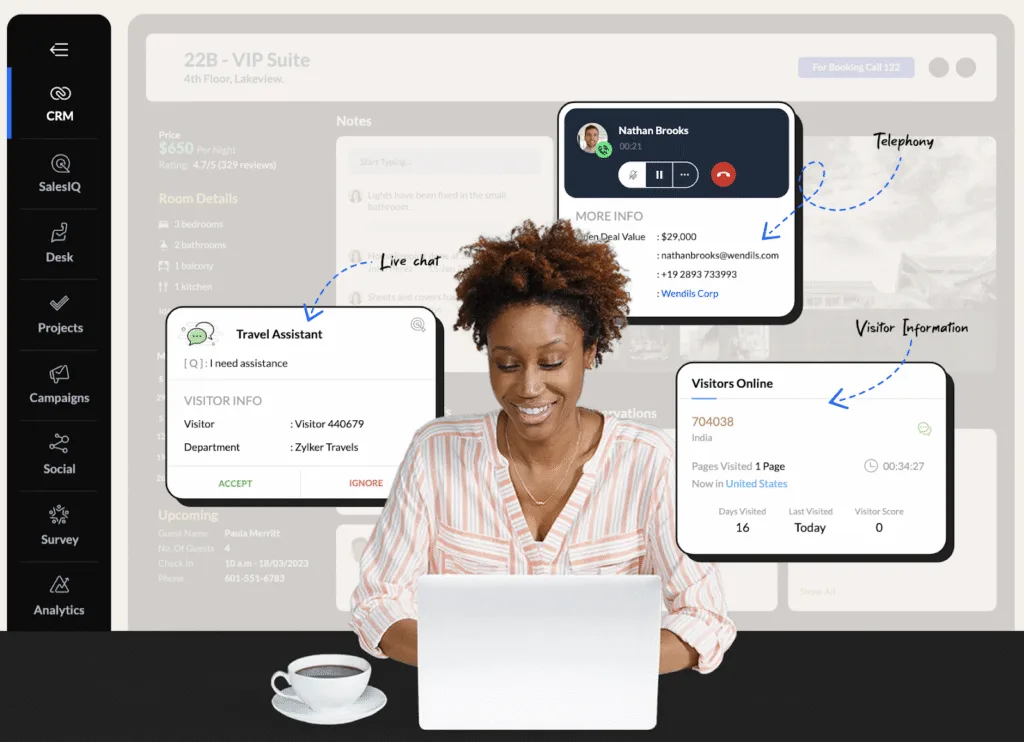
Zoho CRM Plus is an all-in-one sales, marketing, and customer support solution that integrates multiple Zoho applications into a single platform. Its top feature is the comprehensive suite of tools covering the entire customer lifecycle. It’s best suited for businesses looking for an integrated solution to manage sales, marketing, and support operations.
What Makes It Stand Out:
- Unified Customer Data: Centralizes customer data across sales, marketing, and support modules
- Zoho Analytics: Built-in analytics for deep insights into sales and marketing performance
- Multi-Channel Communication: Supports multiple communication channels, including email, phone, live chat, and social media
- SalesSignals: Real-time notifications for sales activities and customer interactions
- Zia AI: AI assistant for sales and marketing tasks, including predictive analytics and automation
- Zoho Campaigns Integration: Seamless integration with Zoho’s email marketing tool for coordinated campaigns
- Customizable Dashboards: Flexible and customizable dashboards for different roles and functions
- Mobile App: Comprehensive mobile app for managing sales, marketing, and support on the go
Top 5 Pros:
1. All-in-One Suite for Sales and Marketing
Zoho CRM Plus offers an integrated suite of tools for sales, marketing, and customer support. Users appreciate the ability to manage leads, execute marketing campaigns, and provide customer service all within the same platform, which streamlines operations and enhances collaboration.
2. Cost-Effective Pricing
The platform is known for its cost-effective pricing. Users value the ability to access a wide range of features at a competitive price, ensuring they get value for their investment.
3.Robust Automation and Workflow Management
Zoho CRM Plus offers powerful automation and workflow management capabilities. Users praise the ability to automate repetitive tasks, set up custom workflows, and manage sales processes efficiently, which saves time and improves productivity.
4. Comprehensive Mobile App
The Zoho CRM Plus mobile app is well-received for its comprehensive features and user-friendly interface. Sales professionals can manage their sales activities on the go, ensuring they remain productive even when away from their desks.
5. Strong Customer Support and Resources
Users highlight the exceptional customer support and abundant resources that Zoho CRM Plus provides. The availability of extensive documentation, tutorials, and a responsive support team ensures that users can find quick solutions to their queries and learn best practices.
Top 5 Cons:
1. Complexity and Learning Curve
Zoho CRM Plus’s extensive features can be overwhelming for new users. Many users report that it takes significant time and effort to master the platform, which can delay the realization of its full potential.
2. Occasional Performance Issues
Some users experience performance issues, including slow loading times and occasional system downtime. These problems can impact productivity and frustrate users, especially during critical sales activities.
3. Limited Customization Options in Lower Plans
While the platform offers many features, the customization options in the lower-tier plans are somewhat limited. Users express frustration with the inability to tailor certain aspects of the system to their specific sales processes without upgrading to a higher-tier plan.
4. Integration Challenges with Some Third-Party Apps
Some users report challenges with integrating Zoho CRM Plus with certain third-party applications. These issues can limit the platform’s functionality and require additional time and resources to resolve.
5. Dependence on Internet Connectivity
As a cloud-based platform, Zoho CRM Plus requires a stable internet connection to function effectively. Users report that disruptions in connectivity can hinder their ability to access and use the platform, which can be a concern for teams that frequently work in areas with limited internet access.
5. Pipedrive
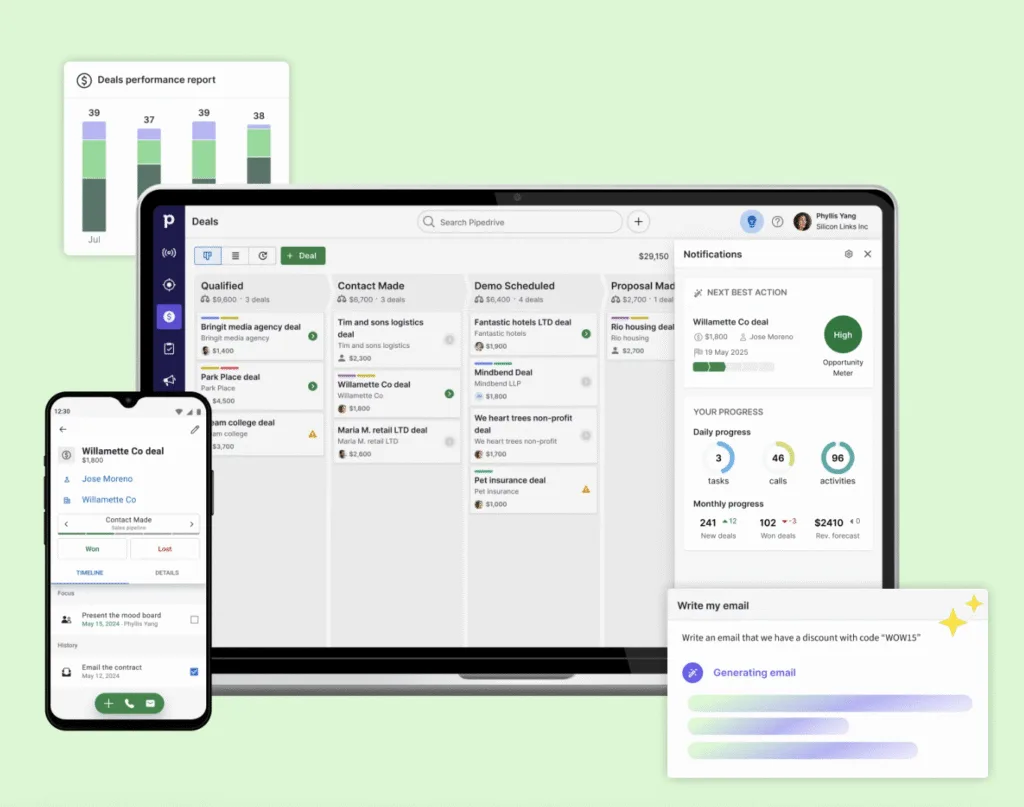
Pipedrive is a sales CRM designed to help businesses manage their sales pipelines effectively. Its top feature is the intuitive visual pipeline management that helps sales teams track deals at a glance. It’s best suited for small to medium-sized businesses focusing on sales pipeline management.
What Makes It Stand Out:
- Visual Pipeline Management: Drag-and-drop interface for easy pipeline visualization and management
- Activity Reminders: Automated reminders for follow-ups and next steps in the sales process
- Deal Rotting: Alerts when deals are stagnant and need attention
- Email Integration: Seamless integration with email platforms to track communications
- Mobile App: Full-featured mobile app for managing sales activities on the go
- Workflow Automation: Tools to automate repetitive tasks and streamline sales processes
- LeadBooster: Suite of tools for capturing leads and enhancing lead management
- Reporting and Analytics: Customizable reports and analytics to track sales performance and trends
Top 5 Pros:
1. Intuitive and Visual Pipeline Management
Pipedrive is highly praised for its intuitive and visual pipeline management features. Users appreciate the drag-and-drop interface, which makes it easy to track deals and visualize the sales process, enhancing productivity and decision-making.
2. User-Friendly Interface
The platform’s user-friendly interface is a significant advantage. Users find it easy to navigate and use, which minimizes the learning curve and allows sales teams to become productive quickly.
3. Robust Reporting and Analytics
Pipedrive offers detailed reporting and analytics capabilities. Users value the customizable dashboards and real-time data visualization, which aid in making informed decisions and tracking key metrics.
4. Seamless Integration with Third-Party Apps
The platform integrates seamlessly with a wide range of third-party applications. Users appreciate the ability to connect their existing tools and streamline their workflows without disrupting their operations.
5. Affordable Pricing Plans
Pipedrive offers affordable pricing plans. Users value the ability to access a wide range of features at a competitive price, ensuring they get value for their investment.
Top 5 Cons:
1. Limited Customization Options
While the platform offers many features out of the box, the customization options are somewhat limited. Users express frustration with the inability to tailor certain aspects of the system to their specific sales processes, which can be a drawback for businesses with unique needs.
2. Occasional Performance Issues
Some users experience performance issues, including slow loading times and occasional system downtime. These problems can impact productivity and frustrate users, especially during critical sales activities.
3. Limited Advanced Features in Basic Plans
The basic plans of Pipedrive may not include all the advanced features that some users require. Users mention that upgrading to higher-tier plans can be necessary to access these features, which increases the cost of ownership.
4. Dependence on Internet Connectivity
As a cloud-based platform, Pipedrive requires a stable internet connection to function effectively. Users report that disruptions in connectivity can hinder their ability to access and use the platform, which can be a concern for teams that frequently work in areas with limited internet access.
5. Limited Customer Support in Lower Plans
Users report that customer support for lower-tier plans can be limited. Access to priority support and additional resources may require upgrading to a higher-tier plan, which can be a drawback for businesses looking to minimize costs.
6. Clari
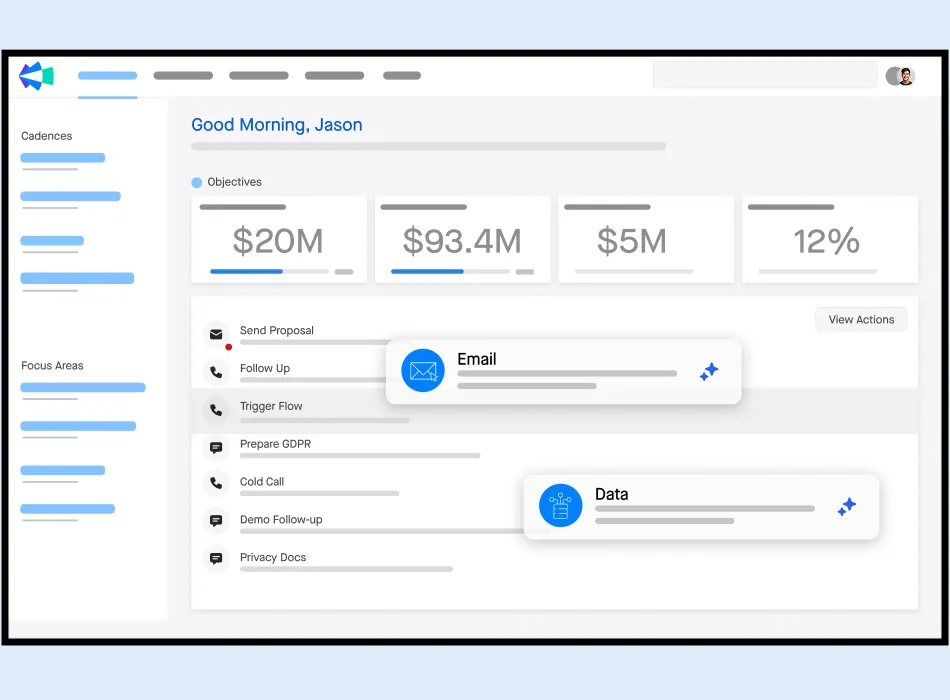
Clari is a revenue operations platform that helps businesses forecast, manage, and close deals effectively. Its top feature is the AI-driven revenue insights that provide real-time visibility into sales performance. It’s best suited for enterprises looking to improve their sales forecasting and revenue operations.
What Makes It Stand Out:
- Revenue Cadence: Automates and optimizes the sales cadence for better deal progression
- Deal Inspection: AI-driven insights into deal health and risk factors
- Forecast Accuracy: Improves forecast accuracy with real-time data and predictive analytics
- Activity Capture: Automatically captures emails, calls, and meetings to provide a comprehensive view of sales activities
- Collaboration Tools: Facilitates collaboration among sales teams and managers for better deal management
- Integration with CRM Systems: Seamless integration with popular CRM systems like Salesforce and Microsoft Dynamics
- Mobile App: Full-featured mobile app for managing sales activities on the go
- Revenue Signals: Real-time alerts on changes in deal status and sales performance
Top 5 Pros:
1. Advanced AI-Driven Sales Forecasting
Clari leverages artificial intelligence to provide accurate sales forecasting and predictive analytics. Users commend the platform for its ability to forecast sales trends, identify high-value opportunities, and suggest next-best actions, which significantly enhances sales strategies.
2. Comprehensive Activity Capture and Insights
The platform offers robust activity capture and insights. Users value the ability to understand the impact of sales activities on deal progression and revenue outcomes, enabling data-driven decision-making.
3. User-Friendly Interface
Clari’s intuitive and clean interface is highly praised. Users find it easy to navigate and use, which reduces the learning curve and allows sales teams to focus on selling rather than figuring out the software.
4. Seamless Integration with CRM Systems
The platform integrates seamlessly with major CRM systems. Users appreciate the ability to pull data from their existing CRM and streamline their workflows without disrupting their operations.
5. Strong Customer Support and Resources
Users highlight the exceptional customer support and abundant resources that Clari provides. The availability of extensive documentation, tutorials, and a responsive support team ensures that users can find quick solutions to their queries and learn best practices.
Top 5 Cons:
1. Complexity and Learning Curve
Clari’s advanced features can be overwhelming for new users. Many users report that it takes significant time and effort to master the platform, which can delay the realization of its full potential.
2. High Cost of Ownership
The cost of Clari can be prohibitive for small and medium-sized businesses. Users often mention that the pricing model, which includes additional fees for premium features and integrations, can lead to a higher total cost of ownership than anticipated.
3. Occasional Performance Issues
Some users experience performance issues, including slow loading times and occasional system downtime. These problems can impact productivity and frustrate users, especially during critical sales activities.
4. Limited Customization Options
While the platform offers many features out of the box, the customization options are somewhat limited. Users express frustration with the inability to tailor certain aspects of the system to their specific sales processes, which can be a drawback for businesses with unique needs.
5. Dependence on Internet Connectivity
As a cloud-based platform, Clari requires a stable internet connection to function effectively. Users report that disruptions in connectivity can hinder their ability to access and use the platform, which can be a concern for teams that frequently work in areas with limited internet access.
7. Anaplan
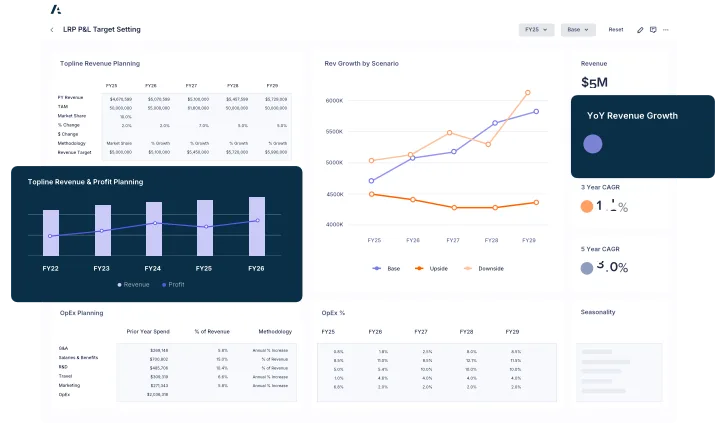
Anaplan is a cloud-based platform for connected planning and decision-making, helping businesses align their strategy, finance, sales, and operations. Its top feature is the ability to model complex scenarios and collaborate in real-time. It’s best suited for enterprises requiring advanced planning and forecasting capabilities.
What Makes It Stand Out:
- Connected Planning: Integrates data from multiple sources for holistic planning and decision-making
- Scenario Modeling: Enables modeling of various business scenarios to assess potential outcomes
- Real-Time Collaboration: Facilitates collaboration among teams for real-time decision-making
- Customizable Workflows: Flexible workflows to fit unique business processes
- Integration with ERP Systems: Seamless integration with ERP systems like SAP and Oracle for data synchronization
- Mobile App: Comprehensive mobile app for managing planning activities on the go
- Security and Compliance: Robust security features and compliance with various international standards
- Analytics and Reporting: Built-in analytics and reporting tools for data-driven insights
Top 5 Pros:
1. Robust Planning and Forecasting Capabilities
Anaplan offers powerful planning and forecasting capabilities. Users appreciate the platform’s ability to handle large datasets and perform real-time calculations, which enhances strategic planning and operational efficiency.
2. Flexible and Scalable Platform
The platform is highly flexible and scalable, catering to businesses of all sizes and industries. Users value the ability to adapt the system to their specific needs and scale it as their business grows, ensuring they can manage their planning processes effectively.
3. Collaborative Environment
Anaplan fosters a collaborative environment. Users praise the platform’s ability to facilitate communication and alignment across different departments, which improves decision-making and execution.
4. Comprehensive Integration Options
The platform integrates seamlessly with a wide range of third-party applications and data sources. Users appreciate the ability to pull data from their existing systems and streamline their workflows without disrupting their operations.
5. Strong Customer Support and Resources
Users highlight the exceptional customer support and abundant resources that Anaplan provides. The availability of extensive documentation, tutorials, and a responsive support team ensures that users can find quick solutions to their queries and learn best practices.
Top 5 Cons:
1. Complexity and Learning Curve
Anaplan’s advanced features can be overwhelming for new users. Many users report that it takes significant time and effort to master the platform, which can delay the realization of its full potential.
2. High Cost of Ownership
The cost of Anaplan can be prohibitive for small and medium-sized businesses. Users often mention that the pricing model, which includes additional fees for premium features and integrations, can lead to a higher total cost of ownership than anticipated.
3. Occasional Performance Issues
Some users experience performance issues, including slow loading times and occasional system downtime. These problems can impact productivity and frustrate users, especially during critical planning activities.
4. Limited Out-of-the-Box Functionality
While customization is a strength, the out-of-the-box functionality may not meet all users’ needs immediately. Some users find that they need to invest in additional configuration and customization to achieve the desired results, which can be resource-intensive.
5. Dependence on Internet Connectivity
As a cloud-based platform, Anaplan requires a stable internet connection to function effectively. Users report that disruptions in connectivity can hinder their ability to access and use the platform, which can be a concern for teams that frequently work in areas with limited internet access.
8. InsightSquared
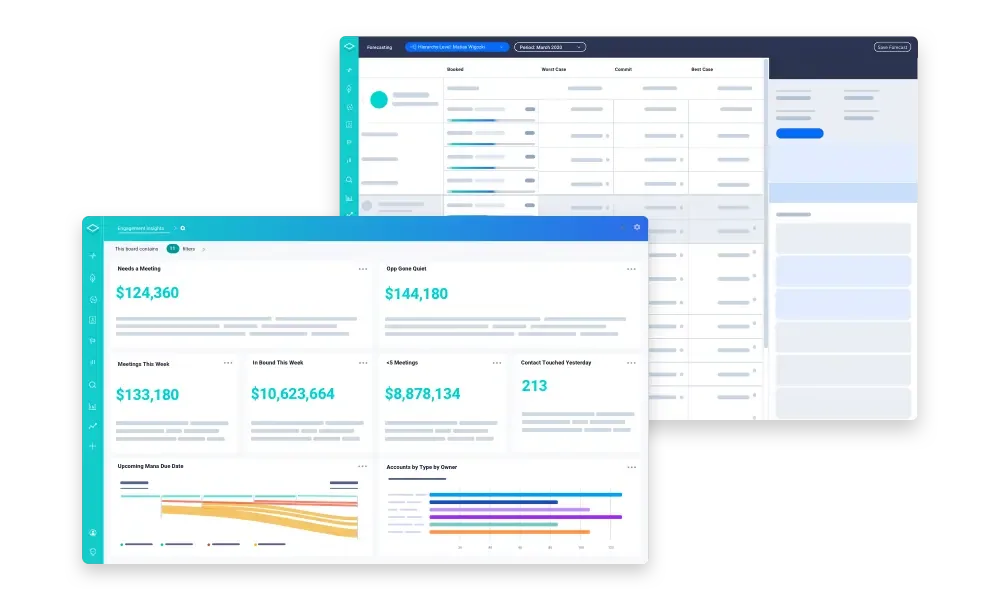
InsightSquared is a sales analytics and performance management platform that helps businesses optimize their sales processes. Its top feature is the AI-driven predictive analytics that provides actionable insights to drive sales performance. It’s best suited for businesses looking to enhance their sales analytics and forecasting capabilities.
What Makes It Stand Out:
- Predictive Forecasting: AI-driven forecasting to predict future sales performance
- Pipeline Management: Comprehensive tools for managing and optimizing the sales pipeline
- Sales Performance Metrics: Detailed metrics and KPIs to track sales team performance
- Activity Capture: Automatically captures emails, calls, and meetings to provide a complete view of sales activities
- Integration with CRM Systems: Seamless integration with popular CRM systems like Salesforce and HubSpot
- Coaching and Training: Tools for coaching and training sales reps to improve their performance
- Mobile App: Full-featured mobile app for managing sales analytics on the go
- Customizable Dashboards: Flexible and customizable dashboards for different roles and functions
Top 5 Pros:
1. Advanced Analytics and Reporting
InsightSquared offers advanced analytics and reporting capabilities. Users appreciate the platform’s ability to provide real-time data visualization and customizable dashboards, which aid in making informed decisions and tracking key metrics.
2. Integration with Major CRM Systems
The platform integrates seamlessly with major CRM systems. Users value the ability to pull data from their existing CRM and streamline their workflows without disrupting their operations, which improves data accuracy and efficiency.
3. User-Friendly Interface
InsightSquared’s intuitive and clean interface is highly praised. Users find it easy to navigate and use, which reduces the learning curve and allows sales teams to focus on analyzing data rather than figuring out the software.
4. Predictive Sales Forecasting
The platform offers predictive sales forecasting, leveraging machine learning to provide accurate forecasts and actionable insights. Users commend InsightSquared for its ability to predict sales trends and identify high-value opportunities, which significantly enhances sales strategies.
5. Strong Customer Support and Resources
Users highlight the exceptional customer support and abundant resources that InsightSquared provides. The availability of extensive documentation, tutorials, and a responsive support team ensures that users can find quick solutions to their queries and learn best practices.
Top 5 Cons:
1. Complexity and Learning Curve
InsightSquared’s advanced features can be overwhelming for new users. Many users report that it takes significant time and effort to master the platform, which can delay the realization of its full potential.
2. High Cost of Ownership
The cost of InsightSquared can be prohibitive for small and medium-sized businesses. Users often mention that the pricing model, which includes additional fees for premium features and integrations, can lead to a higher total cost of ownership than anticipated.
3. Occasional Performance Issues
Some users experience performance issues, including slow loading times and occasional system downtime. These problems can impact productivity and frustrate users, especially during critical sales activities.
4. Limited Customization Options
While the platform offers many features out of the box, the customization options are somewhat limited. Users express frustration with the inability to tailor certain aspects of the system to their specific sales processes, which can be a drawback for businesses with unique needs.
5. Dependence on Internet Connectivity
As a cloud-based platform, InsightSquared requires a stable internet connection to function effectively. Users report that disruptions in connectivity can hinder their ability to access and use the platform, which can be a concern for teams that frequently work in areas with limited internet access.
9. Oracle NetSuite CRM+
Oracle NetSuite CRM+ is a comprehensive CRM solution that helps businesses manage sales, marketing, and customer service operations. Its top feature is the integrated suite of tools that provide a 360-degree view of the customer. It’s best suited for businesses looking for a scalable CRM solution with robust integration capabilities.
What Makes It Stand Out:
- 360-Degree Customer View: Centralized platform for managing all customer interactions and data
- Sales Force Automation: Automates sales processes to improve efficiency and productivity
- Marketing Automation: Integrated marketing tools for campaign management and lead nurturing
- Customer Service Management: Comprehensive tools for managing customer support and service
- Integration with ERP and Financials: Seamless integration with NetSuite’s ERP and financial management systems
- Mobile App: Full-featured mobile app for managing sales, marketing, and support on the go
- Customizable Workflows: Flexible workflows to fit unique business processes
- Analytics and Reporting: Built-in analytics and reporting tools for data-driven insights
Top 5 Pros:
1. Comprehensive CRM and ERP Integration
Oracle NetSuite CRM+ offers seamless integration with NetSuite ERP, providing a unified platform for managing customer relationships and business operations. Users appreciate the ability to access customer data, sales, and financials in one place, which enhances efficiency and decision-making.
2. Robust Sales Forecasting and Analytics
The platform offers powerful sales forecasting and analytics capabilities. Users value the ability to create customizable dashboards and reports, which aid in making data-driven decisions and tracking key metrics.
3. Flexible and Scalable Platform
Oracle NetSuite CRM+ is highly flexible and scalable, catering to businesses of all sizes and industries. Users appreciate the ability to adapt the system to their specific needs and scale it as their business grows, ensuring they can manage their sales processes effectively.
4. Strong Customer Support and Resources
Users highlight the exceptional customer support and abundant resources that Oracle NetSuite CRM+ provides. The availability of extensive documentation, tutorials, and a responsive support team ensures that users can find quick solutions to their queries and learn best practices.
5. Comprehensive Mobile App
The Oracle NetSuite CRM+ mobile app is well-received for its comprehensive features and user-friendly interface. Sales professionals can manage their sales activities on the go, ensuring they remain productive even when away from their desks.
Top 5 Cons:
1. Complexity and Learning Curve
Oracle NetSuite CRM+’s extensive features can be overwhelming for new users. Many users report that it takes significant time and effort to master the platform, which can delay the realization of its full potential.
2. High Cost of Ownership
The cost of Oracle NetSuite CRM+ can be prohibitive for small and medium-sized businesses. Users often mention that the pricing model, which includes additional fees for premium features and integrations, can lead to a higher total cost of ownership than anticipated.
3. Occasional Performance Issues
Some users experience performance issues, including slow loading times and occasional system downtime. These problems can impact productivity and frustrate users, especially during critical sales activities.
4. Limited Customization Options
While the platform offers many features out of the box, the customization options are somewhat limited. Users express frustration with the inability to tailor certain aspects of the system to their specific sales processes, which can be a drawback for businesses with unique needs.
5. Dependence on Internet Connectivity
As a cloud-based platform, Oracle NetSuite CRM+ requires a stable internet connection to function effectively. Users report that disruptions in connectivity can hinder their ability to access and use the platform, which can be a concern for teams that frequently work in areas with limited internet access.
10. SAP Analytics Cloud
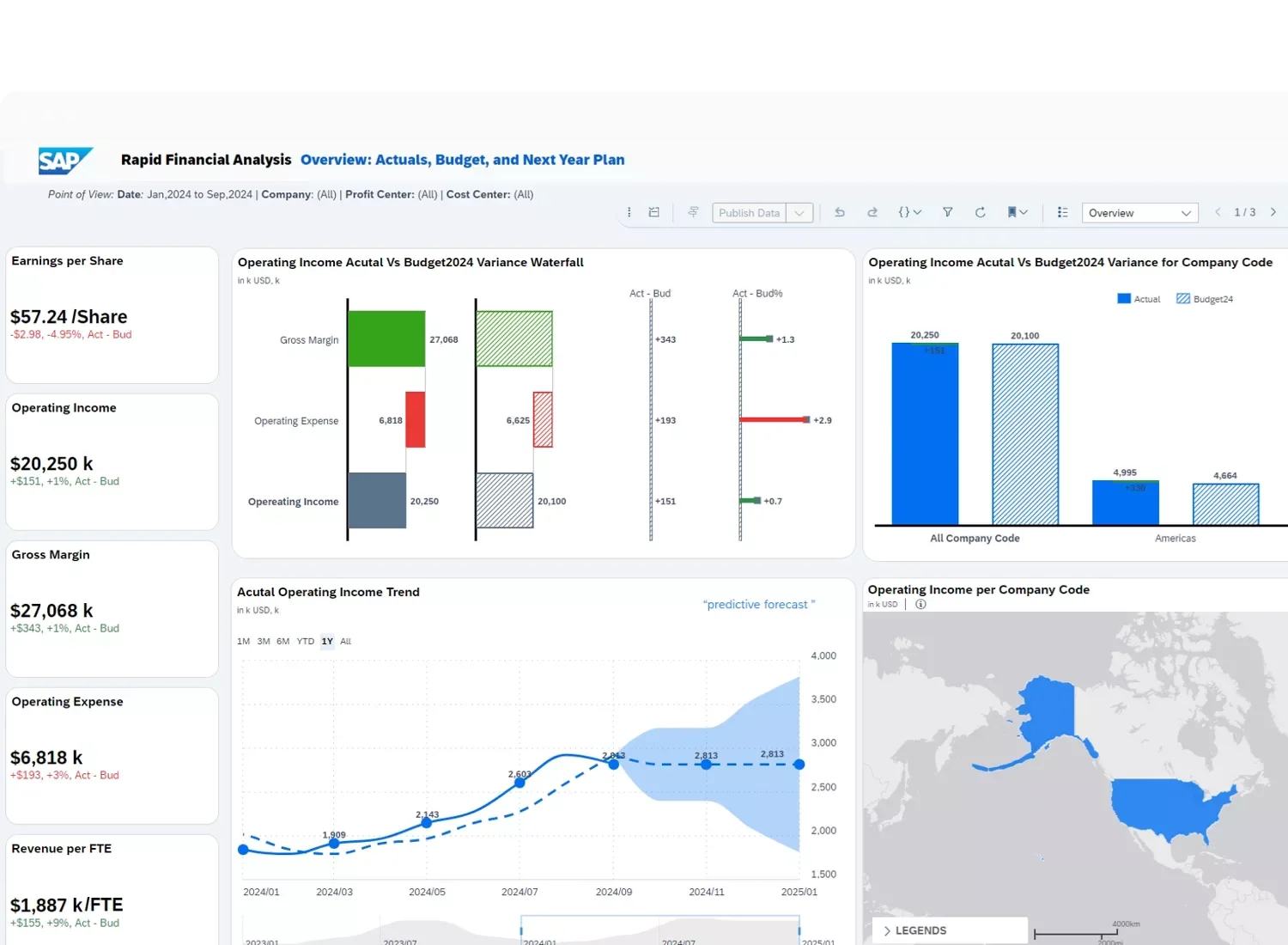
SAP Analytics Cloud is a comprehensive analytics platform that helps businesses analyze data, plan, and make informed decisions. Its top feature is the integration of business intelligence, planning, and predictive analytics into a single platform. It’s best suited for enterprises looking for a unified analytics solution to drive business performance.
What Makes It Stand Out:
Integrated BI and Planning: Combines business intelligence, planning, and predictive analytics for holistic decision-making
- Data Visualization: Advanced data visualization tools for easy data interpretation
- Predictive Analytics: AI-driven predictive analytics for forecasting and scenario analysis
- Real-Time Data: Supports real-time data integration from various sources for up-to-date insights
- Collaboration Features: Facilitates collaboration among teams for better decision-making
- Mobile App: Comprehensive mobile app for managing analytics on the go
- Security and Compliance: Robust security features and compliance with various international standards
- Integration with SAP Systems: Seamless integration with SAP ERP and other SAP products for data synchronization
Top 5 Pros:
1. Advanced Analytics and Business Intelligence
SAP Analytics Cloud offers powerful analytics and business intelligence capabilities. Users appreciate the platform’s ability to handle large datasets and provide real-time data visualization, which enhances strategic decision-making.
2. Integration with SAP Ecosystem
The platform integrates seamlessly with other SAP products. Users value the ability to pull data from their existing SAP systems and streamline their workflows without disrupting their operations, which improves data accuracy and efficiency.
3. User-Friendly Interface
SAP Analytics Cloud’s intuitive and clean interface is highly praised. Users find it easy to navigate and use, which reduces the learning curve and allows teams to focus on analyzing data rather than figuring out the software.
4. Predictive Analytics and Forecasting
The platform offers predictive analytics and forecasting, leveraging machine learning to provide accurate predictions and actionable insights. Users commend SAP Analytics Cloud for its ability to predict trends and identify opportunities, which significantly enhances business strategies.
5. Strong Customer Support and Resources
Users highlight the exceptional customer support and abundant resources that SAP Analytics Cloud provides. The availability of extensive documentation, tutorials, and a responsive support team ensures that users can find quick solutions to their queries and learn best practices.
Top 5 Cons:
1. Complexity and Learning Curve
SAP Analytics Cloud’s advanced features can be overwhelming for new users. Many users report that it takes significant time and effort to master the platform, which can delay the realization of its full potential.
2. High Cost of Ownership
The cost of SAP Analytics Cloud can be prohibitive for small and medium-sized businesses. Users often mention that the pricing model, which includes additional fees for premium features and integrations, can lead to a higher total cost of ownership than anticipated.
3. Occasional Performance Issues
Some users experience performance issues, including slow loading times and occasional system downtime. These problems can impact productivity and frustrate users, especially during critical analytical activities.
4. Limited Customization Options
While the platform offers many features out of the box, the customization options are somewhat limited. Users express frustration with the inability to tailor certain aspects of the system to their specific analytical processes, which can be a drawback for businesses with unique needs.
5. Dependence on Internet Connectivity
As a cloud-based platform, SAP Analytics Cloud requires a stable internet connection to function effectively. Users report that disruptions in connectivity can hinder their ability to access and use the platform, which can be a concern for teams that frequently work in areas with limited internet access.
Sales Forecasting Software Pricing Comparison
|
Software |
Starting Price (per user/month, billed annually) |
|
Salesforce Sales Cloud |
Professional Edition: $75 |
|
Microsoft Dynamics 365 |
Sales Professional: $65 + $50 add-on for Sales Insights |
|
HubSpot Sales Hub |
Starter Plan: $45 |
|
Zoho CRM Plus |
Standard: $50 |
|
Pipedrive |
Essential: $14.90 |
|
Clari |
Pricing on request; typically high-end |
|
Anaplan |
Customized pricing; generally expensive |
|
InsightSquared |
Customized pricing; aimed at medium to large businesses |
|
Oracle NetSuite CRM+ |
Customized pricing; suited for larger enterprises |
|
SAP Analytics Cloud |
BI Plan: $36, Planning Plan: $72, Predictive Analytics Plan: $144 |
How to Choose the Right Sales Forecasting Software
Selecting the right sales forecasting software requires balancing your organizational needs, budget, and future growth plans. Here’s what to consider:
- Business Size & Complexity: Larger enterprises may benefit from highly customizable solutions like Salesforce or Anaplan. SMBs might find Pipedrive or HubSpot more manageable.
- Integration Requirements: If your organization already operates within a specific ecosystem (Microsoft, SAP), leveraging native integrations (Dynamics 365, SAP Analytics) will streamline deployment and data synchronization.
- Analytics Sophistication: For AI-driven predictive analytics, Clari, InsightSquared, or Salesforce Einstein are top contenders. If basic pipeline visualization suffices, simpler tools like Pipedrive work well.
- User Adoption & Ease of Use: Choose tools with interfaces that match your team’s technical comfort. Platforms like HubSpot and Pipedrive offer intuitive designs that reduce onboarding friction.
- Mobile & Remote Accessibility: Ensure the tool supports mobile usage effectively if your sales team is often on the move.
- Pricing & Total Cost of Ownership: Factor in subscription fees, add-ons, and implementation costs. High upfront investments may be justified by ROI in larger companies but can burden smaller teams.
- Support & Community: Strong vendor support and accessible resources can speed up adoption and troubleshooting.
You now have a roadmap to navigate the complex landscape of sales forecasting software. Each tool here offers a unique mix of capabilities.
Aligning your choice with your specific context and strategic goals will unlock the greatest value for your sales organization.