Summary. An enterprise AI chatbot handles high volumes of customer and employee conversations at the scale, security, and reliability large organizations need. This 2026 guide defines the category, separates enterprise conversational AI from basic bots, and walks through architecture, use cases, ROI, security, and how to choose a platform. You will see real numbers, an honest view of resolution rates, and the move toward agentic AI that resolves work instead of only answering it.
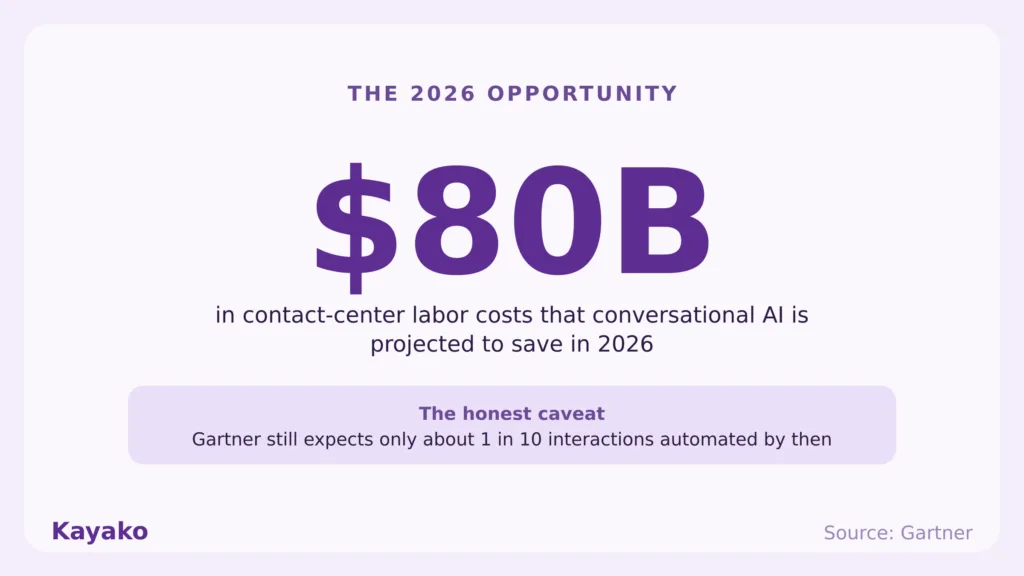
Support volume at a large company keeps climbing every year. Headcount cannot climb with it, and budgets rarely stretch far enough to hire your way out. An enterprise AI chatbot is the mechanism that keeps cost-to-serve roughly flat while the business grows, because it resolves repetitive conversations before they ever reach a person. Gartner projects that conversational AI in contact centers will reduce agent labor costs by $80 billion in 2026, even though it expects only about one in ten interactions to be automated by then.
So the prize is real, and honesty matters too. Average results vary widely, and a chatbot that is configured poorly will frustrate customers faster than no bot at all. This guide separates the marketing claims from production reality. You will get a working definition, the difference between an enterprise chatbot and a basic one, the architecture under the hood, the strongest use cases, the ROI math, a buyer checklist, and the security and governance that regulated industries require.
See AI resolve tickets live Book Session ›
What is an enterprise AI chatbot?
An enterprise AI chatbot is an AI-powered conversational system built to handle large volumes of interactions at the scale, security, and reliability a big organization demands. It runs on natural language processing and natural language understanding, so it reads intent and entities rather than matching keywords. It connects to core systems such as CRM, ERP, a knowledge base, and internal APIs, and it holds context across a multi-turn conversation instead of forgetting the last message. Crucially, it serves two audiences at once: customers on the outside and employees on the inside.
That dual role is why enterprise conversational AI looks different from a website widget. IBM frames these systems on an NLP and NLU foundation, and notes that well-grounded assistants can lift satisfaction sharply on the questions they answer well. Rasa describes the enterprise-grade version as one defined by scale, security, compliance, and context retention. Kayako builds exactly this kind of system. You can see the product view on the Kayako AI Chatbot page. With the definition set, the next step is to see what separates an enterprise system from the basic bots most teams already know.
Definition. An enterprise AI chatbot is a conversational system that understands natural language, integrates with enterprise systems, maintains context across a conversation, and resolves or routes interactions for both customers and employees at scale.
Enterprise AI chatbot vs basic chatbot
A basic bot follows a script. It answers a fixed set of questions, then hands everything else to a queue. An enterprise chatbot software platform behaves differently across five dimensions, and at enterprise scale, the differences below are baseline requirements rather than nice-to-have extras.
| Dimension | Basic chatbot | Enterprise AI chatbot |
|---|---|---|
| Complexity | Scripted, single-turn flows | Multi-step reasoning with context held across turns |
| Data and integration | Standalone, no system access | Connected to CRM, ERP, knowledge base, and APIs |
| Scale and deployment | Small sites, limited volume | High volume, omnichannel, multi-brand, multilingual |
| Security and compliance | Minimal controls | Role-based access, HIPAA, GDPR, SOC 2, audit logs |
| Cost and implementation | Cheap, quick, shallow | Higher setup, measured by cost per resolution |
Read the table top to bottom, and the pattern is clear. At scale, auditability, omnichannel consistency, and a graceful human handoff are not features you bolt on later. They are the foundation. A bot that cannot escalate with full context, or cannot prove who accessed what, will not survive a security review, let alone a regulator. Those requirements only make sense once you see how the system is built, so here is the architecture underneath.
How enterprise AI chatbots work (the architecture)
Under the hood, an AI chatbot for enterprise runs on three layers. First, natural language understanding reads the message and extracts intent and entities. Second, orchestration and dialogue management decide what happens next, which system to call, and when to ask a follow-up. Third, the integration layer connects to backend systems so the bot can actually do something, such as look up an order or reset a password.
The modern layer sits on top. Large language models generate fluent answers, and retrieval-augmented generation (RAG) grounds those answers in a curated knowledge base so the model quotes your policies rather than inventing them. Industry analysis suggests roughly 80% of successful deployments rely on RAG to control hallucination. Confidence thresholds add the safety net: when the model is unsure, the conversation routes to a human instead of guessing. That single design choice separates assistants people trust from the ones they learn to avoid.
Confidence threshold. A score that decides whether the AI answers directly or escalates to a human. Set it well, and customers rarely notice the bot is a bot. Set it poorly, and they notice immediately.
Put those three layers together, and you have a system that resolves real work rather than only chatting about it. The next question is which jobs it should take on first.
Enterprise AI chatbot use cases
The clearest way to understand the category is by the jobs it does. Below are the enterprise chatbot use cases that pay back fastest, each tied to where it fits in a support operation. Read them as a rough deployment order, from highest-volume to most advanced.
Customer support automation
This is the anchor use case. The bot handles first-contact resolution for order status, billing questions, troubleshooting, and returns, then escalates the rest with full context attached. The result is a higher deflection rate and a queue made up of genuinely complex work. See how this looks in practice on Kayako AI Customer Support and Ticketing System. This is usually the first place to deploy, because the volume is high and the questions repeat.
Internal IT and HR help desk
Employees ask the same questions customers do. Password resets, access requests, onboarding steps, and policy lookups all map cleanly to automation. An internal IT support desk bot clears that load so specialists spend time on real incidents. The same engine that serves customers can serve employees, which doubles the return on a single deployment.
Sales and lead qualification
On the commercial side, the bot greets visitors, answers product questions, qualifies intent, and books meetings, so sales talks to people who are ready rather than chasing cold leads. Here, engagement feeds revenue, not only cost deflection.
Omnichannel and proactive support
The strongest deployments span web, mobile, WhatsApp, and voice, with one consistent answer across all of them. They also reach out first, for example, flagging a shipping delay before the customer notices. Kayako covers this through omnichannel support. Done well, the customer feels one continuous conversation, no matter where it began.
Put repetitive tickets on autopilot Get Started ›
Benefits and ROI (with the numbers)
The economics are the reason this category exists. A human-handled interaction costs several dollars once you count salary, tooling, and overhead, while an AI-handled interaction costs a fraction of that. The headline enterprise chatbot benefits are lower cost per resolution, 24/7 availability, instant multilingual coverage, and a deflection rate that holds as volume grows.
Keep one distinction honest, though. There is a real gap between AI-assisted, where the bot drafts and a human sends, and AI-resolved, where the bot closes the case on its own. Salesforce reports that service teams already see about 30% of cases resolved by AI in 2025, rising toward 50% by 2027. That trajectory is encouraging, yet resolution rates vary by workload, and Comm100 benchmarking places the cross-industry average chatbot resolution rate near 44.8%. Plan for your real mix, not the best-case demo.
Assist vs resolve. Assist mode makes an agent faster. Resolve mode removes the ticket. The cost curve only bends when the AI actually closes work, so measure resolution, not deflection alone.
Numbers like these set the expectation. The next step is to see them play out in named deployments rather than projections.
Real enterprise examples
Named deployments tell the story better than projections. Each one below ties back to a use case above, and the lesson at the end is the honest one.
Klarna, customer support automation. Klarna’s OpenAI-powered assistant handled two-thirds of customer service chats in its first month, cut average resolution time from 11 minutes to under 2, did the work of about 700 full-time agents, and was projected to drive roughly $40 million in profit improvement. By 2025, Klarna rebalanced and brought human agents back for complex cases. That is the lesson, not a footnote: hybrid wins, and a deliberate human boundary beats an AI-only mandate.
Bank of America, proactive and self-service support. Erica has surpassed 3 billion client interactions since 2018, serving nearly 50 million users, with more than 98% of people finding what they needed. It shows what a sustained, well-governed deployment looks like at the national scale.
Insurance, instant claims. In insurance, AI-first claims handling has paid simple claims in seconds rather than days, which is the proactive-support pattern applied to a regulated workflow.
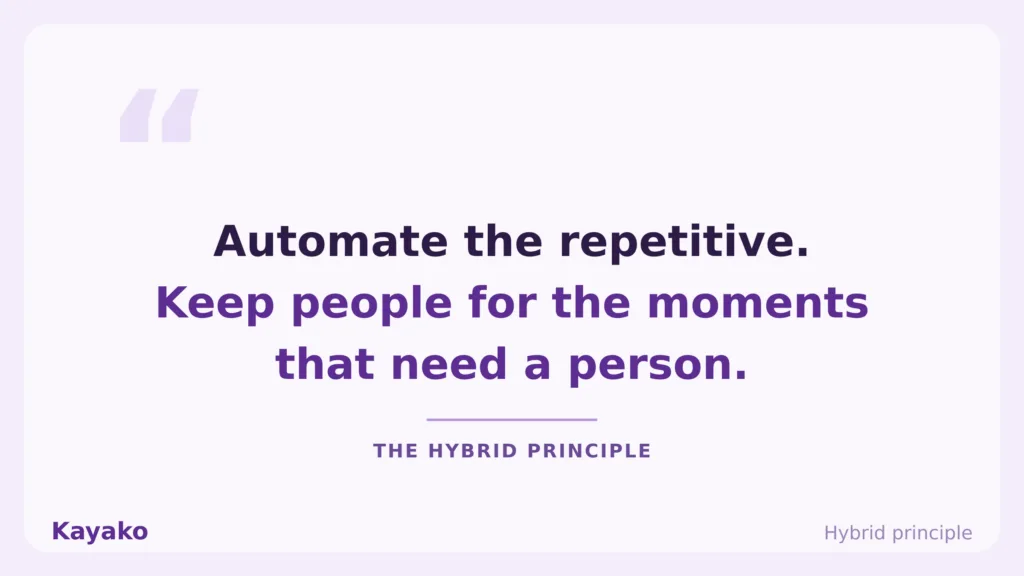
Across all three, the winning pattern is the same. Automate the repetitive volume, keep humans on the hard cases, and the economics and the experience both improve.
Scale support without new headcount Talk to Expert ›
How to choose an enterprise AI chatbot (buyer checklist)
When you compare enterprise AI chatbot solutions, score each one against the same list. The best enterprise AI chatbot for you is the one that fits your stack, your risk profile, and your volume, so run the checklist before you run a demo.
- Integration depth. Native connections to your CRM, ERP, knowledge base, and APIs.
- Security and compliance. Role-based access, HIPAA, GDPR, SOC 2, and full audit logs.
- Scalability. Stable performance through volume spikes and multi-brand setups.
- Omnichannel coverage. One consistent answer across web, mobile, social, and voice.
- Human-handoff quality. Escalation that carries full context, so nobody repeats themselves.
- RAG and knowledge grounding. Answers tied to your content, with confidence thresholds.
- Analytics. Resolution, cost per resolution, and CSAT, not vanity metrics.
- Multilingual support. Real coverage for the languages your customers actually use.
- Total cost. Per-resolution versus per-seat pricing, and watch for uncapped AI metering.
Set expectations on timing, too. A serious rollout typically runs three to six months, targets accuracy in the mid-eighties before going autonomous, and performs best as a human-AI hybrid. For category context, see Top Helpdesk Automation Tools and Best Omnichannel Support Platforms. Score every option against the same list, and the shortlist gets short fast. One item on that list deserves its own section, since it is where most enterprise deals are won or lost: security.
Security, compliance, and governance
Enterprise-grade is mostly a security statement. These systems touch sensitive data, often in regulated industries, so data residency, role-based access, and auditability are non-negotiable. IBM stresses security, scalability, and compliance with frameworks such as HIPAA and GDPR as the cost of entry for regulated work.
Treat compliance as a competitive advantage rather than a tax. The EU AI Act is the regulatory backdrop now, and per-system obligations are rising, so a vendor that bakes governance in saves you the cost of retrofitting it later. Kayako documents its posture across Financial Services, Healthcare, and Security.
Governance, plainly. If you cannot show who accessed what, when, and why, the smartest model in the world will still fail an audit. Auditability is a feature, so price it like one.
Get governance right and you have a system you can trust at scale. That trust is what makes the next step possible, where the assistant stops answering and starts acting.
The future: from chatbots to agentic AI
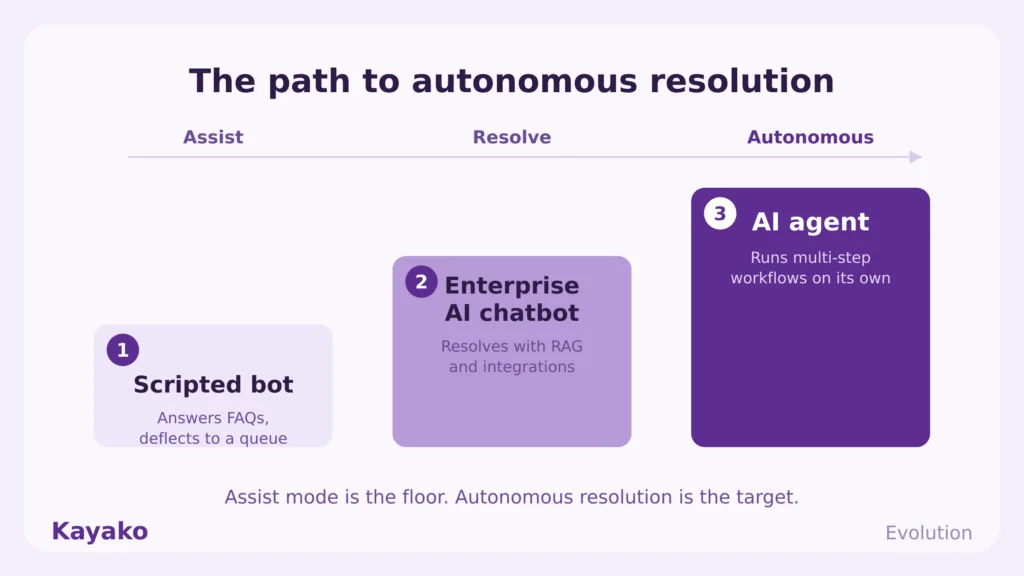
Here is where the category is heading. A chatbot answers. An AI agent runs a multi-step workflow across systems on its own, for example, verifying an account, issuing a refund, updating the record, and confirming the outcome. Assist mode is the floor. Autonomous resolution is the target.
The market is moving that way fast. Gartner projects that 40% of enterprise applications will feature task-specific AI agents by the end of 2026, up from under 5% in 2025. For an enterprise customer service chatbot, that means the bar is rising from tidy deflection to genuine resolution. Plan for agents, not just answers.
Move from assist to autonomous Book Session ›
How Kayako helps
Kayako is built around autonomous resolution rather than faster routing. Its AI agent, Agent Kay, reads tickets, drafts replies, takes action, and closes cases across email, chat, voice, and social, working on top of the help desk you already run. SingleView gives every conversation a unified customer timeline, and pricing tracks outcomes at $1 per AI-resolved ticket rather than per seat. You can explore the approach on Kayako AI Customer Support.
Case study: Trilogy. Trilogy eliminated 80% of support tickets and saved $5 million in 90 days after switching from reactive support to AI-powered ticket elimination with Kayako. The point is the model: resolve the repetitive volume, then let agents handle the work that genuinely needs judgment.
Start a 90-day Kayako pilot Get Started ›
An enterprise AI chatbot earns its place when it resolves real work, not when it simply deflects it. The economics are strong, the leading deployments are public, and the technology is ready, so the distance between a great result and a frustrating one comes down to execution. Grounded answers, honest confidence thresholds, a clean human handoff, and metrics that track resolution are what separate the assistants people trust from the ones they learn to avoid.
So start where the volume is highest, and the questions repeat, prove resolution on your own ticket mix, then expand toward autonomous workflows as trust builds. Treat the AI as the engine and your team as the judgment, and support gets faster without getting colder. That is the whole game in 2026, and it is well within reach for any team willing to measure honestly and roll out in phases.
Frequently asked questions
What is an enterprise AI chatbot?
It is an AI-powered conversational system built for large-scale use, integrating with enterprise systems, holding context across a conversation, and resolving or routing interactions for both customers and employees.
How is an enterprise chatbot different from a regular chatbot?
A regular chatbot follows scripts and answers in isolation. An enterprise chatbot reasons across multiple turns, connects to your systems, scales across channels, and meets security and compliance requirements such as HIPAA, GDPR, and SOC 2.
How much does an enterprise AI chatbot cost?
Pricing models are split into per-seat and per-resolution. Per-resolution ties cost to outcomes, so you pay when the AI actually closes a case. Watch for uncapped usage metering, which can make a low headline price climb quickly.
What is the difference between an AI chatbot and an AI agent?
A chatbot answers questions. An AI agent completes multi-step tasks across systems on its own, such as verifying an account, issuing a refund, and updating records, then confirming the result.
How accurate are enterprise AI chatbots?
Accuracy varies by workload. Cross-industry benchmarks put the average chatbot resolution rate near 44.8%, while well-scoped deployments go much higher. Keep the assist-versus-resolve distinction in mind, and measure resolution on your own ticket mix.
Are enterprise AI chatbots secure and compliant?
They can be, when built for it. Look for role-based access, encryption, data residency options, audit logs, and documented compliance with HIPAA, GDPR, and SOC 2, with the EU AI Act as the current regulatory backdrop.
Which industries use enterprise chatbots most?
Adoption is highest in industries with high, repetitive query volumes, including telecommunications, banking, and healthcare.