HubSpot Pricing 2026: Plans, Costs, Features, and Is It Worth It?
Pricing tells you what HubSpot costs. Use cases tell you whether it is worth paying for. This guide covers both.
|
Quick answer. HubSpot pricing in 2026 is per seat. Service Hub, the closest fit to a support team, runs from a free tier to about $20 per seat per month for Starter, $90 for Professional, and around $150 for Enterprise on annual billing. The plan price is only part of it: Professional and Enterprise carry one-time onboarding fees of $1,500 and $3,500, Breeze AI runs on monthly credits that bill for overage, and Marketing Hub adds contact-based pricing on top. So the real question behind HubSpot pricing is whether the tier you need is worth it for a team like yours. Key takeaways
|
HubSpot pricing is not simply a matter of picking a tier. HubSpot sells several Hubs for marketing, sales, and service, and since 2024 every paid Hub is priced per seat, so your cost depends on how many people need to act in the tool, which Hubs you run, how many marketing contacts you store, and how much AI you use. The most expensive plan is rarely the right one.
This guide uses Service Hub as the lens, because it is the part of HubSpot closest to a support operation, while noting where the wider platform changes the math. It covers what each tier is built for, what really drives the bill, and when HubSpot is worth it versus when a focused support tool would do the same job for less. It ends with a decision tree and a scenario table so you can place your own team.
1. HubSpot pricing at a glance
Here is the Service Hub ladder on annual billing. Treat it as the entry point, not the whole cost, because onboarding fees and AI credits sit on top.
|
Plan |
Price per seat (annual) |
Built for |
|---|---|---|
|
Free |
$0 (2 users) |
Tiny teams testing basic tickets and live chat |
|
Starter |
~$20 / month |
Small teams wanting a shared inbox and simple tickets |
|
Professional |
$90 / month |
Scaling teams needing automation, SLAs, and reporting |
|
Enterprise |
~$150 / month |
Large orgs needing advanced controls and custom objects |
Note. HubSpot moved to a per-seat model in 2024, so every person who acts in a paid Hub needs a paid seat. Service Hub is the closest fit to support; Marketing Hub and the full Customer Platform bundle cost more and add contact-based pricing. Enterprise pricing and seat minimums route through sales, so treat the $150 figure as reported.
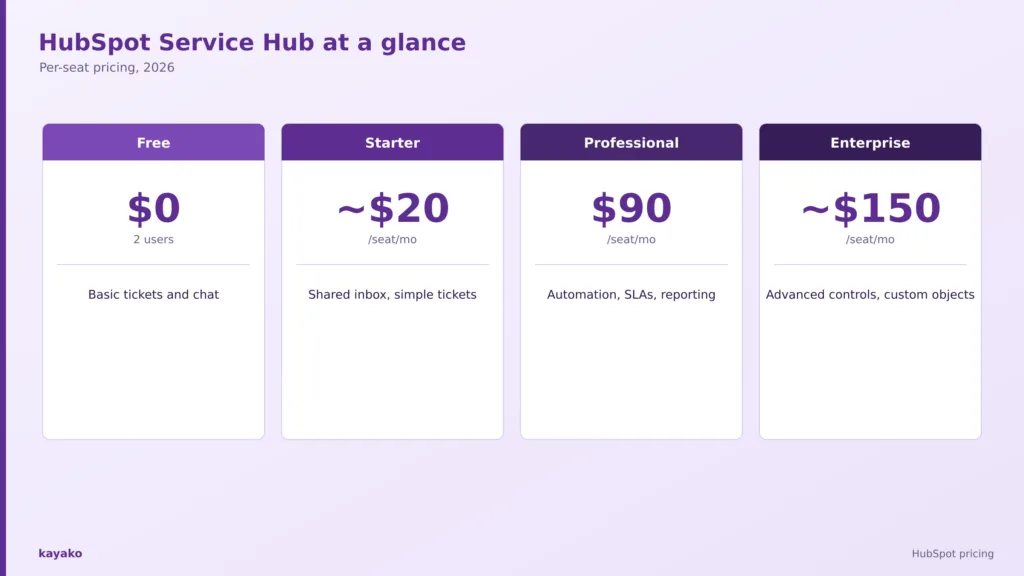
The Service Hub tiers. Onboarding fees and Breeze AI credits sit on top of these per-seat prices.
That table is the easy part. Before breaking down what moves the number, it helps to hear from the teams already paying it.
2. What people say about HubSpot on G2, Capterra, and Reddit
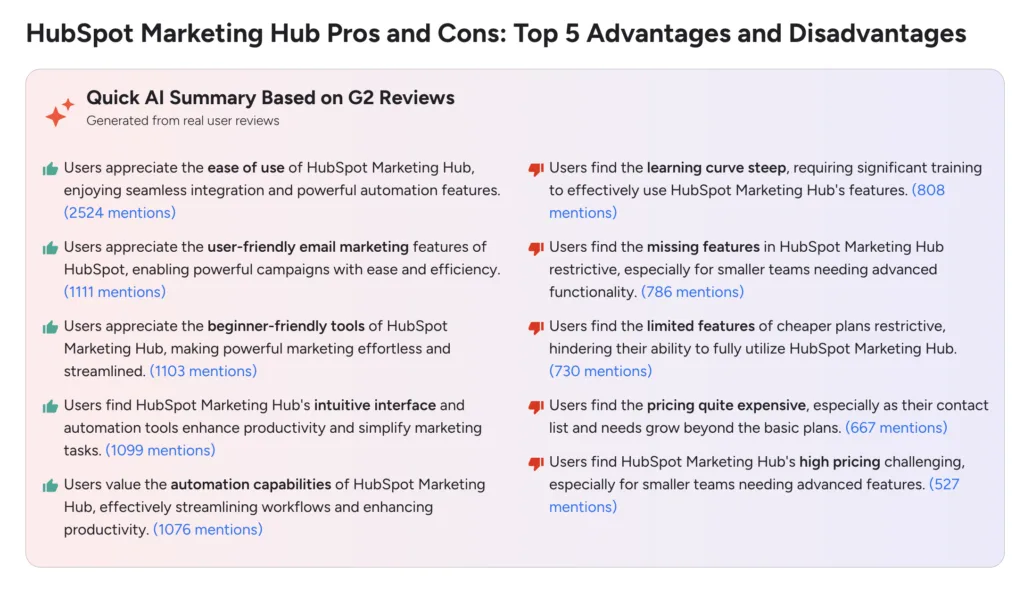
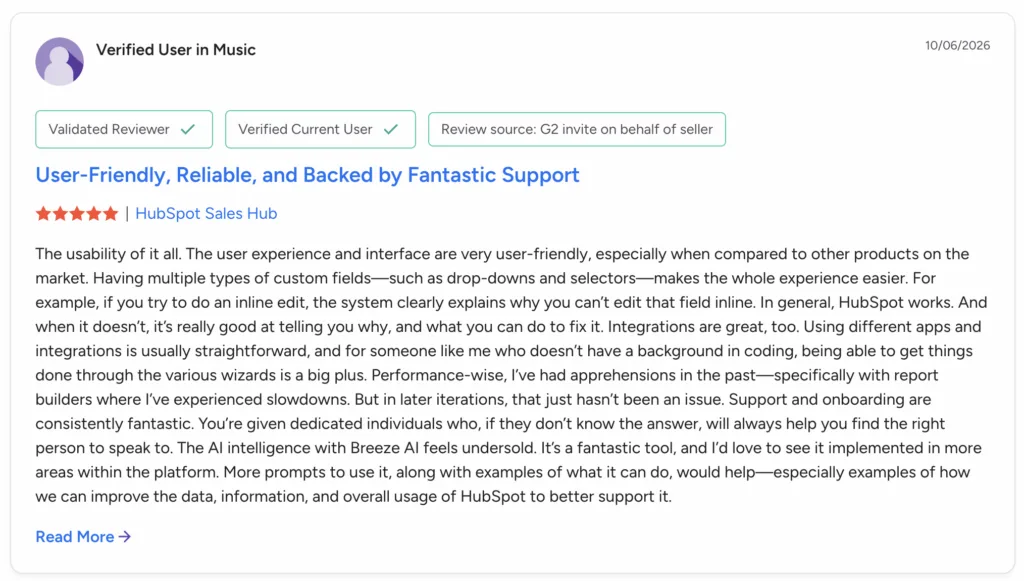
HubSpot Service Hub holds strong ratings, around 4.4 out of 5 on G2 from roughly 3,000 reviews and 4.4 on Capterra. The averages look settled, so the standout themes behind them tell you more, and they split by team size.
What people praise
- Ease of use. The most-cited strength by far; reviewers call the interface intuitive and setup close to seamless.
- One unified record. Marketing, sales, and service on a single customer view, with no stitching tools together.
- Solid ticketing and responsive support. The shared inbox and HubSpot’s own support both earn repeated praise.
- Automation that saves time. Workflows cut manual work for growing teams.
- Large integration ecosystem. Most teams can connect the rest of their stack rather than replace it.
What people flag
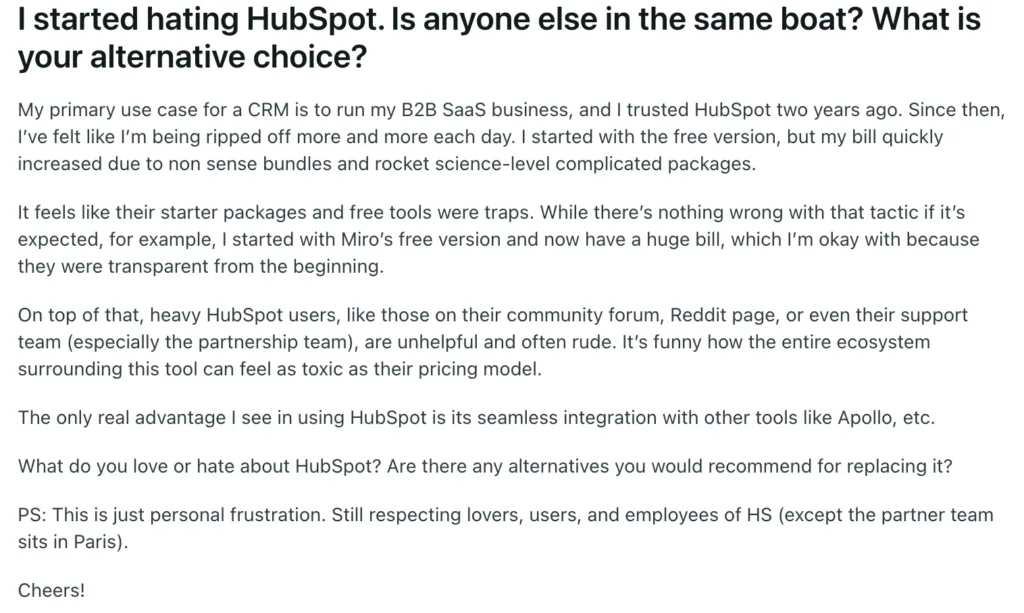
- Cost is the loudest complaint, and the Starter-to-Professional jump is the sharpest. On Reddit’s r/hubspot, buyers describe quotes near $17,500 a year and call the jump absurd.
- Onboarding fees sting. A one-time $1,500 on Professional and $3,500 on Enterprise, resented by small teams; one solo user reported being charged $1,500 just to onboard.
- Cost compounds over time. A ten-year customer on Reddit said their bill had doubled and they were unsure they could still afford it.
- Marketing contact pricing surprises. Contact tiers add cost on top of seats, so buyers feel nickel-and-dimed as their lists grow.
- Features gate behind higher tiers. Advanced customization and reporting sit behind Professional and Enterprise, and annual contracts are paid upfront with little mid-term flexibility.
None of these are vague grumbles. They trace back to how the HubSpot bill is assembled, which is worth breaking down next.
|
|
3. What actually determines your HubSpot cost?
HubSpot is billed per seat, so headcount is the first lever. On Service Hub Professional at $90 a seat, ten agents is $10,800 a year before anything else, and twenty-five is $27,000. The seat price, though, is only the first of several layers.
The one that catches small teams is onboarding. HubSpot charges a one-time $1,500 fee on a first Professional purchase and $3,500 on Enterprise, waivable only through a partner. On top of that, Breeze, HubSpot’s AI, runs on monthly credits: plans include an allotment that resets without rollover, and usage beyond it bills at roughly a cent per credit, where an AI-resolved conversation costs about 50 credits, so around fifty cents each. If you run Marketing Hub as well, contact tiers add cost per thousand or per five thousand contacts on top of every seat.
Stack those layers, and the sticker understates the real figure. An independent worked example puts ten agents on Service Hub Professional with around a thousand AI resolutions a month near seventeen thousand dollars in year one once onboarding and AI usage are counted. That is why the next question matters more than the price list: which tier does your team genuinely need?
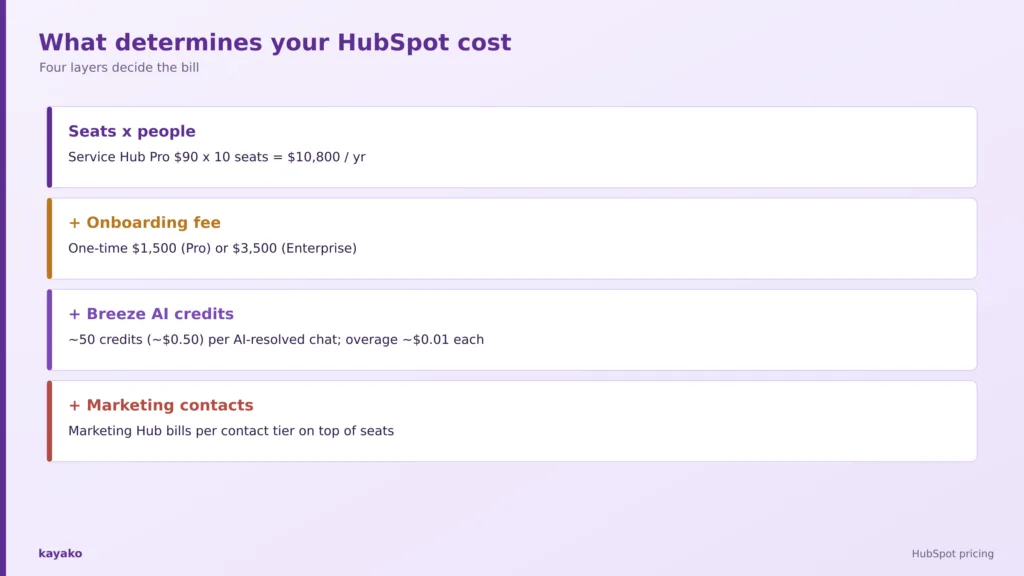
Four layers decide the real HubSpot bill: seats, onboarding fees, Breeze AI credits, and marketing contacts.
|
|
4. Which HubSpot plan makes sense for you?
The right tier follows the shape of your work, not the length of the feature list. Three patterns cover most support teams.
A small team on email: consider Starter
Starter fits when your work is a shared inbox, simple tickets, and basic automation. If you have two to five agents and most tickets arrive by email, you do not need the Professional feature set yet. Watch the step up, though, because it is a steep one.
- Scenario. A five-person team answering product and billing questions, almost all by email.
A scaling support team: consider Professional
Professional is the workhorse tier, adding automation, SLAs, a knowledge base, reporting, and the Breeze Customer Agent. It also carries the $1,500 onboarding fee and the biggest price jump, so it pays to be sure you will use the automation and AI.
- Scenario. A fifteen-agent team that needs SLAs, routing, and a knowledge base across more than one channel.
A large org needing governance: consider Enterprise
Enterprise adds advanced permissions, custom objects, and playbooks for larger, more regulated operations. The value appears when you genuinely need the controls, not before.
- Scenario. Fifty or more agents with strict permissions and custom data models.
If you are assembling the wider go-to-market stack around it, our guides to the martech tools and the B2B sales tech stack put HubSpot in context.
Knowing which tier fits is half the decision. The other half is knowing when the spend is justified.
5. When does HubSpot pricing actually make sense?
HubSpot earns its price when several of these are true at once.
- You want marketing, sales, and service on one record. The all-in-one platform is the whole point, and the value grows the more of it you use.
- You already run HubSpot CRM. Adding service in the same place avoids a second system.
- You have the seats and budget for Professional. The workhorse tier and its onboarding fee pay back at real scale.
- You will use Breeze AI and automation. Credits and workflows justify themselves when the volume is there.
- You need a large integration ecosystem. Connecting the rest of your stack is a genuine HubSpot strength.
Put plainly, HubSpot is expensive for a reason when you use the whole platform. The reverse is just as important, because the same breadth becomes dead weight for a simpler need.
|
6. When might HubSpot be more than you need?
The better test is complexity, not company size. HubSpot may be more platform than you need when several of these hold true.
- You only need ticketing and a shared inbox.
- Your team is small, and the Starter-to-Professional jump is hard to justify.
- You do not use the marketing or sales hubs.
- Your priority is resolving tickets with AI, not an all-in-one suite.
- The onboarding fee and per-seat model outweigh the value for your volume.
When most of your volume is repetitive and automatable, you are paying seats and an onboarding fee to manage work a strong AI agent could resolve outright. For that pattern, a platform built around AI agents rather than basic chatbots and priced on resolved tickets changes the math, which reframes the buying question by scenario.
7. HubSpot pricing by company scenario
Find the row that sounds most like your team, then read across. The last row is the one most pricing pages leave out.
|
Company scenario |
What you probably need |
HubSpot fit |
|---|---|---|
|
Solo or tiny team |
Shared inbox and basic tickets |
Free or Starter |
|
Scaling support team |
Automation, SLAs, knowledge base |
Professional |
|
All-in-one CRM shop |
Marketing, sales and service together |
Customer Platform |
|
Large enterprise |
Governance and custom objects |
Enterprise |
|
AI-first support, lean stack |
Ticketing and AI resolution |
Compare alternatives |
Match your scenario to the tier. Lean, AI-first teams are the ones who should price alternatives.
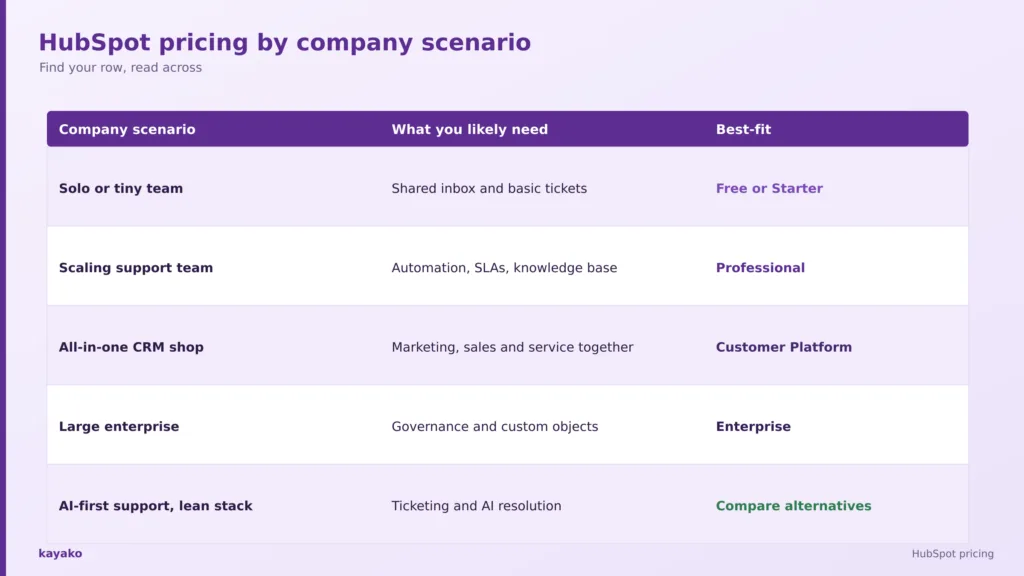
Seeing yourself in a row is useful, but a buying decision usually comes down to a direct comparison with a leaner option.
8. HubSpot vs Kayako
This is not a full feature teardown, just the short version of where each platform fits.
HubSpot
HubSpot’s strength is the all-in-one platform: marketing, sales, and service on one customer record, an easy interface, deep automation, and a huge app ecosystem. It fits teams that want their whole go-to-market in one place and will use more than just the service tools.
Kayako
Kayako is a focused AI support platform. Agent Kay resolves tickets autonomously, SingleView gives agents the full history of every customer on one screen, and pricing is one dollar per resolved ticket rather than per seat, so cost tracks outcomes instead of headcount, and there is no onboarding fee cliff on a service tier.
Per-seat suite pricing rewards adding seats and modules; per-resolution pricing rewards resolving more tickets automatically. If you mainly need support, the suite can be more than you need.
A head-to-head helps, but the final call comes down to your own numbers. For a wider view, our guide to HubSpot Service Hub alternatives lays out the options by use case, and a short checklist turns the pricing question into a decision.
|
9. What should you actually consider before buying HubSpot?
Swap the question of which tier is cheapest for a short set of questions about your own operation.
- How many people actually need paid seats?
- How many tickets do we handle a month?
- Do we use marketing and sales too, or only service?
- Will we use Breeze AI enough to justify the credits?
- Can we absorb the onboarding fee?
- How gated are the features we need?
- What will it cost when the team doubles?
That last question is the one that catches teams out. Pricing today is not the same as cost at scale. It is also worth weighing how much of your volume is automatable, since research from Gartner found only 14 percent of customer service issues are fully resolved in self-service, which shows how much room modern AI resolution still has to take load off paid seats.
With those answers in hand, the decision becomes straightforward. The tree below turns them into a single recommendation.
Is HubSpot worth it for you? A quick decision tree
- Only need a shared inbox and basic tickets? Free or Starter may be enough.
- Scaling and need automation and SLAs? Professional.
- Want marketing, sales, and service together? Customer Platform.
- Need enterprise governance and custom objects? Enterprise.
- Mainly want AI ticket resolution with a lean stack? Compare Kayako.
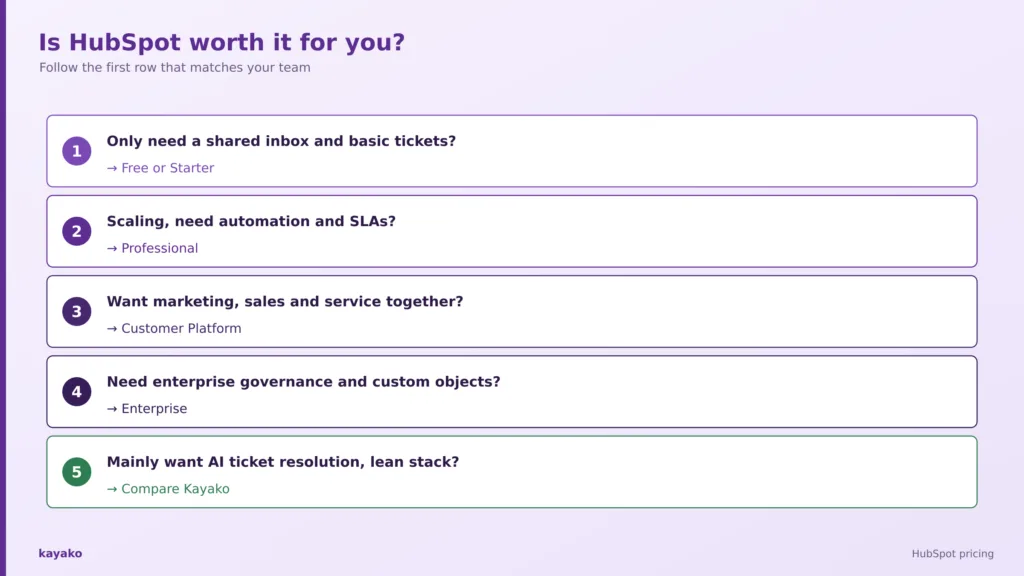
Follow the first row that matches your team to land on the right tier, or a leaner alternative.
A tree like this is more useful than another long pricing table, because it moves you from what HubSpot costs to whether it is worth paying for.
How Kayako helps
Kayako is an AI customer support platform built around autonomous resolution. Agent Kay resolves repetitive tickets end to end, and SingleView gives agents the full history of every customer on one screen for the conversations that still need a human. Because pricing is one dollar per resolved ticket rather than per seat, cost rises only when the platform does the work, which suits the lean teams that find a full suite more than they need.
Case study: Trilogy. Trilogy reached 76 percent autonomous resolution with Kayako, cut average ticket age from 17.6 hours to under two minutes, and saved five million dollars within 90 days.
|
Conclusion
HubSpot pricing in 2026 is clear enough on paper: Service Hub from about $20 to $150 per seat per month, plus onboarding fees and Breeze AI credits, with Marketing Hub adding contacts on top. The harder question is fit. For a team that will use the whole platform, the cost is justified by what it does. For a team that mainly needs to resolve support tickets, much of that spend buys breadth that sits idle.
So read the price list, then read your own operation. Pricing tells you what HubSpot costs. Your use case tells you whether it is worth it, and whether a simpler, outcome-based platform would get you more resolution for less.
Frequently asked questions
How much does HubSpot cost?
HubSpot is priced per seat. Service Hub runs from a free tier to about $20 per seat per month for Starter, $90 for Professional, and around $150 for Enterprise on annual billing. Professional and Enterprise also carry one-time onboarding fees, and Breeze AI and marketing contacts are billed on top.
What is the cheapest HubSpot plan?
HubSpot offers a free tier for up to two users with basic tickets and live chat. Among paid Service Hub plans, Starter at around $20 per seat per month is the cheapest, suited to small teams wanting a shared inbox and simple tickets rather than automation or SLAs.
Is HubSpot priced per seat?
Yes. Since 2024, every paid HubSpot Hub is billed per seat, so cost scales with the number of people who act in the tool. Marketing Hub adds contact-based pricing on top of seats, and AI usage is billed separately through Breeze credits.
Does HubSpot charge onboarding fees?
Yes. HubSpot charges a one-time onboarding fee on a first Professional or Enterprise purchase, reported at around $1,500 for Professional and $3,500 for Enterprise. The fee can usually be waived only by buying through a HubSpot partner.
How much does HubSpot AI (Breeze) cost?
Breeze runs on monthly credits that reset without rollover. Plans include an allotment, and usage beyond it bills at roughly a cent per credit. An AI-resolved conversation costs about 50 credits, so around fifty cents, which adds up at volume on top of seats.
Is HubSpot worth the cost?
HubSpot is worth it for teams that use the all-in-one platform across marketing, sales, and service. For small teams that mainly handle support tickets, the per-seat price, onboarding fee, and AI credits can be more than the value justifies, and a focused support tool may cost far less.
Is HubSpot good for small businesses?
Small businesses can start on the free tier or Starter, but should watch the jump to Professional and the onboarding fee as needs grow. Teams whose volume is largely repetitive often get more value from a resolution-priced support platform than from climbing the Hub tiers.
What is the best HubSpot Service Hub alternative?
The best alternative depends on your use case. For teams focused on AI-first autonomous resolution without per-seat licensing, Kayako is a strong fit; our guide to HubSpot Service Hub alternatives compares options by scenario.
Is Kayako cheaper than HubSpot?
It depends on your volume and headcount. Kayako charges one dollar per resolved ticket plus a fixed onboarding fee rather than per seat, so teams with repetitive volume that automates well often pay less than they would across HubSpot seats, onboarding, and AI credits.