Quick summary: The best incident management software falls into two families: on-call and incident-response tools (PagerDuty, incident.io, Opsgenie, Rootly, Better Stack) for engineering and SRE teams, and ITSM and service-desk tools (Kayako, ServiceNow, Jira Service Management, Freshservice) for internal IT support. Choose the type of incidents you run, your integrations, AI depth, and pricing. Kayako leads the ITSM lane for teams resolving internal IT tickets, with autonomous resolution priced per outcome.
Incident management software is what stands between a minor alert and an expensive outage. It detects a problem, routes it to the right person, coordinates the response, and captures what happened so the next incident goes smoother. Pick the right tool and your team resolves issues in minutes. Pick the wrong one, and small problems turn into long, costly ones.
The category is wider than it first looks. Some tools are built for on-call engineering and site reliability teams that need alerting and paging. Others are ITSM and service-desk platforms built for internal IT support and request resolution. This guide covers ten worth shortlisting across both families, what each is best at, and what real users say, so you can match a tool to the incidents you actually handle.
What is incident management software?
Incident management software is a platform that helps teams detect, respond to, coordinate, and learn from service disruptions. On the engineering side, that means alerting, on-call scheduling, escalation, and postmortems. On the IT service side, it means logging, routing, and resolving internal incidents and requests against a shared record, so nothing is lost and every agent can see the full history. The common thread across both families is speed with accountability: get the right issue to the right person fast, and capture what happened so it is easier next time.
The line between the two families matters when you buy. On-call tools such as PagerDuty and incident.io are built for real-time alerting when a system breaks. ITSM tools such as ServiceNow and Kayako are built to manage and resolve support and IT tickets at scale. Some teams run both. Knowing which problem you are solving is the first step, and it sets up why this software is worth the investment at all. Buy an on-call tool when you need to page engineers, and an ITSM tool when you need to resolve support and IT tickets; treating them as interchangeable is where most bad purchases start.
Why incident management software matters
Incident management software matters because downtime is one of the most expensive things that can happen to a business, and most of that cost is avoidable with faster detection and response.
The figures are stark. The ITIC 2024 Hourly Cost of Downtime Survey found that over 90% of mid-size and large enterprises say a single hour of downtime costs more than $300,000, and 41% put the figure between $1 million and $5 million per hour. Splunk and Cisco’s Hidden Costs of Downtime research puts the average cost near $15,000 per minute, with the typical organization losing around $300 million a year to outages. Gartner’s widely cited benchmark puts the average cost of IT downtime at $5,600 per minute, roughly $336,000 an hour, per compiled downtime research.
Outages are also common and largely preventable. The Uptime Institute reports that about 80% of data centers had at least one outage in the past three years, and roughly 53% of outages stem from IT and network issues. A single high-profile event shows the scale: the July 2024 CrowdStrike outage cost the Fortune 500 a combined $5.4 billion in a matter of days.
The direct dollar figures are only part of it. The costs that never show up on the invoice, lost customer trust, churn from a bad outage moment, reliability signals slipping, and engineering hours burned on firefighting often outlast the outage by weeks. That is why the tool that shortens detection and response pays back far beyond the minutes it saves during any single incident.
AI is starting to change the math. In Atomicwork’s 2026 State of AI in IT, 32% of IT professionals said AI already has a significant effect on incident management, from noise reduction to faster postmortems. The near-term value is less about AI diagnosing the outage and more about it removing the busywork around one, correlating alerts, summarizing context for a joining responder, and drafting the write-up so the team learns without the manual overhead. So the tool you choose is not a back-office nicety. It is a direct lever on revenue, trust, and engineering time, which is why the feature set deserves a close look.
Key features to look for
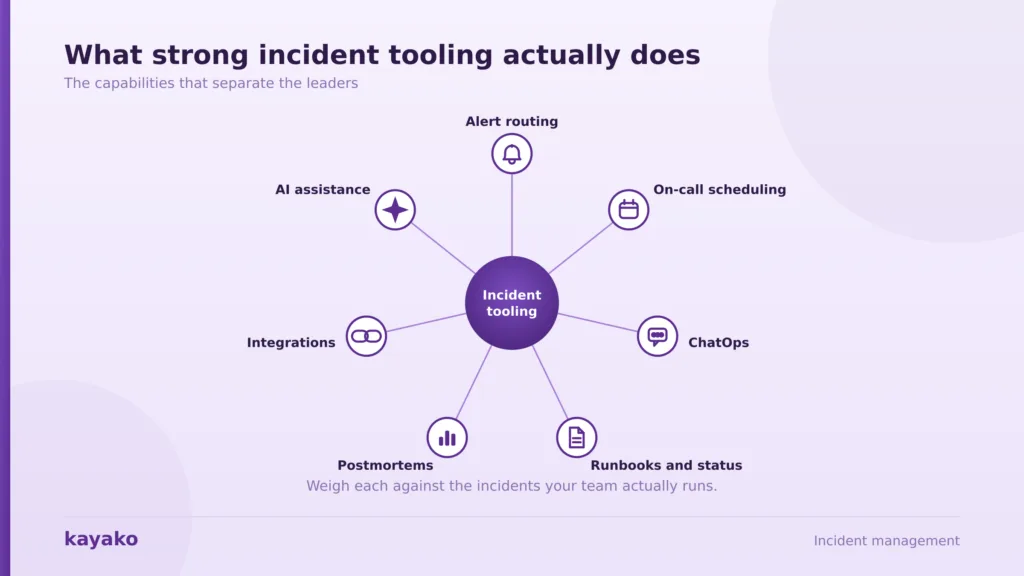
Incident management tools share a core set of capabilities, and the depth of each is where they separate. Weigh these against the incidents your team actually runs.
- Alert routing and deduplication: getting the right alert to the right person, without flooding them.
- On-call scheduling and escalation: clear rotations and escalation paths so nothing goes unanswered.
- ChatOps: running the response in Slack or Teams, where engineers already work.
- Runbooks and status pages: documented steps and clear customer communication during an incident.
- Postmortems and analytics: structured reviews and trend data so the same incident does not recur.
- Integrations: clean connections to your monitoring, ticketing, and chat tools, so alerts and context flow without manual copying.
- AI assistance: noise reduction, alert correlation, and auto-drafted postmortems that cut the manual write-up after every incident.
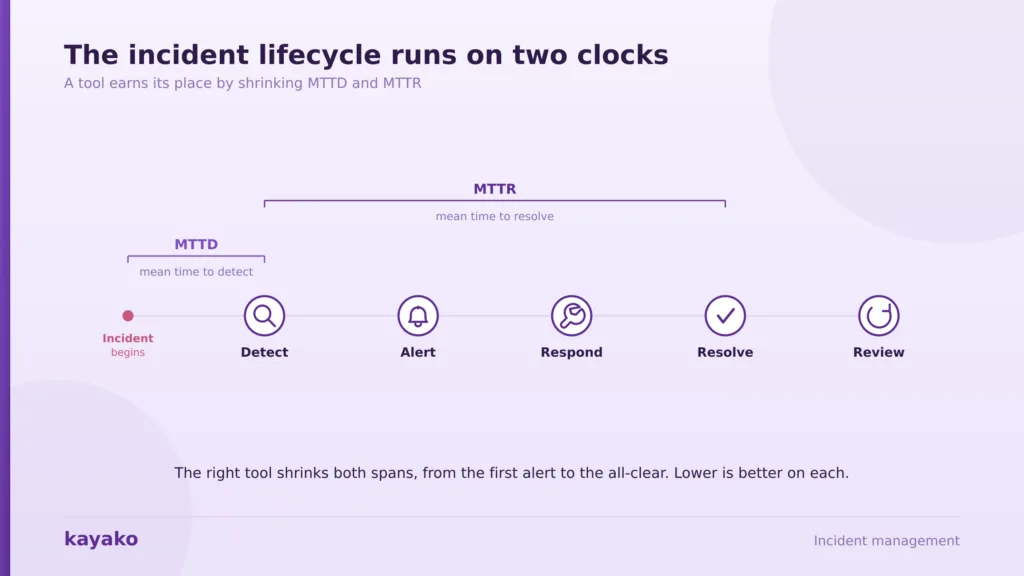
Two numbers tell you whether a tool is working: MTTD (mean time to detect) and MTTR (mean time to resolve). Lower is better on both. For IT service teams, resolution rate and first response time matter just as much, which is where a knowledge base and automation earn their keep. With the criteria set, here are the ten tools worth shortlisting.
The 10 best incident management software tools for 2026
The list is split into two groups. First, on-call and incident-response tools built for engineering and SRE teams. Second, ITSM and service-desk tools are built for internal IT support, where Kayako leads. Each entry covers what it is best for, its strengths and trade-offs, and what real users say, drawn from review platforms rather than marketing pages. Kayako is placed in the ITSM group, where it genuinely fits, rather than being forced into the on-call ranking.
On-call and incident response
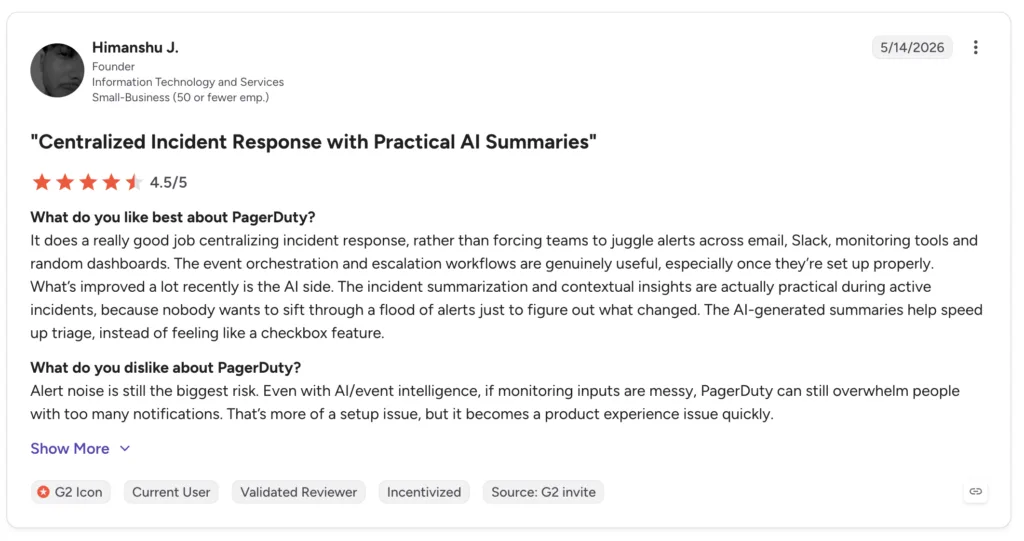
- PagerDuty. The enterprise standard for on-call. PagerDuty offers the largest integration catalog in the category, with 700+ connections, mature alerting, and proven scale for large SRE teams. Its strengths are reliability and breadth. The trade-offs are cost and a heavier setup, and its AI features sit in higher tiers. For a large team with an established monitoring stack, it is the low-risk default; for a small team, the price and configuration can feel like more than the job requires.
What users say: reviewers call PagerDuty the safe, enterprise-grade choice with unmatched integrations, but many flag steep pricing and a coordination overhead during incidents, where teams juggle several tools at once. Paraphrased from PagerDuty reviews on G2.
- incident.io. A Slack-native platform that unifies alerting, on-call, incident response, status pages, and postmortems in one place. It fits fast-moving engineering teams that live in Slack and want structure without context switching. Its AI drafts postmortems from the incident timeline. The trade-off is that it centers on Slack and Teams, and some workflows need configuration first, so the war-room setup is not quite instant. For teams that already run their day in Slack, though, that is a small price for keeping the whole response in one place.
What users say: users consistently praise the Slack integration and the way automation cuts the administrative burden during incidents, so teams focus on resolving rather than coordinating. Some note that certain integrations could be more mature. Paraphrased from incident.io reviews on G2.
▶ incident.io full platform walkthrough (YouTube)
A walkthrough of on-call, response, and status pages, useful for seeing the Slack-native workflow in action.
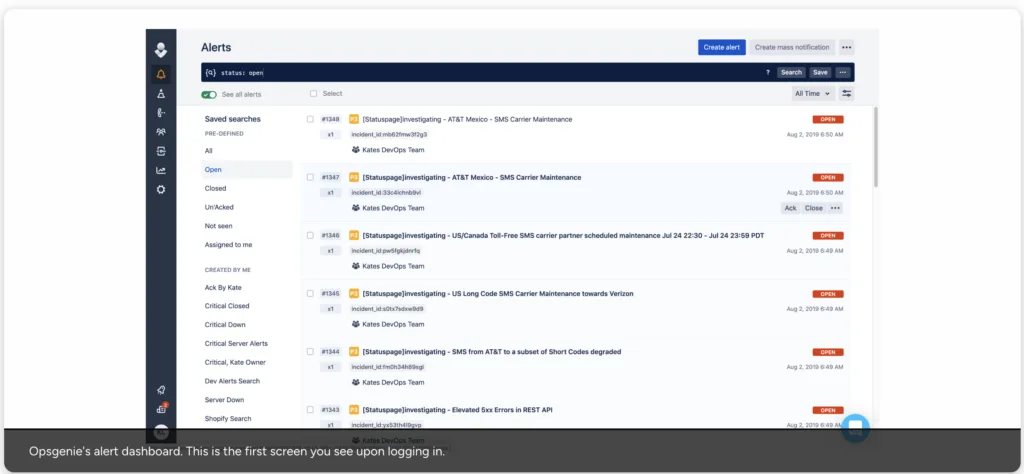
- Opsgenie. Long a budget-friendly, Atlassian-aligned option with clean on-call scheduling. It suits teams already invested in Jira and Confluence. The major caveat is timing: Atlassian is sunsetting Opsgenie and steering users toward Jira Service Management, so new buyers should weigh the migration rather than starting here.
What users say: reviewers have long valued the clean scheduling and Atlassian fit, though some cite past reliability concerns, and the planned sunset now shapes any decision. Paraphrased from Opsgenie reviews on G2. For teams weighing it today, the migration question usually outweighs the feature comparison.
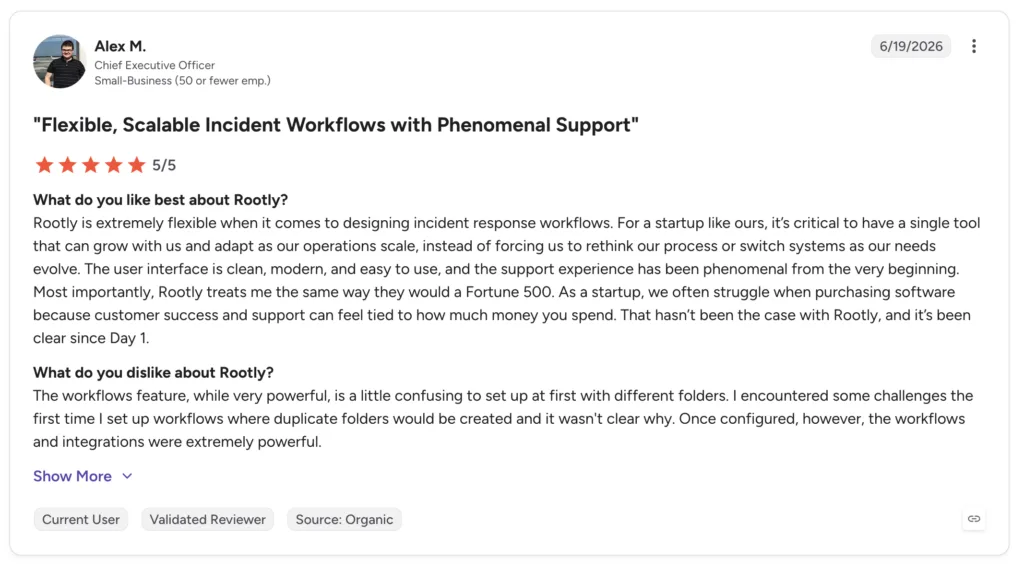
- Rootly. A Slack-driven platform focused on automating a consistent incident response, from declaring an incident to running the retrospective. It fits teams that want process and repeatability baked into chat. It is lighter on the broad, multi-channel alerting that PagerDuty specializes in, so teams with heavy paging needs may pair it with a dedicated alerter. Where it shines is turning a messy, ad-hoc response into a repeatable one.
What users say: users highlight the Slack-native automation and the consistency it brings to response, so less is left to memory under pressure. Paraphrased from Rootly reviews on G2.
- Better Stack. A newer option that unifies uptime monitoring, on-call, and status pages in one affordable platform. It suits smaller teams that want to consolidate three tools into one. It is less established than PagerDuty at enterprise scale, so very large SRE orgs should test it against their volume.
What users say: reviewers like that monitoring, alerting, and status pages live together, which removes the need to stitch separate subscriptions, and they praise the value. Paraphrased from Better Stack reviews on G2. For a startup that wants uptime checks, paging, and a public status page without three subscriptions, it is an easy tool to justify.
Bring incident tickets and resolution into one view with Kayako
ITSM and service desk
The tools above alert engineers when systems break. The tools below manage and resolve IT and support incidents against a shared record, which is where internal IT teams live. Kayako leads this group for teams that want autonomous resolution.
Give your internal IT team one place to resolve every ticket with Kayako
- Kayako. For internal IT support and request resolution. Kayako is not an on-call alerting tool like PagerDuty; it is where IT support tickets and internal incidents get logged, routed, and resolved. Its Agent Kay AI resolves routine requests end-to-end, SingleView gives agents full context on every ticket, and its internal IT support desk and AI ticketing run on one record. Pricing is per resolution rather than per seat, so automation lowers cost. It is the right fit for the service-desk side of incidents, not the SRE paging side. That honesty matters when you shortlist: pairing Kayako for internal support with a dedicated on-call tool for engineering often covers both families better than forcing one tool to do both jobs.
Where it fits: teams handling internal IT and employee support incidents, where fast resolution and a strong knowledge base matter more than multi-channel paging. Think access requests, onboarding and offboarding, software issues, and the everyday tickets that make up the bulk of a service desk.
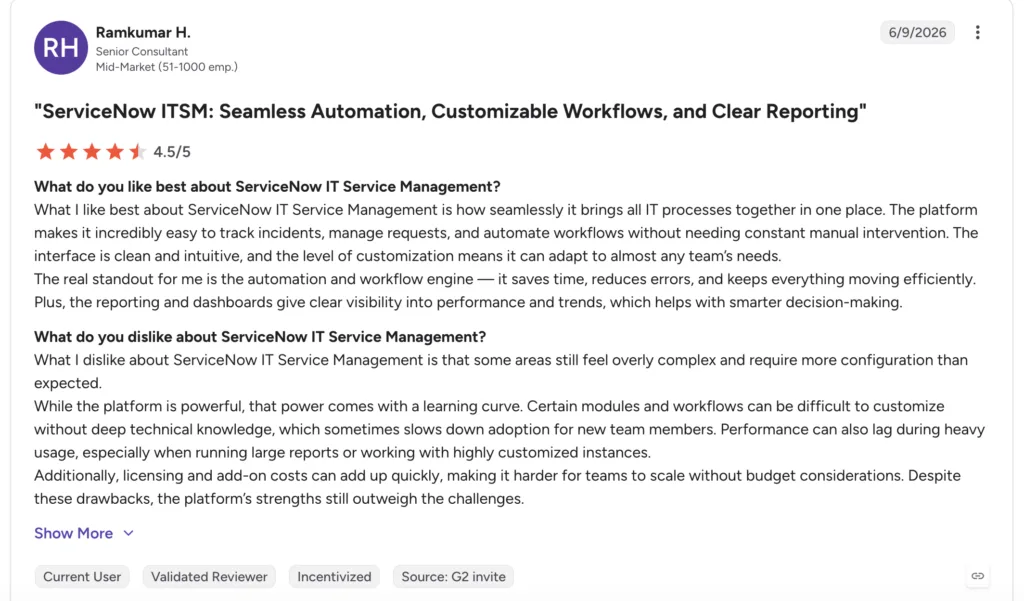
- ServiceNow. The heavyweight enterprise ITSM platform, with deep workflow automation and broad IT service coverage. It suits large organizations with complex processes and the resources to run it. The trade-offs are cost, complexity, and a long implementation that usually needs dedicated administrators or consultants. It rewards organizations with the scale to run it, and overwhelms those without it.
What users say: reviewers respect its power and breadth, but many describe it as heavy and complex to configure, and not purpose-built for real-time incident response, so smaller teams often find it more platform than they need. Paraphrased from ServiceNow reviews on G2.
- Jira Service Management. Atlassian’s service desk is the recommended path for teams leaving Opsgenie. It fits organizations already standardized on Jira, with strong ties to engineering workflows. Reviewers note it is capable, but can take real effort to configure well. For teams already standardized on Atlassian, the shared ecosystem and familiar interface shorten the learning curve considerably.
What users say: users value the tight Atlassian integration for teams already in Jira, while some find the setup and administration heavier than expected. Paraphrased from Jira Service Management reviews on G2.
- Freshservice. An approachable ITSM tool aimed at mid-market teams that want a service-desk structure without heavy setup. It covers incident, problem, and change management with a friendly interface. Its automation and AI depth trail the enterprise leaders, so very large or highly automated operations may outgrow it. For a mid-market IT team that wants structure quickly, it hits a practical balance of capability and simplicity.
What users say: reviewers praise the ease of setup and clean interface, and some want deeper automation as they scale. Paraphrased from Freshservice reviews on Capterra.
- All Quiet. A lean, modern on-call and incident tool that competes on simplicity and price. It suits smaller teams that find the incumbents heavy and expensive. Its integration catalog is smaller than PagerDuty’s, so check your key tools are covered before committing. The appeal is a clean, modern experience at a fraction of the incumbent cost, which is enough to earn it a spot on a small team’s shortlist. With the field mapped, the table below lines the tools up.
Incident management software compared
The table sums up the ten at a glance, so you can match a tool to your team quickly. Read it with the criteria above, since the right pick depends on whether you need engineering on-call or IT service management, plus your integrations and budget.
| Tool | Category | Best for | AI | Pricing |
|---|---|---|---|---|
| PagerDuty | On-call | Enterprise on-call at scale | Add-on | Per user |
| incident.io | On-call | Slack-native full lifecycle | Native | Per user |
| Opsgenie | On-call | Atlassian-based teams | Add-on | Per user |
| Rootly | On-call | Slack-driven automation | Native | Per user |
| Better Stack | On-call | Monitoring plus on-call | Add-on | Per user |
| Kayako | ITSM / support | Internal IT support and tickets | Native | Per resolution |
| ServiceNow | ITSM | Large enterprise ITSM | Add-on | Custom |
| Jira Service Mgmt | ITSM | Atlassian Service Desk | Add-on | Per agent |
| Freshservice | ITSM | Mid-market ITSM | Add-on | Per agent |
Details vary by plan and change often. Confirm current features and pricing with each vendor before deciding.
How to choose incident management software
The choice starts with one question: Are you managing engineering outages or IT service requests? That answer points you to the right family before any feature comparison.
For on-call and SRE needs, weigh alerting depth, on-call scheduling, ChatOps, and MTTR reporting. For IT service desks, weigh ticketing, resolution rate, self-service, and how well the tool automates routine requests. After that, the usual criteria apply: integrations with your stack, AI that resolves rather than just suggests, and a pricing model that scales sensibly. Teams running a lot of repetitive internal requests should look hard at helpdesk automation and customer service tooling, since automation is where the time is won. That is exactly where Kayako fits.
A short example makes the split concrete. A software company with a 24/7 product and a busy internal IT desk usually needs both: an on-call tool such as PagerDuty or incident.io to page engineers when the product breaks, and an ITSM tool such as Kayako to resolve the stream of employee access requests, password resets, and software issues that never touch an engineer. Buying one tool to cover both tends to leave one job half-served. One more factor is worth weighing: total cost of ownership. A cheaper per-user price can be undercut by paid add-ons for AI, status pages, or advanced alerting, so price the plan you will actually run, with the features you actually need, before comparing sticker rates.
Automate routine IT requests and cut resolution time with Kayako
How Kayako fits: the internal IT support side of incidents
Kayako sits firmly in the ITSM and internal-support lane. It will not page an SRE at 2 AM, and it does not try to. What it does is resolve the flood of internal IT and support incidents that never need an engineer at all: access requests, password issues, software problems, and the routine tickets that clog a service desk. Agent Kay handles those autonomously, and the knowledge base deflects them before they become tickets.
The effect on resolution is what stands out. Case study: Trilogy. After moving to Kayako, Trilogy eliminated 80% of its ticket volume, cut ticket age from 17.6 hours to under 2 minutes, and saved $5 million within a 90-day rollout. For an internal IT team measured on resolution time and backlog, that is the incident-management win that matters, delivered on the service-desk side rather than the paging side.
The best incident management software depends on which incidents you run. Engineering and SRE teams should shortlist the on-call tools, led by PagerDuty for scale and incident.io for a Slack-native lifecycle. Internal IT teams should shortlist the ITSM tools, where Kayako leads for autonomous resolution, and ServiceNow covers the largest enterprises. Many organizations run one tool from each family, since paging engineers and resolving service-desk tickets are genuinely different jobs, and a single tool rarely does both well.
Whatever you choose, favor the tool that matches your real workflow over the longest feature list, and weigh the real user sentiment alongside the vendor pitch, since the review platforms often reveal what a demo will not. Downtime is too expensive to manage with the wrong tool, so start with the family that fits, prove the gain on MTTR or resolution time, and expand once it holds up under real incidents.
See how Kayako resolves IT incidents automatically
Frequently asked questions
What is incident management software?
Incident management software helps teams detect, respond to, coordinate, and learn from service disruptions. On the engineering side, it provides alerting, on-call scheduling, escalation, and postmortems. On the IT service side, it logs, routes, and resolves internal incidents and requests against a shared record. Some tools specialize in one family, and some teams run both together.
What is the difference between incident management and ITSM?
Incident management is the specific practice of responding to and resolving disruptions. IT service management (ITSM) is the broader discipline that includes incident, problem, change, and request management. On-call tools like PagerDuty focus on real-time incident response for engineers, while ITSM platforms like ServiceNow and Kayako manage the full service-desk lifecycle for internal IT and support.
What is the best incident management software in 2026?
It depends on the incidents you run. For engineering on-call, PagerDuty leads on scale and integrations, while incident.io leads on a Slack-native, unified lifecycle. For internal IT support and request resolution, Kayako leads with autonomous resolution priced per outcome, while ServiceNow suits the largest enterprises. Match the tool to whether you need paging or service-desk resolution.
How much does incident management software cost?
Most on-call tools charge per user per month, often with add-ons for AI, status pages, or advanced alerting that raise the real price. ITSM platforms charge per agent or on custom enterprise terms. Kayako uses a per-resolution model, so cost tracks the incidents it resolves rather than the number of seats. Compare the pricing model, not just the sticker price, since it shapes cost as you scale.
What features should incident management software have?
Look for alert routing and deduplication, on-call scheduling and escalation, ChatOps in Slack or Teams, runbooks, status pages, and structured postmortems with analytics. Track MTTD and MTTR to know whether it is working. For IT service teams, prioritize ticketing, resolution rate, self-service, and automation that resolves routine requests without an agent.