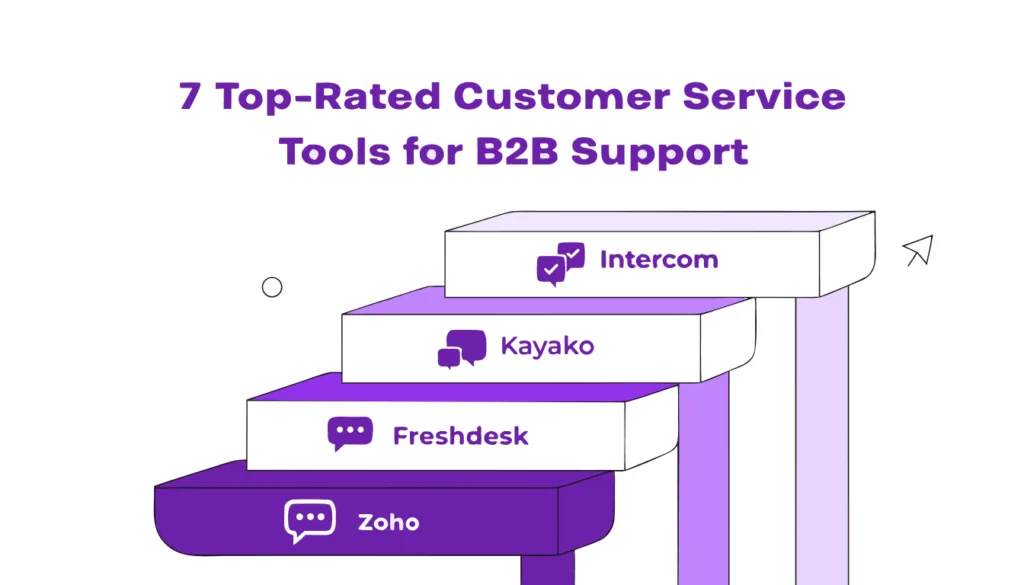
Explore 7 top-rated customer service tools for B2B support in 2026 to improve response times, streamline workflows, and deliver better customer experiences.
B2B support runs on accounts, not tickets, and the wrong tool lets context slip through the cracks. This guide ranks the 7 top-rated customer service tools for B2B support in 2026 on account context, CRM fit, SLAs, AI resolution, omnichannel, and reporting, starting with Kayako.
Most customer service tools were built to track tickets from individual people. B2B support does not work that way. It runs on accounts, with multiple stakeholders, contracts, and a relationship that has to survive for years. When the tool cannot see the whole account, conversations fragment, context gets lost in Slack threads, and customers start shopping for a replacement.
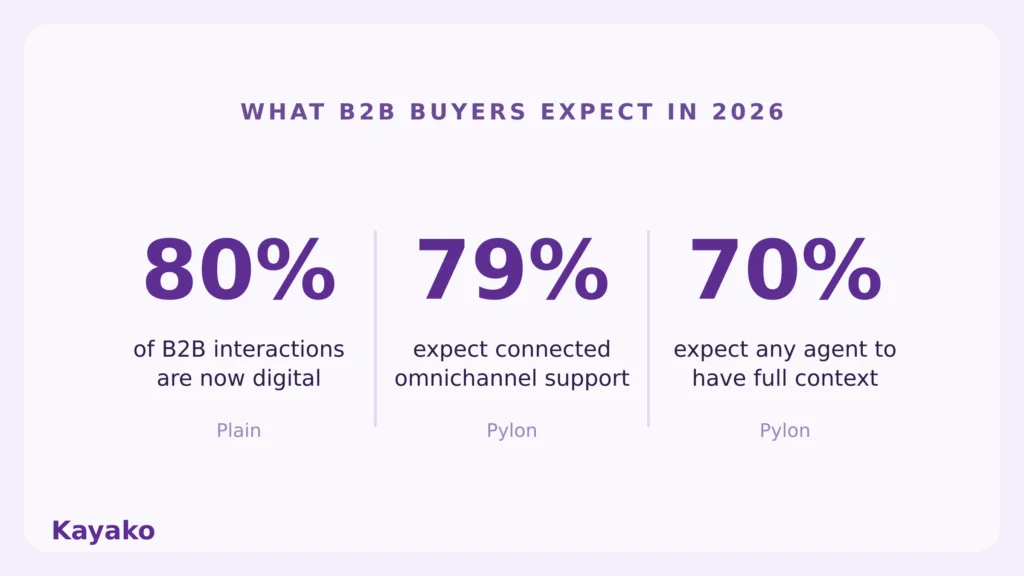
The stakes are real. Plain cites Forrester data showing 80 percent of B2B interactions are now digital, spread across 62 or more touchpoints in a buying cycle, and points to messages slipping through the cracks as a top reason teams switch tools. This guide gives you a ranked, criteria-based comparison of the 7 top-rated customer service tools for B2B support in 2026, starting with how to judge them and ending with how to choose. For the bigger picture, see our guide to B2B customer service.
What to Look for in a B2B Customer Service Tool
Most help desks were built for B2C, where each ticket is a one-off from an individual. B2B support strategy is different. It runs on accounts, not contacts, and the right tool has to reflect that. Here are the six criteria we scored every tool against.
First, an account-level view, not just a ticket-level one. You should see the whole company’s history, contacts, and contracts, not a single isolated message. Pylon notes B2B teams need full 360 context rather than scattered data.
Second, native CRM integration, so support, sales, and success share one source of truth.
Third, SLA management, since B2B service levels are often contractual and tiered by priority.
Fourth, AI autonomous resolution, the ability to resolve routine tickets end to end, not just suggest replies for a human to approve.
Fifth, omnichannel coverage that includes Slack and Microsoft Teams, where modern B2B conversations increasingly happen. Pylon reports 79 percent of customers expect connected, omnichannel interactions and 70 percent expect any agent to have full context. For a deeper look at this dimension, see our guide to omnichannel platforms.
Sixth, reporting that ties support to revenue, so you can connect service to retention and expansion, not just ticket counts.
Tools that organize around accounts behave very differently from tools that organize around tickets. Keep these six criteria in mind as you read the list, and for a broader view of the category, see our guide to customer support software.
See account-aware support in Kayako →
Our Research Methodology
To build this list, we evaluated each tool against the six criteria above, weighting account-level context and AI autonomous resolution most heavily, since those are where B2B support succeeds or fails. We’ve also pulled current pricing from each vendor at the time of writing, read verified user reviews on G2 and Capterra to see how teams actually experience the tools day to day, and compared independent roundups from SupportBee, Gladly, and The CX Lead.
A tool earned its place by fitting a clear B2B use case, whether account-aware support, autonomous resolution, or deep ecosystem fit, rather than by being the most familiar name. The result is a list you can map to your own situation, as it’s simply not a popularity contest.
The 7 Top-Rated Customer Service Tools for B2B Support
1. Kayako
Kayako leads this list because it is built for autonomous resolution, not assist mode. Where most tools suggest replies for an agent to approve, Kayako’s Agent Kay resolves tier one tickets end to end, targeting more than 80 percent autonomous resolution on routine volume.
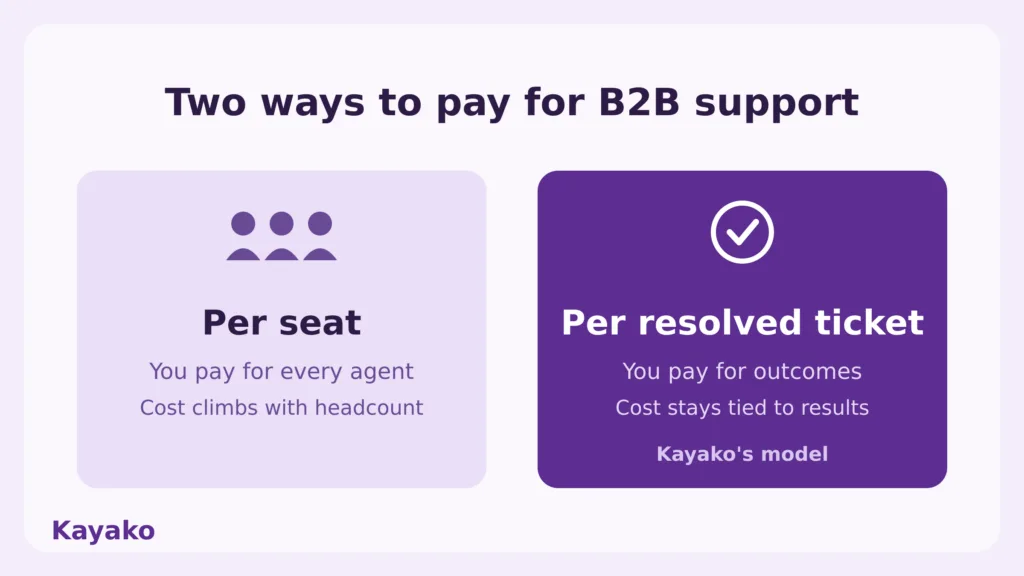
What it does well: SingleView pulls every interaction across email, chat, and social into one account record, so any agent sees the full history the moment a ticket opens. Automation workflows and AI triage route each conversation to the right owner, and built-in SLA enforcement keeps contractual promises visible. Best for AI-forward B2B and SaaS teams that want account-aware support without scaling cost as ticket volume grows. The standout B2B feature is the unified account record paired with autonomous resolution, so automation runs on full context rather than a single ticket. Pricing is usage-based at about $1 per resolved ticket plus onboarding, with no per-seat licensing, which keeps cost tied to outcomes rather than headcount. Where it falls short: teams wanting a sprawling third-party app marketplace may find the ecosystem leaner than the largest incumbents.
2. Zendesk
Zendesk is the mature, enterprise-grade incumbent, and it remains a safe default for large, complex operations. What it does well is breadth. A deep app marketplace, strong omnichannel, and broad configurability mean most workflows can be built without leaving the platform. Best for large teams that want a highly configurable suite and have the resources to administer it. The standout B2B feature is its app marketplace and ecosystem, which extend the platform into almost any stack. Zendesk now bills AI agents per resolution, and Suite plans start around $55 per agent per month, climbing past $150 at the enterprise tier before add-ons. Where it falls short: cost and complexity scale quickly. SupportBee and others note the bill grows fast once you add AI, voice, and workforce tools, and smaller teams often pay for features they never use.
3. Intercom
Intercom is chat-first and messaging-led, which makes it a strong fit for software companies that support users inside the product. What it does well is in-app messaging, a polished customer experience, and its Fin AI agent, which Plain reports can resolve up to 50 percent of conversations on its own. Best for product-led SaaS companies where in-app, conversational support matters more than email ticketing depth. The standout B2B feature is Fin AI combined with rich in-product live chat. Base seats start around $29, with Fin charging about $0.99 per resolution, which is simple but can climb at high volume. Where it falls short: it is messaging first, so teams that live in email and need deep ticketing structure sometimes find it less natural.
4. Freshdesk
Freshdesk is the approachable, good-value option, and it punches above its price for growing teams. What it does well is solid ticketing, automation, and a built-in help center at a friendly entry point, and it is quick to set up without a dedicated administrator. Best for growing mid-market teams that need real functionality without enterprise complexity or cost. The standout B2B feature is strong automation and SLA management at a mid-market price, with Freddy AI for basic deflection. A free tier covers the smallest teams, and paid plans start around $19 per agent per month, undercutting the larger suites significantly. Where it falls short: the deepest enterprise features and the largest app ecosystem sit with pricier competitors, and some capabilities rivals bundle at entry-level cost extra here.
5. HubSpot Service Hub
HubSpot Service Hub makes the most sense when you already live in HubSpot. What it does well is unify marketing, sales, and service data on one CRM, so support sees the full customer relationship, not just the ticket. Best for B2B teams already invested in the HubSpot ecosystem that want service on the same platform as sales and marketing. The standout B2B feature is native CRM context across the full funnel, which makes account-level service straightforward. Starter runs around $20 per seat per month, with Professional near $100, so cost rises as you move up tiers. Gladly frames Service Hub as a strong fit for B2B and tech firms for exactly this reason. Where it falls short: the jump from Starter to Professional is steep, and the value depends on committing to HubSpot broadly rather than as a standalone help desk.
6. Front
Front is built around the shared inbox, and it shines where coordinated email is the heart of support. What it does well is turn email, chat, and SMS into a collaborative workspace with collision detection, internal comments, and assignment, so teams reply with one coordinated voice. Best for operational B2B teams, like logistics, finance, or account management, where threaded email and internal collaboration matter most. The standout B2B feature is shared inbox collaboration with CRM context visible inside the thread. Plans start around $19 per seat per month billed annually, with multi-channel and AI features on higher tiers. Where it falls short: the entry plan limits you to a single channel, AI Copilot is a paid add-on, and reviewers note it can get expensive once you need the full multi-channel experience.
7. Zoho Desk
Zoho Desk is the value pick, especially for companies already running other Zoho tools. What it does well is capable ticketing, automation, and its Zia AI assistant at a price that undercuts almost everyone, with tight integration across the Zoho suite. Best for SMB B2B teams that want affordable, functional support and already use Zoho CRM or other Zoho products. The standout B2B feature is deep Zoho ecosystem integration at a low cost of entry. A free tier covers up to three agents, and paid plans start in the low double digits per agent per month. Where it falls short: outside the Zoho ecosystem, the integrations feel less seamless, and very large enterprises may outgrow it. For teams wanting a B2B native, account-structured alternative, The CX Lead highlights TeamSupport, which organizes around accounts and includes a customer distress index.
B2B Customer Service Tools Compared
Here is how the seven compare at a glance. Kayako sits at the top for autonomous resolution and account-aware pricing.
| Tool | Best for | Standout B2B feature | AI resolution | Pricing model |
| Kayako | AI-forward B2B and SaaS teams | SingleView record + Agent Kay | Autonomous, targets 80%+ | Per resolved ticket, no per seat |
| Zendesk | Large, configurable operations | Deep app marketplace | AI agents, per resolution | Suite from about $55 per agent |
| Intercom | Product-led SaaS, in-app support | Fin AI, messaging first | Fin up to about 50% | Seats from $29 plus $0.99 per resolution |
| Freshdesk | Growing mid market teams | Automation value, Freddy AI | Basic AI deflection | Free tier; paid from about $19 per agent |
| HubSpot Service Hub | Teams standardized on HubSpot | Unified CRM context | AI in higher tiers | Starter about $20 per seat; Pro about $100 |
| Front | Email-heavy operational teams | Shared inbox, collision detection | Copilot add-on | From about $19 per seat, billed annually |
| Zoho Desk | SMB B2B on the Zoho suite | Tight Zoho integration, low cost | Zia AI | Free up to 3 agents; paid from low double digits |
How AI Is Changing B2B Customer Service Tools
The biggest shift in B2B support tools is the move from scripted chatbots to agentic AI. Older bots matched keywords and handed off the moment a question got complex. Agentic AI reads your backend systems, follows a multi-step process, and completes the request, which is a different category of capability.
The numbers show how fast this is moving. Salesforce reports AI resolved about 30 percent of cases in 2025 and projects 50 percent by 2027. Fin describes the divide clearly: keyword chatbots versus agentic AI that carries context across an entire conversation and acts on it. The cost case is just as stark. Plain cites Gartner’s estimate that conversational AI will cut agent labor costs by 80 billion dollars.
For B2B, this changes what good looks like. Assist mode, where AI drafts and a human approves, is now the floor. Autonomous resolution is the target. This is where Kayako’s positioning matters. Autonomous resolution is the standard the platform is built around, not a feature bolted onto a ticketing tool. For more on automating routine work, see our guide to helpdesk automation tools.
Related read: Top B2B Customer service examples
Reach autonomous resolution with Kayako →
How to Choose the Right Customer Service Tool for Your Team
The right tool depends on your team, not on a leaderboard. Map your situation to the six criteria.
If you are a SaaS company scaling support and want to keep cost flat as volume grows, prioritize autonomous resolution and account-aware pricing. Kayako and Intercom fit this profile, with different strengths. If you are standardized on HubSpot, Service Hub keeps service on the same CRM as sales and marketing, which is hard to beat for shared context. If your support is email heavy and collaborative, Front’s shared inbox is purpose-built for coordinated replies. If you are an SMB watching budget, Freshdesk and Zoho Desk deliver strong functionality at low entry prices. And if you need a configurable enterprise suite with a vast ecosystem, Zendesk remains the safe default, provided you can manage its cost and complexity.
Pylon suggests choosing by your channels, collaboration style, and 6-to-12-month trajectory, while Help Scout advises shortlisting by the tool category you actually need first. Decide what your B2B model requires, then let the criteria, not the brand, make the call.
Why B2B Teams Choose Kayako
If autonomous resolution and account context are your priorities, Kayako is built specifically for them. SingleView unifies every conversation across channels into one account record, so support, sales, and success work from the same history. Agent Kay handles tier one volume autonomously, clearing the routine tickets that consume most of a team’s time. Automation workflows and AI triage route the rest to the right owner, and SLA enforcement keeps your contractual commitments measurable. The pricing model is built for B2B economics. Kayako charges per resolved ticket rather than per seat, so scaling support does not mean scaling license costs as your team grows.
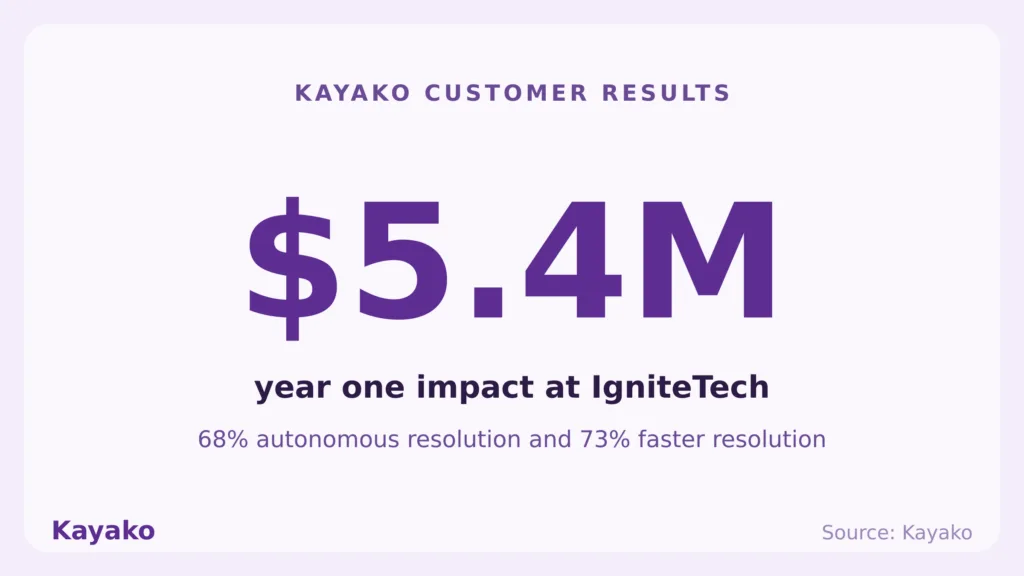
The outcomes back it up. IgniteTech used Kayako to reach 68 percent autonomous resolution and a 73 percent reduction in resolution time, with a reported $5.4 million impact in year one. That is what account-aware, autonomous support looks like when it is the foundation rather than an add-on.
Compare Kayako for your team →
What Reviewers Say About Kayako
Across G2 and Capterra, Kayako reviewers consistently call out the hands-on onboarding and the pricing model. One G2 reviewer described how Kayako assigned a dedicated team for the first 90 days to configure Agent Kay, set up routing, and structure the knowledge base, rather than handing over a login and wishing them luck. Several note that per-resolution pricing feels fair once compared to the real cost of a human-handled ticket, even if finance teams need a moment to adjust from per-seat thinking. Capterra reviewers highlight Kayako’s fit for centralizing scattered conversations and clarifying ticket ownership.
A B2B customer service tool is a sound investment if your stakeholders are clear on the front of use cases it’s going to tackle. All this makes the financial decision much more fruitful, as once the tool gets integrated into the daily workflow, it can have a constructive effect not only on the business-as-usual activities, but also on customer satisfaction scores too.
Frequently Asked Questions
What is the best customer service tool for B2B support?
There is no single best tool. Kayako leads for AI-forward teams that want autonomous resolution and account-aware pricing; Zendesk suits large configurable operations, HubSpot Service Hub fits HubSpot shops, and Zoho Desk and Freshdesk win on value. Match the tool to your B2B model.
What features matter most in B2B customer service software?
Account-level views, native CRM integration, tiered SLA management, AI autonomous resolution, omnichannel coverage including Slack and Teams, and reporting that ties support to revenue.
How much does B2B customer service software cost?
It varies widely. Per-seat suites run from around $19 to over $150 per agent per month, while usage-based models like Kayako charge per resolved ticket. At volume, the pricing model matters more than the sticker price, since per-seat cost scales with headcount.
Do B2B support tools integrate with CRM?
The strong ones do, natively. CRM integration gives support the account context it needs, so sales, service, and success share one source of truth. It is one of the six criteria worth treating as non-negotiable.
Can AI handle B2B support tickets?
Yes, increasingly. Modern agentic AI resolves routine, structured tickets autonomously, with Salesforce projecting half of all cases handled by AI by 2027. The mature model is hybrid. AI clears tier one volume, and humans take the complex, sensitive cases.