The first thing I tell anyone shopping for customer communication management software is that the category name hides two completely different products, and buying the wrong one costs you a quarter. On one side sit enterprise document platforms that generate statements, bills, and regulatory letters at scale. On the other side, the conversational platforms run live, two-way customer conversations. Almost everyone searching this term wants the second. This guide covers the second.
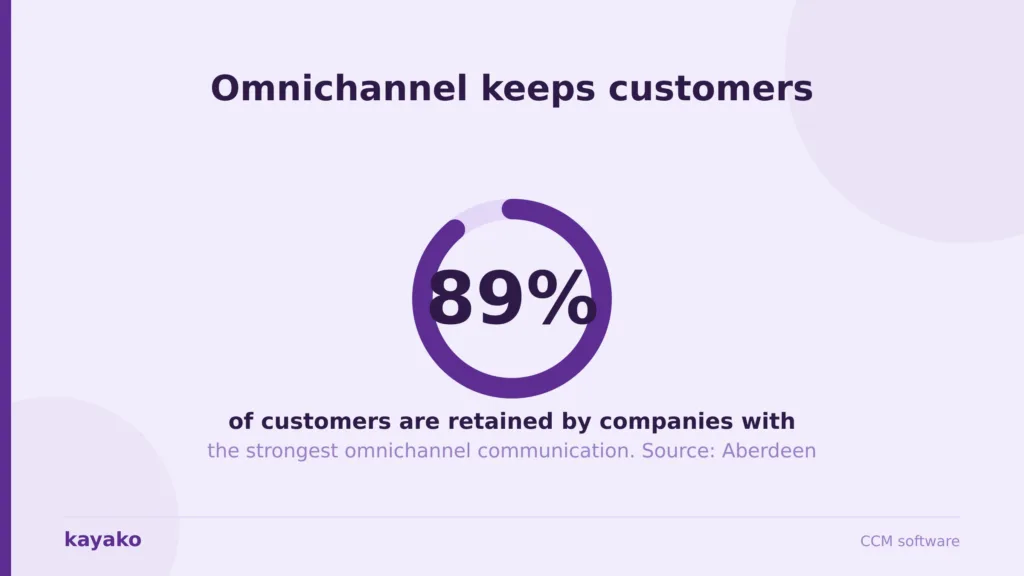
I have consolidated fragmented communication stacks, and I have watched teams buy another inbox instead. The failure pattern is always the same: chat in one app, email in another, a social feed nobody checks, and an agent apologizing while a customer explains their problem for the third time. Speed expectations make that fatal. HubSpot research finds 90% of customers rate an immediate response as important, and 60% define immediate as ten minutes or less. Companies with the most joined-up communication retain roughly 89% of their customers, according to Aberdeen’s long-cited benchmark. Fragmentation is not a tidiness problem. It is a retention problem.
How I evaluated these CCM platforms
I do not judge software from a demo the vendor staged. These are the criteria I use with support and CX leaders, and every tool below is scored against them.
- Channel coverage in one view. Does it handle the channels your customers actually use, on one record, or does it add another inbox to the pile?
- Context that survives a handoff. When a conversation moves from chat to email to phone, does the history follow? Most omnichannel claims die here.
- AI that resolves, not suggests. Can it close routine conversations without a human? Suggested replies make agents faster. Resolution removes the work.
- The AI to human handoff. Routine questions should resolve automatically, while complex or emotional ones route to a person with full context. Getting this wrong is worse than having no AI.
- Total cost at your volume. Seats plus AI add-ons plus channel fees plus per-number charges plus admin hours. The headline price is the beginning of the conversation.
Two disclosures. I work in this category, so treat the Kayako section as informed rather than neutral, which is why I have listed its genuine limitations rather than a token caveat. And pricing moves constantly. Every figure was checked against vendor pricing at the time of writing, so confirm your own quote at checkout.
Not sure whether your problem is channels, context, or volume? I will map it with you in 45 minutes.
1. Kayako: the CCM platform that resolves instead of routing
Kayako is my first recommendation to mid-market leaders whose problem is volume rather than channels. Most vendors sell you a unified inbox and leave the AI to you. Kayako implements the AI agent for you, trains it on your data, and prices per resolved ticket rather than per seat, which means the vendor only earns when the automation works. That is a structurally different bet from everyone else here.
Agent Kay resolves routine conversations end-to-end across email, chat, social, and the help center, while SingleView holds the customer’s full history on one record. The practical effect is that the repetitive questions never reach an agent, and the ones that do arrive with context attached. It pairs with a proper knowledge base and sits in the omnichannel lane.
Kayako pros
- AI that closes conversations. Trilogy eliminated 80% of ticket volume and cut ticket age from 17.6 hours to under 2 minutes in a 90-day rollout, saving $5 million.
- Per-resolution pricing inverts the math. Automation lowers your bill. Every other tool here charges more as the team grows.
- Expert implementation included. You are not handed docs and wished luck, which is why deployments land here and stall elsewhere.
Kayako cons
- Not a voice platform. If your phone carries most of your conversations, Aircall or a CCaaS platform is the honest answer. Kayako is strongest on written channels.
- No outbound campaign tooling. This handles inbound conversation and resolution. Marketing blasts need a separate tool.
- Not self-serve. You cannot sign up with a card and configure it this afternoon. It is an expert engagement model, which suits some teams and irritates others.
- No public price list. You cannot benchmark against Zendesk without a call, which is a fair procurement complaint.
- Overkill under roughly 500 tickets a month. Zoho Desk or Freshdesk will serve you better and cost less.
Kayako pricing
$1 per resolved ticket, expert implementation included, pilot-first custom pricing. Entry is a 90-day AI Agent pilot on one queue with agreed KPIs. At 5,000 tickets a month, that is $5,000 tied to outcomes. Enterprise on request, no public self-serve tier.
Want to see per-resolution pricing against your actual conversation volume? I will run the math.
2. Aircall: the voice-first pick, if you accept the license minimum
When the phone is the primary channel, Aircall is the tool I point sales-led and field-service teams toward. Setup is genuinely quick, the CRM integrations are its real strength, and call quality is reliable. Be clear-eyed about two things: it is voice and SMS, not a written-channel platform, and its pricing has a floor most buyers miss.
Aircall pros
- Best-in-class CRM integration. HubSpot, Salesforce, and Zendesk connections are why teams pick it.
- Fast to deploy. Live in a day for a small team, with no telephony project attached.
- Clean agent experience. Reps do not fight it, which matters more than any feature list.
Aircall cons
- A hard 3-licence minimum. A two-person team pays for three seats, so the real entry price is $90 a month, not $30. The Custom tier needs 25 licenses.
- AI is an add-on to Essentials. AI Assist costs $9 per license on the entry plan. AI Assist Pro is $49 per license on every plan, which nearly doubles Professional.
- Weak on written channels. Email and chat are not its domain. If those carry your volume, this is the wrong category.
- Add-ons stack fast. Analytics+ is $15 per license, extra numbers are roughly $6 each per month. Reviewers on G2 raise billing and renewal terms repeatedly, so read the renewal clause.
Aircall pricing
- Essentials: $30 per license per month (annual), $40 monthly. Minimum 3 licenses.
- Professional: $50 per license per month (annual), $70 monthly. Minimum 3 licenses.
- Custom: quote-based, minimum 25 licenses.
- Add-ons: AI Assist $9 per license (included on Professional), AI Assist Pro $49 per license, Analytics+ $15 per license. 7-day trial, no free plan.
3. Zendesk: the enterprise benchmark, with an admin tax
If you have worked in support for five years, you have used Zendesk. Every channel in one workspace, the deepest app marketplace here, and reporting that genuinely surfaces what is happening. My take after running two Zendesk implementations is that it is excellent if you can staff it. Without a dedicated admin, you pay for roughly double what you use. Compare it against Zendesk alternatives.
Zendesk pros
- Genuine channel breadth. Email, chat, voice, and social in one workspace, and it rarely runs out of room.
- Explore analytics. One of the strongest reporting suites in the category.
- Marketplace depth. If you use a mainstream tool, a connector exists.
Zendesk cons
- The bill compounds. Add AI, voice, and WFM, and you are routinely at two to three times the headline price.
- AI is bought on top. The resolution layer is an add-on rather than the core, and it behaves like one.
- Admin-heavy. Complex workflows sit half-configured without someone owning them full-time.
- Dated interface. Agents notice, and adoption suffers.
Zendesk pricing
- Suite Team: $55 per agent per month (annual).
- Suite Growth: $89 per agent per month.
- Suite Professional: $115 per agent per month.
- Suite Enterprise: custom. 14-day trial. AI, voice, and WFM are add-on costs.
Should paying Zendesk seat prices for volume AI be handled? Kayako can sit alongside your desk or replace it.
4. Freshdesk: the value pick that punches above its price
When a leader needs multichannel communication without a Zendesk budget, Freshdesk is my first call. Intuitive, a genuinely useful free tier, and I have seen teams live in under a day. It shows its limits at scale, where complex SLA hierarchies and high concurrent volume strain above roughly 100 agents. A brilliant SMB platform, not an enterprise one. Look at some of the Freshdesk alternatives.
Freshdesk pros
- Best value in the SMB segment. Free for 10 agents, paid from $15.
- Fastest time to value here. Live in a day is not hyperbole.
- Freddy AI does real triage. Categorization and predictive assignment cut manual routing.
Freshdesk cons
- Enterprise ceiling is real. Reporting and SLA depth show gaps above roughly 100 agents.
- AI depth trails the leaders. Good triage, weak autonomous resolution. High-volume teams outgrow it.
- Mobile app is weak. Remote agents get a degraded experience.
Freshdesk pricing
- Free: $0 for up to 10 agents.
- Growth: $15 per agent per month.
- Pro: $49 per agent per month.
- Enterprise: $79 per agent per month. 14-day trial. Freshworks has been restructuring these into Omni bundles, so confirm the current lineup.
5. Zoho Desk: unbeatable value, if you already run Zoho
If your business runs on Zoho, Zoho Desk is the path of least resistance, and the pricing is hard to argue with. CRM-to-ticket context passes cleanly in ways external integrations rarely manage. Outside the Zoho ecosystem, the value proposition weakens quickly, and you end up pulling teams into a wider suite to justify one product. Check out Zoho Desk alternatives here.
Zoho Desk pros
- Exceptional value for Zoho users. If you already pay for Zoho CRM, the incremental cost is hard to beat.
- Zia AI punches above its price. Sentiment analysis and response suggestions in an SMB tier are rare.
- Genuinely useful free tier. Three agents with real ticketing and a help center.
Zoho Desk cons
- Deep customization needs Deluge scripting. Anything beyond standard options requires developer involvement.
- Zoho’s own support is inconsistent. Slow response to urgent issues is a recurring theme in reviews.
- Third-party integration overhead. Non-Zoho connections take real work.
- Performance lags at volume. Teams approaching 10,000 tickets a month should test this carefully.
Zoho Desk pricing
- Free: $0 for up to 3 users.
- Standard: $14 per user per month (annual).
- Professional: $23 per user per month.
- Enterprise: $40 per user per month. 15-day trial.
6. Intercom: the AI-first messenger, if you can model the bill
Intercom earned its reputation on the in-product messenger and pushed hard into AI resolution with Fin. For product-led teams whose customers live in the app, it is excellent, and Fin is one of the few AI agents that genuinely resolve. My reservation is the pricing, which has two layers that behave very differently and catch teams at renewal. You can see Intercom alternatives here.
Intercom pros
- Best in-product messenger. Nothing else feels as native inside an app.
- Fin genuinely resolves. It closes conversations without a human and knows when not to answer, which is rarer than it sounds.
Intercom cons
- Two cost layers that compound. Seats plus $0.99 per Fin resolution. The better the AI performs, the higher that line climbs.
- The Essential to Advanced jump is nearly 3x. Much of what it adds is basic automation, so the practical entry price is Advanced.
- Narrow outside chat. Heavy email or voice volume will find it thinner than a full suite.
- No free tier. A 14-day trial, and that is it.
Intercom pricing
- Essential: $29 per seat per month (annual), around $39 monthly.
- Advanced: $85 per seat per month (annual), around $99 monthly.
- Expert: $132 per seat per month (annual), around $139 monthly.
- Fin AI: $0.99 per resolution on top of every plan. Copilot costs roughly $29 per seat extra.
Worth knowing before you sign. In June 2026, Salesforce announced a definitive agreement to acquire the company, now branded Fin, for around $3.6 billion, expected to close near the end of Salesforce’s fiscal 2027. Pricing is unchanged for now, but if you are committing to a multi-year contract, that is the context you want. Verify current status before purchasing.
7. Front: the best shared inbox, priced per seat forever
Front is what I recommend when communication is relationship-heavy and email-centric, such as account management and client services. Email, chat, and SMS become a shared workspace where a team can assign, comment, and reply together, and replies feel personal rather than ticketed. The catch is that Front AI is assist-first, so it makes agents faster without reducing how many you need.
Front pros
- Best collaborative inbox in the category. Nothing else makes a team feel like one mailbox this cleanly.
- Replies feel human. For relationship-led communication that beats automation depth.
Front cons
- AI is almost entirely an add-on. Copilot, Smart QA, and Smart CSAT stack per seat. Run all three on Professional, and you pay more than Enterprise, which bundles them.
- Hard seat caps. Starter caps at 10 seats and a single-channel type. Professional caps at 50. You upgrade for capacity, not features.
- Autopilot is metered separately. Roughly $0.89 per resolution by third-party breakdowns, on top of the rest.
- Stale pricing everywhere. Front moved from four plans to three in 2026. If you see Starter, Growth, Scale, and Premier at $19 to $229, that is the old model.
Front pricing
- Starter: $25 per seat per month (annual). Single-channel type, 10-seat capacity.
- Professional: $65 per seat per month. Omnichannel, 50-seat cap.
- Enterprise: $105 per seat per month. Bundles Copilot, Smart QA, and Smart CSAT.
- Add-ons: Copilot $20 per seat, Smart QA $20 per seat, Smart CSAT $10 per seat. 14-day trial, no free plan.
All 7 CCM platforms: pricing compared
A quick reference across the seven. List price is never total cost, so factor in AI add-ons, channel fees, per-number charges, and the admin hours before you commit.
| Tool | Best for | Entry price | AI resolution | Free tier |
|---|---|---|---|---|
| Kayako | AI-first resolution, mid-market | $1 per resolved ticket | Native, implemented for you | 90-day pilot |
| Aircall | Voice-first teams | $30/license/mo (3 min) | Add-on, voice agents | 7-day trial |
| Zendesk | Enterprise omnichannel | $55/agent/mo | Paid add-on | 14-day trial |
| Freshdesk | SMB value | Free, then $15/agent/mo | Add-on, triage-led | Free, 10 agents |
| Zoho Desk | Zoho-stack teams | Free, then $14/user/mo | Zia, SMB-tier | Free, 3 users |
| Intercom | In-app AI messaging | $29/seat/mo + $0.99/resolution | Native (Fin) | 14-day trial |
| Front | Shared-inbox collaboration | $25/seat/mo | Add-on, assist-first | 14-day trial |
Pricing checked against vendor pages at the time of writing and changes often. Verify directly before purchasing.
How to build your communication stack
I rarely recommend a single tool. Most teams need two or three connected layers, and the sequence matters more than the logos.
Start with your dominant channel
Match the type to where your volume actually sits. Support suites handle the full channel range and suit mostly inbound teams. Voice-first platforms fit teams where calls dominate. Shared inboxes suit relationship-heavy, email-centric work. Get this wrong, and no amount of configuration saves you. If phone is 70% of your conversations, a written-channel platform with a voice add-on will disappoint, and the reverse is equally true.
Then fix volume, not just routing
Once channels are consolidated, the remaining problem is usually volume. Routing a repetitive question faster is a smaller win than never receiving it. This is where AI depth separates the tools: a platform that resolves natively changes the cost curve, while one that bolts AI on as an add-on mostly changes your invoice. Track it through your support metrics rather than a deflection dashboard.
Model the real cost over 36 months
List price is never the true cost. Include seats, AI add-ons, channel fees, per-number charges, onboarding, admin hours, and exit costs. A twenty-agent team on Zendesk Suite Professional is $27,600 a year in licenses before AI, voice, or analytics. Run that math across your shortlist, and the ranking changes fast, which is the honest route to cost reduction that comes from deflection rather than headcount.
Want me to map these seven against your channels, volume, and budget and give you a shortlist?
Which CCM software should you choose?
The short version, based on the situations I meet most.
- AI-first resolution, mid-market, outcome pricing: Kayako, my first call when the queue grows faster than the team.
- Voice-led teams: Aircall, if you accept the 3-license minimum and the add-on stack.
- Enterprise omnichannel with admin resource: Zendesk, excellent if you can staff it.
- SMB on a budget: Freshdesk, best value in the segment.
- Already on Zoho: Zoho Desk. Not otherwise.
- Product-led in-app support: Intercom, if you model the Fin bill before signing.
- Relationship-led email teams: Front, the best shared inbox, if you accept assist-first AI.
The best CCM software is not the one with the most channels. It is the one that carries context across the channels you actually use and reduces the volume you have to handle. Favor consolidation over sprawl and integration over feature count, because the customer experiences the whole stack, not the parts.
Ready to see what autonomous resolution does to your actual conversation volume? Let’s design your 90-day pilot.
Frequently asked questions
What is customer communication management (CCM) software?
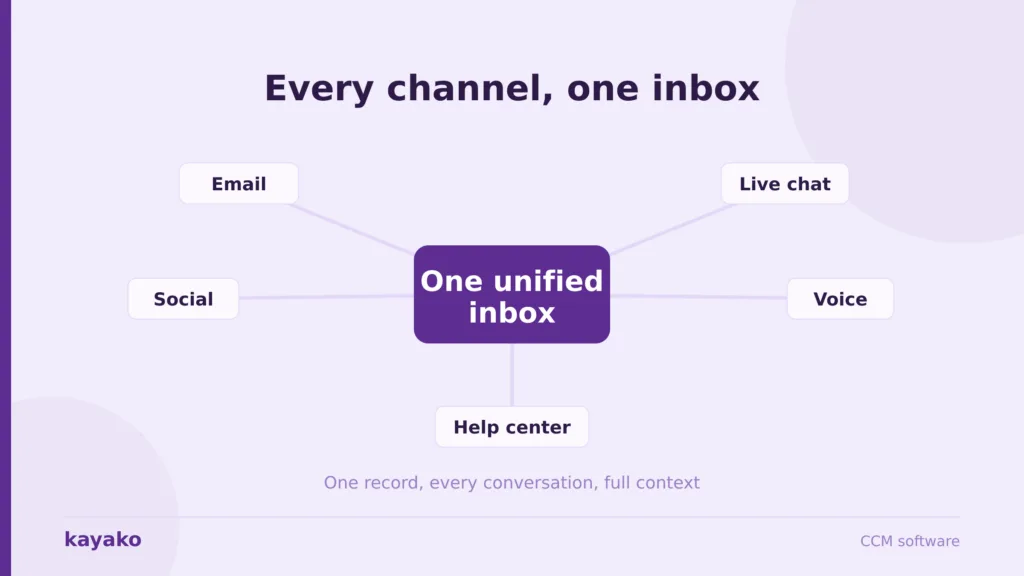
Customer communication management software centralizes customer conversations across channels such as email, chat, social, and phone, so a team can see one history per customer and reply consistently at volume. The term covers two different product types: enterprise document platforms that generate statements and regulatory letters, and conversational platforms that manage live two-way support. Most teams searching for the term want the second.
What is the difference between CCM software and CRM?
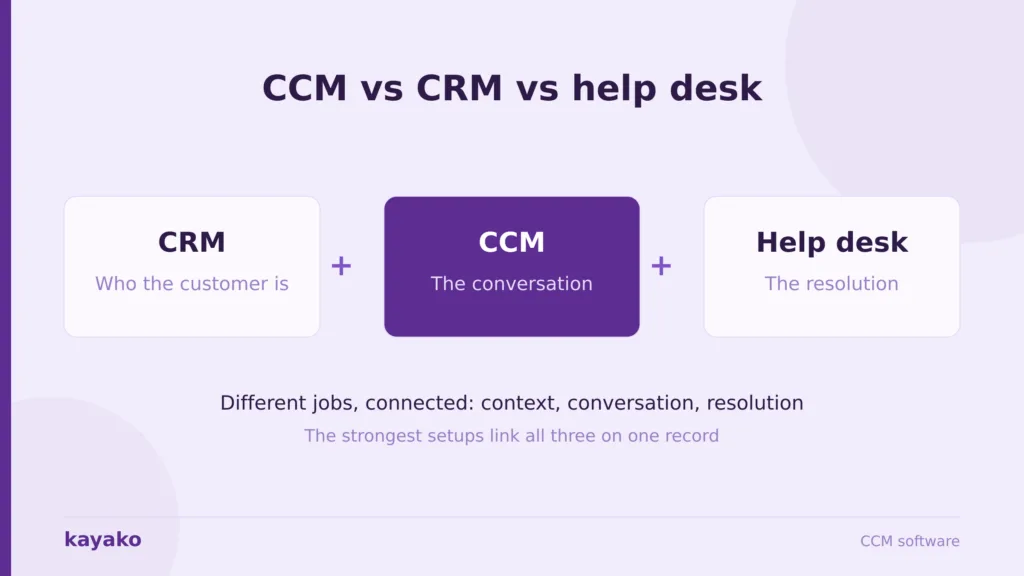
A CRM stores customer data and manages the pipeline, so it tells you who the customer is and what they have bought. CCM software runs the actual conversations across channels, so it is how you talk to and help them. They work best connected, with the communication platform reading from the CRM record so agents see purchase history alongside the conversation.
What is the best customer communication management software in 2026?
It depends on your dominant channel and your volume. For autonomous resolution and one customer record, Kayako leads with per-resolution pricing. Aircall suits voice-led teams, Zendesk fits enterprise omnichannel with admin resource, Freshdesk serves SMBs on a budget, Zoho Desk is unbeatable inside the Zoho ecosystem, Intercom suits product-led in-app support, and Front is the best shared inbox for relationship-heavy email teams.
How much does customer communication management software cost?
Entry pricing varies widely. Zoho Desk is free for 3 users, then $14 per user. Freshdesk is free for 10 agents, then $15 per agent. Front starts at $25 per seat, Intercom at $29 per seat plus $0.99 per AI resolution, Aircall at $30 per license with a 3-license minimum, and Zendesk at $55 per agent. Kayako prices per resolved ticket at $1. Compare the model, not the sticker price: per-seat costs rise as you grow, per-resolution costs fall as automation improves.
What features should customer communication management software have?
The core set is an omnichannel inbox tied to one customer record, unified context on every reply, automation and AI resolution, templates and personalization, a self-service knowledge base, and cross-channel analytics. The differentiators in 2026 are AI depth and integration breadth. A platform that resolves natively rather than bolting AI on changes your cost curve, and one that connects cleanly to your CRM avoids recreating the silos you set out to remove.